
This page is not an official page of the app or its developer, but an independent editorial publication created for informational and commentary purposes. Unless expressly stated otherwise, neither the app nor its developer is affiliated with, endorsed by, sponsored by, authorized by, or otherwise officially connected with MWM, Apple, Google Play, the app publisher, or the app's developer, and nothing on this page implies that the app was developed using MWM's services. Any trademarks, logos, screenshots, and other content remain the property of their respective owners.

Goodnotes: AI Notes, Docs, PDF
Passive note-taking is dead. This app transforms raw input into structured insights, giving users an unfair advantage in understanding and action.
Downloads
50M+User Rating
Total Ratings
3.4MPublisher
Category
ProductivityLocales
15Latest Version
7.0.46Size
673.5 MBFirst Released
Jan 15, 2019Goodnotes: AI-Powered Productivity Analysis
Evaluating the advanced digital note-taking and organizational capabilities of 'Goodnotes: AI Notes, Docs, PDF' for diverse users.
AI Meeting Assistant
The app provides AI-powered transcription and live summarization, automatically capturing discussions and structuring them into clear meeting minutes.
Infinite AI Canvas & Collaboration
This tool features an infinite canvas for brainstorming and diagramming with real-time collaboration, enhanced by AI to capture and organize key takeaways.
AI-powered Study Sets
It allows users to create and utilize AI-powered flashcards built on active recall and spaced repetition directly from their notes for effective studying.
AI Text Refinement
The app offers AI capabilities to summarize, shorten, and adjust the tone of typed text, helping users to perfect their written content efficiently.
Synchronized Audio Notes
This tool enables users to record audio notes that are automatically synced with the moment they write, providing context for lectures and presentations.
Secure Cloud Sync & Backup
It provides robust cloud backup to services like Google Drive, Dropbox, and OneDrive, alongside iCloud sync across devices, ensuring notes are always safe and accessible.
Rich Multimedia Note-Taking
The app facilitates combining handwritten and typed text with various multimedia elements such as images, stickers, diagrams, and doodles on a single page.
Customizable Digital Notebooks
It allows users to create digital notebooks with a wide array of customizable paper templates, catering to diverse organizational and planning needs.
Seamless Document Collaboration
The app enables real-time collaboration by allowing users to share links to their notebooks, facilitating synchronous or asynchronous teamwork and brainstorming.
Integrated Presentation Tools
This tool features integrated capabilities for presenting notes and content directly via AirPlay or HDMI, including a laser pointer for guiding audience attention.
Frequently Asked Questions
Everything you need to know about Goodnotes: AI Notes, Docs, PDF
Can Goodnotes AI answer questions directly from my notes?
Yes, Goodnotes AI allows users to ask questions and receive answers based on the content of their notes. This feature helps connect dots and unlock insights.
Does Goodnotes support real-time collaboration on documents?
Yes, Goodnotes enables real-time collaboration on whiteboards and notes. Users can send a link to their notebooks to work on the same notes directly with teammates.
How does Goodnotes AI assist with meetings and lectures?
Goodnotes AI provides audio transcription and live summarization for meetings and lectures. It automatically captures discussions and structures them into clear meeting minutes, merging with personal notes.
Are Goodnotes 5 users required to upgrade to the new Goodnotes app?
No, existing Goodnotes 5 users can continue using Goodnotes 5 indefinitely. They also have the option to upgrade to the new Goodnotes app, and their notes remain safe.
Can I customize my note-taking experience in Goodnotes?
Yes, Goodnotes offers extensive customization. Users can customize paper template size and color, and add or import stickers, stamps, washi tapes, images, and more.
What cloud services does Goodnotes support for backup and synchronization?
Goodnotes supports backing up all notes to Google Drive, Dropbox, or OneDrive. It also uses iCloud to sync notes across iPad, iPhone, and Mac devices.
Can Goodnotes be used to present notes to an audience?
Yes, Goodnotes allows users to present notes, slides, and content by connecting their device via AirPlay or HDMI to an external screen. A Laser Pointer tool is also available.
Does Goodnotes allow users to edit and annotate PDF documents?
Yes, Goodnotes enables users to highlight, annotate, and edit any PDF document. It also automatically imports PDF tables of contents for easy navigation.
What features does the Whiteboard in Goodnotes offer for brainstorming?
The Goodnotes Whiteboard provides an infinite canvas for brainstorming, mind-mapping, and diagramming. It includes enhanced diagramming tools and supports real-time collaboration for teams.
How does Goodnotes AI assist students with studying and exam preparation?
Goodnotes AI helps students summarize, shorten, and refine typed text. It also offers Study Sets, which are flashcards built on active recall and spaced repetition for effective practice.
Can Goodnotes recognize and solve handwritten math problems?
Yes, Goodnotes features math recognition capabilities. Users can input handwritten math equations and utilize the AI to ask questions about or solve the problems directly within the app.
The following screenshots and description are sourced directly from the app's official store listing and are the property of the app developer.
App Store
Screenshots
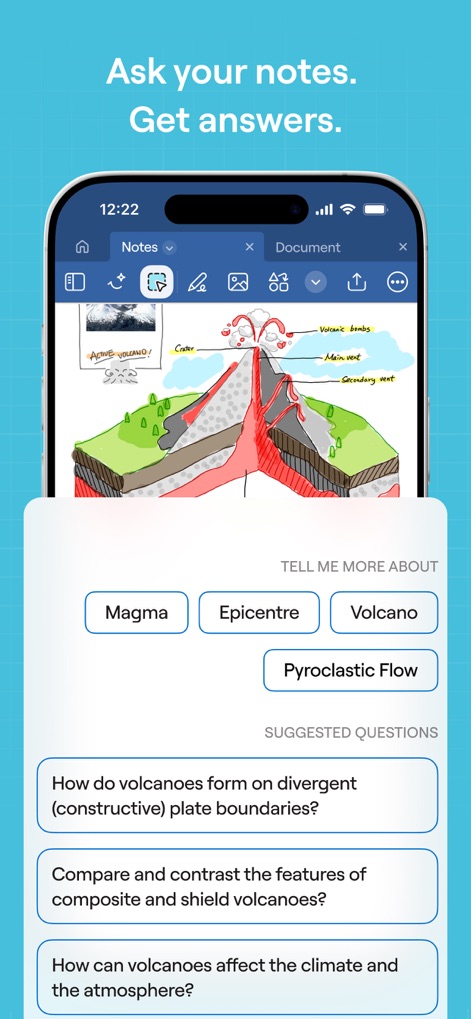
AI Note Insights
Discover how the app transforms notes into interactive knowledge with AI-generated questions and contextual information buttons.
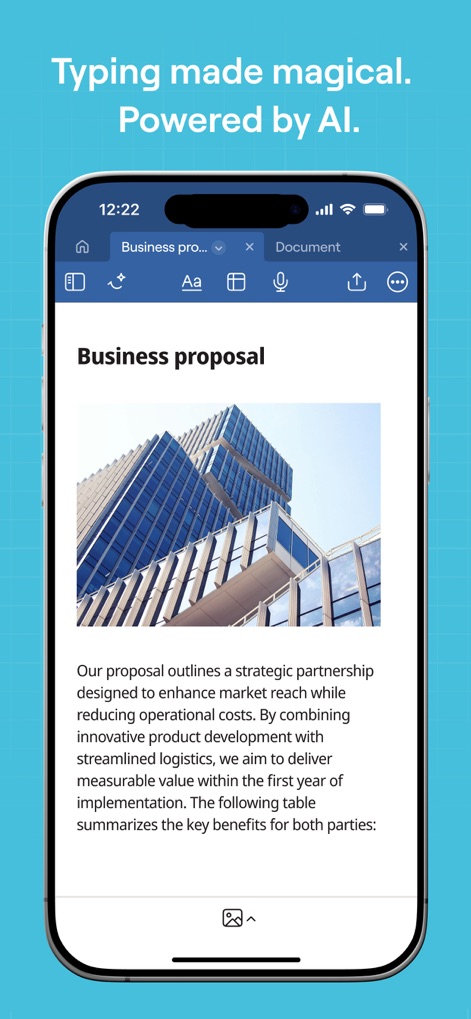
Smart Document Creation
Explore the intuitive typing interface, showcasing the seamless integration of text and images within a professional document, and the rich inline blocks available.
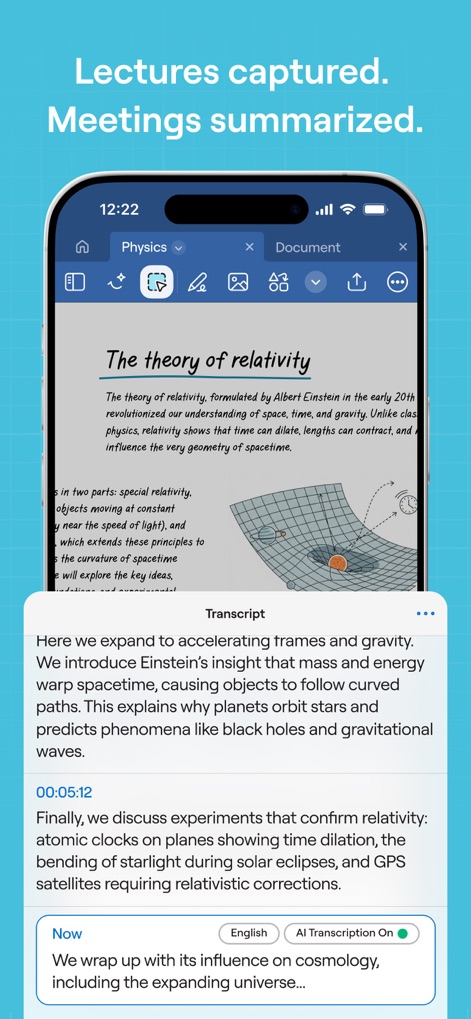
AI Lecture Capture
Observe how the app provides detailed AI-powered transcripts of audio, neatly synced with written notes for comprehensive meeting or lecture review.
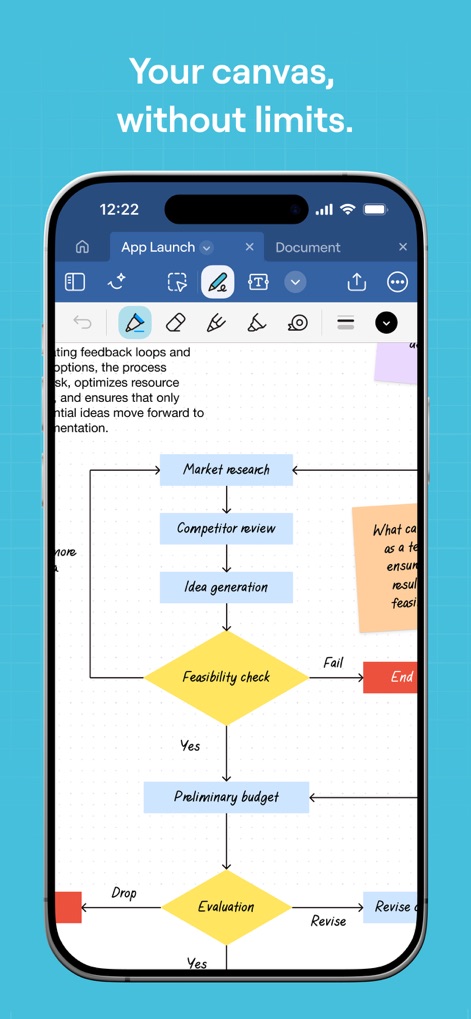
Infinite Canvas Freedom
Witness the expansive whiteboard capabilities, displaying a complex flowchart diagram and a full suite of diagramming and annotation tools for limitless creativity.

Effortless PDF Annotation
See how users can directly interact with PDF documents, applying multiple highlights and utilizing a comprehensive set of editing tools for focused review.
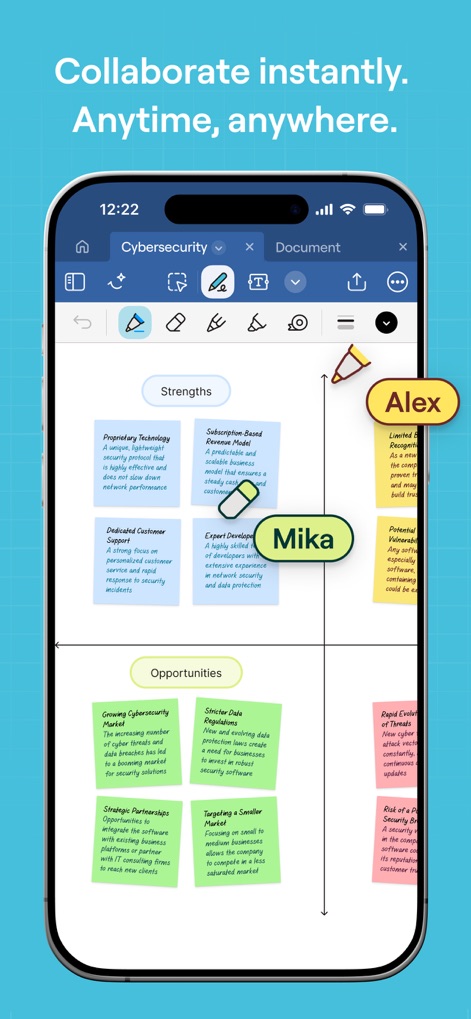
Real-Time Teamwork
Observe dynamic collaboration features, where multiple users like Alex and Mika can simultaneously contribute to a shared diagram and add notes.
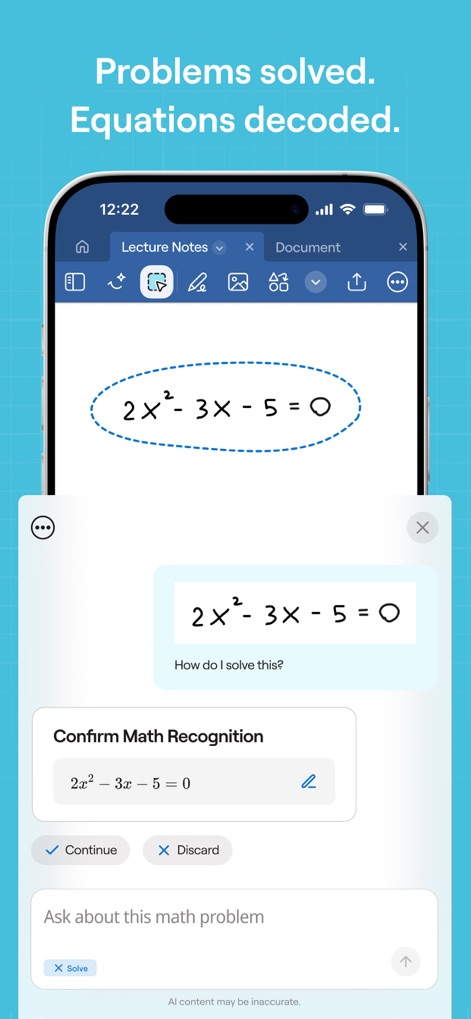
AI Math Assistance
Witness the app's ability to recognize and provide solutions for handwritten equations, offering immediate confirmation and problem-solving assistance.
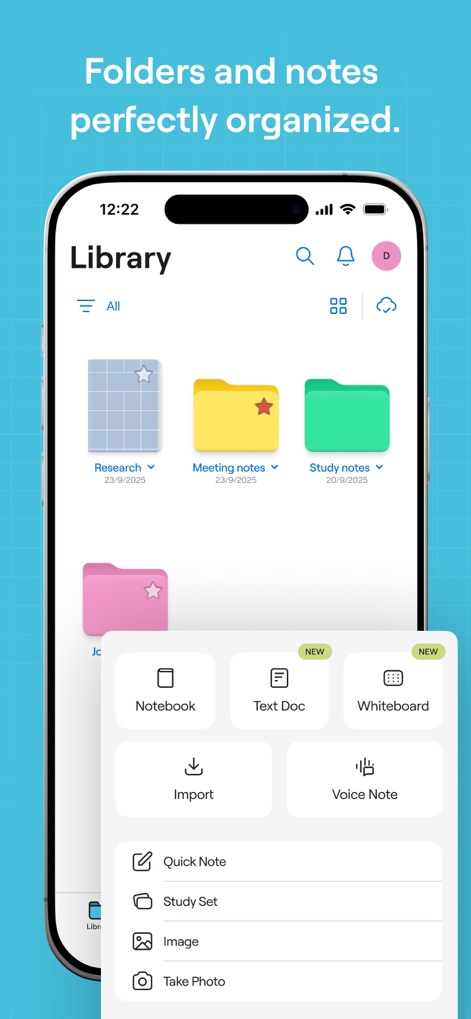
Streamlined Organization Hub
View the well-structured library interface, presenting neatly organized folders and a clear menu for creating various new document types.

Dynamic Presentation Tools
Explore the flexible presentation mode options, allowing users to select between mirroring presenter pages or the full document, enhancing audience engagement.
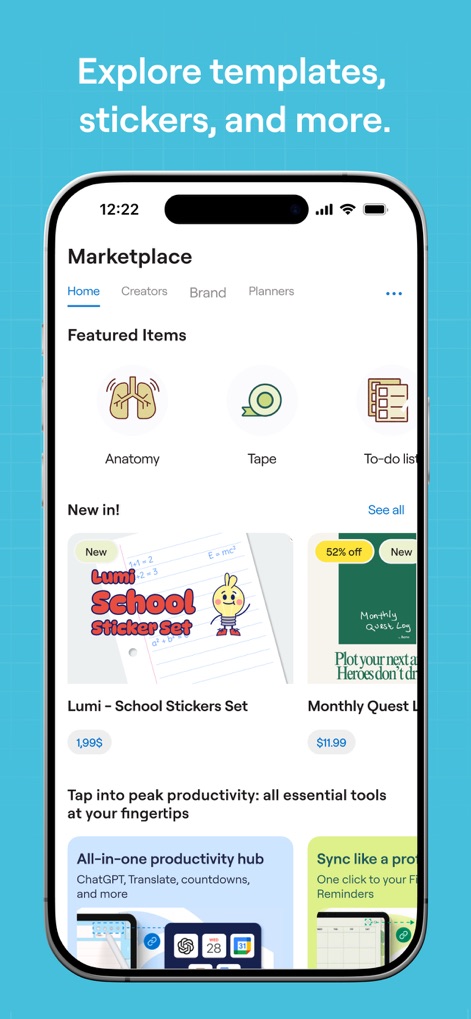
Creative Resource Marketplace
Discover the vibrant in-app marketplace, offering a wide array of featured items and various sticker sets to personalize notes and boost creativity.
Description
Download
More Like This
Apps with similar features and user experience

Notion: Notes, Tasks, AI
Notion Labs, Incorporated

Freenotes®: AI Notes Taking
Hangzhou Free Notes Technology Co., Ltd

Structured - Daily Planner
unorderly GmbH

Google Tasks: Get Things Done
Google LLC

TickTick:To-Do List & Calendar
Appest Limited

Noteful: Notes & PDF Markup
Noteful Technologies Ltd

Todoist: To Do List & Calendar
Doist Inc.

To do list MinimaList & Widget
Inner Grow Limited

monday.com - Work Platform
monday.com Ltd.
This page is not an official page of the app or its developer, but an independent editorial publication created for informational and commentary purposes. Unless expressly stated otherwise, neither the app nor its developer is affiliated with, endorsed by, sponsored by, authorized by, or otherwise officially connected with MWM, Apple, Google Play, the app publisher, or the app's developer, and nothing on this page implies that the app was developed using MWM's services. Any trademarks, logos, screenshots, and other content remain the property of their respective owners.