GoTeleprompter: Video Prompter
Download on App Store

This page is not an official page of the app or its developer, but an independent editorial publication created for informational and commentary purposes. Unless expressly stated otherwise, neither the app nor its developer is affiliated with, endorsed by, sponsored by, authorized by, or otherwise officially connected with MWM, Apple, Google Play, the app publisher, or the app's developer, and nothing on this page implies that the app was developed using MWM's services. Any trademarks, logos, screenshots, and other content remain the property of their respective owners.

Logo of GoTeleprompter: Video Prompter
Download on App Store

GoTeleprompter: Video Prompter

Maintain perfect eye contact and eliminate endless retakes. Whether you are filming for TikTok, YouTube, or a high-stakes business pitch, deliver your message with total confidence and zero stress.

Key Figures

Downloads

0

User Rating

5.0/5

Total Ratings

0

Publisher

Direct Solutions

Category

Productivity

Locales

1

Latest Version

1.0.4

Size

10.4 MB

First Released

Nov 30, 2023
Features

Everything You Need to Master the Camera

From viral TikToks to professional pitches, GoTeleprompter gives you the tools to speak fluently, look professional, and finish filming in half the time.

Natural Eye Contact

Keep your eyes on the lens while reading your script. Build a stronger connection with your viewers by looking directly at them, not at notes.

Smart Auto-Scrolling

Adjust the speed and font size to match your natural speaking rhythm. No more rushing or awkward pauses—just a smooth, confident delivery.

The following screenshots and description are sourced directly from the app's official store listing and are the property of the app developer.

App Store

Screenshots
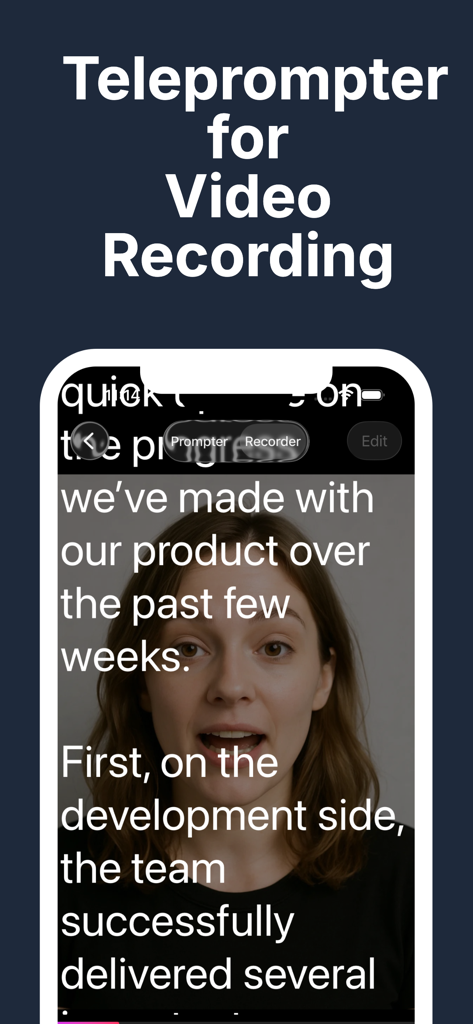
GoTeleprompter: Video Prompter - Interface of the GoTeleprompter app showing a scrolling script overlay during a video recording
Interface of the GoTeleprompter app showing a scrolling script overlay during a video recording

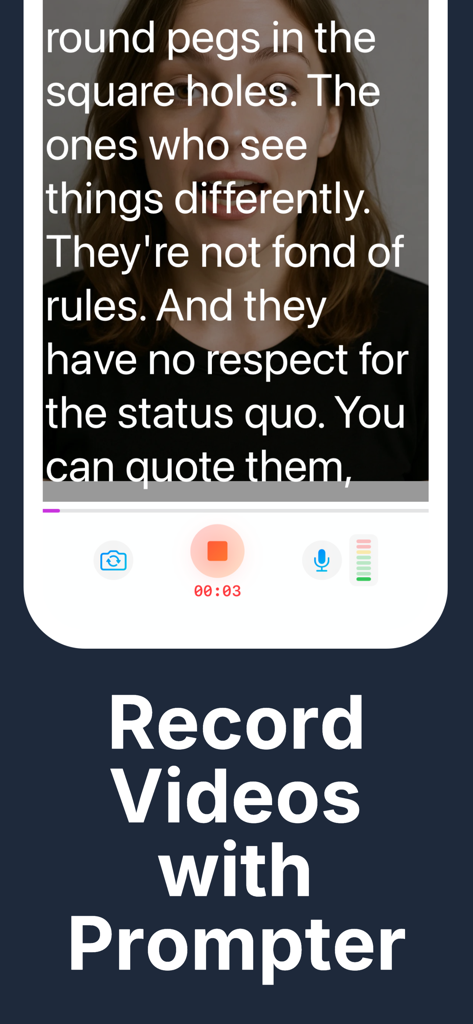
GoTeleprompter: Video Prompter - A woman recording a video with a scrolling script overlay using GoTeleprompter
A woman recording a video with a scrolling script overlay using GoTeleprompter

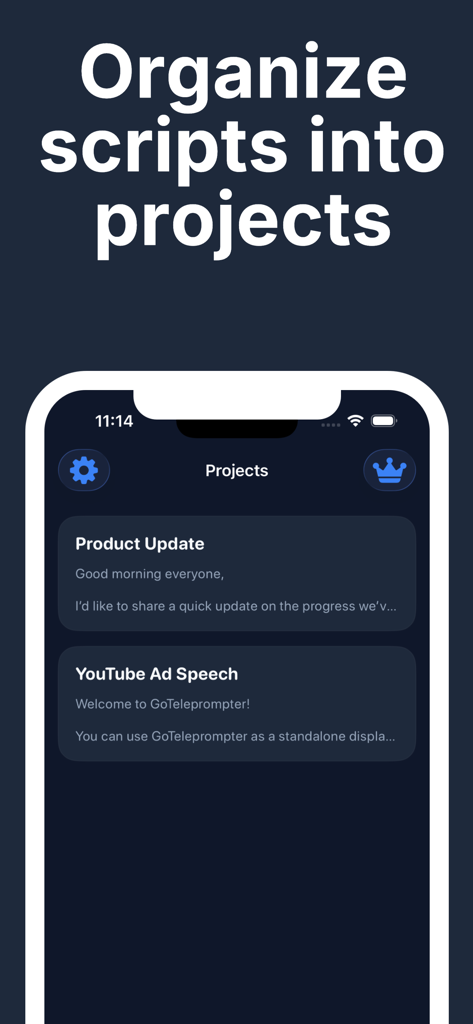
GoTeleprompter: Video Prompter - Dashboard for organizing video scripts into projects within the GoTeleprompter app
Dashboard for organizing video scripts into projects within the GoTeleprompter app

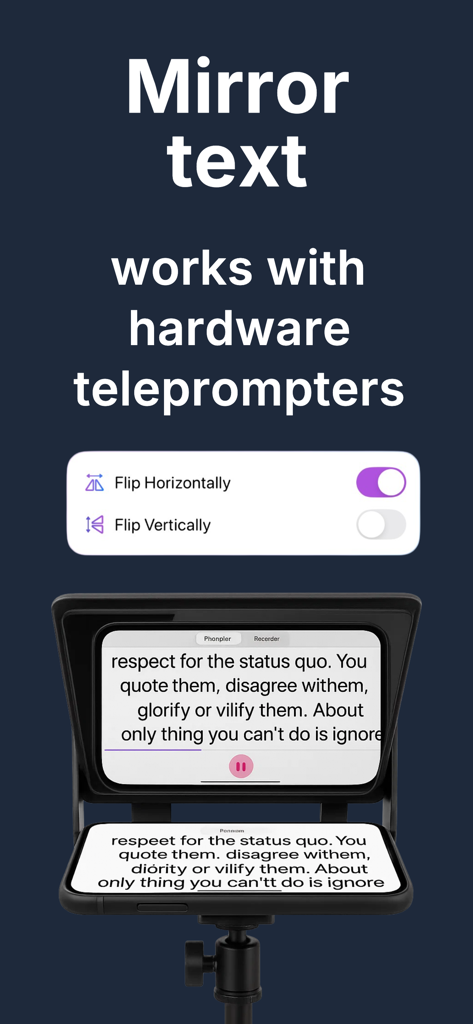
GoTeleprompter: Video Prompter - Mirror text feature for hardware teleprompters in the GoTeleprompter app

Mirror text feature for hardware teleprompters in the GoTeleprompter app
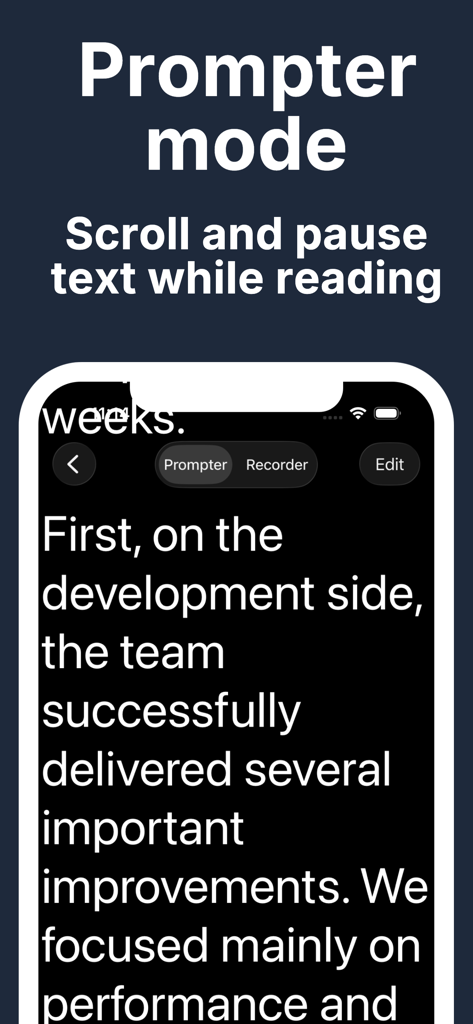
GoTeleprompter: Video Prompter - GoTeleprompter app Prompter mode showing scrolling script text
GoTeleprompter app Prompter mode showing scrolling script text

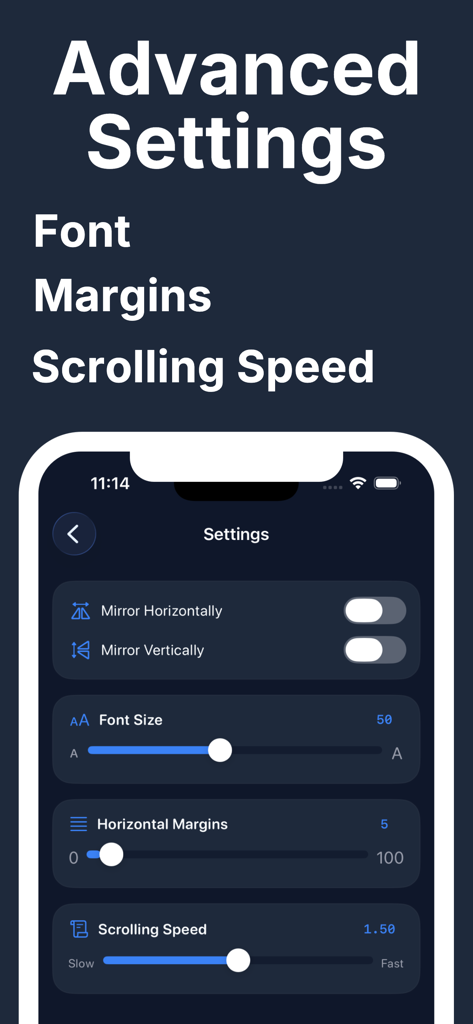
GoTeleprompter: Video Prompter - Advanced settings menu in the GoTeleprompter app showing controls for font size horizontal margins and scrolling speed
Advanced settings menu in the GoTeleprompter app showing controls for font size horizontal margins and scrolling speed

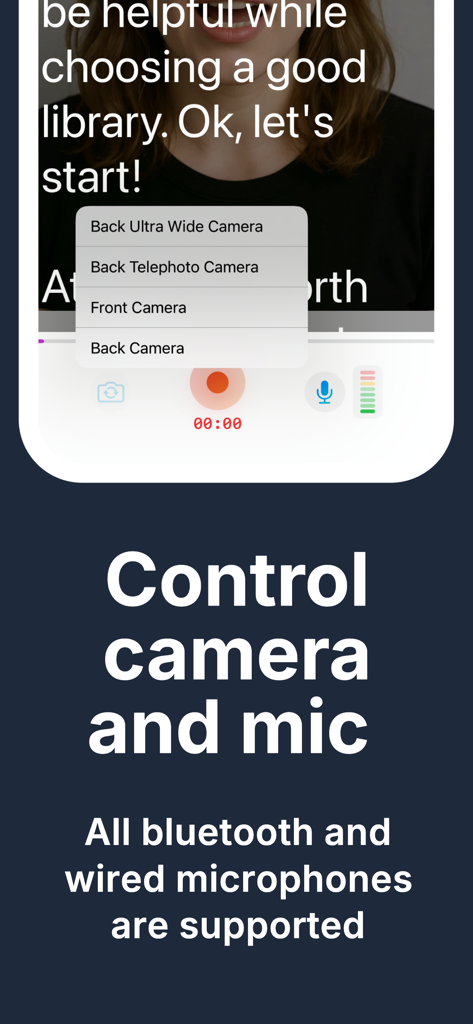
GoTeleprompter: Video Prompter - Camera and microphone selection options in the GoTeleprompter app for video recording.

Camera and microphone selection options in the GoTeleprompter app for video recording.

Description

Teleprompter - Video Script Reader Record professional videos without memorizing scripts. Teleprompter displays your text while you film, so you stay focused and confident on camera. PERFECT FOR: • YouTubers & content creators • TikTok & Instagram Reels creators • Business presentations & pitches • Online courses & tutorials • Podcasters & interviewers • Public speakers & educators • Real estate & product videos • News anchors & journalists PROMPTER MODE Read your scripts with smooth auto-scrolling text. Tap to play, swipe to adjust position manually. The progress bar shows exactly where you are in your script. • Adjustable scrolling speed — read at your natural pace • Custom font size — from small notes to large text • Horizontal margins control — fit text perfectly on screen • Touch to pause and resume anytime VIDEO RECORDER Switch to Recorder mode and see your script overlaid on the camera preview. Read your lines while filming — no more looking away from the lens. • Front and back camera support • Choose your preferred microphone • Real-time audio level indicator • Recording timer display • Videos saved directly to Photos MIRROR MODE FOR TELEPROMPTER RIGS Using a professional teleprompter setup with a beam splitter mirror? Flip your text horizontally or vertically so it reads correctly through your rig. • Horizontal flip for mirror setups • Vertical flip option • Works with any teleprompter hardware ORGANIZE YOUR SCRIPTS Create multiple projects for different videos. Edit, rename, duplicate, or export your scripts anytime. Long-press for quick actions. • Unlimited script projects • Easy text editing • Export scripts as plain text • Auto-save — never lose your work CUSTOMIZABLE SETTINGS Make the teleprompter work for you: • Font size: 10–100 points • Scrolling speed: slow to fast • Horizontal margins: edge-to-edge or centered • Text flip: horizontal & vertical WHY TELEPROMPTER? Stop memorizing. Stop forgetting. Stop doing endless retakes. Whether you're recording YouTube videos, creating TikTok content, filming online courses, or presenting to clients — Teleprompter helps you deliver your message confidently and professionally. Just write your script, hit record, and read naturally while looking directly at the camera. Your audience will see a confident presenter, not someone struggling to remember lines. SIMPLE & INTUITIVE No complicated setup. No learning curve. Create a project, paste your script, and start recording in seconds. Download Teleprompter and record your best videos today. Terms of Use: https://www.apple.com/legal/internet-services/itunes/dev/stdeula/

Download

Download on App Store

This page is not an official page of the app or its developer, but an independent editorial publication created for informational and commentary purposes. Unless expressly stated otherwise, neither the app nor its developer is affiliated with, endorsed by, sponsored by, authorized by, or otherwise officially connected with MWM, Apple, Google Play, the app publisher, or the app's developer, and nothing on this page implies that the app was developed using MWM's services. Any trademarks, logos, screenshots, and other content remain the property of their respective owners.