
This page is not an official page of the app or its developer, but an independent editorial publication created for informational and commentary purposes. Unless expressly stated otherwise, neither the app nor its developer is affiliated with, endorsed by, sponsored by, authorized by, or otherwise officially connected with MWM, Apple, Google Play, the app publisher, or the app's developer, and nothing on this page implies that the app was developed using MWM's services. Any trademarks, logos, screenshots, and other content remain the property of their respective owners.

Gps Map Camera - Timestamp
Automate your documentation with precise GPS coordinates, map overlays, and real-time timestamps. The essential camera tool for site inspections, real estate, and capturing your world travels with every detail included.
Downloads
497K+User Rating
Total Ratings
8K+Publisher
Category
Photo & VideoLocales
16Latest Version
2.0.9Size
18.1 MBFirst Released
Jul 31, 2022Capture Every Detail with Precision
Transform your photos into comprehensive records with automated GPS, time, and environmental data overlays designed for field pros and adventurers.
Professional Field Reporting
Generate undeniable proof-of-work with automated location stamps, addresses, and timestamps for every site visit or insurance claim.
Advanced Navigation Data
Record altitude, compass orientation, and weather conditions directly on your images to document your toughest outdoor adventures.
Frequently Asked Questions
Everything you need to know about Gps Map Camera - Timestamp
What is Gps Map Camera - Timestamp?
Gps Map Camera - Timestamp is an application that adds date-time, map, geotag, GPS coordinates, weather, magnetic field, timestamp, and compass details directly to your photos. It tracks live location and current time.
What information can Gps Map Camera - Timestamp add to photos?
Gps Map Camera - Timestamp can add date-time, map, geotag, Latitude, Longitude, Altitude, Weather (Fahrenheit or Celsius), Wind speed, Compass direction, Magnetic field, Pressure, Humidity, and Accuracy details to photos.
Can users customize the map type in Gps Map Camera - Timestamp?
Yes, users can customize map types within Gps Map Camera - Timestamp. The available options include Normal, Satellite, Terrain, and Hybrid maps for display on location stamps.
Does Gps Map Camera - Timestamp display weather information on photos?
Yes, Gps Map Camera - Timestamp displays comprehensive weather information on photos. This includes temperature (Fahrenheit or Celsius), wind speed, humidity, and atmospheric pressure.
Who are the primary users who benefit from Gps Map Camera - Timestamp?
Gps Map Camera - Timestamp benefits adventure seekers, trekkers, civil engineers, architects, event organizers, and content creators such as travel, food, fashion, and art bloggers for geotagging photos.
Can I manually add location information using Gps Map Camera - Timestamp?
Yes, you can manually add location information using Gps Map Camera - Timestamp. The app allows users to set map data and address details either automatically or manually on the image.
Does Gps Map Camera - Timestamp offer custom camera features?
Yes, Gps Map Camera - Timestamp offers custom camera features. These include Grid, Ratio, Front & Selfie camera modes, Flash, Focus, Mirror options, Timer functionality, and capture sound support.
What GPS coordinate formats does Gps Map Camera - Timestamp support?
Gps Map Camera - Timestamp supports GPS coordinates in both DMS (Degrees, Minutes, Seconds) and Decimal options. These formats are available for the GPS stamp displayed on images.
Can Gps Map Camera - Timestamp track and display live location?
Yes, Gps Map Camera - Timestamp tracks and displays live location. It automatically incorporates the current time and geographical coordinates directly onto the captured photos.
Does Gps Map Camera - Timestamp provide compass and magnetic field details?
Yes, Gps Map Camera - Timestamp provides both compass and magnetic field details. It includes an auto compass direction and auto magnetic field information stamp on photos.
The following screenshots and description are sourced directly from the app's official store listing and are the property of the app developer.
App Store
Screenshots
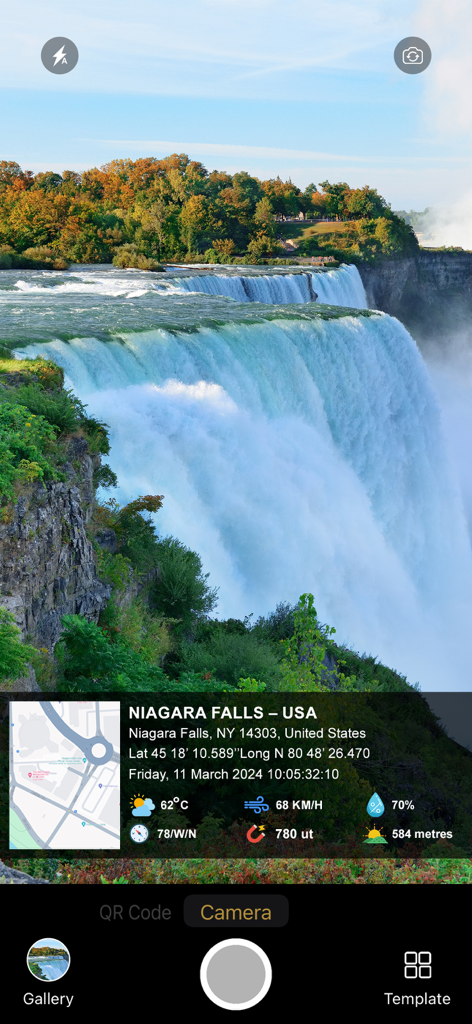
Niagara Falls photo with GPS map location and timestamp watermark
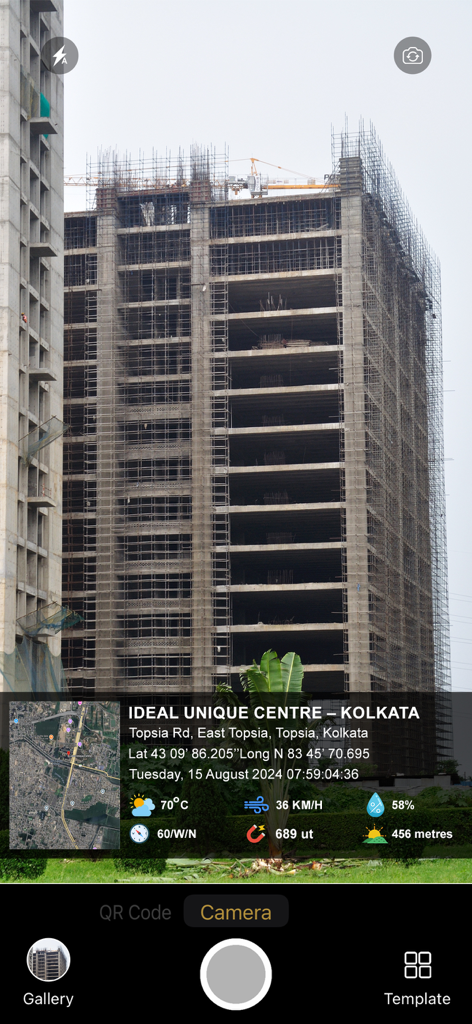
GPS map camera interface showing a construction site photo with location and timestamp details
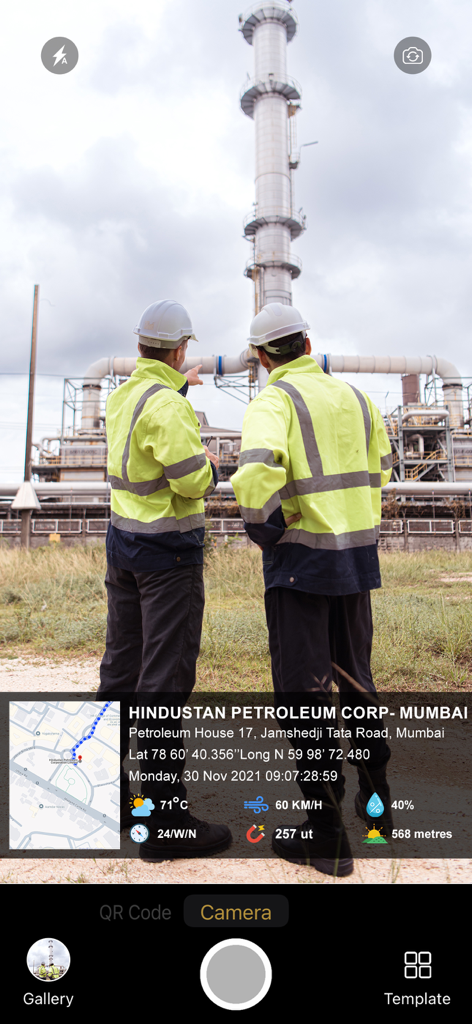
A site inspection photo with GPS location and timestamp metadata overlay
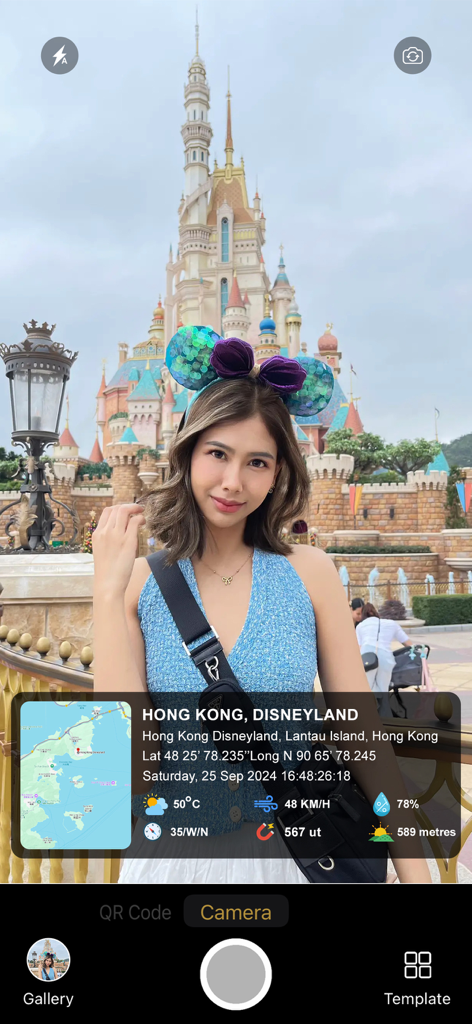
A travel photo at Disneyland with a GPS map camera overlay showing location coordinates weather and altitude data
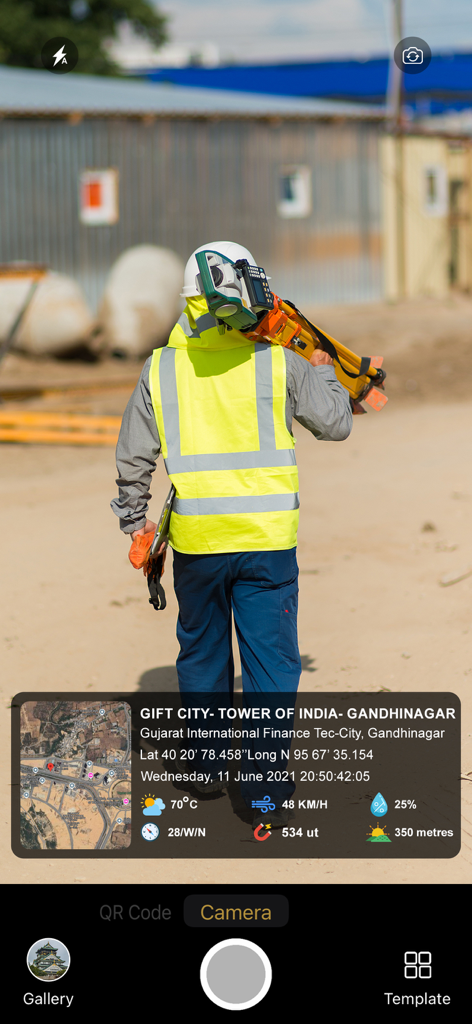
A professional in a safety vest at a construction site with a GPS camera overlay showing coordinates map and timestamp
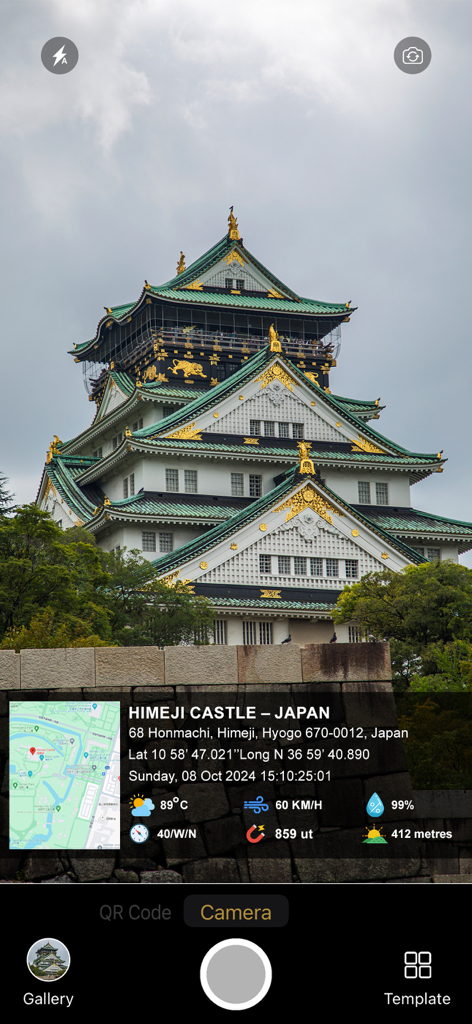
GPS Map Camera app interface showing a photo of Himeji Castle with a metadata overlay including location map coordinates timestamp and weather data
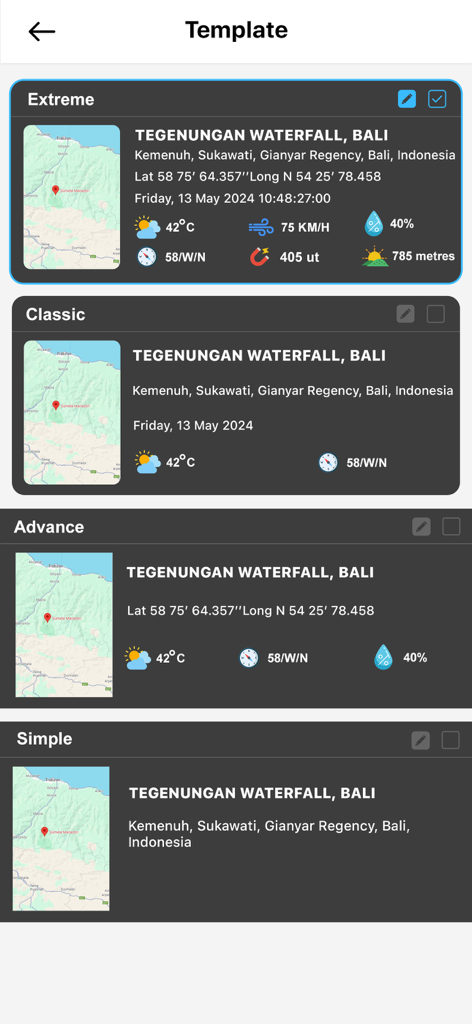
A selection of customizable watermark templates for GPS Map Camera including Extreme, Classic, Advance, and Simple styles showing location and metadata details.
Description
Download
More Like This
Apps with similar features and user experience

Timestamp Camera -AI Timestamp
Shanghai Zongchong Information Technology Co., Ltd

Timestamp Camera - Date Stamp
Artify Inc.

Timestamp Camera: Time & GPS
Practical Apps from Sweden AB

Timestamp camera - gps cam
Guangzhou Siyue Network Technology Co., Ltd.

DateStamper
Jordan Hipwell

Timestamp Camera Basic
玉彬 陈

GPS Map Camera : Geo Photos
Chirag Gabani

Timestamp Camera: Time stamp
燕倩 费

Timestamp Camera - Time & GPS
Shaanxi Ruidebao Technology Co.,Ltd
This page is not an official page of the app or its developer, but an independent editorial publication created for informational and commentary purposes. Unless expressly stated otherwise, neither the app nor its developer is affiliated with, endorsed by, sponsored by, authorized by, or otherwise officially connected with MWM, Apple, Google Play, the app publisher, or the app's developer, and nothing on this page implies that the app was developed using MWM's services. Any trademarks, logos, screenshots, and other content remain the property of their respective owners.