
This page is not an official page of the app or its developer, but an independent editorial publication created for informational and commentary purposes. Unless expressly stated otherwise, neither the app nor its developer is affiliated with, endorsed by, sponsored by, authorized by, or otherwise officially connected with MWM, Apple, Google Play, the app publisher, or the app's developer, and nothing on this page implies that the app was developed using MWM's services. Any trademarks, logos, screenshots, and other content remain the property of their respective owners.

GPS Navigation & Path Finder
Skip the bloat and focus on the road. Get turn-by-turn voice directions, find nearby essentials like gas and coffee, and arrive on time with a navigation tool built for everyday utility.
Downloads
790K+User Rating
Total Ratings
4K+Publisher
Category
NavigationLocales
1Latest Version
8.1.0Size
84.9 MBFirst Released
Jan 6, 2021Everything You Need to Navigate with Confidence
A streamlined navigation experience designed for safety and efficiency, removing the clutter so you can focus on the road.
Hands-Free Voice Navigation
Stay safe and focused with clear, turn-by-turn voice instructions that guide you through every turn without looking at your screen.
Smart Nearby Discovery
Instantly find essential stops like gas stations, ATMs, and coffee shops along your path, perfectly tailored for suburban driving.
Frequently Asked Questions
Everything you need to know about GPS Navigation & Path Finder
Does the GPS Navigation & Path Finder app provide voice navigation?
Yes, the GPS Navigation & Path Finder app offers voice functionality and real-time navigation with voice input for turn-by-turn directions.
Does GPS Navigation & Path Finder show real-time traffic information?
Yes, GPS Navigation & Path Finder provides real-time traffic updates. It displays Low, Medium, and High traffic conditions on the map to help users avoid congestion on their route.
How can I find nearby services using GPS Navigation & Path Finder?
The GPS Navigation & Path Finder app helps users find nearby places such as hotels, airports, parks, parking, ATMs, restaurants, and bus stations. It displays them on a map.
How do I find a route with the GPS Navigation & Path Finder app?
To find a route, open the GPS Navigation & Path Finder app, enable GPS, then select 'navigation and map.' Input your destination, and the app plans the best route with an estimated time.
Does the GPS Navigation & Path Finder app store my search history?
Yes, GPS Navigation & Path Finder saves your search history. This feature allows users to revisit previously searched locations or check places they have visited.
Does GPS Navigation & Path Finder optimize routes for the shortest travel time?
Yes, GPS Navigation & Path Finder helps users find the shortest path. The app plans the best possible route with an estimated time, providing fast and reliable navigation.
The following screenshots and description are sourced directly from the app's official store listing and are the property of the app developer.
App Store
Screenshots
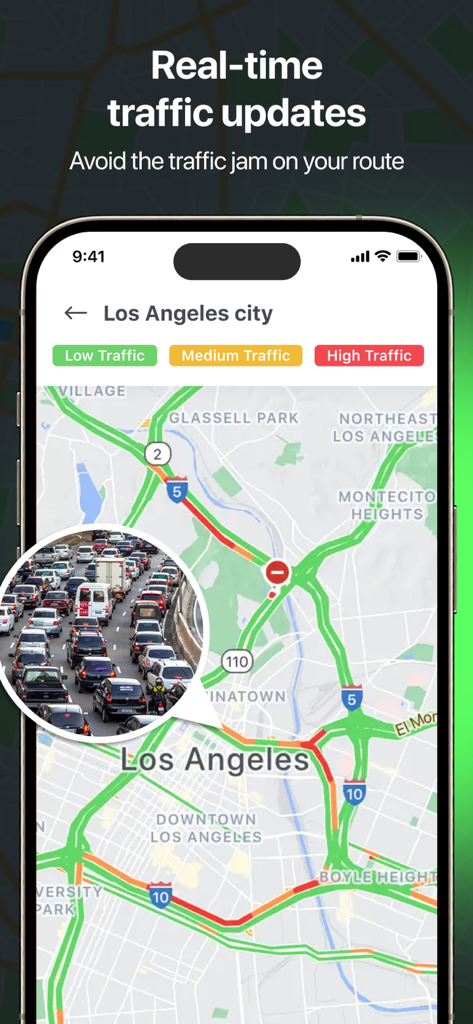
GPS navigation app interface showing real time traffic updates for Los Angeles
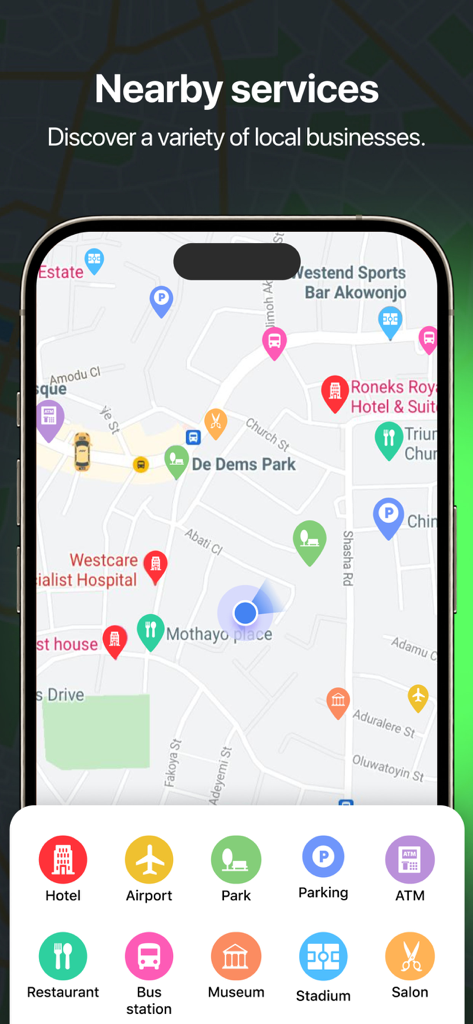
Interface of the GPS Navigation app displaying local services and business categories on a map
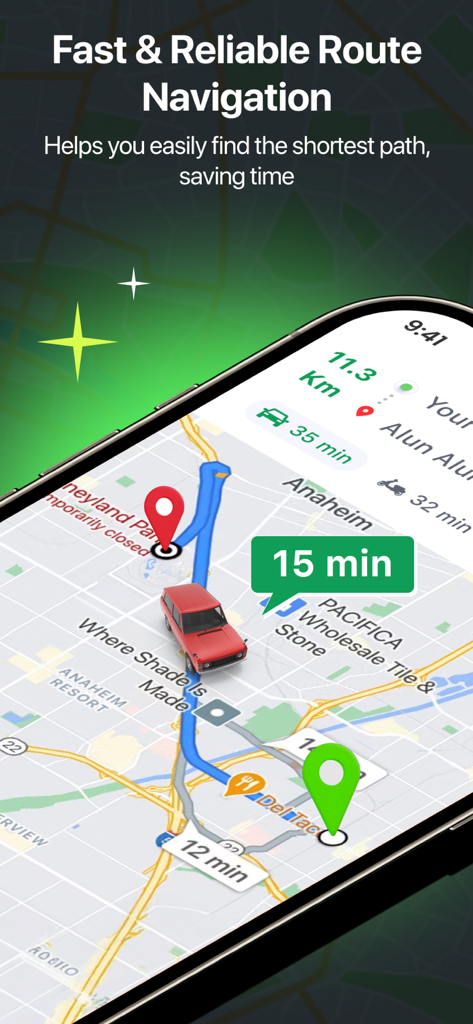
Map view showing the shortest route with a car icon and travel time estimation
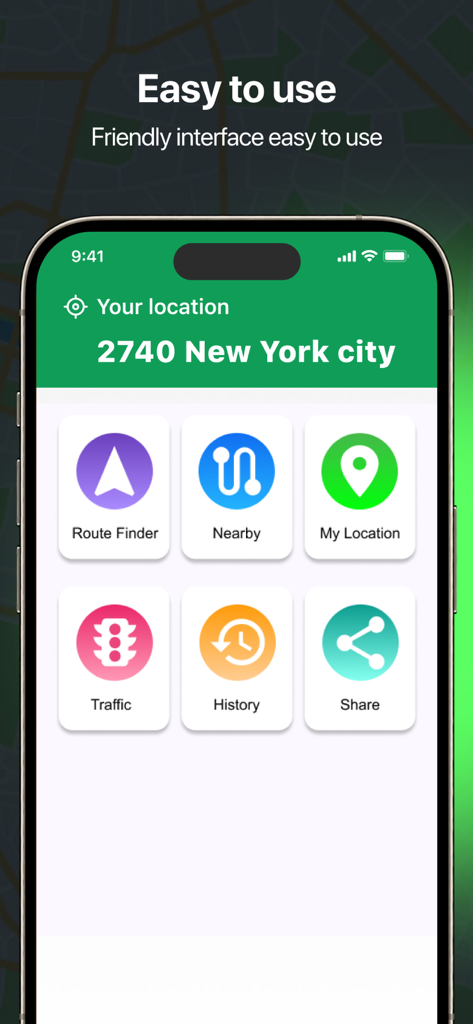
GPS Navigation and Path Finder app main interface showing route finder and nearby places buttons
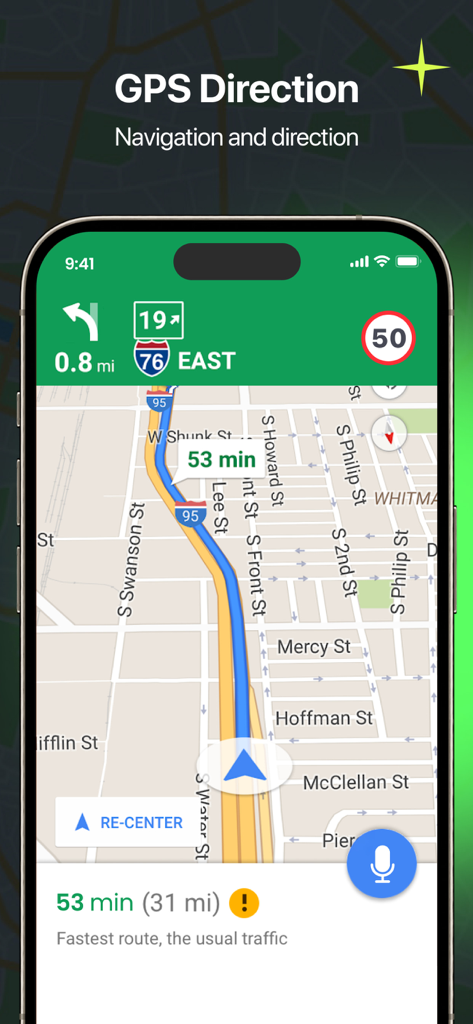
GPS navigation interface displaying turn by turn driving directions and a mapped route on an iPhone
Description
Download
More Like This
Apps with similar features and user experience

MAPS.ME: Offline Maps, GPS Nav
Convexity Holdings AG

CoMaps
Anton Wenemoser

MapFactor Navigator - GPS Maps
MAPFACTOR, s.r.o.

Guru Maps Pro & GPS Tracker
Evgen Bodunov
Offline Map Navigation
virtualmaze

Karta GPS - Offline Maps Nav
Karta Software Technologies lda

Genius Maps: GPS Navigation
Mireo d.d.

NaviMaps: 3D GPS Navigation
CE Info Systems Limited

MetroView GPS Navigation
MetroView Systems Pty Ltd
This page is not an official page of the app or its developer, but an independent editorial publication created for informational and commentary purposes. Unless expressly stated otherwise, neither the app nor its developer is affiliated with, endorsed by, sponsored by, authorized by, or otherwise officially connected with MWM, Apple, Google Play, the app publisher, or the app's developer, and nothing on this page implies that the app was developed using MWM's services. Any trademarks, logos, screenshots, and other content remain the property of their respective owners.