
This page is not an official page of the app or its developer, but an independent editorial publication created for informational and commentary purposes. Unless expressly stated otherwise, neither the app nor its developer is affiliated with, endorsed by, sponsored by, authorized by, or otherwise officially connected with MWM, Apple, Google Play, the app publisher, or the app's developer, and nothing on this page implies that the app was developed using MWM's services. Any trademarks, logos, screenshots, and other content remain the property of their respective owners.


Guru Maps Pro & GPS Tracker
Master the terrain with high-detail offline maps and professional GPS tracking. Built for overlanders, backpackers, and professionals who demand total reliability in every dead zone.
Downloads
326K+User Rating
Total Ratings
8K+Publisher
Category
NavigationLocales
20Latest Version
5.9.3Size
108.1 MBFirst Released
Jul 13, 2014Uncompromising Navigation for the Modern Explorer
From remote overlanding trails to professional field research, Guru Maps Pro provides the precision and offline reliability you need to venture further.
True Offline Autonomy
Navigate the world's most remote regions with high-detail vector maps that work perfectly without a cell signal or roaming fees.
Professional-Grade Data Support
Seamlessly import custom MBTiles and export your GPX or KML tracks. No cloud lock-in—just your data, exactly where you need it.
Frequently Asked Questions
Everything you need to know about Guru Maps Pro & GPS Tracker
Can Guru Maps Pro & GPS Tracker provide offline navigation?
Yes, Guru Maps Pro & GPS Tracker offers turn-by-turn driving guidance and voice instructions in nine languages, even without an internet connection. It supports routing for driving, cycling, and walking.
Does Guru Maps Pro & GPS Tracker record GPS tracks?
Yes, Guru Maps Pro & GPS Tracker continuously records your trips, including speed, distance, time, and altitude. Recording functions even when the app is in the background.
How often are the offline maps updated in Guru Maps Pro & GPS Tracker?
Guru Maps Pro & GPS Tracker provides regular monthly updates for its highly-detailed, worldwide offline maps. These updates incorporate the latest fixes and additions from OpenStreetMap data.
Can I sync my data across multiple devices with Guru Maps Pro & GPS Tracker?
Yes, Guru Maps Pro & GPS Tracker features seamless data synchronization across multiple devices. Your data, including markers, tracks, and routes, is stored on a server for backup purposes.
What file formats does Guru Maps Pro & GPS Tracker support for data export?
Guru Maps Pro & GPS Tracker allows you to export your tracks, bookmarks, or entire travel collections as KML or GPX files. Organized collections provide simple access.
Does Guru Maps Pro & GPS Tracker allow searching without an internet connection?
Yes, Guru Maps Pro & GPS Tracker offers offline search with instant results. You can search by address, object name, category, or GPS coordinates in multiple languages.
How can I access Guru Maps Pro features on other devices?
You can link your Guru Maps Pro purchase to your Guru Maps account. This allows you to enjoy Pro features on other platforms without needing additional purchases.
What routing options are available in Guru Maps Pro & GPS Tracker?
Guru Maps Pro & GPS Tracker provides routing options for driving, cycling, walking, or the shortest distance. It also supports automatic rerouting and intermediate points on your route.
Can Guru Maps Pro & GPS Tracker display map overlays from GeoJSON files?
Yes, Guru Maps Pro & GPS Tracker supports the .GeoJSON file format to display map overlays. This enhances map customization and information display.
What online map sources does Guru Maps Pro & GPS Tracker support?
Guru Maps Pro & GPS Tracker supports various online map sources from thunderforest.com, including OpenCycleMap, Outdoors, Transport, Transport Dark, Landscape, Mobile Atlas, and Neighbourhood.
The following screenshots and description are sourced directly from the app's official store listing and are the property of the app developer.
App Store
Screenshots
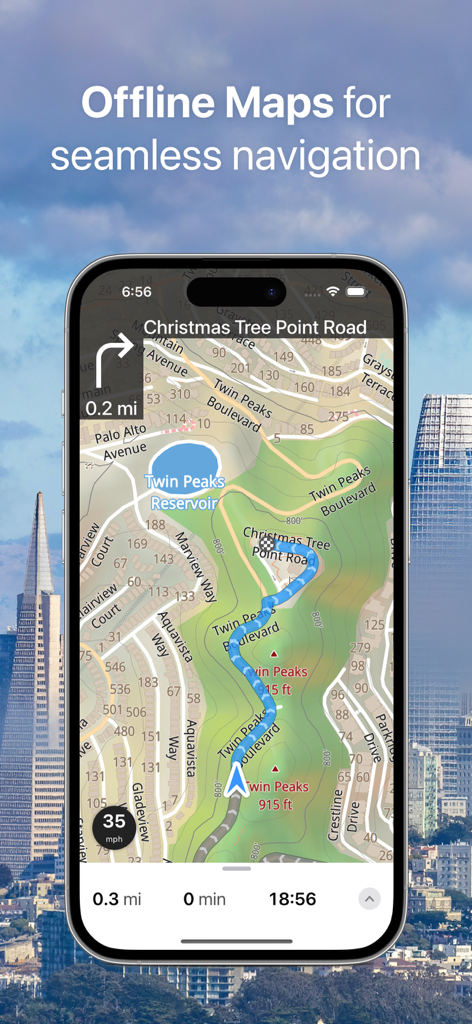
Guru Maps Pro smartphone app interface showing offline navigation on a topographic map
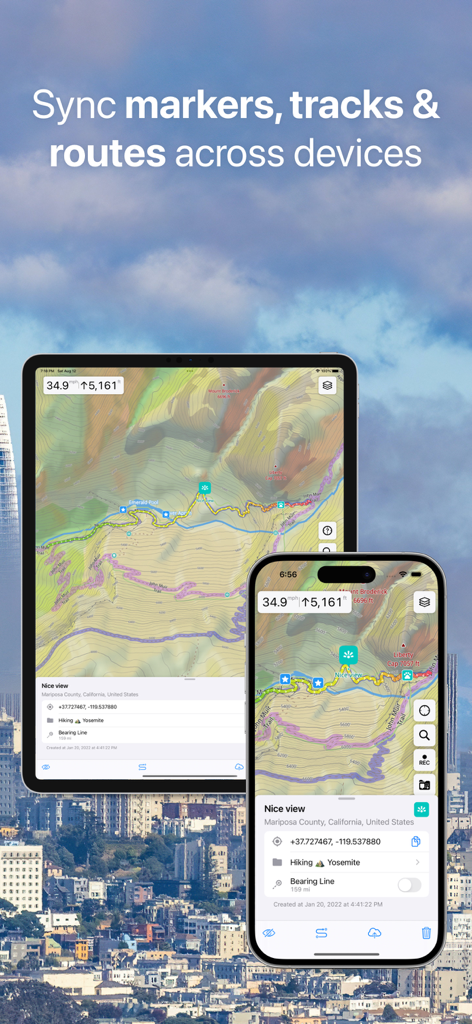
Guru Maps Pro interface showing topographic map synchronization between a tablet and a smartphone.
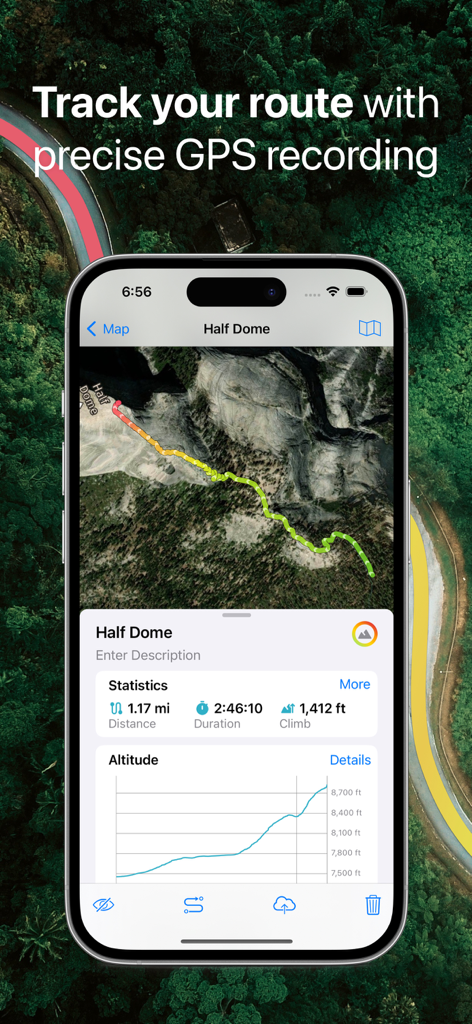
Guru Maps Pro app interface showing a recorded GPS track with statistics for distance duration and altitude on a mountain map
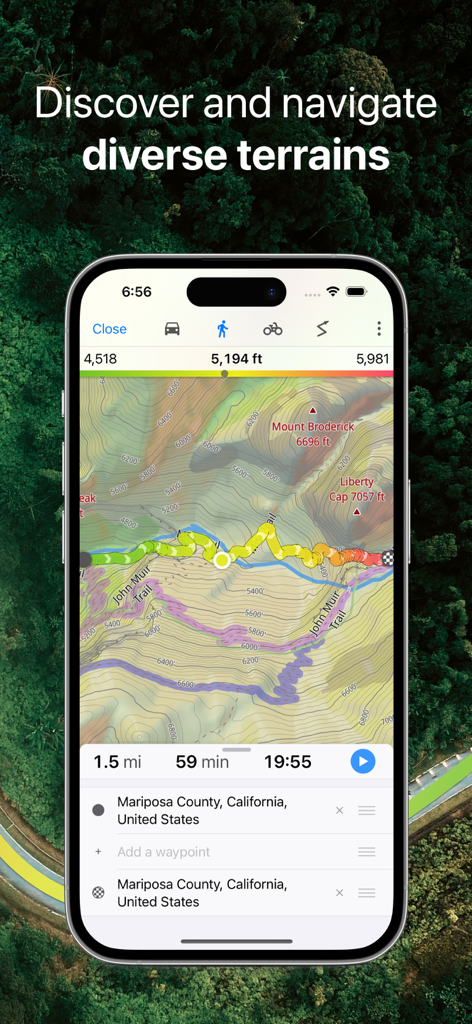
Smartphone displaying Guru Maps Pro with a detailed topographic map and GPS track in a forested mountain area.
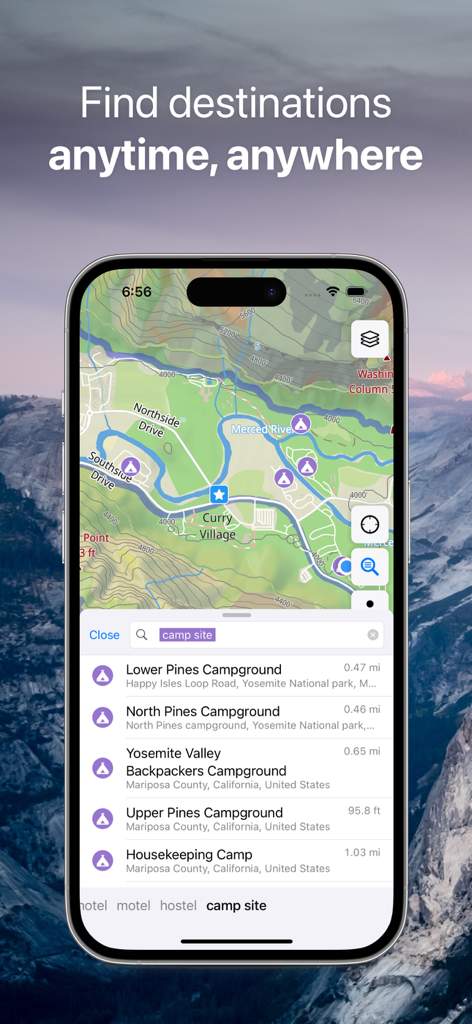
Guru Maps Pro interface showing a topographic map with search results for camp sites in Yosemite National Park.
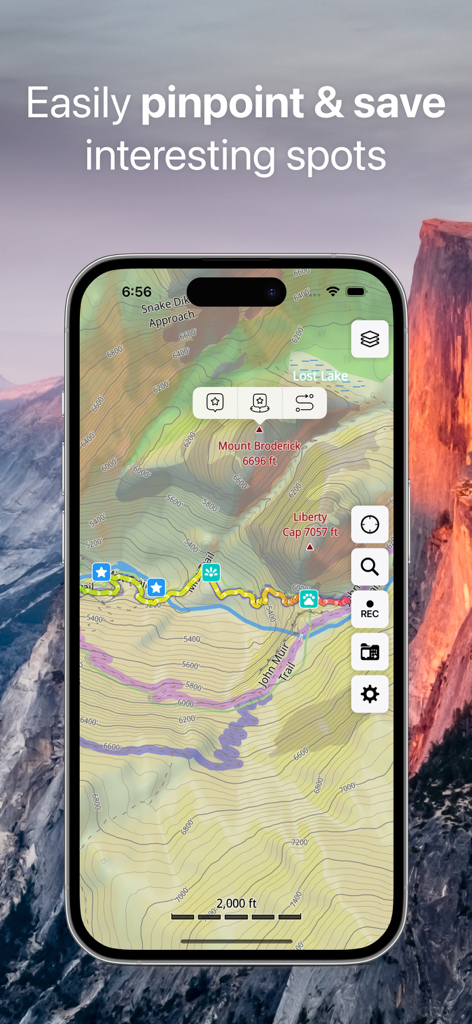
A mobile topographic map showing pins for peaks and hiking trails like the John Muir Trail.
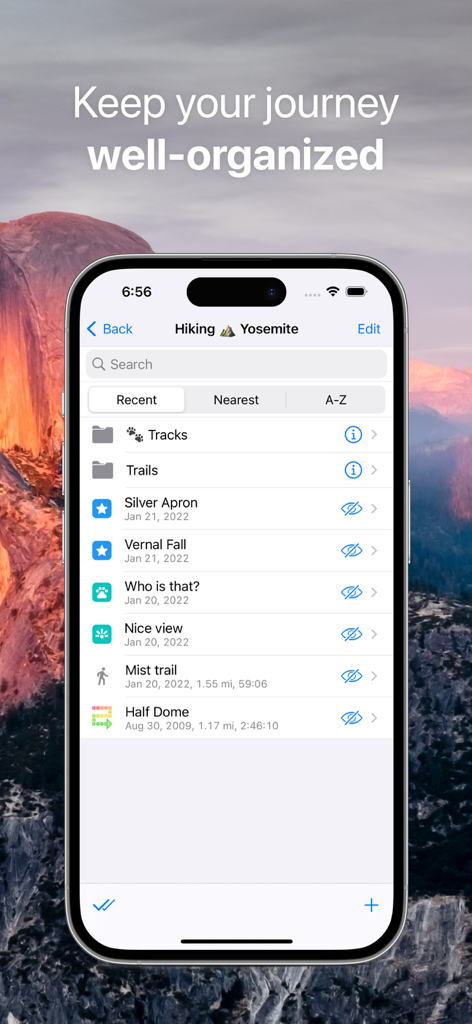
Guru Maps Pro app interface displaying organized hiking tracks and bookmarks for a Yosemite trip collection.
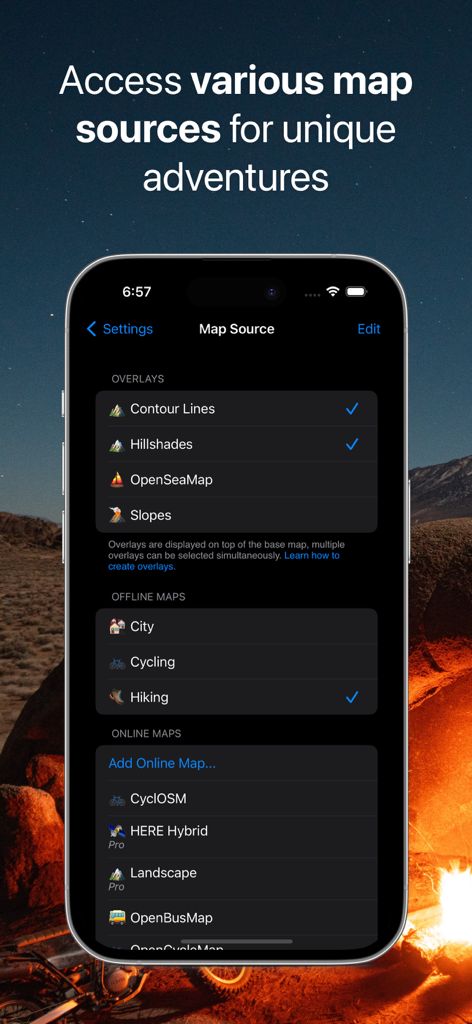
A mobile screen showing Guru Maps Pro map source settings with options for contour lines, hillshades, and offline hiking maps
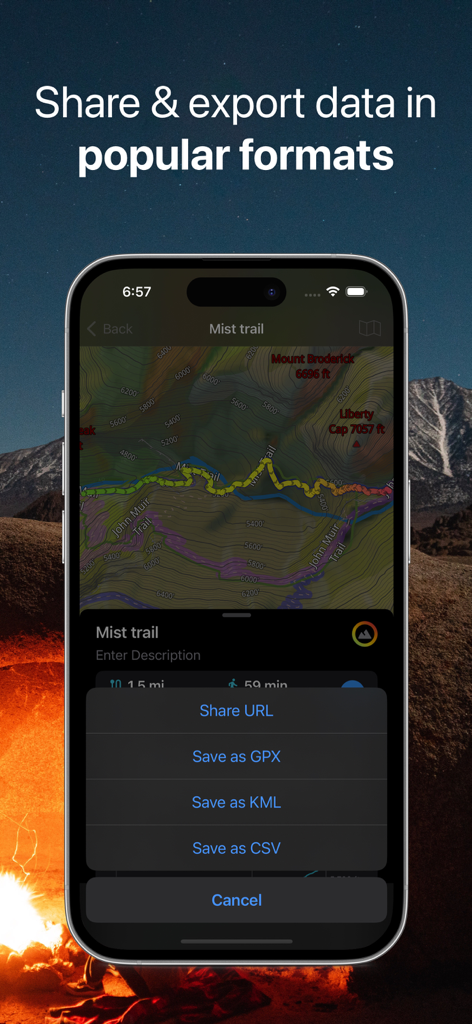
Guru Maps Pro interface displaying GPX and KML data export options for a recorded GPS trail
Description
Download
More Like This
Apps with similar features and user experience

MAPS.ME: Offline Maps, GPS Nav
Convexity Holdings AG

CoMaps
Anton Wenemoser

GPS Navigation & Path Finder
Muhammad Asad Khan

MapFactor Navigator - GPS Maps
MAPFACTOR, s.r.o.
Offline Map Navigation
virtualmaze

Karta GPS - Offline Maps Nav
Karta Software Technologies lda

Genius Maps: GPS Navigation
Mireo d.d.

NaviMaps: 3D GPS Navigation
CE Info Systems Limited

MetroView GPS Navigation
MetroView Systems Pty Ltd
This page is not an official page of the app or its developer, but an independent editorial publication created for informational and commentary purposes. Unless expressly stated otherwise, neither the app nor its developer is affiliated with, endorsed by, sponsored by, authorized by, or otherwise officially connected with MWM, Apple, Google Play, the app publisher, or the app's developer, and nothing on this page implies that the app was developed using MWM's services. Any trademarks, logos, screenshots, and other content remain the property of their respective owners.