
This page is not an official page of the app or its developer, but an independent editorial publication created for informational and commentary purposes. Unless expressly stated otherwise, neither the app nor its developer is affiliated with, endorsed by, sponsored by, authorized by, or otherwise officially connected with MWM, Apple, Google Play, the app publisher, or the app's developer, and nothing on this page implies that the app was developed using MWM's services. Any trademarks, logos, screenshots, and other content remain the property of their respective owners.

HEIC JPG Converter
Convert batches of photos in seconds with 100% offline processing. No ads, no watermarks, and no data leaves your device—the ultimate utility for seamless cross-platform workflows.
Downloads
0User Rating
Total Ratings
0Publisher
Category
UtilitiesLocales
1Latest Version
1.0Size
2.9 MBFirst Released
Oct 22, 2025Powerful Tools for Your Workflow
Effortlessly bridge the gap between your iPhone and any professional platform with fast, private, and high-quality photo conversion.
Total Offline Security
Rest easy knowing your images never leave your iPhone. No cloud uploads mean your sensitive documents and personal photos remain 100% private.
Bulk Action Efficiency
Don't let file formats slow you down. Convert entire albums in seconds with batch processing designed to save you time during your busiest workdays.
The following screenshots and description are sourced directly from the app's official store listing and are the property of the app developer.
App Store
Screenshots
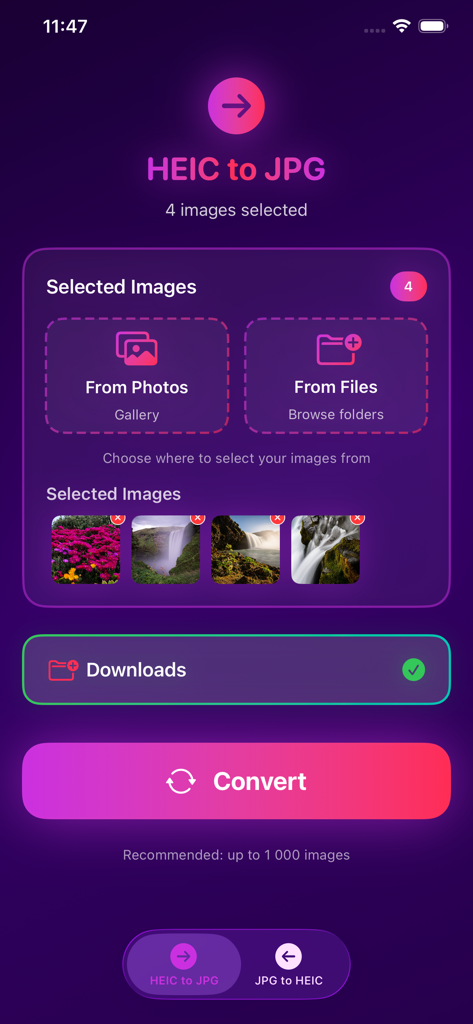
HEIC to JPG converter app interface showing four selected images and a convert button
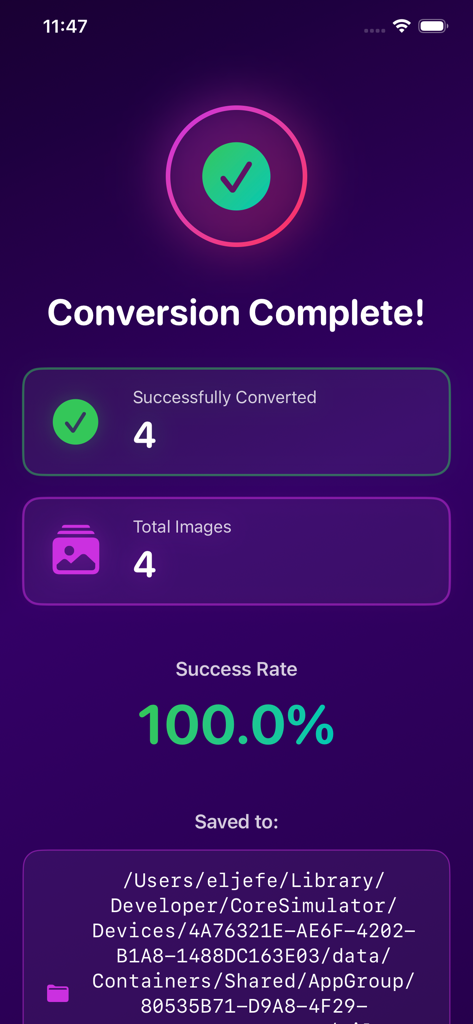
Successful batch conversion screen of the HEIC JPG Converter app showing 100 percent success rate
Description
Download
More Like This
Top-ranked apps in the same category

Google LLC

Google Chrome
Google LLC

中国移动(手机营业厅)
China Mobile Online Services Co., Ltd.

Google Authenticator
Google LLC

CNH do Brasil
Servicos e Informacoes do Brasil

Cleanup: Phone Storage Cleaner
DEEP FLOW SOFTWARE SERVICES - FZCO

gov.br
Servicos e Informacoes do Brasil

中国电信-全国统一官方服务平台
CHINA TELECOM Corporation Ltd.

Microsoft Edge: AI Browser
Microsoft Corporation
This page is not an official page of the app or its developer, but an independent editorial publication created for informational and commentary purposes. Unless expressly stated otherwise, neither the app nor its developer is affiliated with, endorsed by, sponsored by, authorized by, or otherwise officially connected with MWM, Apple, Google Play, the app publisher, or the app's developer, and nothing on this page implies that the app was developed using MWM's services. Any trademarks, logos, screenshots, and other content remain the property of their respective owners.