
This page is not an official page of the app or its developer, but an independent editorial publication created for informational and commentary purposes. Unless expressly stated otherwise, neither the app nor its developer is affiliated with, endorsed by, sponsored by, authorized by, or otherwise officially connected with MWM, Apple, Google Play, the app publisher, or the app's developer, and nothing on this page implies that the app was developed using MWM's services. Any trademarks, logos, screenshots, and other content remain the property of their respective owners.

HP Advance
Streamline your corporate workflow by printing securely from your mobile device. Easily locate authorized printers and release confidential documents without the need for a configured mail client.
Downloads
1M+User Rating
Total Ratings
0Publisher
Category
BusinessLocales
25Latest Version
1.1.16Size
8.4 MBFirst Released
Jun 4, 2020Enterprise Printing, Simplified.
Bridge the gap between your mobile device and your company’s HP infrastructure. Print, manage, and release documents securely from anywhere in the office with a few simple touches.
Secure Job Release
Protect sensitive information by releasing print jobs only when you are physically standing at the device, ensuring confidentiality in busy office environments.
Frictionless Workflows
Skip the complex IT setups. Print documents or web pages in seconds without needing a configured mail client or being tethered to a desktop workstation.
Frequently Asked Questions
Everything you need to know about HP Advance
Does HP Advance require other software to function?
Yes, HP Advance requires the use of Mobile Connector to function. It is not a stand-alone application.
Can I print documents and web pages using HP Advance?
Yes, HP Advance allows users to print documents and web pages quickly. The main menu includes options for "Documents" and "Web".
Does HP Advance restrict printer selection?
Yes, HP Advance only allows users to select authorized printers. This ensures secure and controlled printing within the system.
How can I find printers in HP Advance?
Users can search for authorized printers in HP Advance by printer name, long name, or printer location. A search interface is available.
Can HP Advance print multiple copies of a document?
Yes, HP Advance allows users to print multiple copies of a document. The print screen includes a dedicated "Copies" option for adjustment.
How do I release print jobs with HP Advance?
HP Advance provides a "Print Release" option on its main menu. This allows users to manage and release their pending print jobs easily.
Does HP Advance require a configured mail client?
No, HP Advance does not require a configured mail client on the mobile device. All its features are available without this requirement.
Does HP Advance show printer locations on a map?
Yes, HP Advance displays printer locations on a floor plan. Users can access this feature through the "Floor Plan" option in the main menu.
The following screenshots and description are sourced directly from the app's official store listing and are the property of the app developer.
App Store
Screenshots
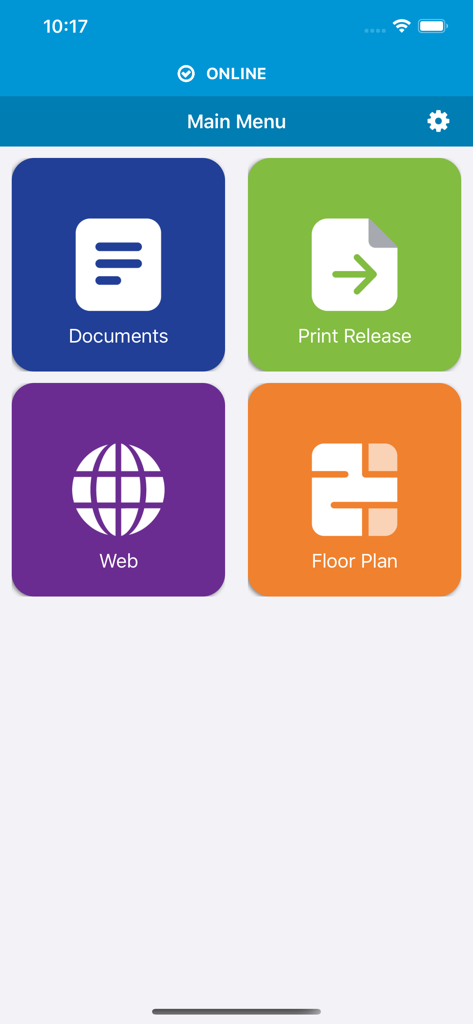
HP Advance mobile app main menu showing tiles for Documents Print Release Web and Floor Plan
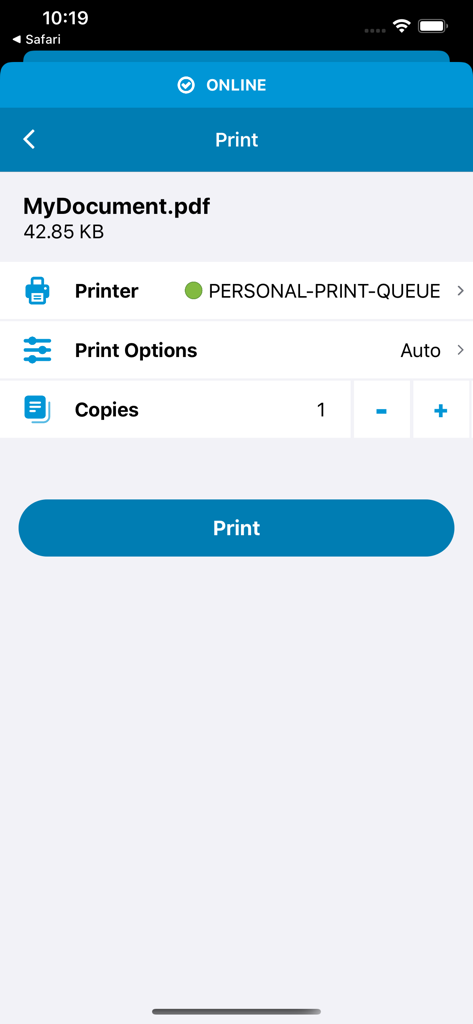
HP Advance mobile app screen showing print options for a PDF file
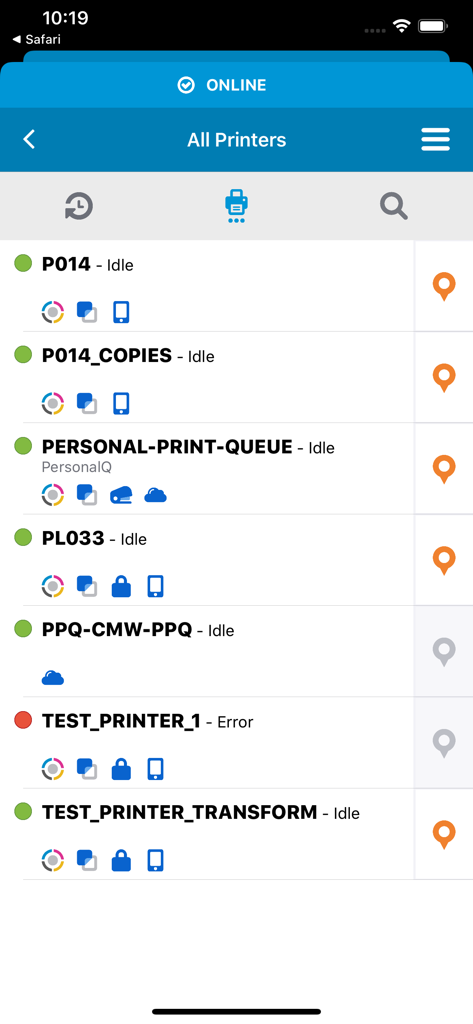
Interface of the HP Advance app displaying a list of authorized enterprise printers with their availability and status
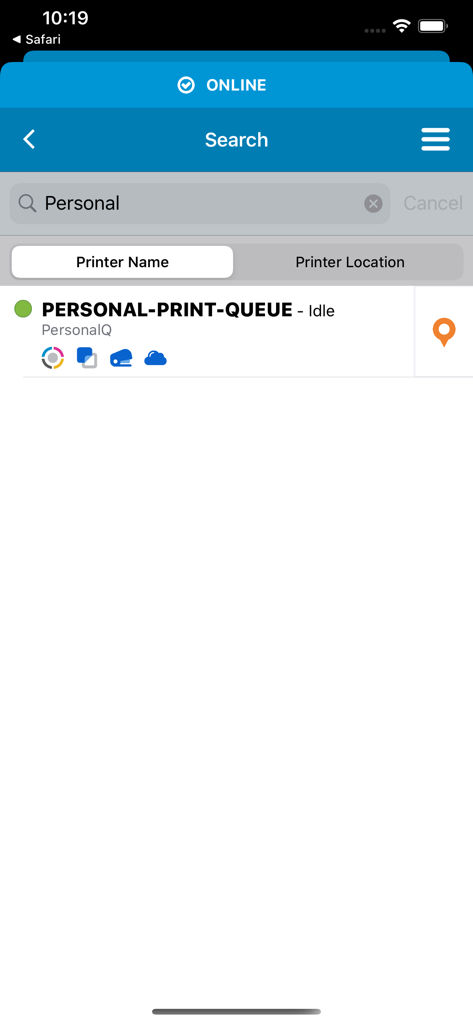
Search screen in the HP Advance app for finding authorized printers by name or location
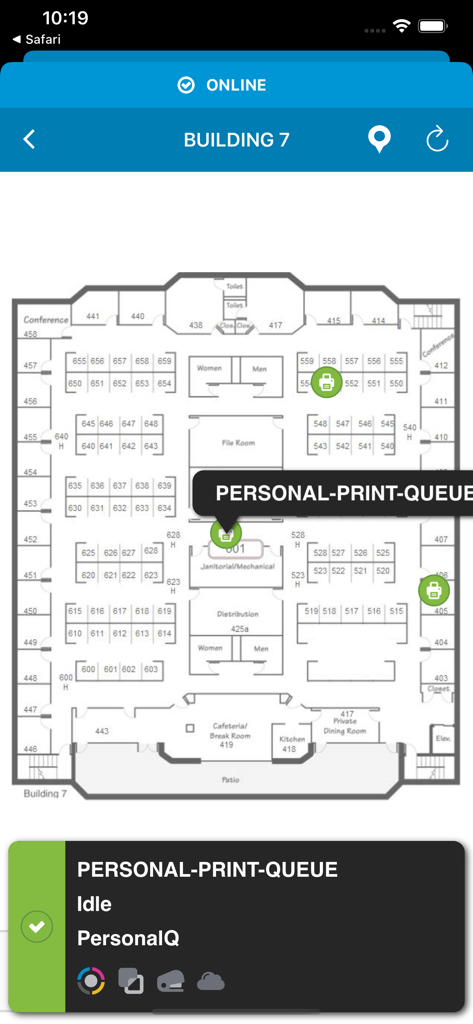
A corporate office floor plan map inside the HP Advance app showing available printer locations and a personal print queue status.
Description
Download
More Like This
Apps with similar features and user experience

Toast Now
Toast, Inc.

Microsoft Azure
Microsoft Corporation

Tabby Business
Tabby Technology LTD

Scan-IT to Office
TEC-IT Datenverarbeitung GmbH

Salesforce
salesforce.com

Microsoft 365 Admin
Microsoft Corporation

MISA AMIS
MISA JSC

AWS Console
AMZN Mobile LLC

Power Automate
Microsoft Corporation
This page is not an official page of the app or its developer, but an independent editorial publication created for informational and commentary purposes. Unless expressly stated otherwise, neither the app nor its developer is affiliated with, endorsed by, sponsored by, authorized by, or otherwise officially connected with MWM, Apple, Google Play, the app publisher, or the app's developer, and nothing on this page implies that the app was developed using MWM's services. Any trademarks, logos, screenshots, and other content remain the property of their respective owners.