HP Smart Printer App : AiPrint

This page is not an official page of the app or its developer, but an independent editorial publication created for informational and commentary purposes. Unless expressly stated otherwise, neither the app nor its developer is affiliated with, endorsed by, sponsored by, authorized by, or otherwise officially connected with MWM, Apple, Google Play, the app publisher, or the app's developer, and nothing on this page implies that the app was developed using MWM's services. Any trademarks, logos, screenshots, and other content remain the property of their respective owners.
Logo of HP Smart Printer App : AiPrint

HP Smart Printer App : AiPrint

Streamline your workflow with instant AirPrint discovery and 99+ professional PDF tools. Scan, sign, and convert any file—no subscriptions, no accounts, and 100% privacy-focused.

Key Figures

Downloads

0

User Rating

1.0/5

Total Ratings

0

Publisher

App Chunks

Category

Utilities

Locales

1

Latest Version

1.0.1

Size

235.1 MB

First Released

Mar 23, 2026
Features

Your All-in-One Mobile Print Command Center

Transform your iPhone into a professional workstation. Print to any AirPrint device, edit 99+ PDF formats, and sign documents instantly—all with zero subscriptions and total privacy.

Universal One-Tap Printing

Instantly discover and print to HP, Canon, Epson, and more. No complex setup—just professional results directly from your Files app or Camera Roll.

Pro-Grade PDF Toolkit

Handle any business workflow with 99+ tools to convert, merge, and sign. Use built-in OCR to extract text and edit documents without switching apps.

The following screenshots and description are sourced directly from the app's official store listing and are the property of the app developer.

App Store

Screenshots
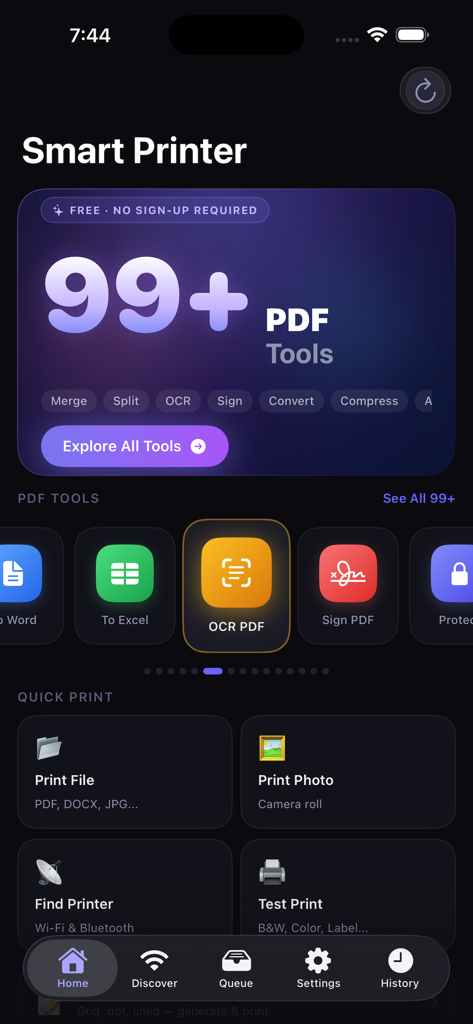
HP Smart Printer App : AiPrint - Dashboard of the HP Smart Printer app featuring PDF editing tools and quick print options on a dark interface.
Dashboard of the HP Smart Printer app featuring PDF editing tools and quick print options on a dark interface.

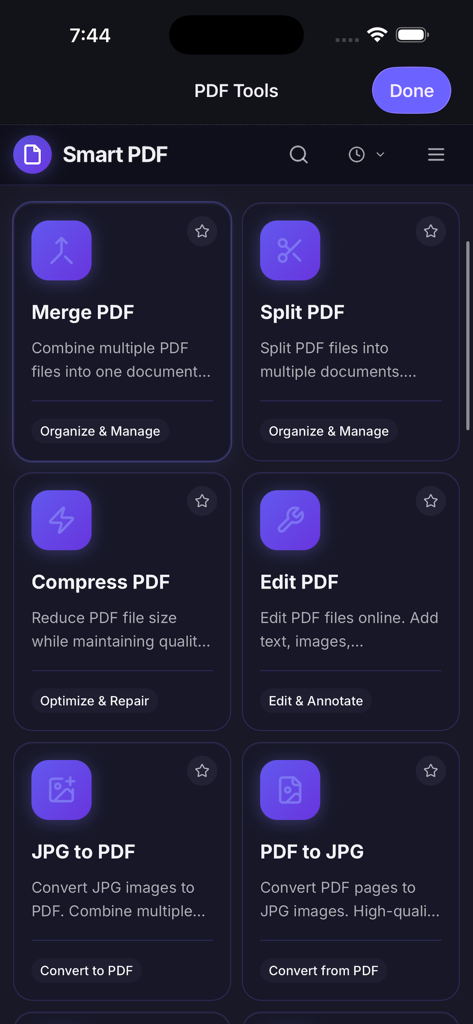
HP Smart Printer App : AiPrint - A dashboard of PDF tools in the HP Smart Printer app showing options to merge split compress and edit documents
A dashboard of PDF tools in the HP Smart Printer app showing options to merge split compress and edit documents

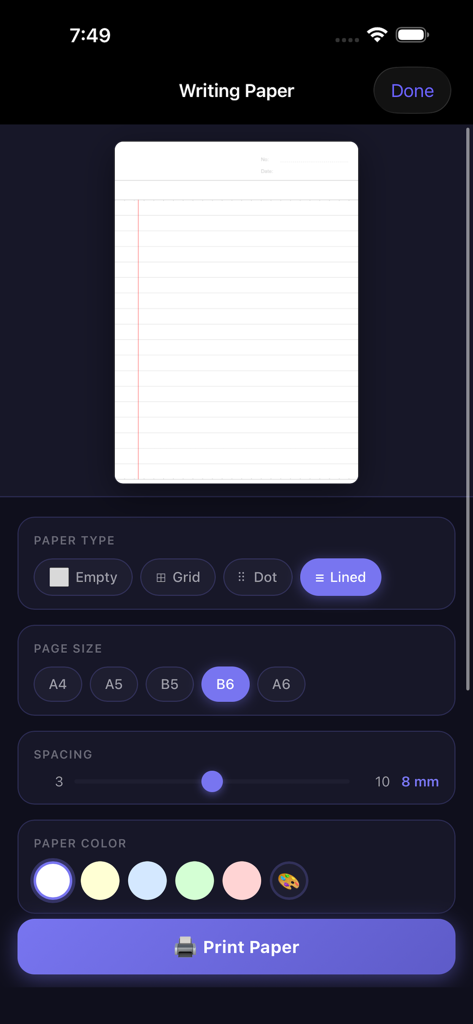
HP Smart Printer App : AiPrint - Mobile interface for creating custom lined grid and dot paper for printing
Mobile interface for creating custom lined grid and dot paper for printing

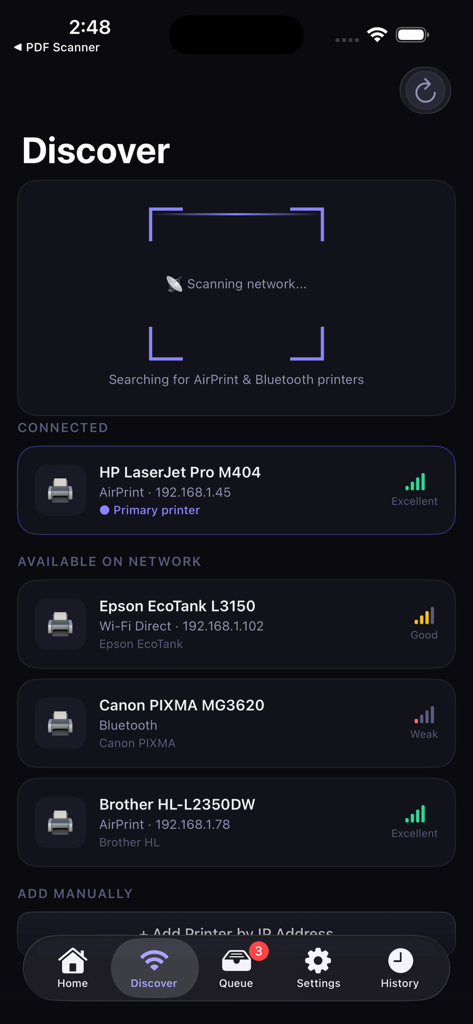
HP Smart Printer App : AiPrint - Interface of the HP Smart Printer app discovering various brands of wireless printers on a network

Interface of the HP Smart Printer app discovering various brands of wireless printers on a network
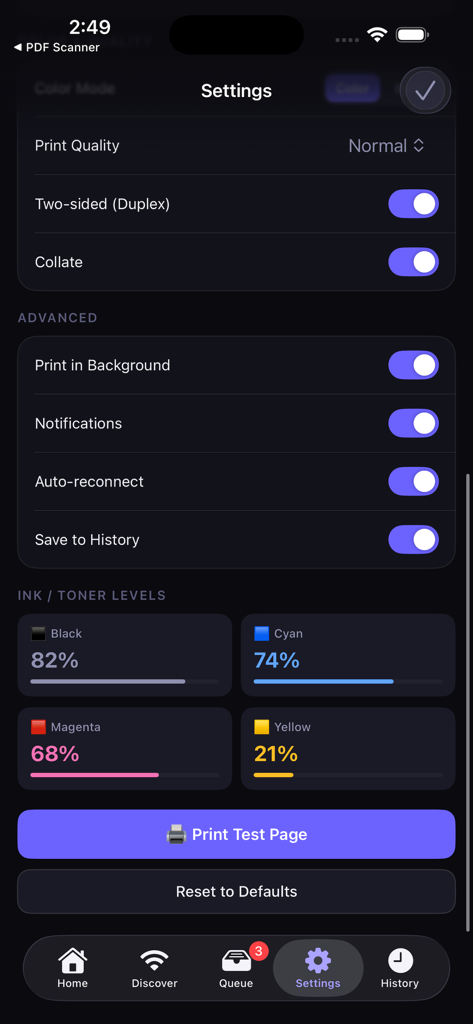
HP Smart Printer App : AiPrint - The settings interface of the HP Smart Printer app displaying print quality options, ink and toner levels, and a print test page button.
The settings interface of the HP Smart Printer app displaying print quality options, ink and toner levels, and a print test page button.

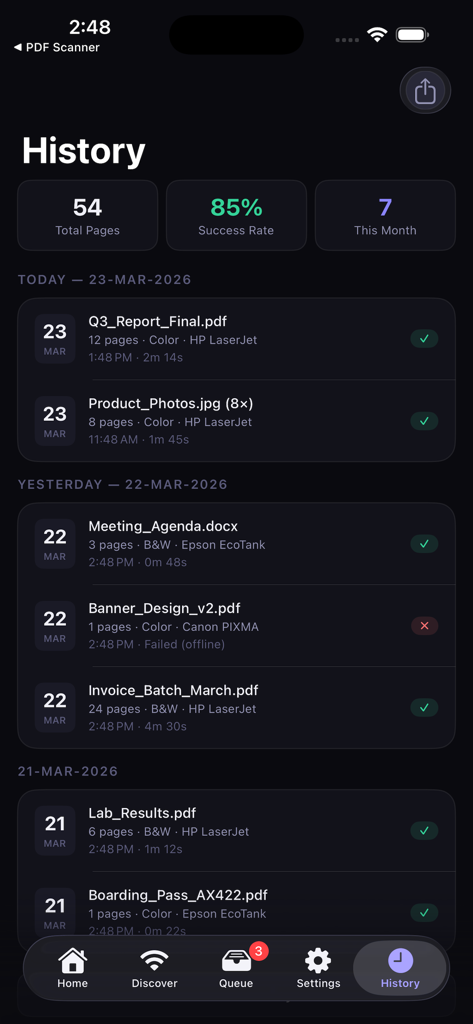
HP Smart Printer App : AiPrint - Mobile app interface showing print history with statistics for total pages printed and success rate
Mobile app interface showing print history with statistics for total pages printed and success rate

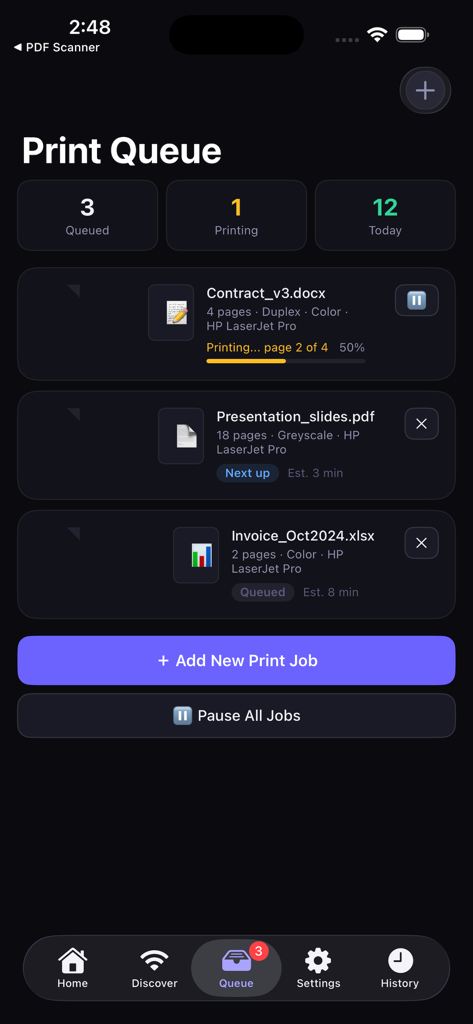
HP Smart Printer App : AiPrint - Print Queue dashboard of the AiPrint app showing active printing status, queued documents, and daily print statistics.

Print Queue dashboard of the AiPrint app showing active printing status, queued documents, and daily print statistics.

Description

HP Smart Printer turns your iPhone into a powerful print and PDF command center. Instantly discover any AirPrint-compatible printer on your Wi-Fi network and start printing documents, photos, and files — no setup required. Plus, access 99+ professional PDF tools built right into the app. PRINT ANYTHING IN SECONDS Pick any file from the Files app or a photo from your Camera Roll and print with one tap. The native iOS print sheet gives you full control over printer selection, copies, page range, paper size, duplex, and color settings. AUTOMATIC PRINTER DISCOVERY HP Smart Printer scans your local network using Bonjour to find all available AirPrint printers automatically. Works with HP, Canon, Epson, Brother, Samsung, Lexmark, Xerox, Ricoh, Kyocera, Dell, OKI, Konica Minolta, Sharp, Toshiba, Pantum, and more. If your printer supports AirPrint, HP Smart Printer works with it. SUPPORTED FILE TYPES Print PDFs, JPEG and PNG images, HEIC photos, Word documents, Excel spreadsheets, PowerPoint presentations, HTML pages, text files, and Rich Text files — all from one app. 99+ PDF TOOLS — ALL IN ONE APP The most complete PDF toolkit on iOS. No subscriptions, no uploads — everything runs on your device. Convert to PDF (22+ formats): JPG, PNG, BMP, SVG, WebP, TIFF, HEIC, PSD, Word, Excel, PowerPoint, RTF, EPUB, MOBI, FB2, CBZ, DjVu, JSON, Markdown, TXT, HTML, Email, and XPS. Convert from PDF (14+ formats): PDF to Word, Excel, PowerPoint, JPG, PNG, BMP, SVG, TIFF, WebP, ZIP archive, PDF/A archival format, and greyscale. Edit & Enhance (18+ tools): Edit text, images, and content directly in PDFs. Crop, rotate, deskew, add watermarks, stamps, page numbers, headers, footers, and background colors. Pages & Organization (15+ tools): Merge multiple PDFs, split and extract pages, reverse, reorder, add blank pages, create booklets, N-up layouts, and alternate-merge two documents. Security & Signing (8+ tools): Password-protect and encrypt PDFs, remove restrictions, add handwritten and digital signatures, verify signatures, and sanitize documents. Text & OCR (5+ tools): Extract text from scanned documents with OCR, find and redact sensitive information, extract tables into structured data, and annotate with a full-featured PDF reader. Advanced & Batch Tools (12+ tools): Repair corrupted PDFs, compare two documents side-by-side, linearize for fast web viewing, flatten forms, and run batch operations on multiple files at once. Forms & Metadata (8+ tools): Design and fill PDF forms, manage title, author, subject, and keywords, add bookmarks, tables of contents, and file attachments. Extract & Clean (7+ tools): Pull embedded images, remove empty pages, strip annotations and hidden metadata for privacy. WRITING PAPER GENERATOR Create custom paper templates — grid, dot, lined, and blank — with adjustable spacing. BUILT-IN TEST PRINTS Verify your printer with 5 professional test pages from OpenPrinting.org: color vector, B&W grayscale photo, color photo (4×6), A4 vector, and label/small-format (A6). SMART PRINT QUEUE & HISTORY Queue multiple files for batch printing. Track every job with history — file name, page count, copies, color mode, printer used, and timestamp. View total pages printed, success rate, and daily print count at a glance. DOCUMENT SCANNER Scan physical documents using your iPhone camera and convert them to PDF for printing, editing, or sharing. KEY FEATURES — One-tap printing via native iOS print sheet — Automatic AirPrint printer discovery over Wi-Fi — 99+ PDF tools: convert, edit, merge, split, sign, OCR, and more — Print from Files app and Camera Roll — Manual printer setup by IP address — Smart print queue and complete job history — Writing paper generator (grid, dot, lined, blank) — Built-in document scanner — Dark mode interface — No account required — works entirely on your device Privacy first — HP Smart Printer works entirely on your local network. No data leaves your device. No account or sign-up needed.

Download

This page is not an official page of the app or its developer, but an independent editorial publication created for informational and commentary purposes. Unless expressly stated otherwise, neither the app nor its developer is affiliated with, endorsed by, sponsored by, authorized by, or otherwise officially connected with MWM, Apple, Google Play, the app publisher, or the app's developer, and nothing on this page implies that the app was developed using MWM's services. Any trademarks, logos, screenshots, and other content remain the property of their respective owners.








