
This page is not an official page of the app or its developer, but an independent editorial publication created for informational and commentary purposes. Unless expressly stated otherwise, neither the app nor its developer is affiliated with, endorsed by, sponsored by, authorized by, or otherwise officially connected with MWM, Apple, Google Play, the app publisher, or the app's developer, and nothing on this page implies that the app was developed using MWM's services. Any trademarks, logos, screenshots, and other content remain the property of their respective owners.


HVAC Psychrometric Plus
The industry-standard tool for instant single-state and mixed-air calculations. Replace paper charts with real-time accuracy, interactive slider controls, and professional spreadsheet reporting directly from the field.
Downloads
83K+User Rating
Total Ratings
0Publisher
Category
ProductivityLocales
1Latest Version
6.1Size
16.8 MBFirst Released
Jan 15, 2010Precision Psychrometrics in Your Pocket
Ditch the paper charts and manual plotting. Get instant, ASHRAE-level accuracy for single-state and mixed-air analysis directly on your iPhone or iPad.
Real-Time Scenario Modeling
Instantly visualize 'what-if' scenarios using the on-screen slider to adjust variables like airflow and humidity without re-entering data.
Professional Field Reporting
Close the loop on-site by emailing professional HTML reports and spreadsheet attachments to clients or supervisors before you even leave the roof.
Frequently Asked Questions
Everything you need to know about HVAC Psychrometric Plus
What is the primary function of the HVAC Psychrometric Plus app?
The HVAC Psychrometric Plus app performs quick and simple psychrometric analysis. It calculates single-state and mixed-air HVAC psychrometric conditions.
Is HVAC Psychrometric Plus available on both iPhone and iPad?
Yes, HVAC Psychrometric Plus is a universal app optimized for both iPhone and iPad devices.
Who developed the HVAC Psychrometric Plus application?
Carmel Software developed the HVAC Psychrometric Plus application. This company has over 25 years of experience in software design and HVAC analysis.
What types of psychrometric calculations does HVAC Psychrometric Plus support?
HVAC Psychrometric Plus supports both single-state and mixed-air HVAC psychrometric calculations. Users can specify parameters for single air streams or two air streams.
Can users view inputs and calculated results on a single screen in HVAC Psychrometric Plus?
Yes, the HVAC Psychrometric Plus app allows users to select and update all input parameters and view calculated results on the same screen.
How many combinations of input parameters does HVAC Psychrometric Plus offer?
The HVAC Psychrometric Plus app offers 23 different combinations of any two input parameters for psychrometric calculations.
Does HVAC Psychrometric Plus provide instant updates to results when inputs change?
Yes, HVAC Psychrometric Plus immediately updates results as users change input values using the on-screen slider control.
Can calculation results from HVAC Psychrometric Plus be exported?
Yes, the HVAC Psychrometric Plus app allows users to send an HTML email and a spreadsheet attachment of all single-state and mixed-air inputs and results.
What psychrometric value types does HVAC Psychrometric Plus display?
HVAC Psychrometric Plus displays Dry-bulb temperature, Humidity ratio, Relative Humidity, Wet-bulb temperature, Partial pressure, Enthalpy, Specific volume, and Dewpoint temperature. Total airflow is for mixed-air only.
Can users specify altitude and atmospheric pressure in HVAC Psychrometric Plus?
Yes, users can specify additional parameters such as the altitude of the air being analyzed and the atmospheric pressure within HVAC Psychrometric Plus.
Does HVAC Psychrometric Plus support different unit systems?
Yes, HVAC Psychrometric Plus supports different unit types, including degrees Fahrenheit or Rankine, and English or Metric units for calculations.
The following screenshots and description are sourced directly from the app's official store listing and are the property of the app developer.
App Store
Screenshots
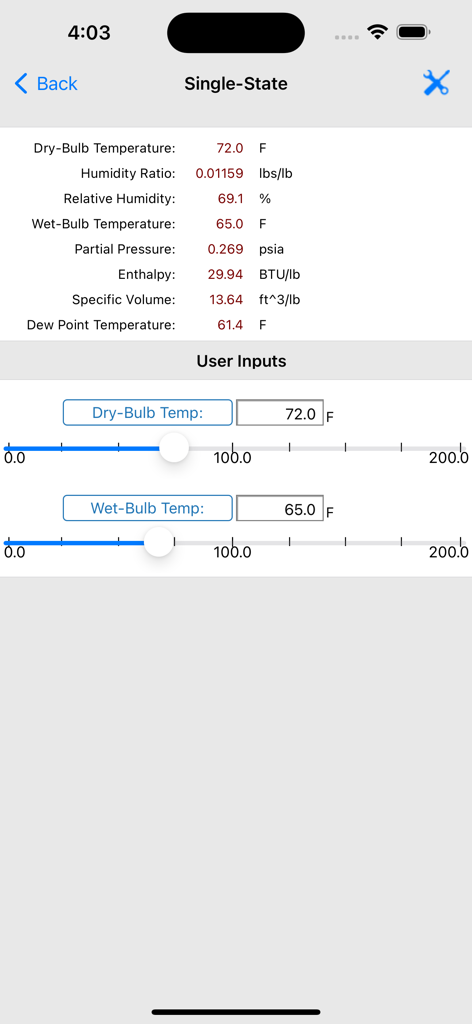
Interface of the HVAC Psychrometric Plus app displaying single-state air calculations and input sliders for temperature
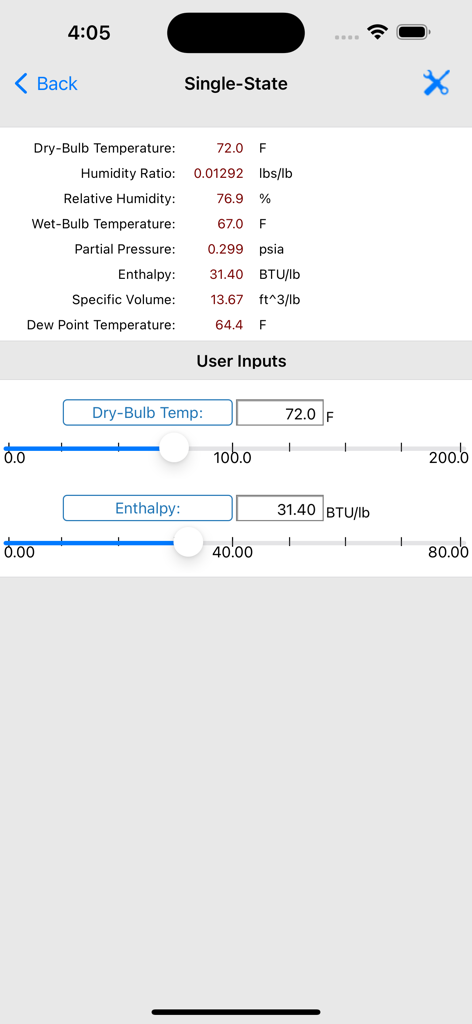
HVAC Psychrometric Plus app screen showing single state psychrometric calculations and adjustable input sliders
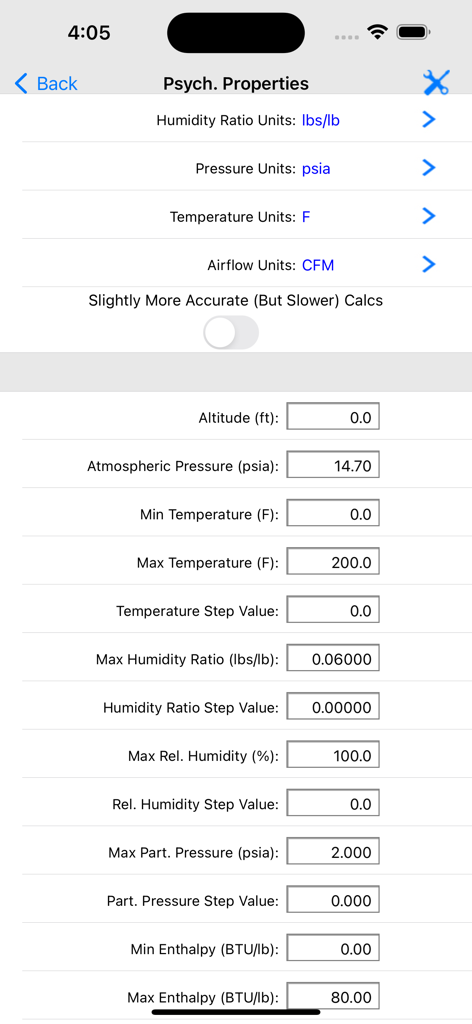
Configuration screen for psychrometric units and property ranges in the HVAC Psychrometric Plus app
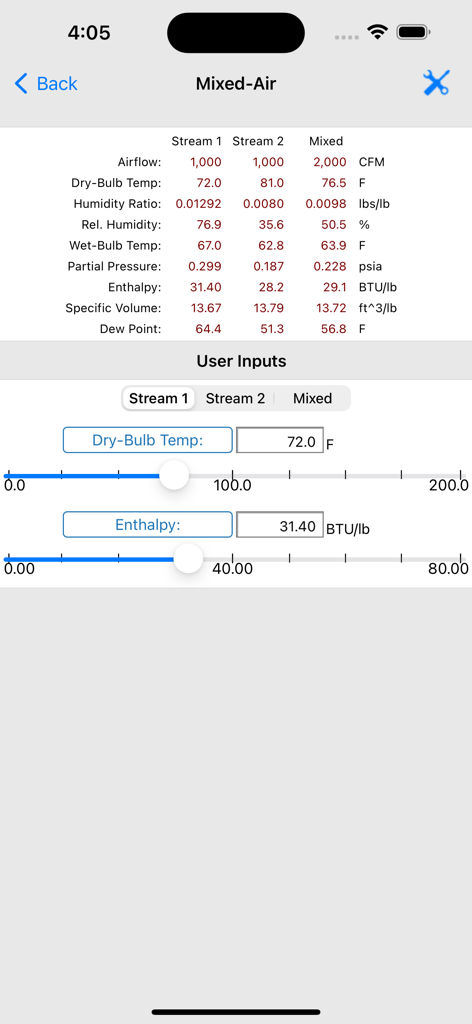
Mixed air calculation screen in HVAC Psychrometric Plus showing air stream data and input sliders
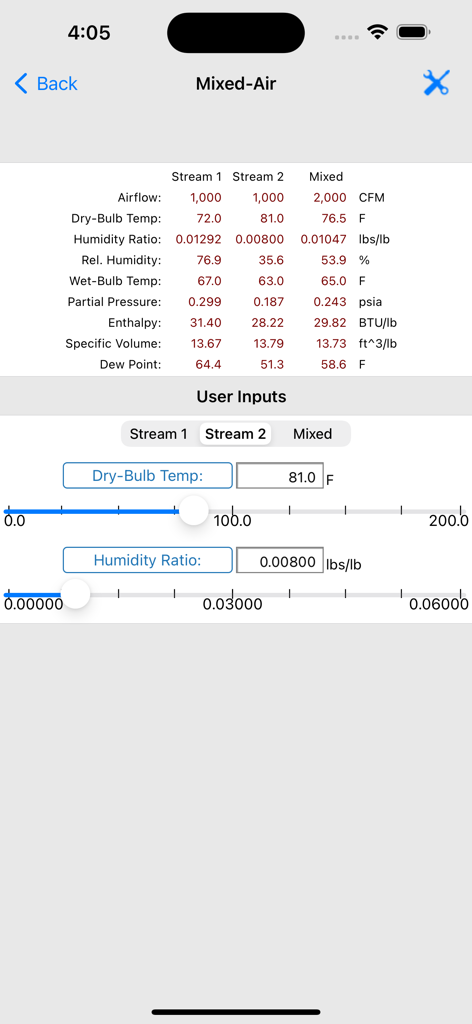
Mixed-air calculation screen in the HVAC Psychrometric Plus app displaying air stream data and input sliders
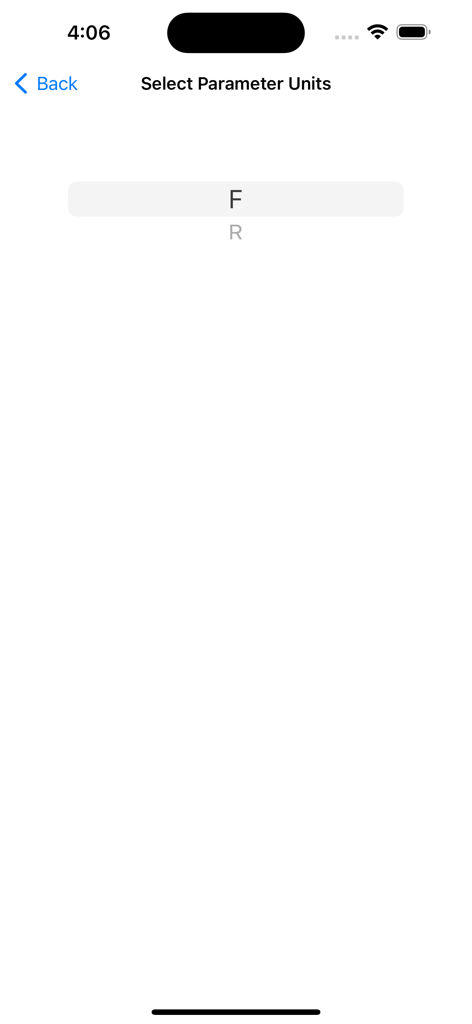
Temperature unit selection screen showing Fahrenheit and Rankine options
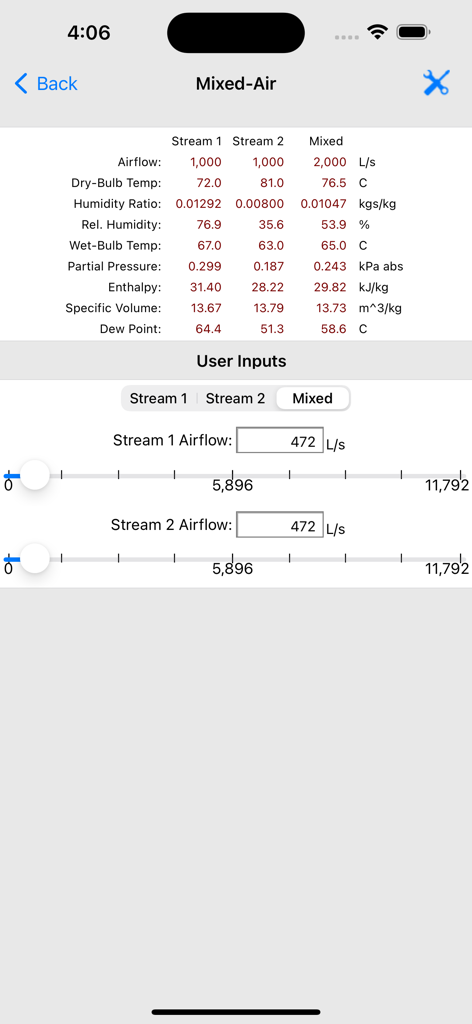
Interface of the HVAC Psychrometric Plus app showing mixed-air calculations with stream data and airflow input sliders
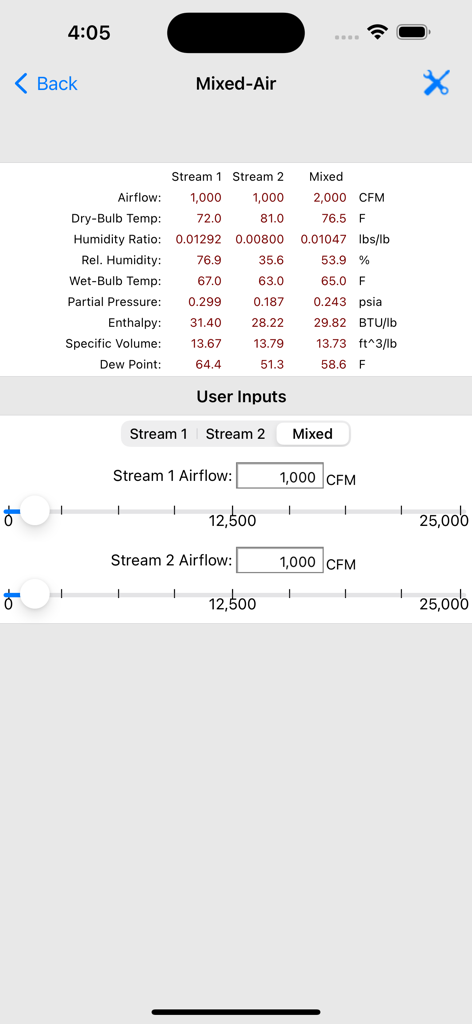
Mixed air calculation screen showing airflow and temperature data for two air streams and their mixture in the HVAC Psychrometric Plus app
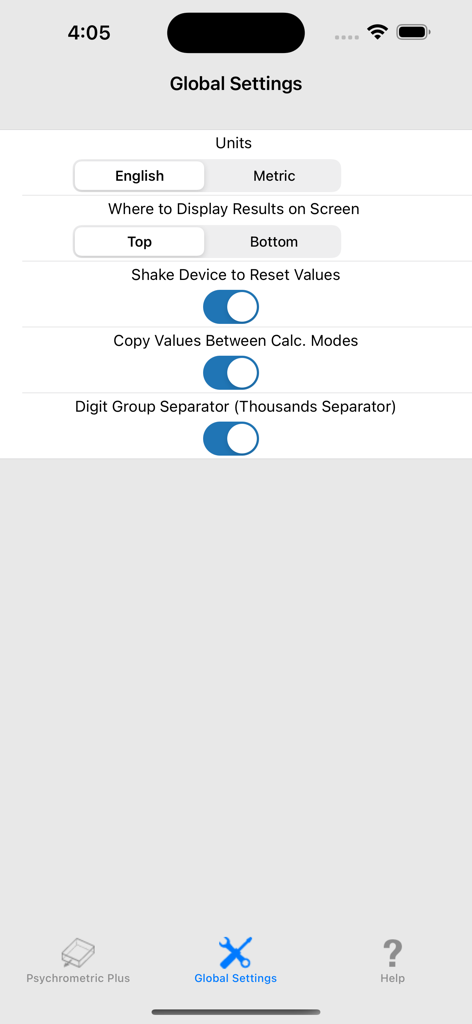
Global Settings screen of the HVAC Psychrometric Plus app showing configuration options for units and display preferences.
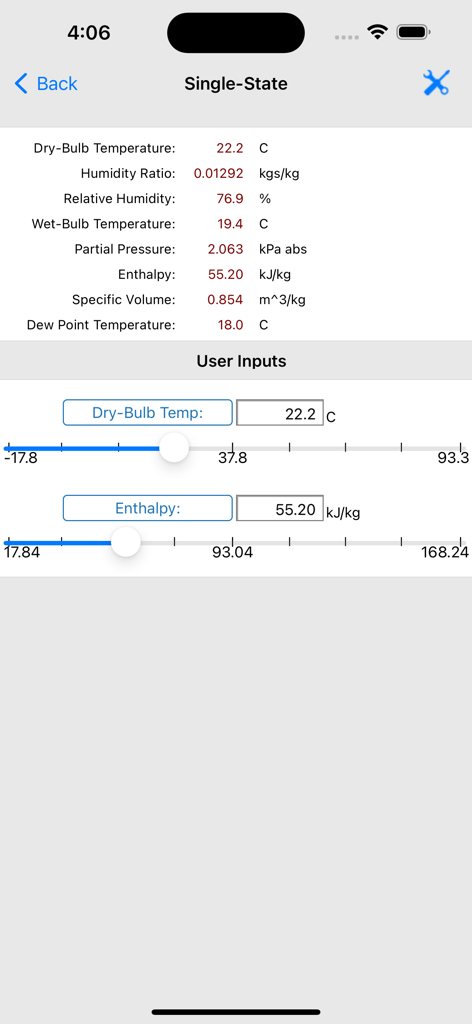
HVAC Psychrometric Plus app showing single state air calculations
Description
Download
More Like This
Top-ranked apps in the same category

ChatGPT
OpenAI OpCo, LLC

Google Gemini
Google LLC

Grok
X.AI Corporation

Gmail - Email by Google
Google LLC

千问 - 阿里最强大模型官方AI助手
Shanghai Zhixin Puhui Technology Co., Ltd.

Google Drive
Google LLC

Microsoft Authenticator
Microsoft Corporation

Google Sheets
Google LLC

Google Docs
Google LLC
This page is not an official page of the app or its developer, but an independent editorial publication created for informational and commentary purposes. Unless expressly stated otherwise, neither the app nor its developer is affiliated with, endorsed by, sponsored by, authorized by, or otherwise officially connected with MWM, Apple, Google Play, the app publisher, or the app's developer, and nothing on this page implies that the app was developed using MWM's services. Any trademarks, logos, screenshots, and other content remain the property of their respective owners.