iCab Mobile (Web Browser)
Download on App Store

This page is not an official page of the app or its developer, but an independent editorial publication created for informational and commentary purposes. Unless expressly stated otherwise, neither the app nor its developer is affiliated with, endorsed by, sponsored by, authorized by, or otherwise officially connected with MWM, Apple, Google Play, the app publisher, or the app's developer, and nothing on this page implies that the app was developed using MWM's services. Any trademarks, logos, screenshots, and other content remain the property of their respective owners.


Logo of iCab Mobile (Web Browser)
Download on App Store

iCab Mobile (Web Browser)

Take total control of your web experience with professional-grade tools, advanced customization, and multi-user profiles—built for those who demand more from their iPad and iPhone.

Key Figures

Downloads

486K+

User Rating

3.8/5

Total Ratings

11K+

Publisher

Alexander Clauss

Category

Utilities

Locales

5

Latest Version

11.2.5

Size

44.0 MB

First Released

Apr 21, 2009
Features

The Browser for Power Users

Experience the ultimate 'Swiss Army Knife' for the web. From advanced file management to multi-user profiles, iCab Mobile adapts to your professional workflow.

Desktop-Class Download Manager

Download any file type, manage ZIP archives, and export data with ease. A must-have for turning your iPad into a productivity powerhouse.

Multi-User Profiles

Perfect for families or separating work from life. Create isolated accounts with dedicated bookmarks, settings, and logins on a single device.

The following screenshots and description are sourced directly from the app's official store listing and are the property of the app developer.

App Store

Screenshots
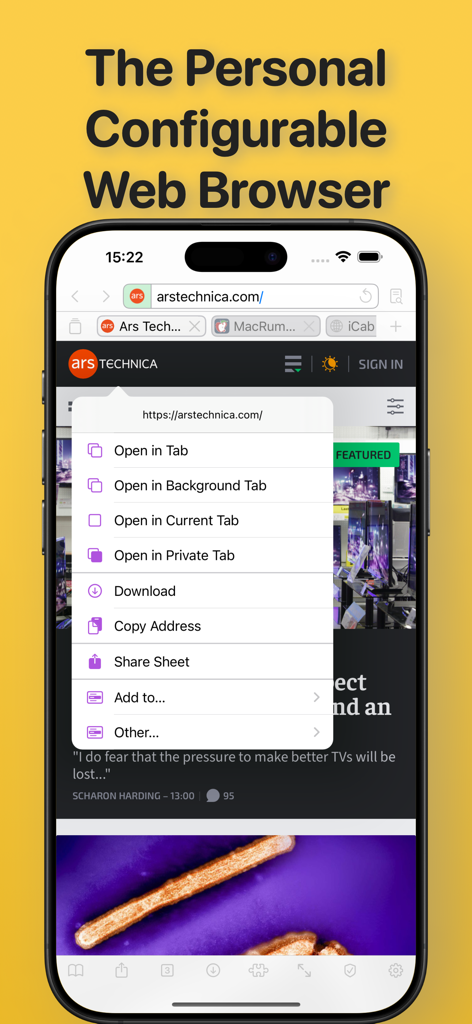
iCab Mobile (Web Browser) - iCab Mobile browser interface showing a link context menu with multiple tab and download options on an iPhone screen
iCab Mobile browser interface showing a link context menu with multiple tab and download options on an iPhone screen

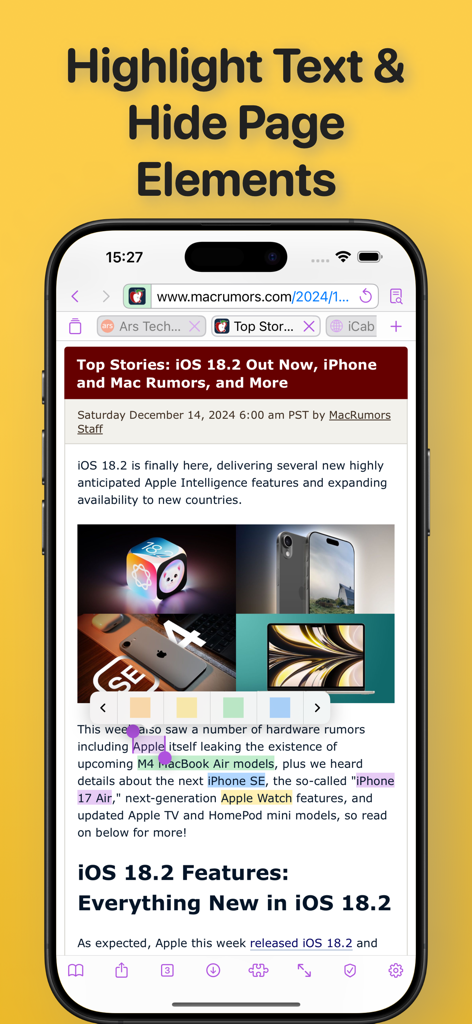
iCab Mobile (Web Browser) - A screenshot of the iCab Mobile web browser showing a news article with several lines of text highlighted in different colors using the built-in highlighter tool.
A screenshot of the iCab Mobile web browser showing a news article with several lines of text highlighted in different colors using the built-in highlighter tool.

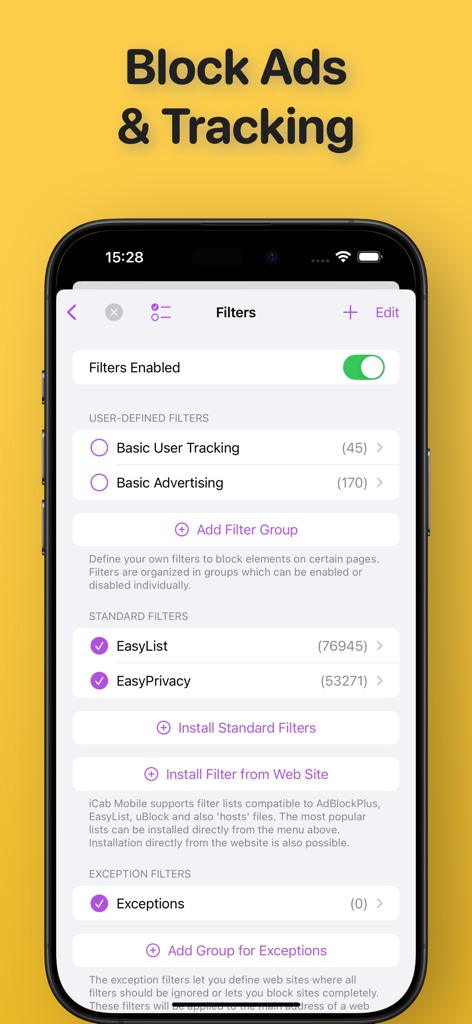
iCab Mobile (Web Browser) - iCab Mobile app interface showing ad blocking and tracking filter settings.
iCab Mobile app interface showing ad blocking and tracking filter settings.

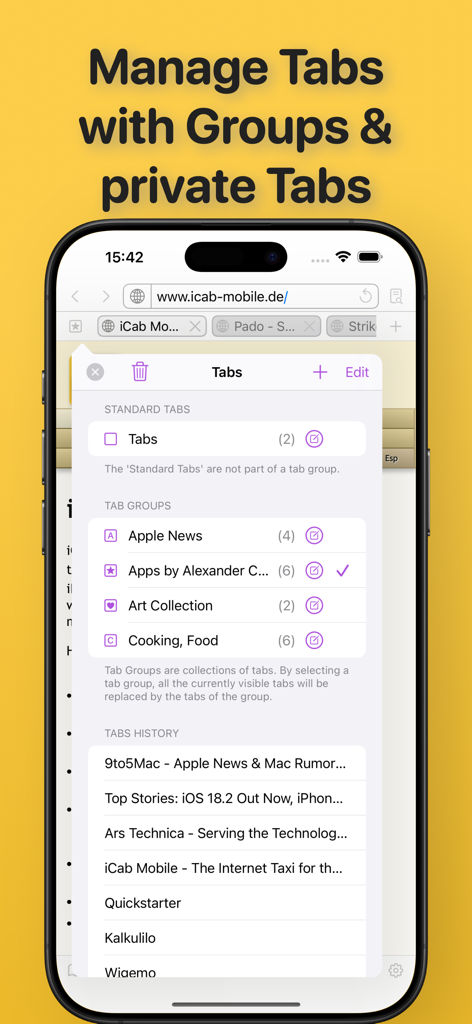
iCab Mobile (Web Browser) - iCab Mobile browser interface showing organized tab groups and browsing history on an iPhone
iCab Mobile browser interface showing organized tab groups and browsing history on an iPhone

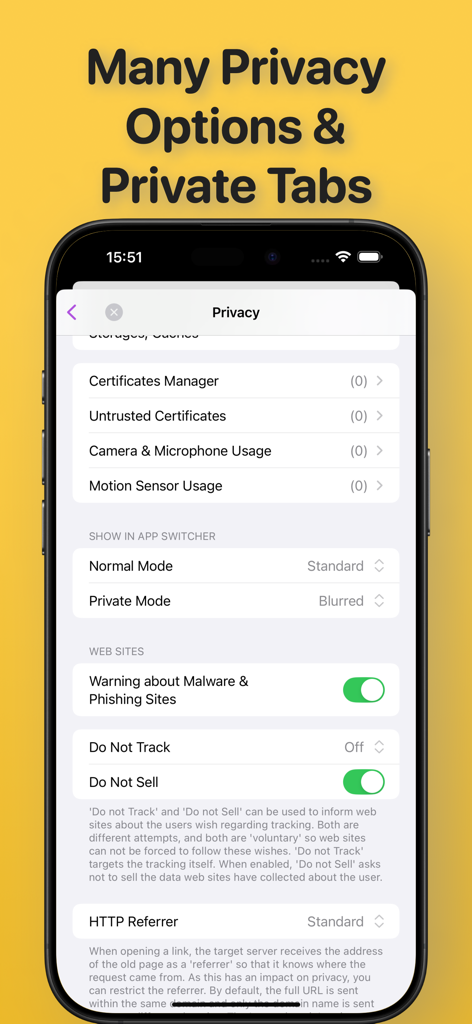
iCab Mobile (Web Browser) - iCab Mobile browser privacy settings menu showing security options and private mode configuration

iCab Mobile browser privacy settings menu showing security options and private mode configuration
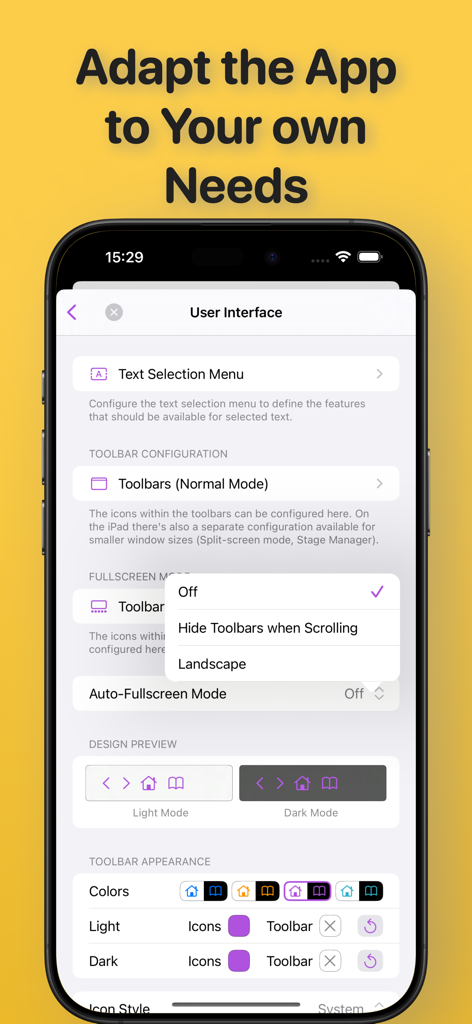
iCab Mobile (Web Browser) - iCab Mobile User Interface settings screen showing customization options for toolbars, text menus, and light or dark mode themes.
iCab Mobile User Interface settings screen showing customization options for toolbars, text menus, and light or dark mode themes.

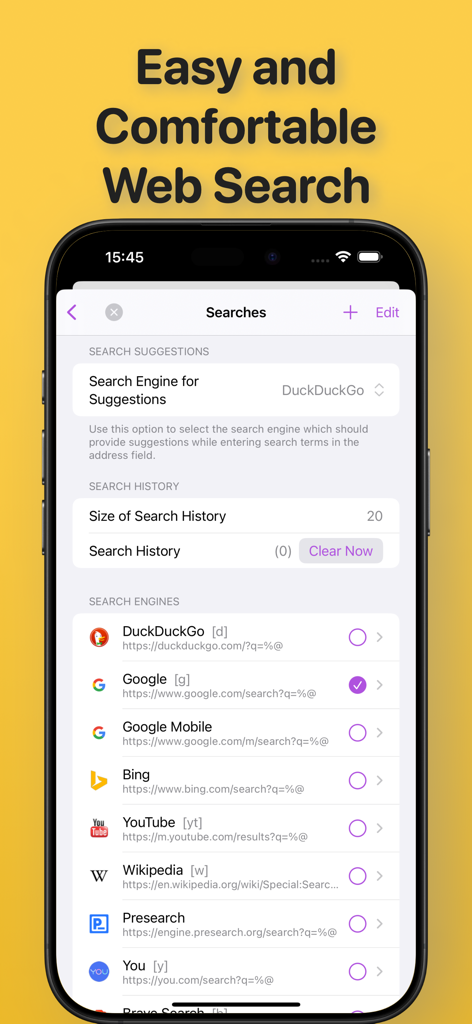
iCab Mobile (Web Browser) - iCab Mobile browser search engine selection and history settings screen
iCab Mobile browser search engine selection and history settings screen

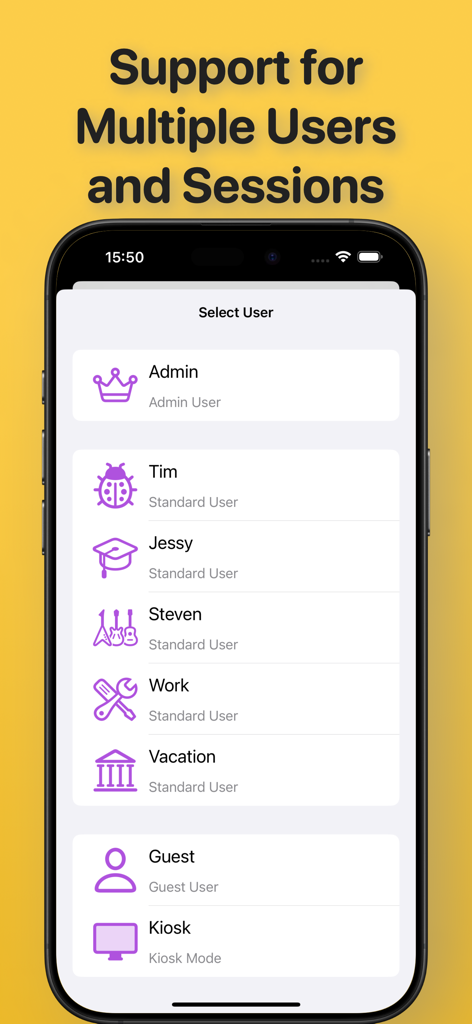
iCab Mobile (Web Browser) - Screenshot of iCab Mobile browser showing the multiple user profile selection screen for separate browsing sessions.
Screenshot of iCab Mobile browser showing the multiple user profile selection screen for separate browsing sessions.

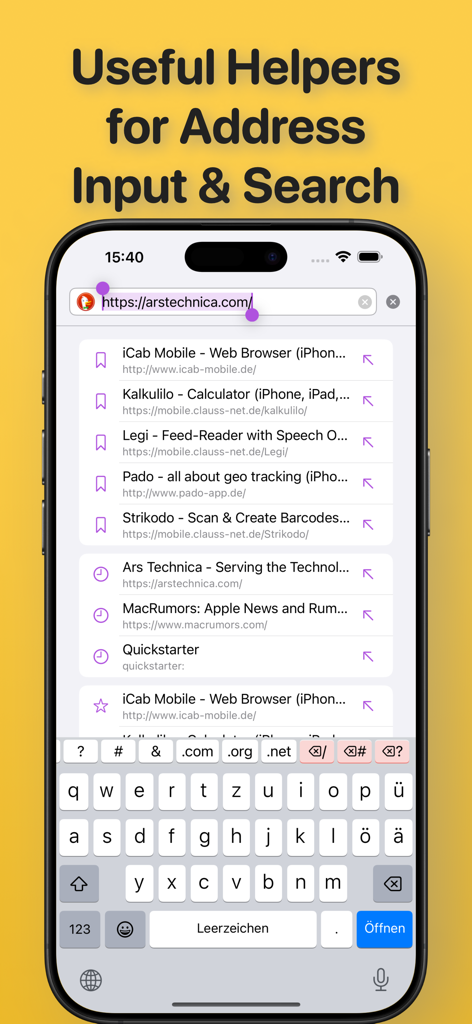
iCab Mobile (Web Browser) - iCab Mobile address bar with search suggestions and custom keyboard
iCab Mobile address bar with search suggestions and custom keyboard

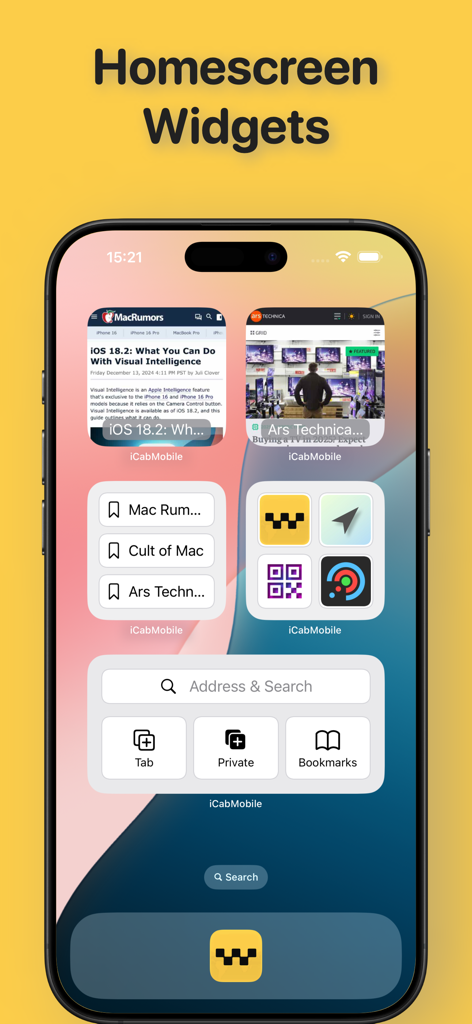
iCab Mobile (Web Browser) - iCab Mobile homescreen widgets on an iPhone showing search bar bookmarks and website previews

iCab Mobile homescreen widgets on an iPhone showing search bar bookmarks and website previews

Description

iCab Mobile is a web browser for iOS. iCab Mobile is customizable in almost all areas and can thus be made into your very own personal browser. PRIVACY: In private mode, no private data is saved permanently. Special private tabs increase privacy even further, with only a small loss of comfort. PROFILES/USER ACCOUNTS: Any number of profiles/user accounts can be created, with each profile having its own settings, bookmarks, etc. Profiles are suitable for an iPad that is used by the whole family, but also for users who want to separate professional and private surfing. TABS, WINDOWS: iCab Mobile can open any number of websites simultaneously in tabs. Tabs can be saved and organized in groups so that they can easily be loaded together again later. Tabs can be protected against accidental closing or overwriting. On the iPad, multiple app instances can be opened as windows (Stage Manager, Split View), even with multiple profiles simultaneously (since iOS 18). FILTERS: Filters can be used to block advertising, trackers, etc. Popular filter lists can be used directly (Easylist, AdBlock Plus, uBlock & compatible), but you can also define your own. USER INTERFACE: The user interface is freely configurable. Action, context and text selection menus, toolbars and gestures can be adapted to your own needs. ACCESSIBLE: The user interface is barrier-free and adapts to the system font size and is compatible with VoiceOver. BOOKMARKS: Bookmarks can be organized in folders. “Smart folders” create special collections based on self-defined rules (e.g. the latest bookmarks from the last 2 weeks). Colored labels allow further categorization. DOWNLOADS: Download any files and manage the files in the download manager, including unpacking/creating ZIP archives, exporting/importing, etc. SEARCH: The app offers a large list of search engines (self-expandable) that you can use to search directly on the web. It is also possible to search on the current page. WEBSITES: You can define what websites can and cannot do. Highlight important content with a highlighter, hide unwanted elements, allow buttons to be clicked automatically (e.g. for cookie messages). Control permissions for camera, microphone and sensor usage. Pro users can even inject JavaScript and CSS code into websites to customize them to their liking. EXPORT/IMPORT: All data can be exported/imported (for creating backups, data synchronization with other devices/apps) WIDGETS: Widgets allow you to control the App and open bookmarks directly from the home screen. Websites can also be displayed directly there. APPLE WATCH: Open websites directly on the Apple Watch (albeit limited). Remotely control iCab Mobile on the iPhone from the Watch. FURTHER FEATURES: - Quick starter - Configurable browser ID (UserAgent) - Full support for international domain names - Simple built-in RSS reader - Kiosk mode - a more limited version of the full-screen mode for kiosk systems. The app includes a store where you can give us a tip via InApp purchase to additionally support the further development of the app. The development of the app takes a lot of time and is a lot of work, which the low purchase price cannot cover. Te sources of income used by the big popular browsers, such as advertising, deals with search engines, tracking etc. are not an option for iCab Mobile. Tipping is completely voluntary and you won't miss out on any important features if you don't tip. However, users who tip will be given the option to change the app icon as a thank you.

Download

Download on App Store

This page is not an official page of the app or its developer, but an independent editorial publication created for informational and commentary purposes. Unless expressly stated otherwise, neither the app nor its developer is affiliated with, endorsed by, sponsored by, authorized by, or otherwise officially connected with MWM, Apple, Google Play, the app publisher, or the app's developer, and nothing on this page implies that the app was developed using MWM's services. Any trademarks, logos, screenshots, and other content remain the property of their respective owners.