
This page is not an official page of the app or its developer, but an independent editorial publication created for informational and commentary purposes. Unless expressly stated otherwise, neither the app nor its developer is affiliated with, endorsed by, sponsored by, authorized by, or otherwise officially connected with MWM, Apple, Google Play, the app publisher, or the app's developer, and nothing on this page implies that the app was developed using MWM's services. Any trademarks, logos, screenshots, and other content remain the property of their respective owners.


Via Browser
Experience a quiet, ultra-fast browsing environment without the bloat. Reclaim your focus with ad-blocking, user-scripts, and total customization in under 5MB.
Downloads
1M+User Rating
Total Ratings
1K+Publisher
Category
UtilitiesLocales
2Latest Version
1.9.0Size
4.9 MBFirst Released
Mar 20, 2023Designed for the Digital Minimalist
Experience a faster, cleaner web with a browser that respects your focus and stays out of your way. No news feeds, no bloat—just pure performance.
Ultra-Lightweight & Quiet
Zero news feeds or intrusive notifications. With a 5MB footprint, it keeps your device fast without the bloatware.
Advanced Power-User Tools
Take total control with User-script support, built-in ad blocking, and customizable search engines for a tailored workflow.
Frequently Asked Questions
Everything you need to know about Via Browser
Does Via Browser support ad blocking?
Yes, Via Browser includes ad blocking functionality with support for ABP filters. Users can manage filter subscriptions like Easylist within the browser settings.
Can users customize web pages with scripts in Via Browser?
Yes, Via Browser provides user-script support, allowing users to enhance web pages with custom scripts. The app includes a dedicated editor for managing these scripts.
Does Via Browser offer iCloud synchronization for user data?
Yes, Via Browser supports iCloud sync, enabling users to synchronize their browser data across devices. This feature is accessible and can be enabled within the app's settings.
Does Via Browser have a night mode feature?
Yes, Via Browser includes a night mode feature. Users can enable this setting within the app to provide a darker interface, which is beneficial for low-light conditions.
How does Via Browser handle user privacy with data clearing options?
Via Browser prioritizes privacy by offering options to clear user data, including an option to clear data upon exit. These privacy controls are available in the app's settings.
Is Via Browser a lightweight application regarding memory usage?
Yes, Via Browser is designed as a "Mini Browser" that uses much less memory on the device. This design ensures the device remains fast and responsive.
Can users customize the Via Browser interface and settings?
Yes, Via Browser is a "Customized Browser" allowing easy personalization. Users can modify various settings, including the search engine and homepage, to suit their preferences.
The following screenshots and description are sourced directly from the app's official store listing and are the property of the app developer.
App Store
Screenshots
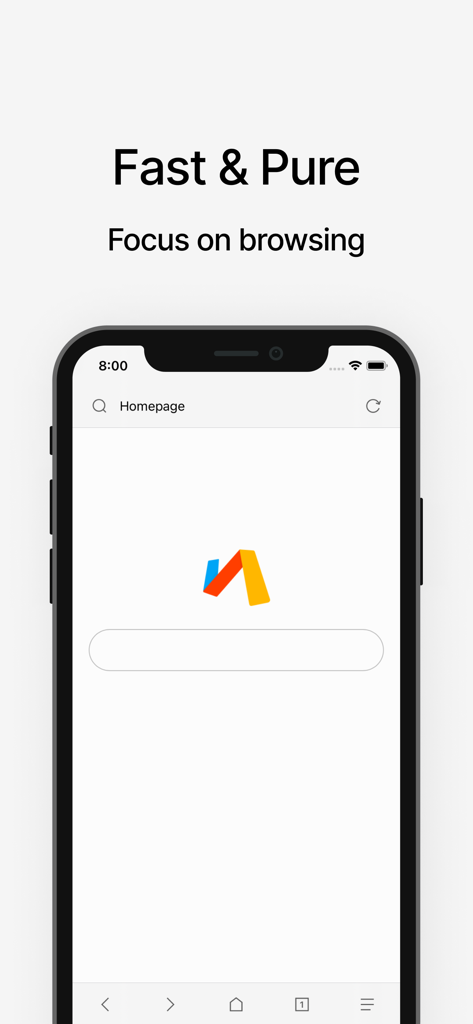
Minimalist homepage of Via Browser on an iPhone featuring a clean search interface and the slogan Fast and Pure.
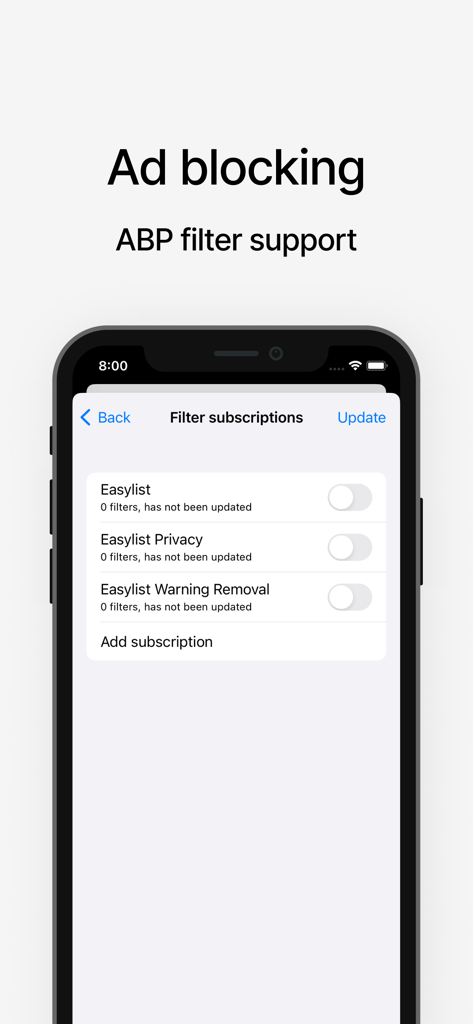
Ad blocking and ABP filter subscription settings screen in Via Browser
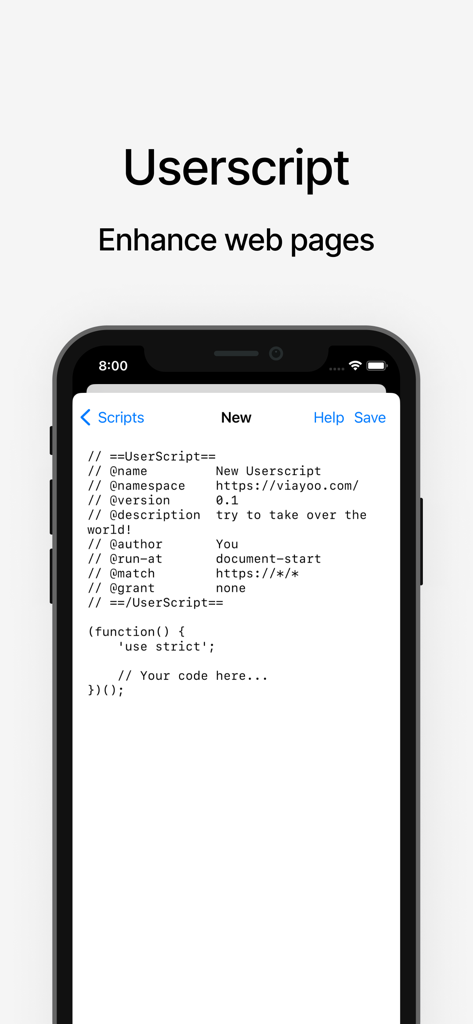
Smartphone screen showing the userscript editor in Via Browser to customize and enhance web pages.
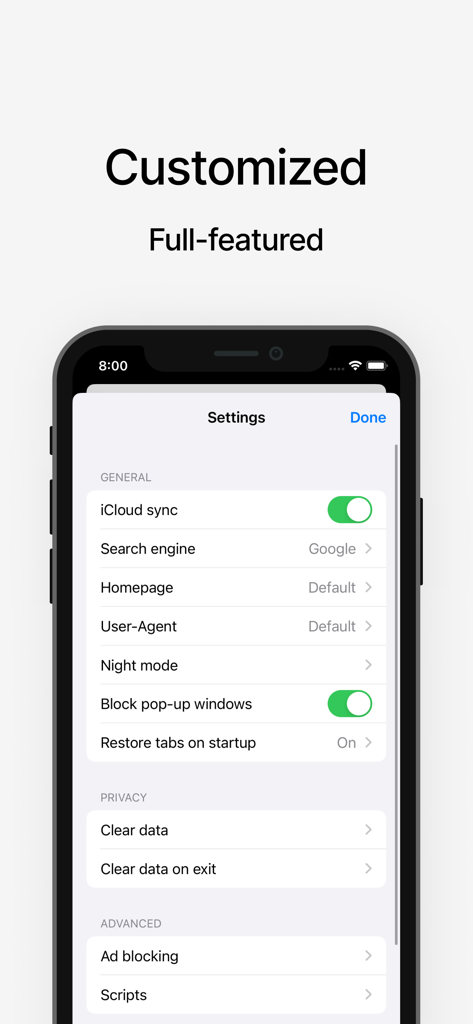
Settings menu of Via Browser showing customization options like search engine choice and ad blocking
Description
Download
More Like This
Apps with similar features and user experience

Alook Browser - 8x Speed
Baoding Lehuo Network Technology Co., Ltd.

Stay for Safari
寅 沈

Desktop Browser • Zoomable
Actowise LLC

Web Messenger for Dual Chat
ATA KAGAN DURAKER

拦截100-浏览器广告拦截油猴脚本
UU Momentum Network Technology Co., Ltd.

雨见浏览器
键 金

Userscripts
Justin Wasack

1DM: Browser & Downloader
Abhijith Jishankar

iCab Mobile (Web Browser)
Alexander Clauss
This page is not an official page of the app or its developer, but an independent editorial publication created for informational and commentary purposes. Unless expressly stated otherwise, neither the app nor its developer is affiliated with, endorsed by, sponsored by, authorized by, or otherwise officially connected with MWM, Apple, Google Play, the app publisher, or the app's developer, and nothing on this page implies that the app was developed using MWM's services. Any trademarks, logos, screenshots, and other content remain the property of their respective owners.