ReSound Smart 3D

ReSound Smart 3D

Download on App Store
Logo of ReSound Smart 3D

ReSound Smart 3D: The Power to Personalize Every Sound You Hear

Take charge of your hearing journey with discreet controls, remote professional support, and advanced sound settings tailored for your active lifestyle.

Download on App Store

Publisher

GN Resound A/S

Category

Medical

Downloads

1M+

User Rating

4.6/5

Total Ratings

114K+

Locales

44

Precision at Your Fingertips

Discover the interface used by 1M+ users.
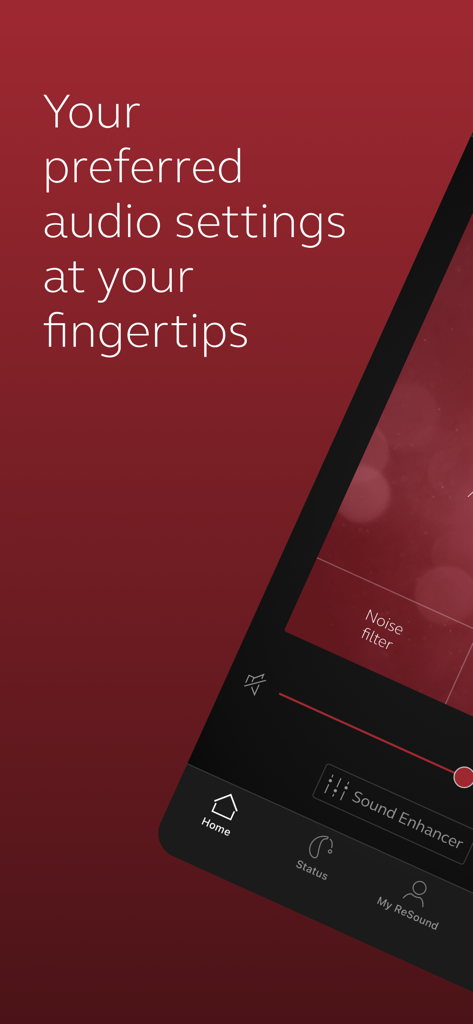
The ReSound Smart 3D app interface displaying options for audio settings and sound enhancement

The ReSound Smart 3D app interface displaying options for audio settings and sound enhancement

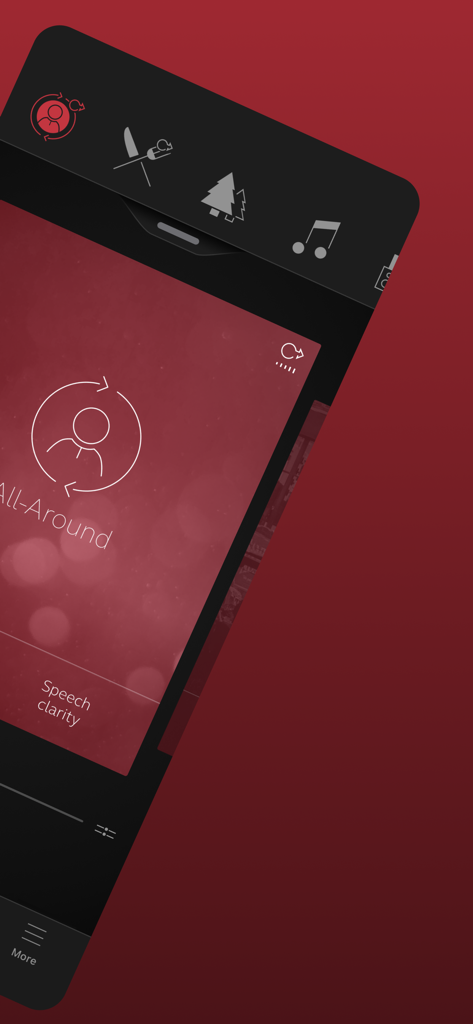
Interface of the ReSound Smart 3D app showing hearing aid program selection and speech clarity settings.

Interface of the ReSound Smart 3D app showing hearing aid program selection and speech clarity settings.

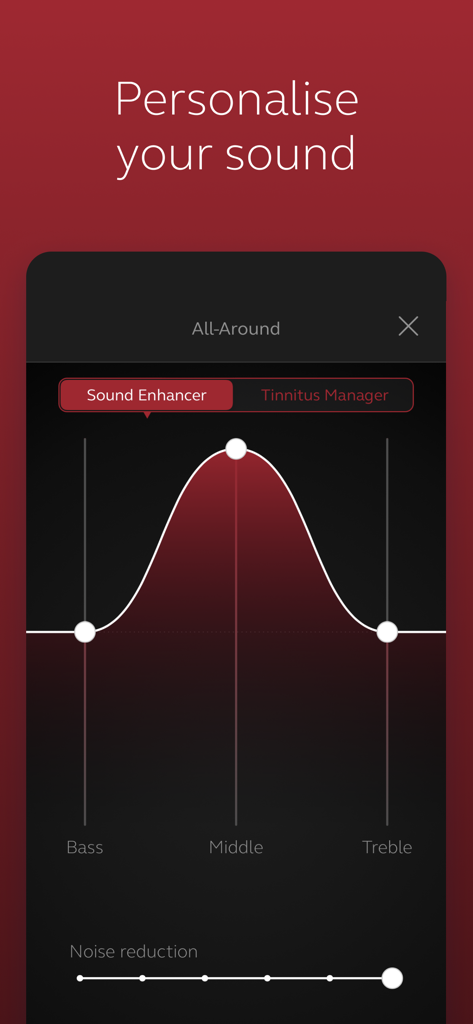
ReSound Smart 3D app interface for personalizing sound with bass middle and treble controls

ReSound Smart 3D app interface for personalizing sound with bass middle and treble controls

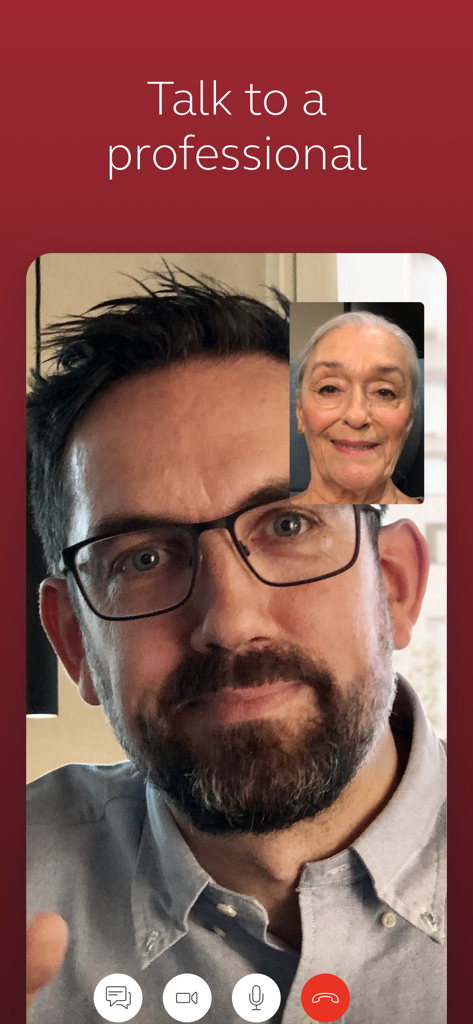
Telehealth video call between a user and a hearing care professional in the ReSound Smart 3D app

Telehealth video call between a user and a hearing care professional in the ReSound Smart 3D app

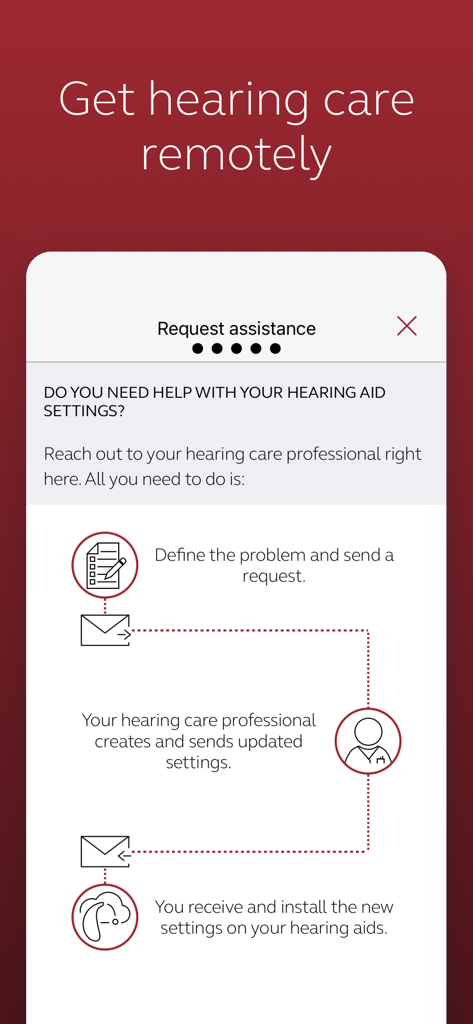
Infographic in the ReSound Smart 3D app explaining how to request and receive remote hearing aid adjustments from a professional.

Infographic in the ReSound Smart 3D app explaining how to request and receive remote hearing aid adjustments from a professional.

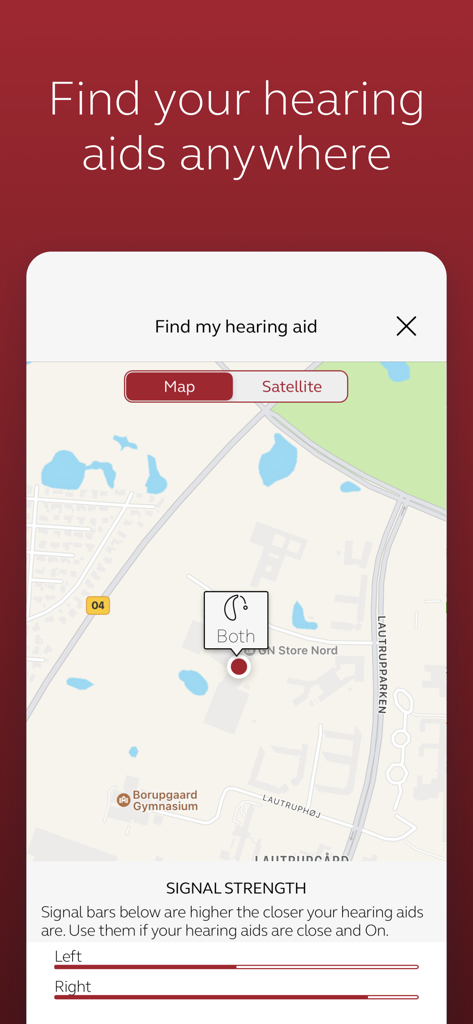
Map view and signal strength indicators for locating misplaced hearing aids within the ReSound Smart 3D app.

Map view and signal strength indicators for locating misplaced hearing aids within the ReSound Smart 3D app.

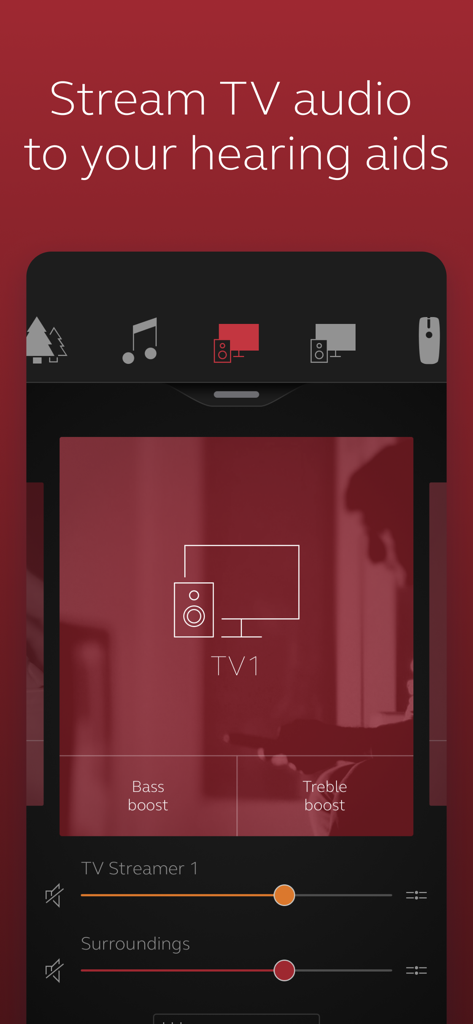
ReSound Smart 3D app screen showing TV audio streaming controls with bass boost and treble boost options

ReSound Smart 3D app screen showing TV audio streaming controls with bass boost and treble boost options

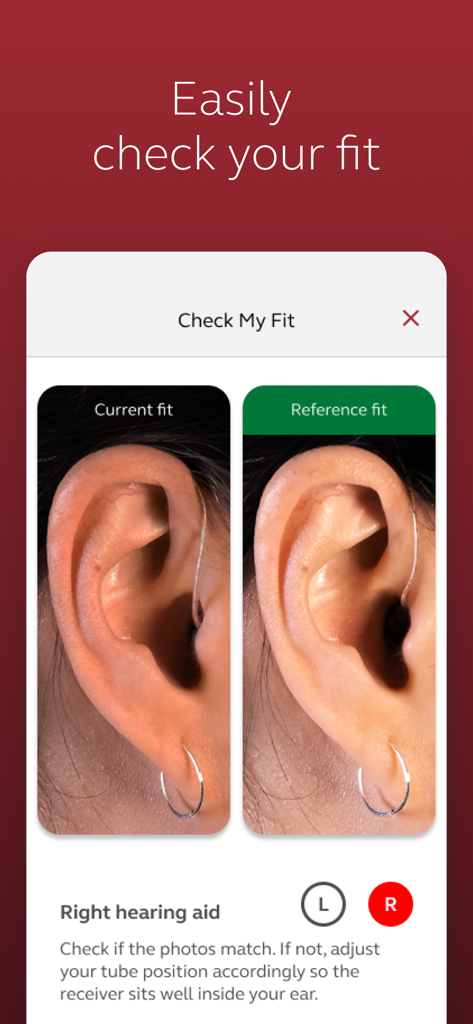
ReSound Smart 3D app Check My Fit screen comparing a current hearing aid placement photo with a reference photo

ReSound Smart 3D app Check My Fit screen comparing a current hearing aid placement photo with a reference photo

Your World, Your Way

The tools that make this app stand out, trusted by 1M+ users.

🎚️

Discreet Sound Control

Effortlessly adjust volume, bass, and treble or switch programs from your phone. Perfect for mastering noisy restaurants without drawing attention to your device.

☁️

Professional Care Anywhere

Use ReSound Assist to request help from your specialist. Receive new settings and software updates remotely, saving you an unnecessary trip to the clinic.

📍

Never Lose a Device

Enjoy total peace of mind with the locator tool. If you misplace your hearing aids, the app helps you track them down quickly and accurately on a map.

About the app

Everything you need to know about ReSound Smart 3D.

Description

The ReSound Smart 3D app lets you control your hearing aids directly from your mobile device. You can change programs, and make simple or more advanced sound adjustments and save them as favorites. The app helps you learn what you can do and how to do it. It can even help you find your hearing aids if you lose them. Last, but not least, you can have your hearing care professional update your hearing aid programs and send you new hearing aid software without taking a trip to the clinic. Notes: Please contact your local ReSound representative for product and feature availability in your market. We recommend that the hearing aids run the latest software version. If in doubt, please contact your hearing care professional. ReSound Smart 3D mobile device compatibility: Please consult the ReSound app website for up-to-date compatibility information: www.resound.com/compatibility. Use the ReSound Smart 3D app to: • Enjoy optimization anywhere with ReSound Assist: Request help with your hearing aid settings from your hearing care professional and receive new settings and software updates. And use these direct control and personalization options: • Adjust volume settings on your hearing aids • Mute your hearing aids • Adjust volume of your optionally acquired ReSound streaming accessories • Adjust speech focus as well as noise and wind-noise levels with Sound Enhancer (feature availability depends on your hearing aid model and the fitting by your hearing care professional) • Change manual and streamer programs • Edit and personalize program names • Adjust treble, middle and bass tones to your preferences • Save your preferred settings as a Favorite – you can even tag to a location • Monitor the battery status of your rechargeable hearing aids • Help locate lost or misplaced hearing aids • Tinnitus manager: Adjust sound variation and frequency of the Tinnitus Sound Generator. Select Nature Sounds (feature availability depends on your hearing aid model and the fitting by your hearing care professional) For more information please visit www.resound.com/smart3Dapp or the support site via the link in the app store.

Latest Version

1.41.0

Size

265.4 MB

First Released

Apr 28, 2017

Take Full Control of Your Hearing Journey

Join over 1 million users who enjoy effortless, discreet sound adjustments and professional support from the comfort of home. Download the ReSound Smart 3D app today.

Download on App Store
FAQ

Frequently Asked Questions

Everything you need to know about ReSound Smart 3D

What is the ReSound Smart 3D app?

The ReSound Smart 3D app allows users to control their hearing aids from a mobile device, offering sound adjustments, program changes, and remote support from hearing care professionals.

Can I adjust my hearing aid settings with the ReSound Smart 3D app?

Yes, the ReSound Smart 3D app allows users to adjust volume, mute hearing aids, change programs, and personalize sound by adjusting treble, middle, and bass tones.

How does the ReSound Smart 3D app help me find lost hearing aids?

The ReSound Smart 3D app includes a feature that helps locate lost or misplaced hearing aids using a map view and signal strength indicators to guide users.

Can I receive remote assistance from my hearing care professional using ReSound Smart 3D?

Yes, ReSound Assist allows users to request help from their hearing care professional, who can send new hearing aid settings and software updates remotely.

Does the ReSound Smart 3D app have a Tinnitus Manager?

Yes, the ReSound Smart 3D app features a Tinnitus Manager where users can adjust the sound variation and frequency of the Tinnitus Sound Generator and select Nature Sounds.

Can I stream audio to my ReSound hearing aids through the app?

Yes, the ReSound Smart 3D app enables users to adjust the volume of optionally acquired ReSound streaming accessories, such as for TV audio.

Is it possible to save custom sound settings in the ReSound Smart 3D app?

Yes, users can save their preferred settings as a Favorite within the ReSound Smart 3D app and can even tag these custom settings to a specific location.

How do I check the fit of my hearing aids with the ReSound Smart 3D app?

The ReSound Smart 3D app provides a 'Check My Fit' feature, allowing users to compare their current hearing aid fit with a reference image to ensure proper placement.

Does the ReSound Smart 3D app monitor hearing aid battery status?

Yes, the ReSound Smart 3D app allows users to monitor the battery status of their rechargeable hearing aids directly from their mobile device.

App information, icons, screenshots, and descriptions displayed on this page are sourced from the Apple App Store and are the property of their respective developers. Download estimates and rankings are based on MWM's proprietary models and may not reflect actual figures. This page is provided for informational and analytical purposes only.

Believe this page infringes your intellectual property? File a dispute