
This page is not an official page of the app or its developer, but an independent editorial publication created for informational and commentary purposes. Unless expressly stated otherwise, neither the app nor its developer is affiliated with, endorsed by, sponsored by, authorized by, or otherwise officially connected with MWM, Apple, Google Play, the app publisher, or the app's developer, and nothing on this page implies that the app was developed using MWM's services. Any trademarks, logos, screenshots, and other content remain the property of their respective owners.

Philips HearLink 2
Seamlessly manage your hearing aids from your iPhone or Apple Watch. Stream your favorite audio, personalize your sound environment, and stay connected with total discretion and ease.
Downloads
352K+User Rating
Total Ratings
31K+Publisher
Category
MedicalLocales
31Latest Version
1.6.1Size
424.5 MBFirst Released
Feb 9, 2023Personalized Hearing at Your Fingertips
Master your environment with professional-grade tools designed for seamless integration into your modern lifestyle.
Discreet Wrist Adjustments
Switch programs and control volume subtly from your Apple Watch, keeping you focused on the conversation without reaching for your phone.
Seamless Audio Streaming
Transform your hearing aids into premium wireless headphones for crystal-clear podcasts, music, and hands-free calls directly to your ears.
Frequently Asked Questions
Everything you need to know about Philips HearLink 2
How does the Philips HearLink 2 app adjust hearing aid volume?
The Philips HearLink 2 app adjusts hearing aid sound volume for each ear independently or together. Users control volume via dedicated on-screen sliders within the app's sound interface.
Can the Philips HearLink 2 app mute surrounding sounds?
Yes, the Philips HearLink 2 app offers a feature to mute surrounding sounds. This function helps users enhance focus by reducing environmental noise, accessible via an icon on the main sound screen.
How do users switch hearing aid programs in the Philips HearLink 2 app?
Users switch between different hearing aid programs, configured by their hearing care professional, directly within the Philips HearLink 2 app. Available programs are displayed and selected from the interface.
Does the Philips HearLink 2 app show hearing aid battery levels?
Yes, the Philips HearLink 2 app displays the current battery level for both the left and right hearing aids. It also provides an estimate of the remaining battery life in hours.
Can the Philips HearLink 2 app help locate lost hearing aids?
Yes, the Philips HearLink 2 app features a "Find my hearing aids" function. This feature shows the last known location of the hearing aids on a map, requiring location services to be active.
Does Philips HearLink 2 offer remote assistance from a hearing care professional?
Yes, Philips HearLink 2 facilitates online visits with a hearing care professional. Users can schedule appointments for remote fitting and real-time adjustments through the app's "Remote Fitting" feature.
What is the sound equalizer feature in Philips HearLink 2?
The sound equalizer in Philips HearLink 2 adjusts environmental sounds. This feature is available for Philips HearLink 50 and 40 models, allowing customization of low, mid, and high frequencies.
What is the Philips Journal feature in Philips HearLink 2?
The Philips Journal feature in Philips HearLink 2 tracks user progress and monitors hearing health data, such as wearing time. It is available for Philips HearLink 50 and 40 models.
What iOS version does Philips HearLink 2 require for optimal performance?
For optimal performance, the Philips HearLink 2 app requires an iOS device running iOS 15.2 or later. Users should ensure their device's operating system is up to date.
Does the Philips HearLink 2 app support Apple Watch?
Yes, Philips HearLink 2 includes an app for Apple Watch. This allows users to discreetly change programs and adjust volume on their hearing aids when within Bluetooth range of their phone.
How do I start using the Philips HearLink 2 app with my hearing aids?
To begin using the Philips HearLink 2 app, you must first pair your hearing aids with the application. This initial pairing process is essential for controlling the devices.
Can the Philips HearLink 2 app control wireless accessories?
Yes, the Philips HearLink 2 app controls wireless accessories paired with hearing aids. This functionality includes managing devices like TV Adapters and AudioClip.
Does Philips HearLink 2 support Auracast™ broadcasts?
Yes, Philips HearLink 2 supports Auracast™ broadcasts. Users can connect to and adjust an Auracast™ broadcast directly through the app, available specifically for Philips HearLink 50 models.
How do I access support and troubleshooting in the Philips HearLink 2 app?
Users access support and troubleshooting solutions within the Philips HearLink 2 app. The "Help & Support" section provides direct access to assistance and common problem resolutions.
The following screenshots and description are sourced directly from the app's official store listing and are the property of the app developer.
App Store
Screenshots
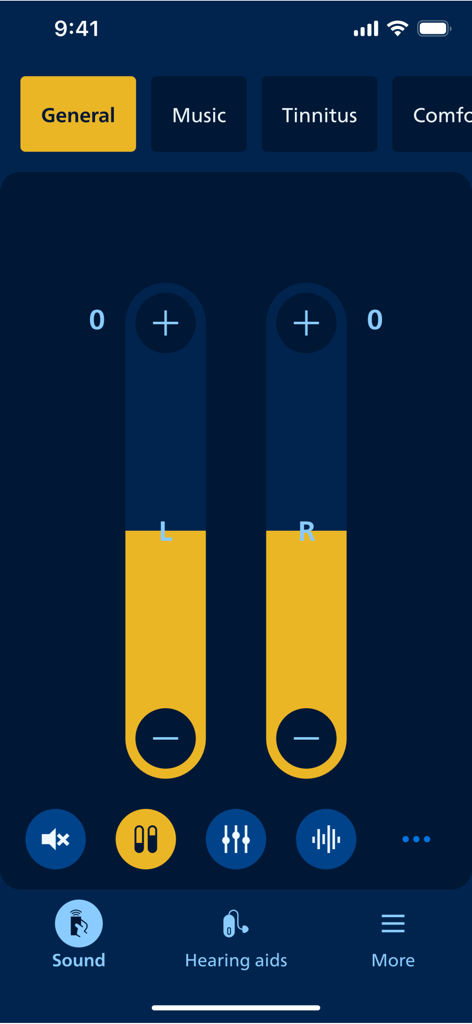
Volume adjustment screen in the Philips HearLink 2 app
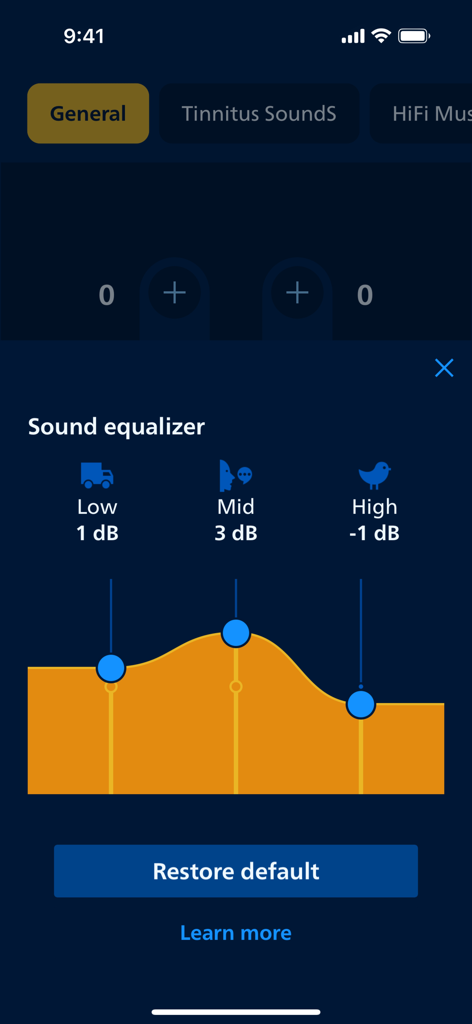
Sound equalizer interface in the Philips HearLink 2 app showing adjustable frequency bands for low mid and high sounds
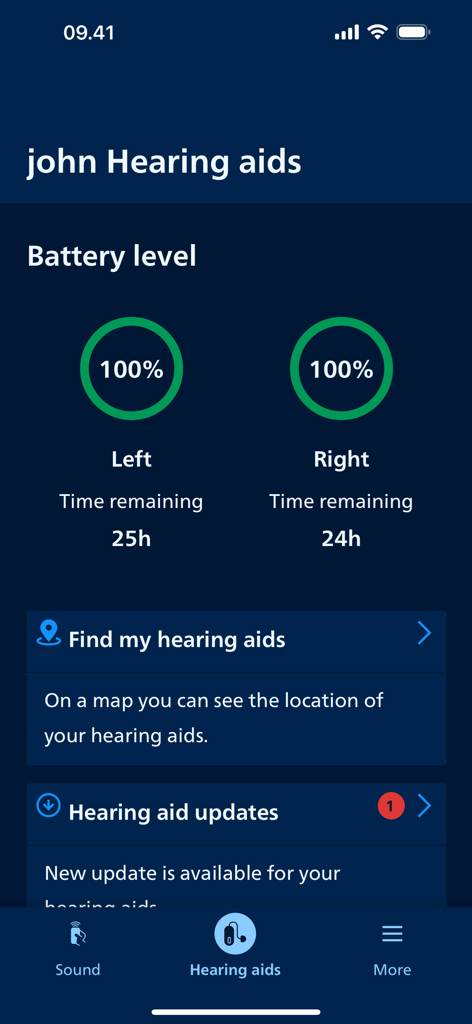
Philips HearLink 2 app screen showing battery levels for left and right hearing aids and find my hearing aids feature
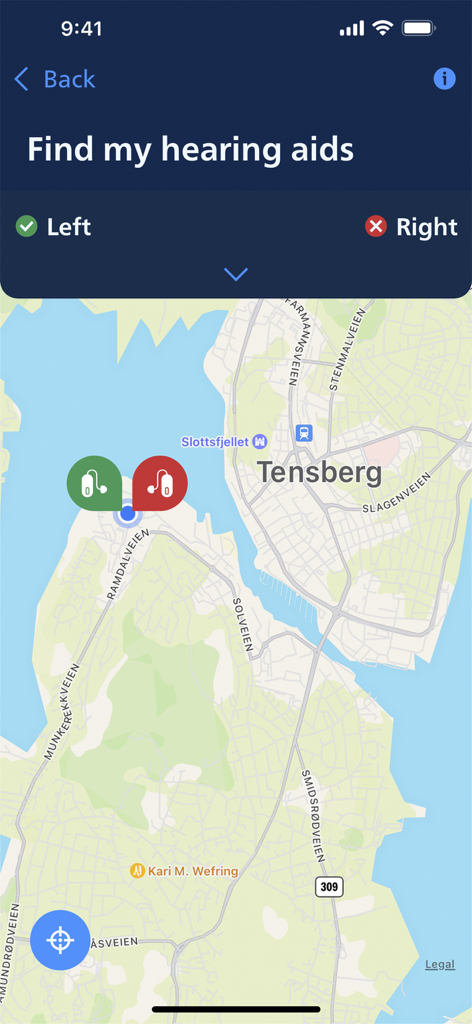
Philips HearLink 2 app showing the find my hearing aids map feature
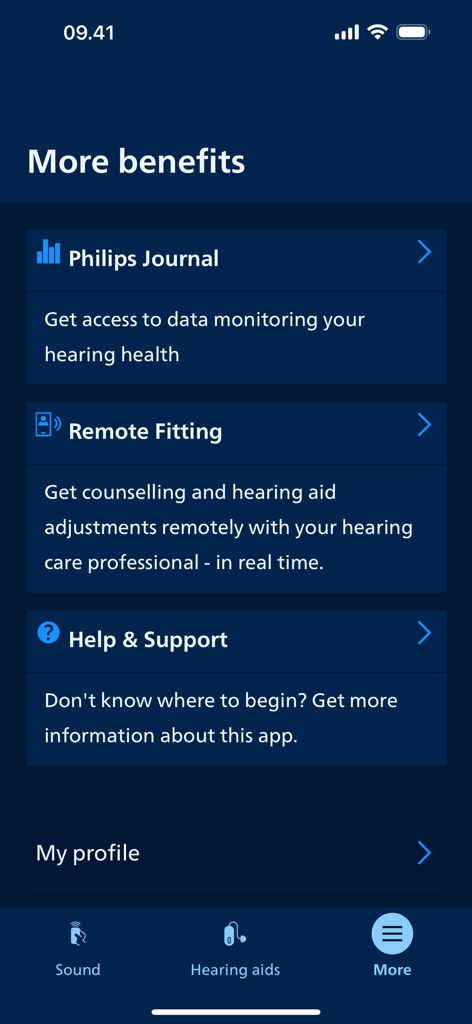
Philips HearLink 2 app screen showing additional features including Philips Journal and Remote Fitting
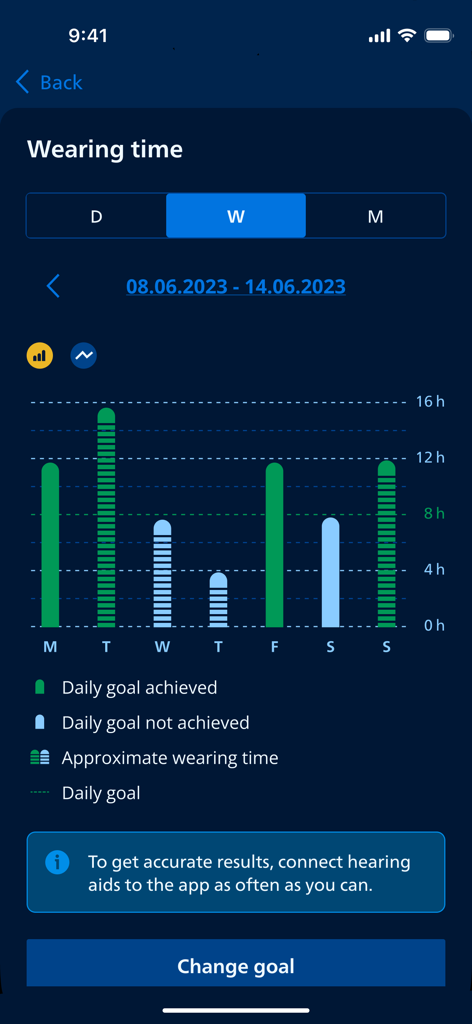
A bar chart in the Philips HearLink 2 app showing daily hearing aid wearing time and goal progress for a week.
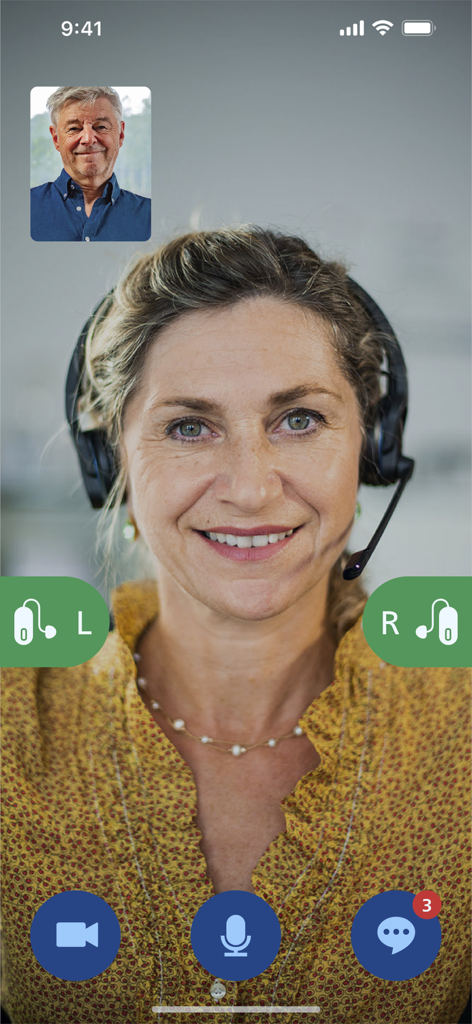
Online visit with a hearing care professional in the Philips HearLink 2 app
Description
Download
More Like This
Apps with similar features and user experience

ReSound Smart 3D
GN Resound A/S

Braun IPL app
P&G Productions

BeMore – for your hearing aids
GN Hearing Care Corporation
Jabra Enhance Pro
GN Hearing Care Corporation

Miracle-Ear App
Miracle-Ear, Inc.

myPhonak
Sonova AG

Amplifon App
Amplifon S.p.A.

Hearing Remote
Sonova AG

Oticon Companion
Oticon
This page is not an official page of the app or its developer, but an independent editorial publication created for informational and commentary purposes. Unless expressly stated otherwise, neither the app nor its developer is affiliated with, endorsed by, sponsored by, authorized by, or otherwise officially connected with MWM, Apple, Google Play, the app publisher, or the app's developer, and nothing on this page implies that the app was developed using MWM's services. Any trademarks, logos, screenshots, and other content remain the property of their respective owners.