
This page is not an official page of the app or its developer, but an independent editorial publication created for informational and commentary purposes. Unless expressly stated otherwise, neither the app nor its developer is affiliated with, endorsed by, sponsored by, authorized by, or otherwise officially connected with MWM, Apple, Google Play, the app publisher, or the app's developer, and nothing on this page implies that the app was developed using MWM's services. Any trademarks, logos, screenshots, and other content remain the property of their respective owners.

Jabra Enhance Pro
Take charge of your hearing experience with discreet adjustments, professional remote updates, and advanced noise filtering designed to keep you connected to the moments that matter most.
Downloads
308K+User Rating
Total Ratings
37K+Publisher
Category
MedicalLocales
8Latest Version
1.41.0Size
240.4 MBFirst Released
Jun 2, 2021Master Your Sound Environment
Take full control of your hearing experience with professional-grade tools designed for your active lifestyle and digital independence.
Instant Sound Personalization
Easily adjust speech focus and noise levels for crystal-clear conversations at dinner or on the golf course without touching your ears.
Professional Care, Anywhere
Skip the clinic visits by receiving remote tuning adjustments and software updates directly from your hearing care professional.
Frequently Asked Questions
Everything you need to know about Jabra Enhance Pro
What is the Jabra Enhance Pro app?
The Jabra Enhance Pro app controls your hearing aids, allowing program changes, sound adjustments, and saving favorites. It also helps locate lost hearing aids and facilitates remote professional updates.
Can I adjust my hearing aid settings with the Jabra Enhance Pro app?
Yes, the Jabra Enhance Pro app allows users to change programs, adjust volume, mute hearing aids, and modify treble, middle, and bass tones directly from a mobile device.
Does the Jabra Enhance Pro app help locate lost hearing aids?
Yes, the Jabra Enhance Pro app includes a feature to help locate lost or misplaced hearing aids by displaying their last known location and signal strength.
Can a hearing care professional update my Jabra Enhance Pro hearing aids remotely?
Yes, the Jabra Enhance Pro app allows your hearing care professional to update hearing aid programs and send new software remotely, eliminating the need for a clinic visit.
What sound customization options does the Jabra Enhance Pro app offer?
The Jabra Enhance Pro app offers sound customization through Sound Enhancer for speech focus, noise, and wind-noise levels. Users can also adjust treble, middle, and bass tones.
Can I save personalized settings in the Jabra Enhance Pro app?
Yes, the Jabra Enhance Pro app allows users to save preferred settings as a Favorite. This feature also supports tagging settings to specific locations for automatic recall.
Does Jabra Enhance Pro support former Lively hearing aid models?
Yes, the Jabra Enhance Pro app supports former Lively models, as explicitly stated in the app's visual documentation.
How can I check the fit of my hearing aids using the Jabra Enhance Pro app?
The Jabra Enhance Pro app includes a 'Check My Fit' feature. It provides visual comparisons (current fit vs. reference fit) to help users adjust their hearing aids for optimal positioning.
Does the Jabra Enhance Pro app include a Tinnitus manager?
Yes, the Jabra Enhance Pro app features a Tinnitus manager. It allows users to adjust sound variation and frequency of the Tinnitus Sound Generator, including selecting Nature Sounds.
Can I monitor the battery status of my hearing aids with Jabra Enhance Pro?
Yes, the Jabra Enhance Pro app allows users to monitor the battery status of their rechargeable hearing aids directly from the mobile device interface.
The following screenshots and description are sourced directly from the app's official store listing and are the property of the app developer.
App Store
Screenshots
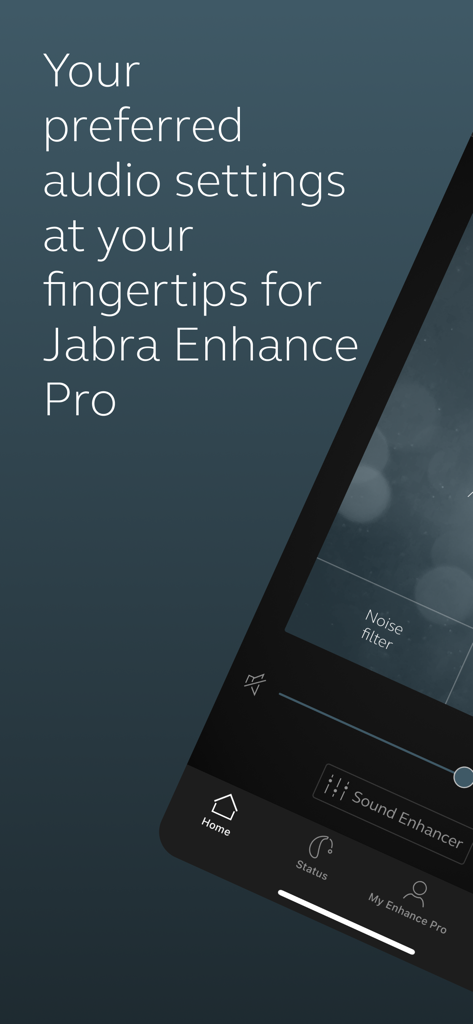
Jabra Enhance Pro mobile app interface for adjusting audio settings and sound filters.
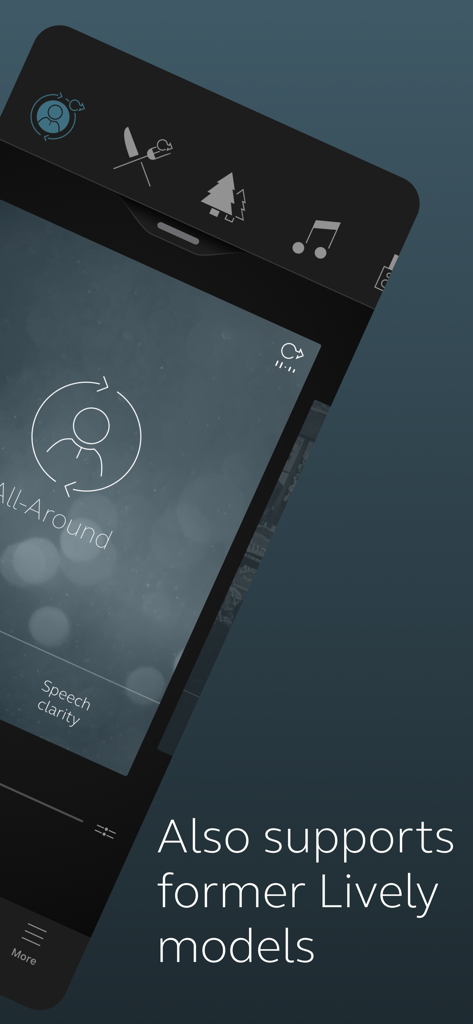
Jabra Enhance Pro app interface showing sound settings and support for former Lively models
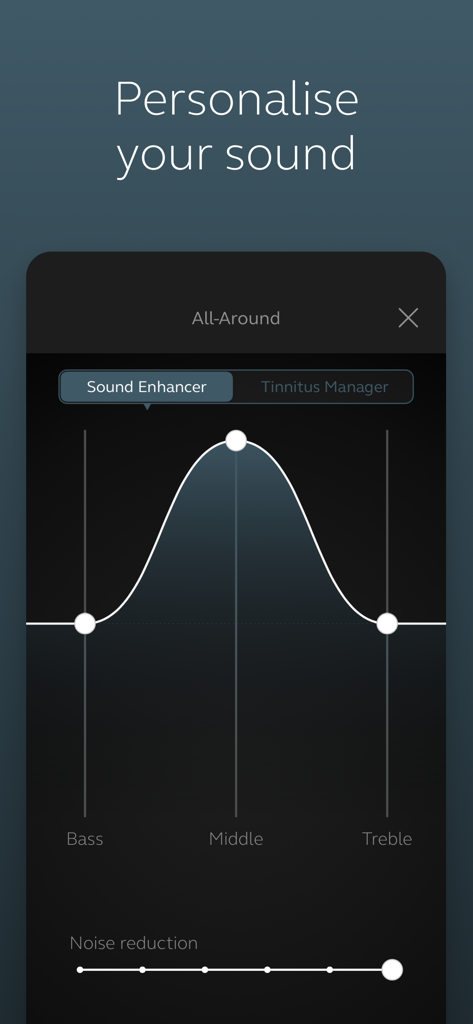
Jabra Enhance Pro app sound personalization screen with bass middle and treble equalizer
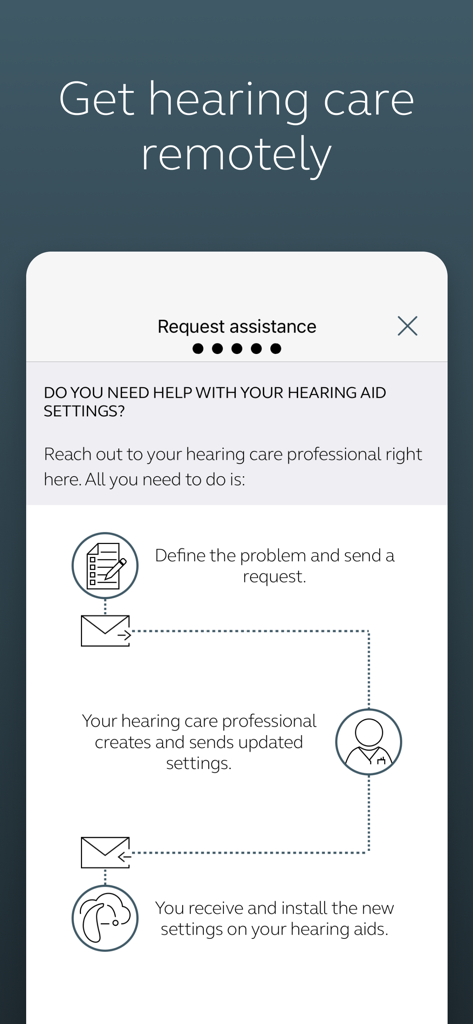
Flowchart explaining the remote hearing care process in the Jabra Enhance Pro app
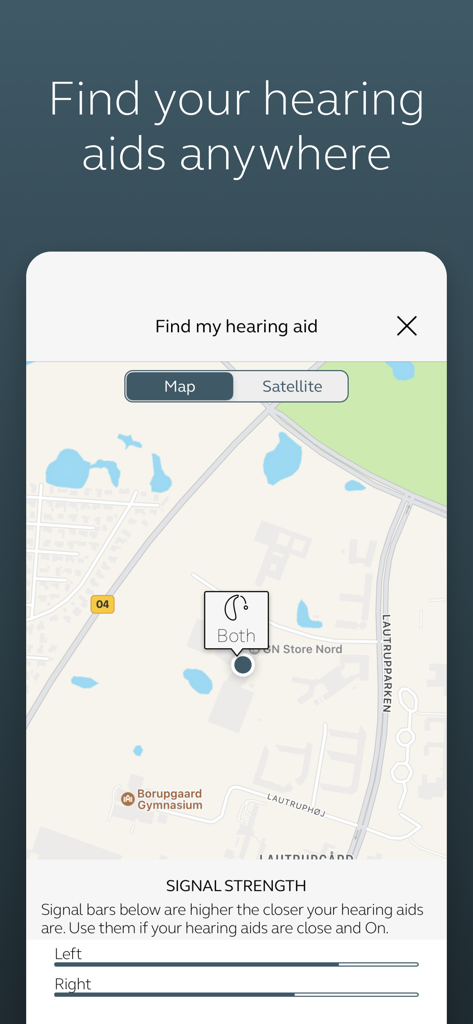
Jabra Enhance Pro app interface showing the find my hearing aid feature with a map location and signal strength indicators
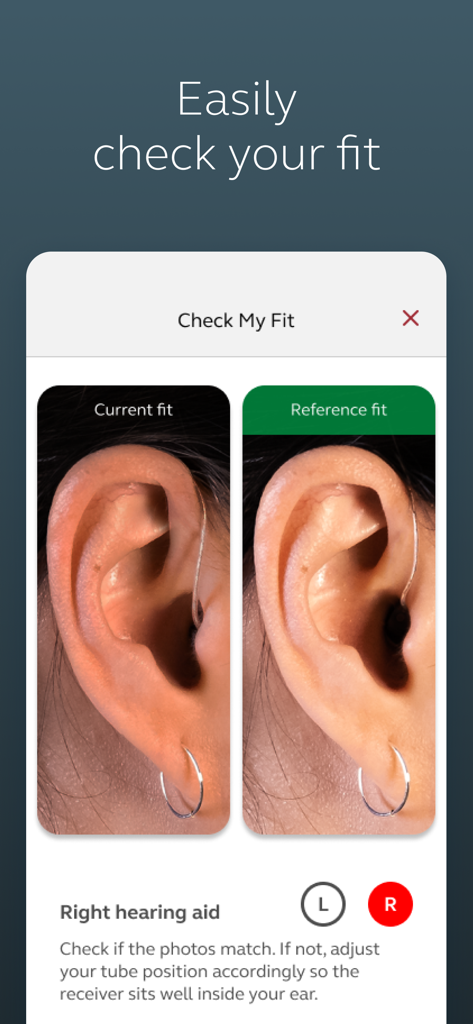
Jabra Enhance Pro app interface showing the Check My Fit feature comparing current hearing aid placement with a reference photo
Description
Download
More Like This
Apps with similar features and user experience

ReSound Smart 3D
GN Resound A/S

Braun IPL app
P&G Productions
Philips HearLink 2
SBO Hearing AS

BeMore – for your hearing aids
GN Hearing Care Corporation

Miracle-Ear App
Miracle-Ear, Inc.

myPhonak
Sonova AG

Amplifon App
Amplifon S.p.A.

Hearing Remote
Sonova AG

Oticon Companion
Oticon
This page is not an official page of the app or its developer, but an independent editorial publication created for informational and commentary purposes. Unless expressly stated otherwise, neither the app nor its developer is affiliated with, endorsed by, sponsored by, authorized by, or otherwise officially connected with MWM, Apple, Google Play, the app publisher, or the app's developer, and nothing on this page implies that the app was developed using MWM's services. Any trademarks, logos, screenshots, and other content remain the property of their respective owners.