
This page is not an official page of the app or its developer, but an independent editorial publication created for informational and commentary purposes. Unless expressly stated otherwise, neither the app nor its developer is affiliated with, endorsed by, sponsored by, authorized by, or otherwise officially connected with MWM, Apple, Google Play, the app publisher, or the app's developer, and nothing on this page implies that the app was developed using MWM's services. Any trademarks, logos, screenshots, and other content remain the property of their respective owners.


Oticon Companion
No longer a passive recipient of sound, users gain total dominion over their auditory world, directly from their pocket or wrist.
Downloads
1M+User Rating
Total Ratings
87.7KPublisher
Category
MedicalLocales
31Latest Version
1.7.0Size
480.7 MBFirst Released
Feb 9, 2023An Analytical Review of Enhanced Control and Personalized Hearing Experience
Key Features of Oticon Companion App
Independent Volume Control
The app provides granular control over hearing aid volume, allowing users to adjust each device individually or synchronously for optimal balance and comfort.
Remote Care Appointments
It facilitates convenient online consultations with a hearing care professional, enabling remote adjustments and support without needing a physical visit.
Audio Streaming
This tool enables direct streaming of calls, music, and podcasts to the hearing aids, enhancing communication and entertainment experiences.
Program Management
The app allows users to effortlessly switch between various pre-configured hearing programs, tailored by their professional for different listening environments.
SpeechBooster
It features SpeechBooster functionality, designed to actively reduce background noise and prioritize speech, significantly improving clarity in noisy settings.
Environmental Mute
This feature allows users to discreetly mute ambient sounds, aiding concentration and reducing auditory clutter in overwhelming situations.
HearingFitness™ Tracking
The app incorporates a HearingFitness™ feature to track usage patterns and progress, empowering users with insights into their hearing health management.
Streaming Equalizer
It offers a streaming equalizer for personalizing the audio quality of streamed content, ensuring a more tailored and enjoyable listening experience.
Frequently Asked Questions
Everything you need to know about Oticon Companion
What is the Oticon Companion app?
The Oticon Companion app allows users to control their Oticon hearing aids directly from their mobile device. It enables discreet adjustments and access to various features.
Can I adjust the volume of my hearing aids with the Oticon Companion app?
Yes, the Oticon Companion app allows you to adjust the sound volume for each hearing aid together or separately. It also includes an option to mute surroundings.
How do I check my Oticon hearing aid battery levels using the Oticon Companion app?
Yes, the Oticon Companion app allows you to check the current battery levels of your hearing aids. It displays the percentage and estimated remaining time for both the left and right units.
Can the Oticon Companion app help me find lost hearing aids?
Yes, the Oticon Companion app can help you find your lost hearing aids. This feature requires location services to be continuously enabled on your mobile device.
Does the Oticon Companion app include a SpeechBooster feature?
Yes, the Oticon Companion app includes SpeechBooster. This feature reduces background noise and enhances speech, though it is not available for Oticon Opn™ hearing aid models.
Can I have an online appointment with my hearing care professional using the Oticon Companion app?
Yes, the Oticon Companion app allows you to meet your hearing care professional for an online visit by appointment. This enables remote counseling and hearing aid adjustments.
What are the compatibility requirements for the Oticon Companion app?
The Oticon Companion app is compatible with most hearing aid models. Devices from 2016-2018 may require a hearing aid update. An iOS version of 15.2 or later is recommended.
Does the Oticon Companion app track hearing aid usage?
Yes, the Oticon Companion app includes the HearingFitness™ feature. It tracks your progress and wearing time, but is only available for Oticon Intent™ and Oticon Real™ models.
Does the Oticon Companion app offer a sound equalizer?
Yes, the Oticon Companion app offers a sound equalizer to adjust sounds around you. This feature is available for Oticon Intent™ and Oticon Real™ models.
Can I control my Oticon hearing aids with Apple Watch?
Yes, the Oticon Companion app includes an app for Apple Watch. This allows you to discreetly change programs and adjust volume when within Bluetooth range.
The following screenshots and description are sourced directly from the app's official store listing and are the property of the app developer.
App Store
Screenshots
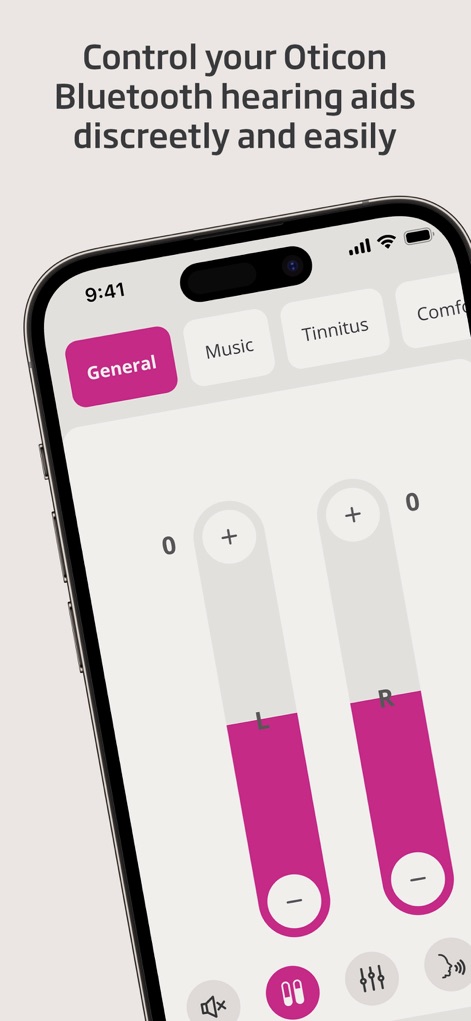
Users can precisely control their audio environment using the intuitive dual volume sliders and effortlessly switch between customized sound programs.
Precision Sound Control
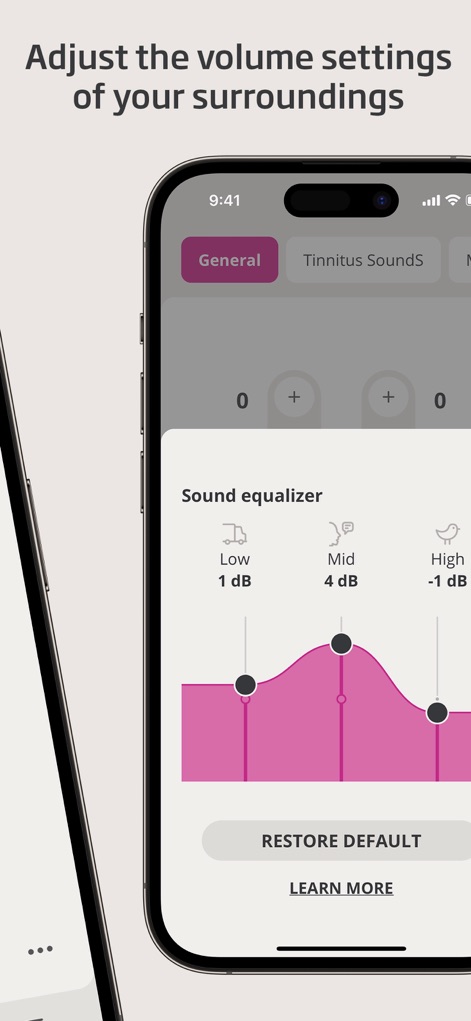
The app offers a sophisticated sound equalizer, allowing users to fine-tune audio frequencies via the interactive graphical EQ curve and specific decibel adjustments.
Tailored Soundscapes
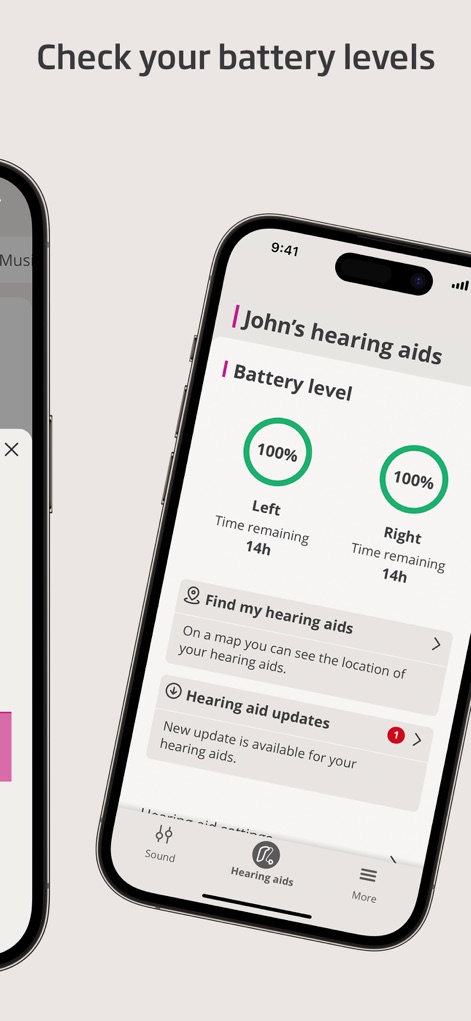
Monitor essential device metrics with clear battery percentage indicators for each hearing aid and track the estimated time remaining before recharge.
Device Status Overview
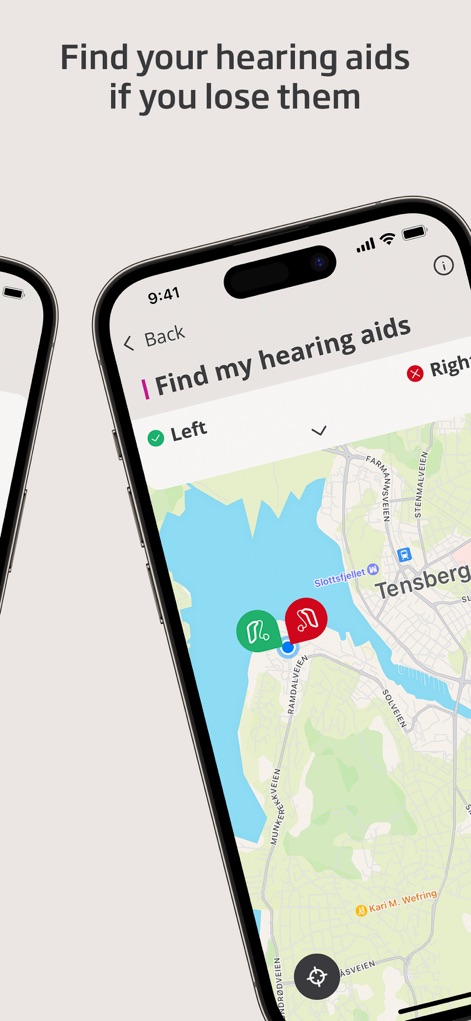
This tool assists users in locating misplaced devices by presenting hearing aid location markers on an interactive map for quick and easy retrieval.
Location Tracking
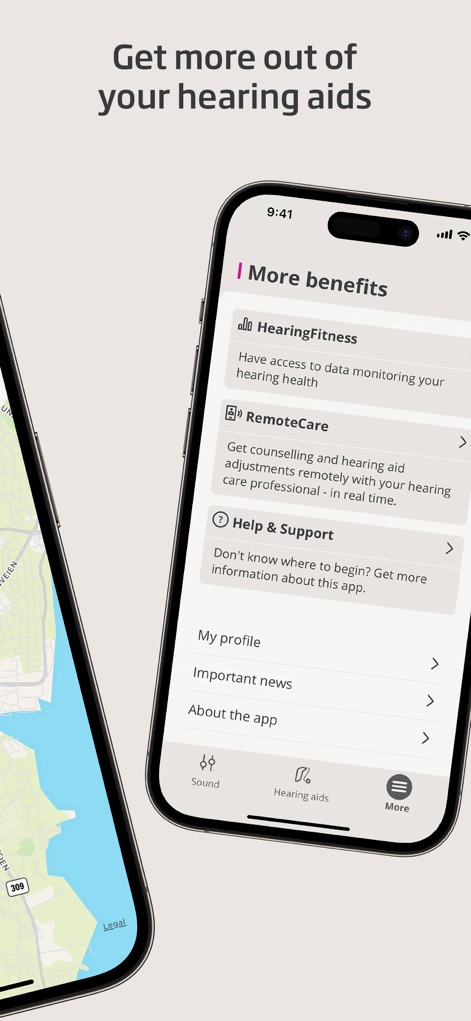
Explore additional advantages such as the HearingFitness™ feature for tracking progress and the RemoteCare option for convenient virtual professional consultations.
Enhanced Support
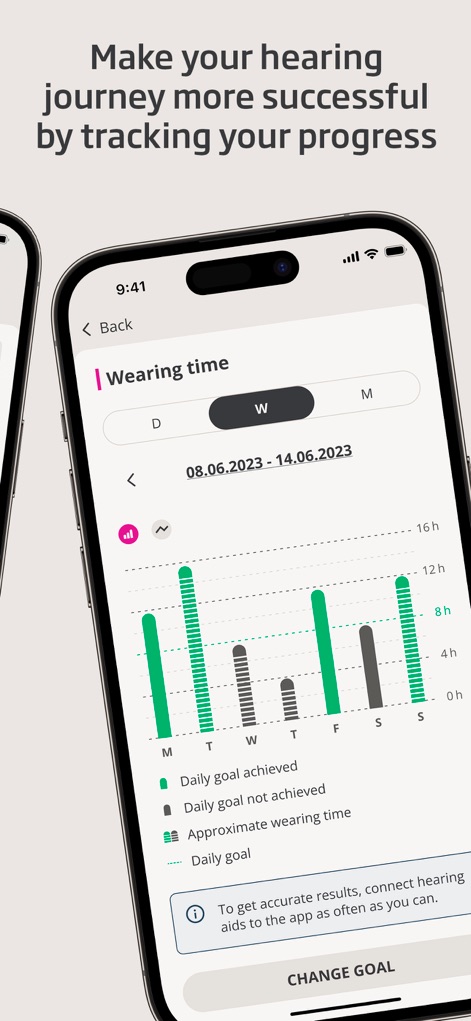
The app empowers users to consistently monitor their hearing aid usage through a detailed weekly wearing time graph and visualize daily goal tracking bars.
Progress Tracking
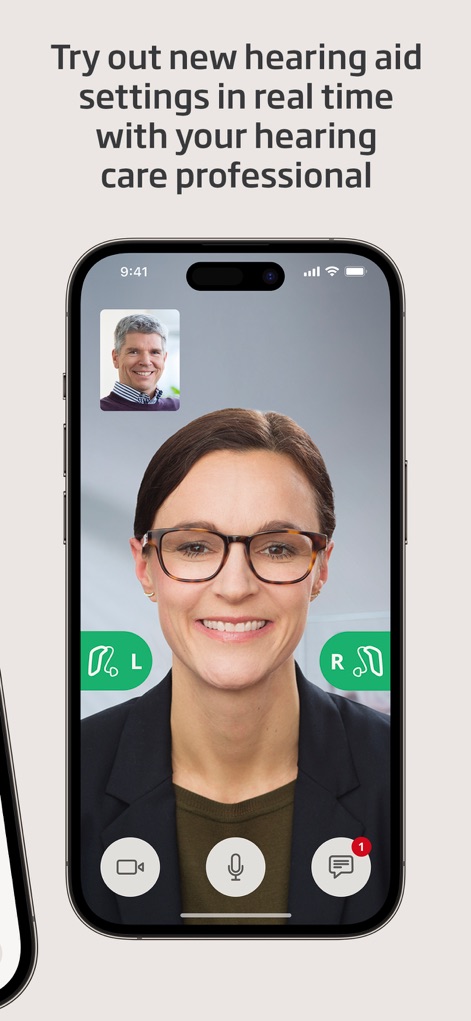
Connect with hearing care professionals via the integrated video call interface for real-time consultations and remote adjustment indicators for personalized care.
Virtual Care
Description
Download
More Like This
Apps with similar features and user experience

ReSound Smart 3D
GN Resound A/S

Braun IPL app
P&G Productions
Philips HearLink 2
SBO Hearing AS

BeMore – for your hearing aids
GN Hearing Care Corporation
Jabra Enhance Pro
GN Hearing Care Corporation

Miracle-Ear App
Miracle-Ear, Inc.

myPhonak
Sonova AG

Amplifon App
Amplifon S.p.A.

Hearing Remote
Sonova AG
This page is not an official page of the app or its developer, but an independent editorial publication created for informational and commentary purposes. Unless expressly stated otherwise, neither the app nor its developer is affiliated with, endorsed by, sponsored by, authorized by, or otherwise officially connected with MWM, Apple, Google Play, the app publisher, or the app's developer, and nothing on this page implies that the app was developed using MWM's services. Any trademarks, logos, screenshots, and other content remain the property of their respective owners.