PDF Reader Pro: Scan & Convert

PDF Reader Pro: Scan & Convert

Download on App Store
Logo of PDF Reader Pro: Scan & Convert

PDF Reader Pro: Scan & Convert – The All-in-One Powerhouse for Your Mobile Workflow

Master your documents with lightning-fast viewing, professional scanning, and secure on-device editing. Built for professionals and students who demand speed, privacy, and precision on iPhone and iPad.

Publisher

thuy nguyen thi thu

Category

Utilities

Downloads

1M+

User Rating

4.4/5

Total Ratings

2K+

Locales

27

Efficiency in Action

Discover the interface used by 1M+ users.
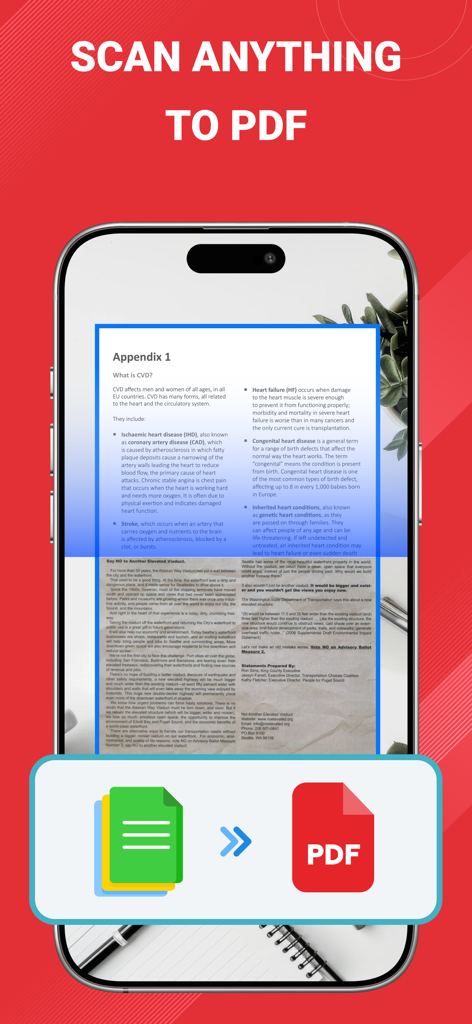
A mobile phone scanning a paper document and converting it into a digital PDF file.

A mobile phone scanning a paper document and converting it into a digital PDF file.

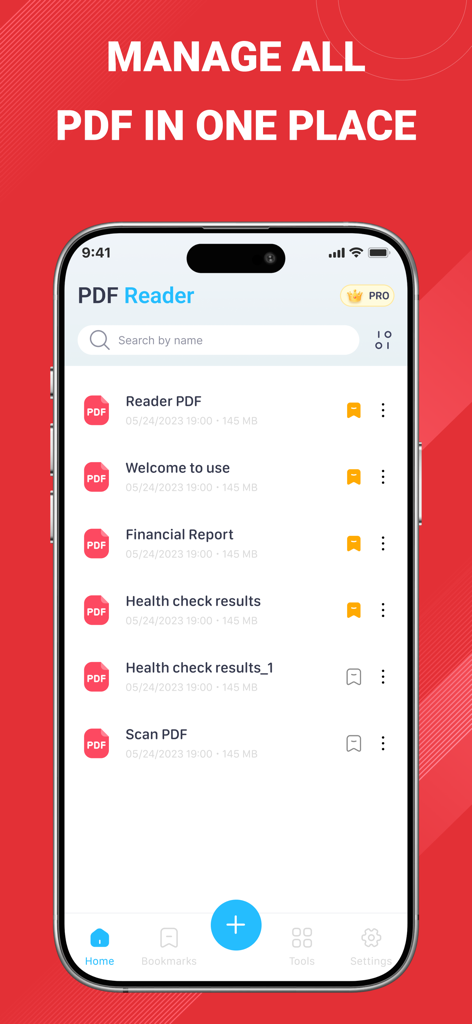
PDF Reader Pro app home screen showing a list of organized PDF documents on an iPhone interface

PDF Reader Pro app home screen showing a list of organized PDF documents on an iPhone interface

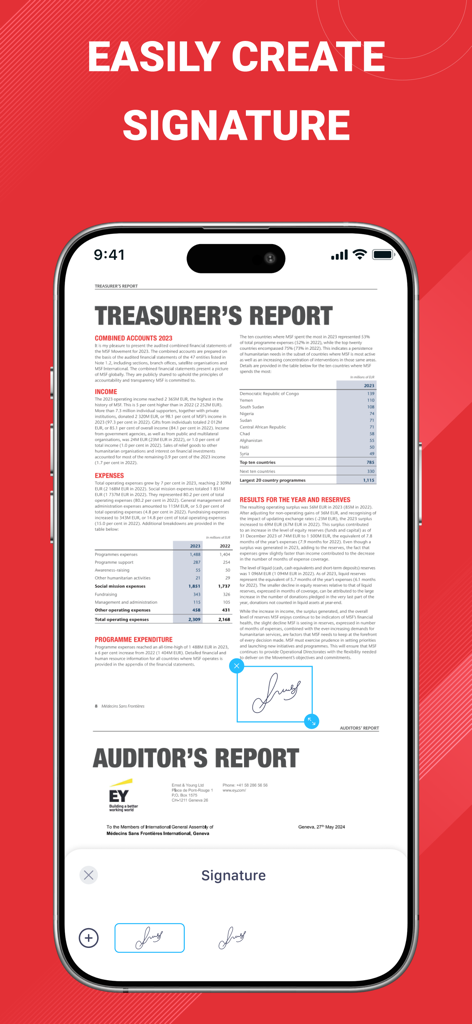
Interface of PDF Reader Pro app showing how to create and add a digital signature to a PDF document on an iPhone

Interface of PDF Reader Pro app showing how to create and add a digital signature to a PDF document on an iPhone

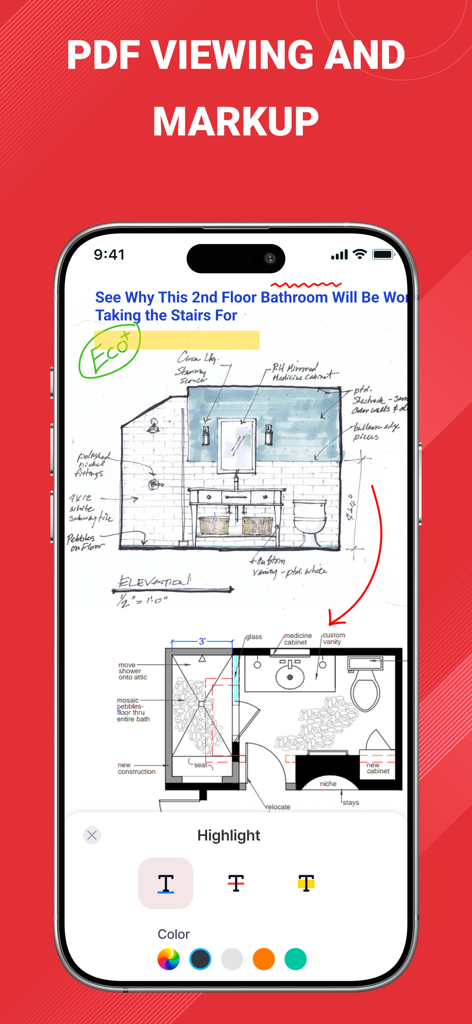
iPhone screen showing PDF viewing and markup tools used on an architectural blueprint

iPhone screen showing PDF viewing and markup tools used on an architectural blueprint

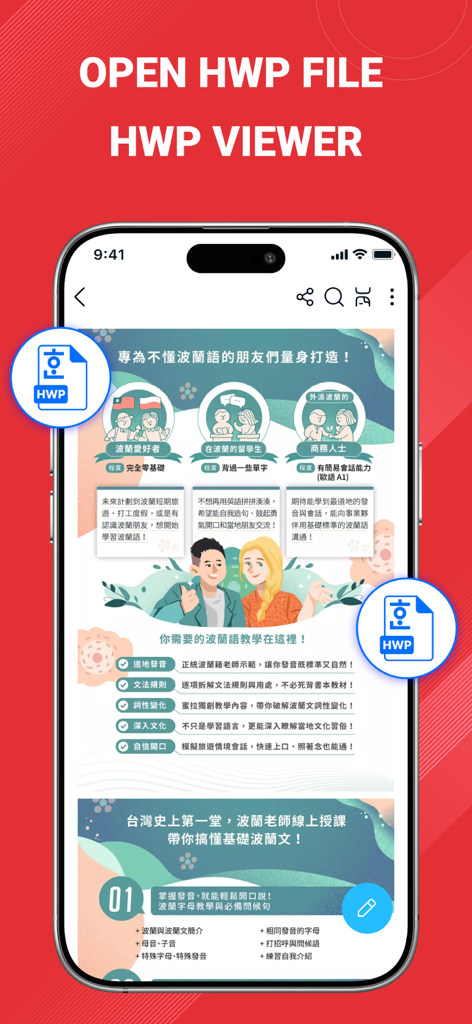
Smartphone screen showing the HWP file viewer feature of the PDF Reader Pro app.

Smartphone screen showing the HWP file viewer feature of the PDF Reader Pro app.

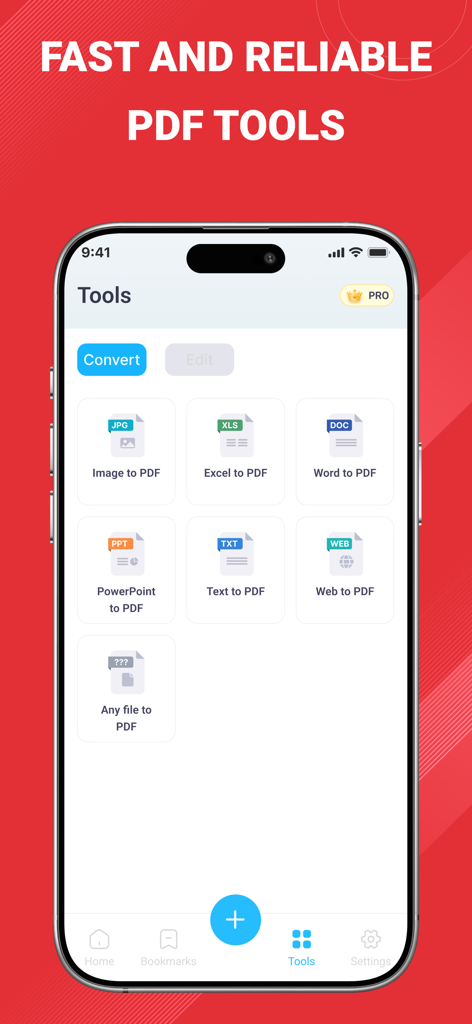
PDF Reader Pro app screen showing conversion tools for image word and excel to PDF

PDF Reader Pro app screen showing conversion tools for image word and excel to PDF

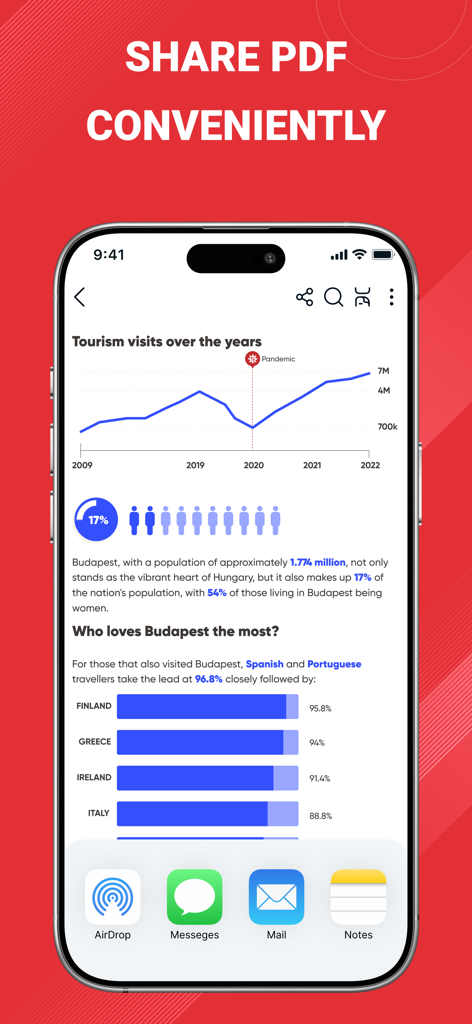
PDF Reader Pro mobile app interface showing various document sharing options like AirDrop and Mail on an iPhone screen

PDF Reader Pro mobile app interface showing various document sharing options like AirDrop and Mail on an iPhone screen

Everything You Need to Go Paperless

The tools that make this app stand out, trusted by 1M+ users.

📄

Advanced Mobile Scanning

Capture crisp, multi-page PDFs with automatic edge detection and turn images into searchable text with high-accuracy OCR.

✍️

Precision Editing & Signing

Markup documents with full Apple Pencil support or apply professional digital signatures to contracts in seconds from your mobile office.

🛡️

Privacy-First Security

Process large files entirely on-device with biometric FaceID locks—ensuring your sensitive data never leaves your hands or hits the cloud.

About the app

Everything you need to know about PDF Reader Pro: Scan & Convert.

Description

PDF Reader Pro: Scan & Convert - The ultimate PDF solution for iPhone and iPad. Experience lightning-fast PDF viewing, professional document scanning, and powerful file conversion in one comprehensive app. Whether you need to read large PDF files, scan documents to PDF, or convert files to multiple formats, PDF Reader Pro delivers exceptional performance with an intuitive interface. CORE FEATURES FAST PDF READER & VIEWER - Open PDF files instantly, even large documents - Smooth scrolling and zooming with gesture controls - Bookmarks and search text within documents HWP FILE READER & VIEWER - Open and view HWP files quickly on your phone - Easy viewing documents created with Hangul Word Processor ADVANCED DOCUMENT SCANNER - High-quality scanning with automatic edge detection - Multi-page PDF creation from camera or photo library - Smart cropping and perspective correction - Batch scanning for multiple documents - OCR text recognition for searchable PDFs POWERFUL PDF CONVERTER - Merge multiple PDFs into single document - Split large PDFs into smaller files - Compress PDF files to reduce size - Convert images and documents to PDF format PROFESSIONAL PDF EDITOR - Annotate PDFs with highlights, notes, and comments - Add digital signatures and stamps - Insert text boxes and shapes - Draw freehand with Apple Pencil support - Password protect sensitive documents SMART FILE MANAGER - Organize PDFs in custom folders and categories - Tag and label documents for easy searching - Recently viewed and favorites for quick access - Sort files by name, date, size, or type - Secure document storage with biometric lock SEAMLESS CLOUD INTEGRATION - Share documents via email, messages, or AirDrop - Print wirelessly to any AirPrint-enabled printer WHY CHOOSE PDF READER PRO? - SPEED & PERFORMANCE: Optimized for iOS with native performance. Open 100MB+ PDF files in seconds. - PRIVACY FOCUSED: All processing happens on your device. No data uploaded to external servers. Your documents stay completely private. - PROFESSIONAL QUALITY: Trusted by millions of users worldwide, from students to business professionals. Regular updates with new features. - UNIVERSAL COMPATIBILITY: Works perfectly on iPhone, iPad, and supports all PDF standards. Optimized for latest iOS versions and devices. PERFECT FOR: - Students reading textbooks and research papers - Business professionals reviewing contracts and reports - Teachers grading assignments and creating materials - Lawyers managing legal documents and case files - Researchers organizing academic publications - Anyone who works with PDF documents daily OPTIMIZED FOR ALL DEVICES Designed specifically for iOS with support for iPhone SE to iPhone 15 Pro Max, and all iPad models. Take advantage of large iPad screens for enhanced productivity. FREE WITH PREMIUM OPTIONS Download and start using essential PDF features immediately. Upgrade to unlock advanced editing tools, unlimited cloud storage, and priority support. Transform how you work with PDF documents. Download PDF Reader Pro: Scan & Convert today and experience professional-grade tools in your daily workflow. Rate us 5 stars if you love the app! Your feedback helps us continue improving. Privacy policy: https://sites.google.com/view/pdfpro-scanedit-privacypolicy/ Terms and Conditions: https://sites.google.com/view/pdf-pro-scan-edit-tnc

Latest Version

5.4

Size

46.8 MB

First Released

Mar 3, 2025

Ready to Transform Your Workflow?

Join over 1 million students and professionals who trust PDF Reader Pro for lightning-fast scanning, secure editing, and effortless file conversion on the go.

Download on App Store
FAQ

Frequently Asked Questions

Everything you need to know about PDF Reader Pro: Scan & Convert

What is PDF Reader Pro: Scan & Convert?

PDF Reader Pro: Scan & Convert is a comprehensive iOS app for iPhone and iPad. It offers fast PDF viewing, professional document scanning, and powerful file conversion, handling large documents with an intuitive interface.

Does PDF Reader Pro: Scan & Convert support HWP files?

Yes, PDF Reader Pro: Scan & Convert supports HWP files. Users can open and view HWP files quickly on their iPhone or iPad, providing easy access to documents created with Hangul Word Processor.

Can PDF Reader Pro: Scan & Convert scan physical documents?

Yes, PDF Reader Pro: Scan & Convert includes an advanced document scanner. It features high-quality scanning with automatic edge detection, multi-page PDF creation, smart cropping, and batch scanning capabilities.

What file formats can PDF Reader Pro: Scan & Convert convert to PDF?

PDF Reader Pro: Scan & Convert converts various formats to PDF, including images, Excel, Word, PowerPoint, Text, and Web files. It also offers PDF merging, splitting, and compression functionalities.

Does PDF Reader Pro: Scan & Convert allow PDF annotation and editing?

Yes, PDF Reader Pro: Scan & Convert provides professional PDF editing. Users can annotate with highlights, notes, and comments, add digital signatures, stamps, text boxes, shapes, and draw freehand with Apple Pencil.

How does PDF Reader Pro: Scan & Convert ensure document privacy?

PDF Reader Pro: Scan & Convert ensures privacy by processing all documents directly on your device. No data is uploaded to external servers, guaranteeing that your documents remain completely private and secure.

Is PDF Reader Pro: Scan & Convert a free application?

Yes, PDF Reader Pro: Scan & Convert is free to download and use for essential PDF features. Premium options are available for unlocking advanced editing tools, unlimited cloud storage, and priority support.

Can I manage and organize my PDFs within PDF Reader Pro: Scan & Convert?

Yes, PDF Reader Pro: Scan & Convert features a smart file manager. It allows organizing PDFs in custom folders, tagging documents, and sorting files. It also supports quick access via recently viewed and favorites.

Does PDF Reader Pro: Scan & Convert have OCR capabilities?

Yes, PDF Reader Pro: Scan & Convert includes OCR text recognition. This feature enables the creation of searchable PDFs from scanned documents, enhancing document utility and accessibility.

Can I password protect documents with PDF Reader Pro: Scan & Convert?

Yes, PDF Reader Pro: Scan & Convert allows users to password protect sensitive documents. It also offers secure document storage with a biometric lock for enhanced security and privacy.

App information, icons, screenshots, and descriptions displayed on this page are sourced from the Apple App Store and are the property of their respective developers. Download estimates and rankings are based on MWM's proprietary models and may not reflect actual figures. This page is provided for informational and analytical purposes only.

Believe this page infringes your intellectual property? File a dispute