
This page is not an official page of the app or its developer, but an independent editorial publication created for informational and commentary purposes. Unless expressly stated otherwise, neither the app nor its developer is affiliated with, endorsed by, sponsored by, authorized by, or otherwise officially connected with MWM, Apple, Google Play, the app publisher, or the app's developer, and nothing on this page implies that the app was developed using MWM's services. Any trademarks, logos, screenshots, and other content remain the property of their respective owners.

Image to Video with AI - Vidmo
Level up your social media presence with the ultimate AI generator. Turn static images into stunning, cinematic clips for TikTok, Reels, and Stories without any editing skills.
Downloads
200User Rating
Total Ratings
0Publisher
Category
Photo & VideoLocales
1Latest Version
1.0.5Size
74.2 MBFirst Released
Oct 28, 2025Animate Your Imagination in Seconds
Stop posting static photos. Vidmo uses cutting-edge AI to turn your camera roll into high-energy, viral-ready videos for TikTok, Reels, and Stories without any editing skills.
Instant AI Magic
Convert any photo into a dynamic video clip with a single tap. Our AI handles the motion and effects while you focus on the vibe.
Viral Aesthetic Styles
Choose from cinematic, anime, or artistic styles to instantly elevate your look and match the latest trends on your feed.
Frequently Asked Questions
Everything you need to know about Image to Video with AI - Vidmo
How does Vidmo create videos from images?
Vidmo uses advanced AI to transform single images or galleries of pictures into unique, stylized video clips. Users select photos, pick a style, and Vidmo generates the video automatically.
Can I customize the videos generated by Vidmo?
Yes, Vidmo allows customization of visuals. Users can experiment with different effects, aspect ratios, moods, creative settings, and filters to match their vision for the video.
Where does Vidmo save my generated videos?
Vidmo automatically saves every creation in your profile. Users can revisit or share their favorite clips from this organized location within the app at any time.
Does Vidmo offer instant video generation?
Yes, Vidmo provides instant video generation. It delivers quick AI processing with no waiting, and users receive a notification when their video is complete.
What kind of styles can I use with Vidmo for my videos?
Vidmo offers various artistic styles. Users can experiment with cinematic, anime, or artistic styles to transform their images into diverse forms of moving art.
Can I share videos created with Vidmo on social media?
Yes, Vidmo allows seamless sharing of videos across social media platforms. The app is optimized for viral formats such as reels, shorts, and stories.
How can I find inspiration for creating videos in Vidmo?
Vidmo features a discovery feed that provides daily inspiration. It includes trending short-form videos, artistic edits, and creative showcases to spark new ideas.
Does Vidmo support specific video aspect ratios?
Yes, Vidmo supports specific video aspect ratios. The app interface explicitly displays a 9:16 aspect ratio option, which is suitable for vertical social content.
What quality options are available for Vidmo videos?
Vidmo offers various quality settings for generated videos. The app interface displays indicators such as '1080p' and 'ultra' for video resolution and quality options.
Does Vidmo require manual editing after generation?
No, Vidmo does not require manual editing after generation. The app handles the video creation process automatically from your chosen photos and styles.
The following screenshots and description are sourced directly from the app's official store listing and are the property of the app developer.
App Store
Screenshots
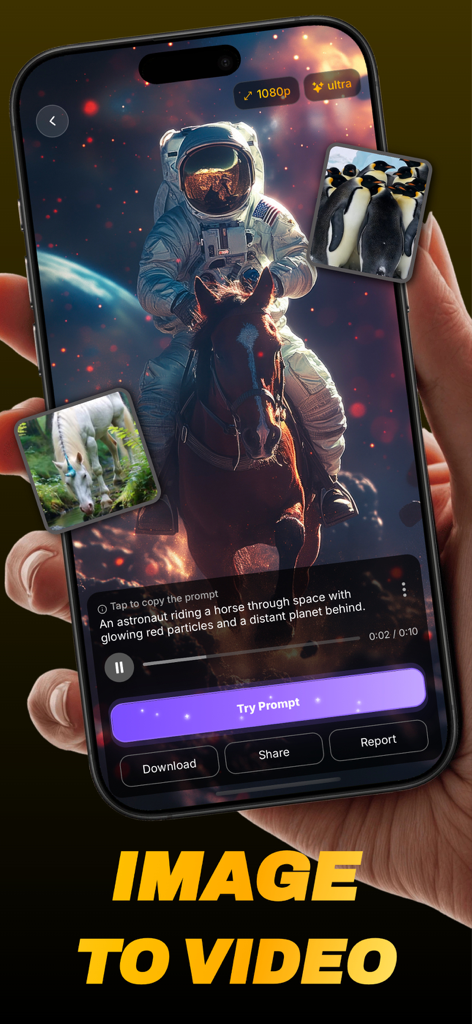
Smartphone displaying the Vidmo app interface with an AI generated video of an astronaut riding a horse in space
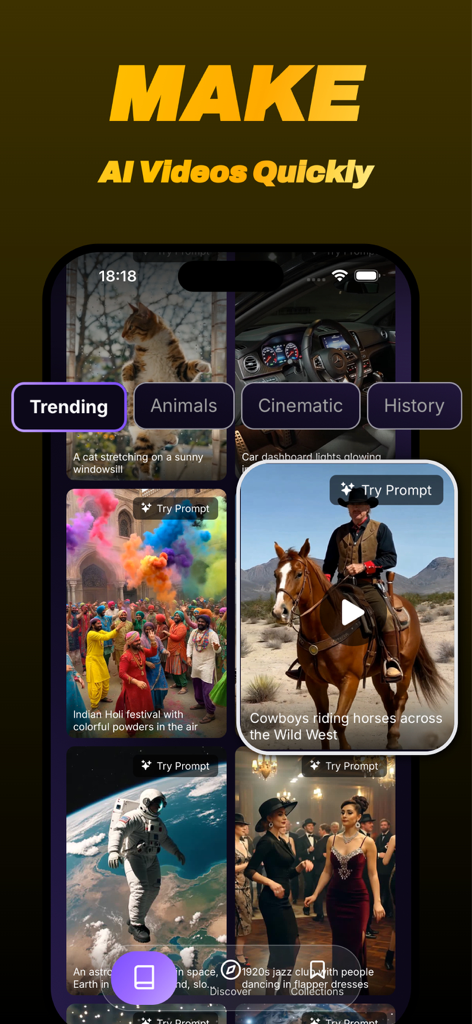
Vidmo app interface displaying a discovery feed with trending AI generated videos and categories
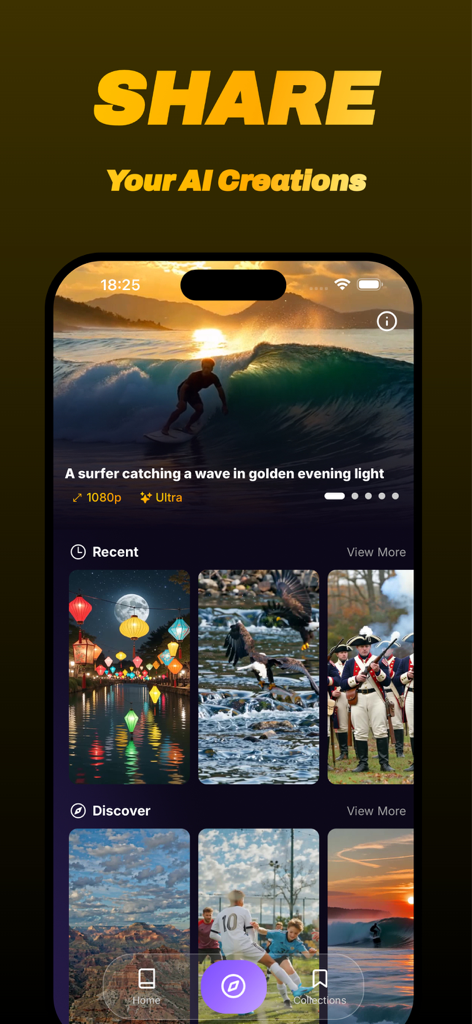
Vidmo app interface showing a discovery feed and gallery of AI generated video creations.
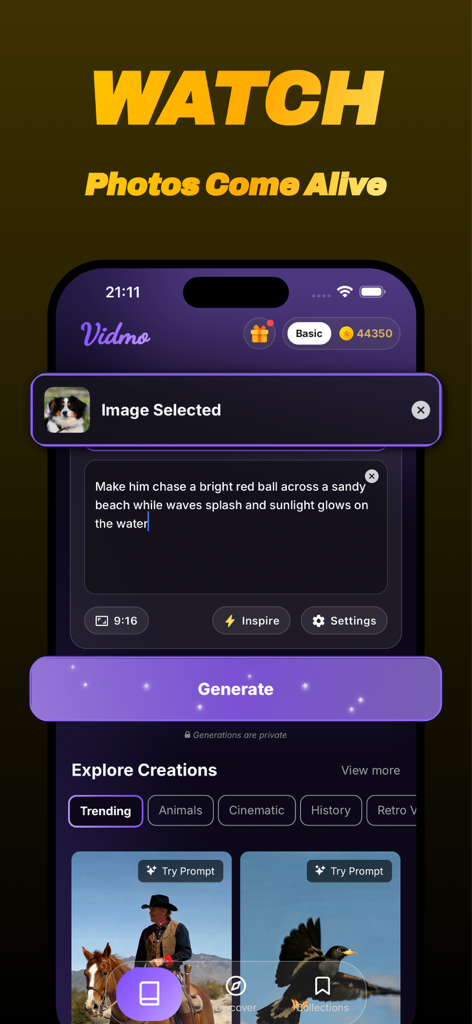
Vidmo mobile app interface for creating AI videos from photos with text prompts.
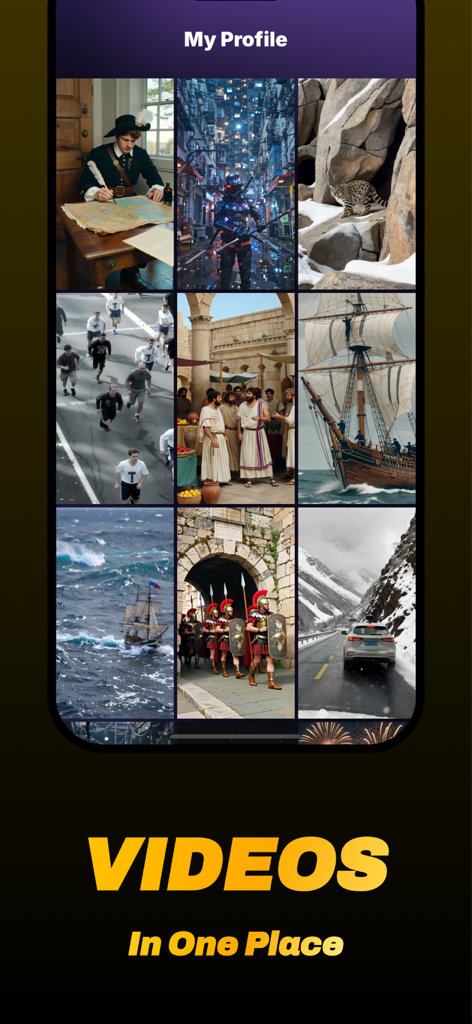
Vidmo app profile screen showing a grid of AI-generated videos in various artistic styles
Description
Download
More Like This
Top-ranked apps in the same category

CapCut: Photo & Video Editor
BYTEDANCE PTE. LTD.

Instagram, Inc.

YouTube
Google LLC

Canva: AI Photo & Video Editor
Canva Pty Ltd

Snapchat
Snap, Inc.

快手
Beijing Kwai Technology Co., Ltd.

Edits: Video Editor
Instagram, Inc.

Meitu- AI Photo & Video Editor
Xiamen Meitu Technology Co., Ltd.

Google Photos: Backup & Edit
Google LLC
This page is not an official page of the app or its developer, but an independent editorial publication created for informational and commentary purposes. Unless expressly stated otherwise, neither the app nor its developer is affiliated with, endorsed by, sponsored by, authorized by, or otherwise officially connected with MWM, Apple, Google Play, the app publisher, or the app's developer, and nothing on this page implies that the app was developed using MWM's services. Any trademarks, logos, screenshots, and other content remain the property of their respective owners.