
This page is not an official page of the app or its developer, but an independent editorial publication created for informational and commentary purposes. Unless expressly stated otherwise, neither the app nor its developer is affiliated with, endorsed by, sponsored by, authorized by, or otherwise officially connected with MWM, Apple, Google Play, the app publisher, or the app's developer, and nothing on this page implies that the app was developed using MWM's services. Any trademarks, logos, screenshots, and other content remain the property of their respective owners.


INFOTECH HRMS
Workforce management isn't just easier, it's airtight. It eliminates the guesswork, securing your operations with unmatched precision.
Downloads
750k+User Rating
Total Ratings
3.7KPublisher
Category
ProductivityLocales
4Latest Version
2.0.260408Size
287.0 MBFirst Released
Apr 23, 2016An analytical overview of core functionalities designed for modern HR management.
Key Features of INFOTECH HRMS
Secure Mobile Attendance
The app provides advanced mobile attendance with facial recognition and GPS, ensuring accurate time tracking and preventing fraudulent clock-ins, which is critical for workforce management integrity.
Employee Data Self-Management
It allows employees to view and update their personal particulars online, including address, family details, bank account, and educational information, for HR approval, enhancing data accuracy and employee self-service.
Automated Leave Notifications
This tool features real-time push and email notifications for leave applications, approvals, and rejections, streamlining communication between employees and approving officers for efficient process flow.
Digital Payslip Access
The app enables employees to view their past payslips and securely share them via email or WhatsApp with password protection for various personal needs, improving accessibility and reducing HR queries.
Frequently Asked Questions
Everything you need to know about INFOTECH HRMS
Does INFOTECH HRMS use facial recognition for attendance tracking?
Yes, INFOTECH HRMS features a mobile attendance app with built-in face recognition technology. This verifies the employee's face, preventing fake or buddy clocking.
How does INFOTECH HRMS verify employee location for attendance?
INFOTECH HRMS uses GPS integration with its mobile attendance app. This ensures the correct employee is at the designated work location and supports geofence clock-in/out.
Can employees view and share their payslips using the INFOTECH HRMS app?
Yes, employees can view their past month's payslips directly within the INFOTECH HRMS app. Options are available to print or share payslips with a password via email or WhatsApp.
Does INFOTECH HRMS provide real-time leave notifications and alerts?
Yes, INFOTECH HRMS sends real-time push notifications and email alerts for leave applications, approvals, and rejections. Managers also receive daily leave alerts every morning.
Has INFOTECH HRMS received any industry awards?
Yes, INFOTECH HRMS is an award-winning HR software. It received multiple 'BEST' awards in 2024 from HR Vendors of the Year, including for Attendance Automation and HR Management System.
What key HR functionalities are included in INFOTECH HRMS?
INFOTECH HRMS offers comprehensive functionalities like attendance, leave management, claims, payslips, income tax, HR memos, company policies, meeting room booking, flexible work, training, feedback, and rewards.
The following screenshots and description are sourced directly from the app's official store listing and are the property of the app developer.
App Store
Screenshots
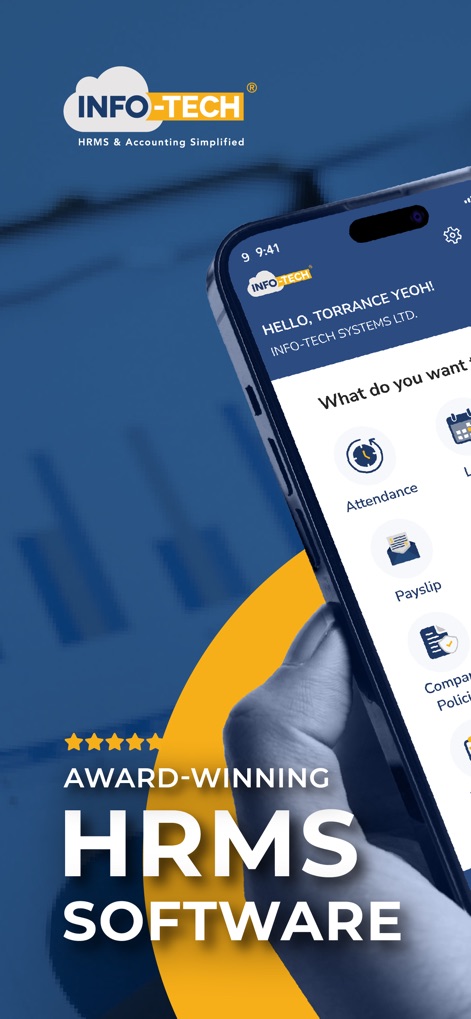
The app introduces itself as an 'Award-Winning HRMS Software', highlighting its industry recognition and core purpose.
Leading HR Solution
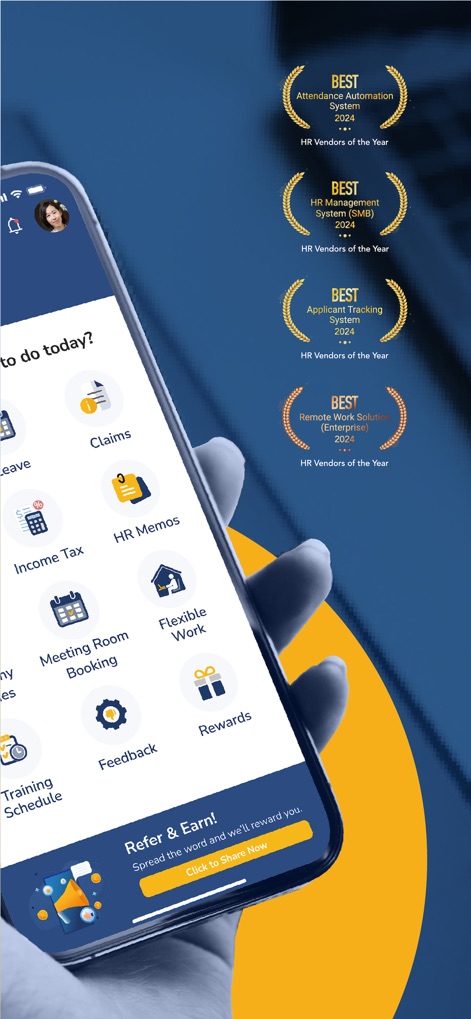
This tool proudly displays multiple 'BEST' awards for categories like Attendance Automation and HR Management, affirming its industry leadership.
Acclaimed HR Platform
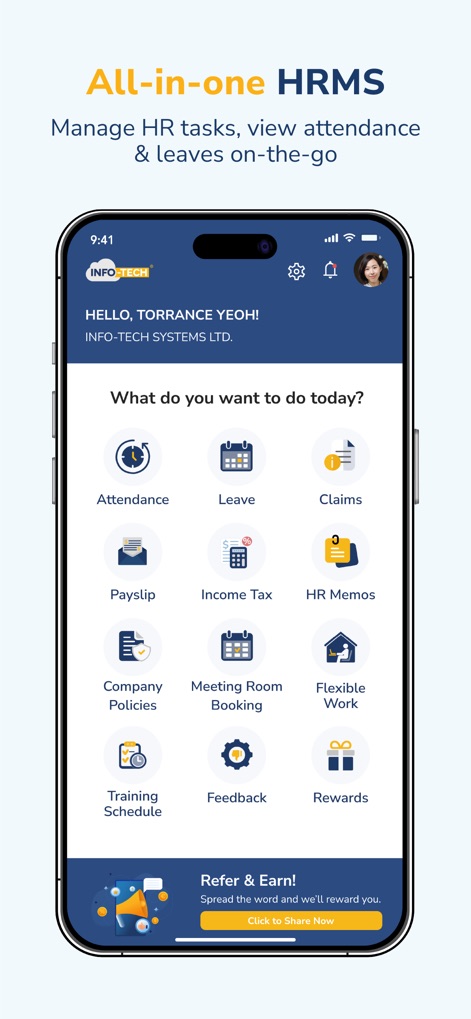
Users gain access to a comprehensive suite of HR modules, including 'Attendance' and 'Payslip' functionalities, all within a single, intuitive interface.
Unified HR Hub
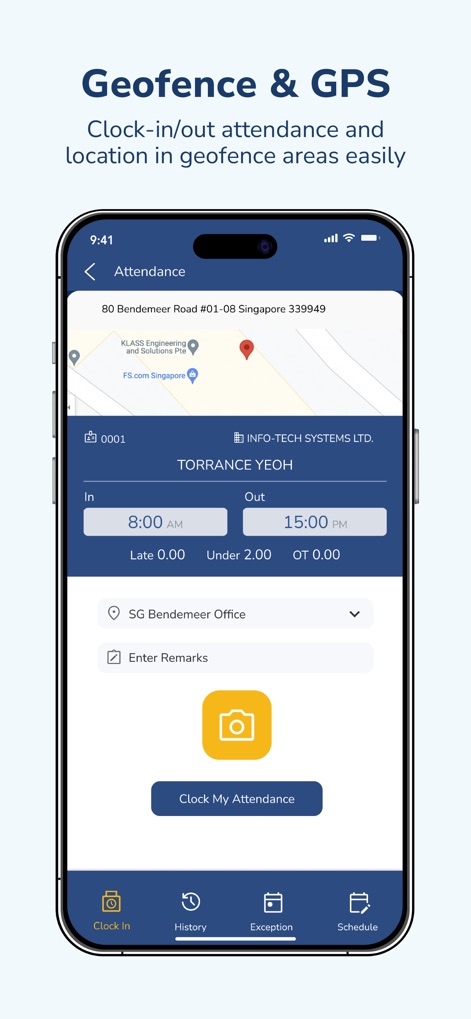
The app utilizes advanced 'Geofence & GPS' technology to ensure employees clock in from designated locations, shown via an integrated map and time fields.
Precise Attendance Tracking
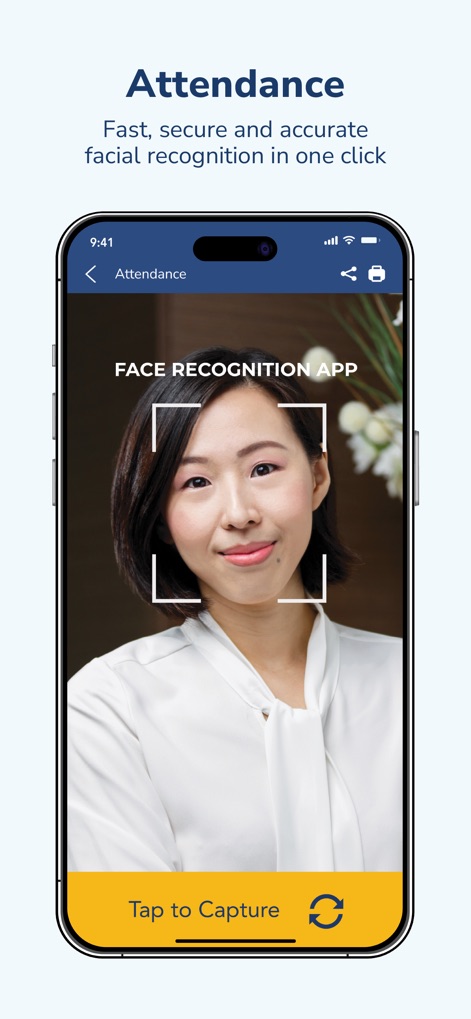
This tool enhances security with integrated 'facial recognition technology' for clocking in, requiring a simple 'Tap to Capture' action.
Secure Verification

Employees can easily manage their time off using a visual 'Leave Calendar' and track the status of requests, such as 'Approved' or 'Applied'.
Effortless Leave Planning
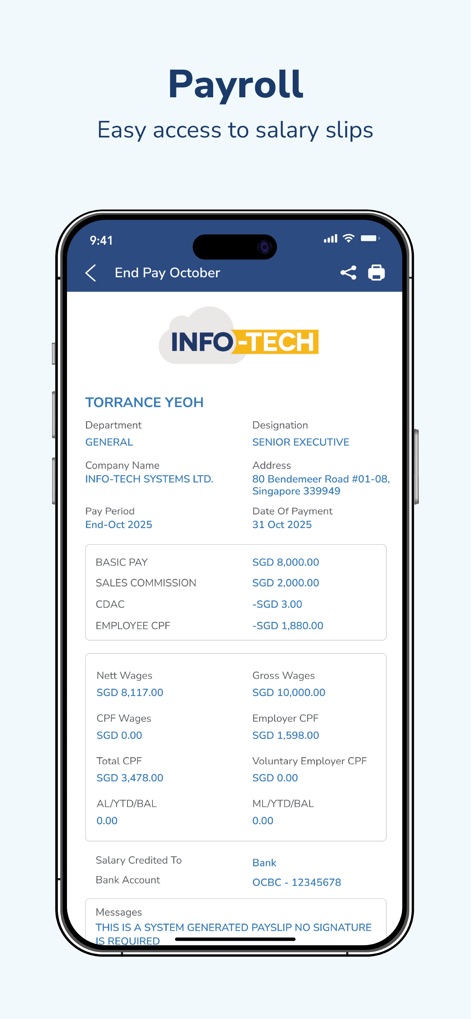
The app provides employees with clear access to their 'Payslip', detailing components like 'Basic Pay' and 'Nett Wages' for full financial transparency.
Transparent Salary Access
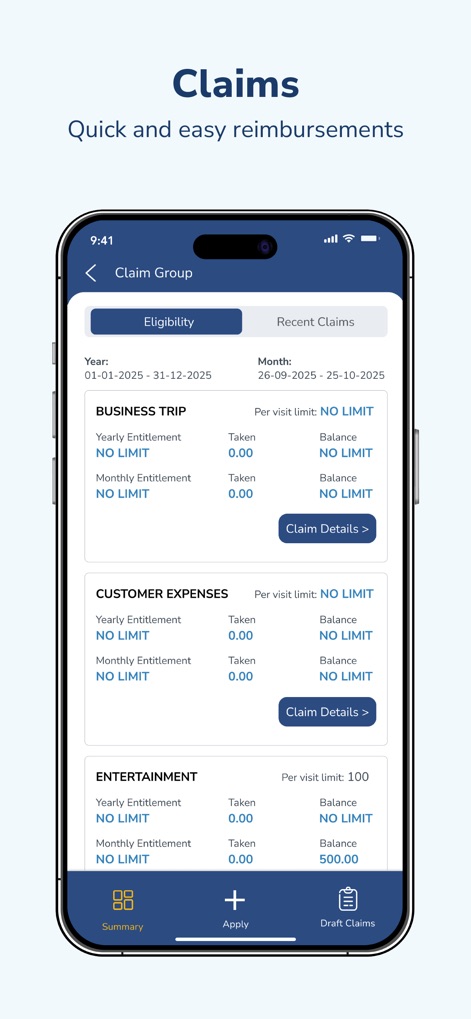
Users can efficiently submit and monitor claims, with categories like 'Business Trip' and 'Entertainment' clearly outlined, including eligibility limits.
Simplified Expense Claims
Description
Download
More Like This
Apps with similar features and user experience

Paylocity
Paylocity Corporation

Paychex Flex
Paychex Inc.

Paycom
Paycom Payroll, LLC

Gusto Mobile
Gusto, inc.

Amazon A to Z
AMZN Mobile LLC

TaxDome Client Portal
TaxDome LLC

MyWalmart
Walmart

BrightHR
Peninsula Online Services Limited

Waapi
Senior Sistemas S/A
This page is not an official page of the app or its developer, but an independent editorial publication created for informational and commentary purposes. Unless expressly stated otherwise, neither the app nor its developer is affiliated with, endorsed by, sponsored by, authorized by, or otherwise officially connected with MWM, Apple, Google Play, the app publisher, or the app's developer, and nothing on this page implies that the app was developed using MWM's services. Any trademarks, logos, screenshots, and other content remain the property of their respective owners.