
This page is not an official page of the app or its developer, but an independent editorial publication created for informational and commentary purposes. Unless expressly stated otherwise, neither the app nor its developer is affiliated with, endorsed by, sponsored by, authorized by, or otherwise officially connected with MWM, Apple, Google Play, the app publisher, or the app's developer, and nothing on this page implies that the app was developed using MWM's services. Any trademarks, logos, screenshots, and other content remain the property of their respective owners.


Intelligent Hub
Streamline your workday with unified access to your corporate app catalog, people directory, and essential IT services in one secure, mobile-first destination.
Downloads
12M+User Rating
Total Ratings
174K+Publisher
Category
BusinessLocales
19Latest Version
25.11Size
168.9 MBFirst Released
Dec 20, 2009Empower Your Workday with One Intelligent Hub
Stop switching between endless portals. Intelligent Hub brings your apps, team, and critical tasks into one seamless interface designed for peak productivity.
Your Entire Catalog, Centralized
Instantly access, search, and favorite the corporate apps and websites you need to stay productive, reducing the friction of your daily workflow.
Find the Right People, Faster
Navigate your organization with a searchable corporate directory. View team reporting structures and contact colleagues directly via call, text, or email.
Frequently Asked Questions
Everything you need to know about Intelligent Hub
What is the Intelligent Hub app?
The Intelligent Hub app is a unified platform for employees, providing enhanced user experience with single sign-on, app catalog, and access to services like People, Notifications, and Home.
Does the Intelligent Hub app provide mobile device management?
Yes, Intelligent Hub extends mobile device management (MDM) and mobile app management (MAM) capabilities. It helps companies keep devices secure, compliant, and connected.
How do I check device compliance status in Intelligent Hub?
Users can view device details and verify their compliance status directly within the Intelligent Hub app. They can also request support from IT administrators for any issues.
What features are available in the Intelligent Hub app catalog?
The Intelligent Hub app catalog allows users to favorite apps and websites, rate apps, search for apps, and access recommended or popular applications and corporate resources.
Can users favorite apps and websites in Intelligent Hub?
Yes, users can favorite apps and websites within the Intelligent Hub app for quick access. A dedicated "Favorites" tab is available to manage these preferred items easily.
How can I find employee contact information using Intelligent Hub?
Intelligent Hub allows searching the corporate directory by first name, last name, or email. It displays employee details like photos, titles, contact information, and reporting structures, enabling direct communication.
Does Intelligent Hub send notifications for important updates?
Yes, Intelligent Hub sends both app and custom notifications. These include alerts for downtimes, surveys, and critical updates like expiring passwords, ensuring users stay informed.
Is dark mode available in the Intelligent Hub app?
Yes, the Intelligent Hub app supports a dark mode interface. This feature is clearly demonstrated in the app's visual examples, providing an alternative display theme for users.
What unified services does Intelligent Hub provide access to?
Intelligent Hub provides unified access to services such as People, Notifications, and Home. It also features a comprehensive app catalog and a dedicated Support section for assistance.
What is the relationship between Intelligent Hub and Workspace ONE?
Intelligent Hub is officially known as Workspace ONE Intelligent Hub. It serves as a central platform for employees to manage applications, onboarding, and access corporate services efficiently.
The following screenshots and description are sourced directly from the app's official store listing and are the property of the app developer.
App Store
Screenshots
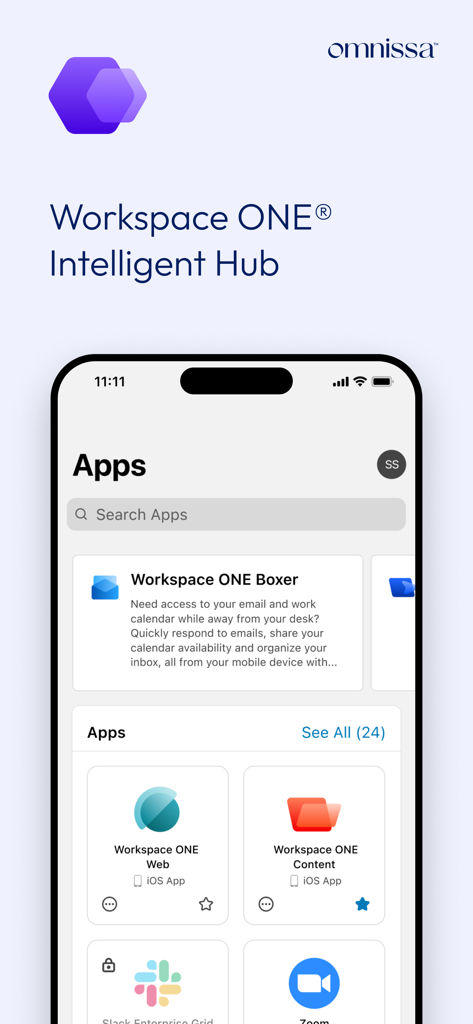
Screenshot of the Intelligent Hub app showing a unified corporate app catalog with Slack Zoom and Workspace ONE tools
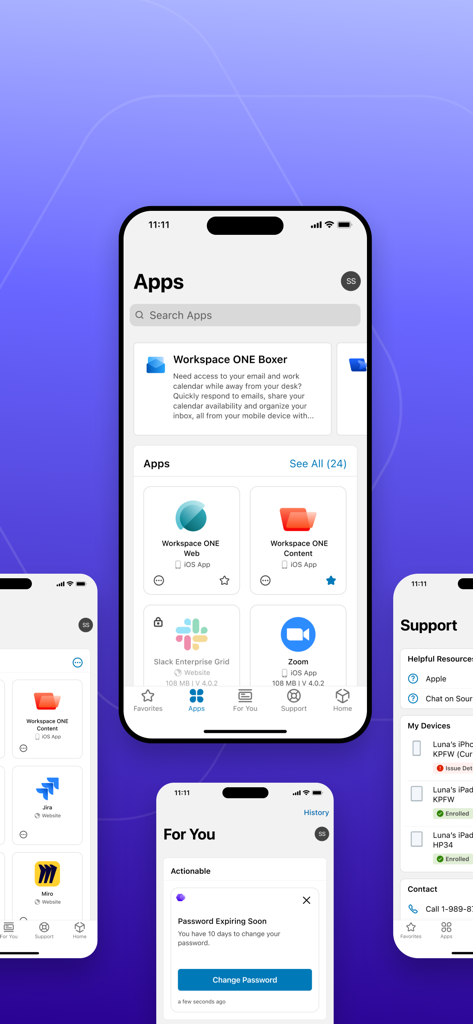
Mobile screenshots of the Intelligent Hub app showing the corporate app catalog, notifications, and support services.
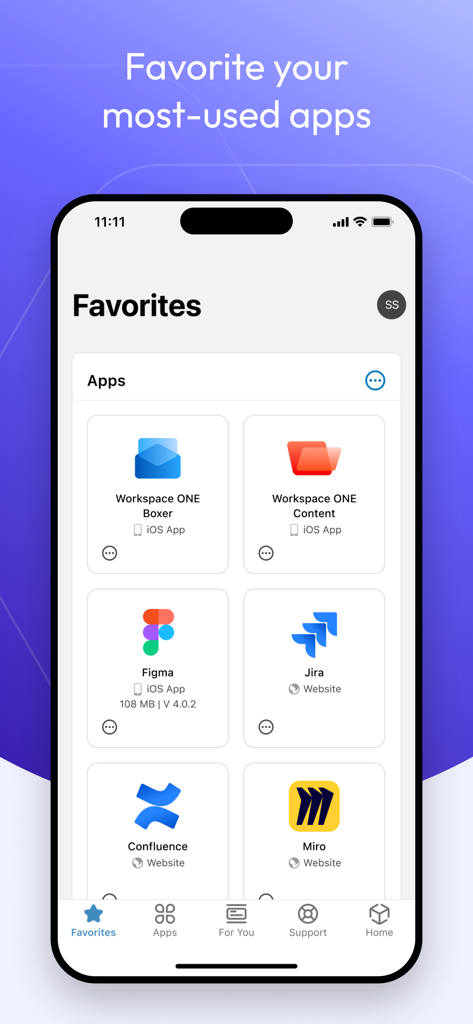
Intelligent Hub app favorites screen displaying frequently used corporate applications like Figma and Jira
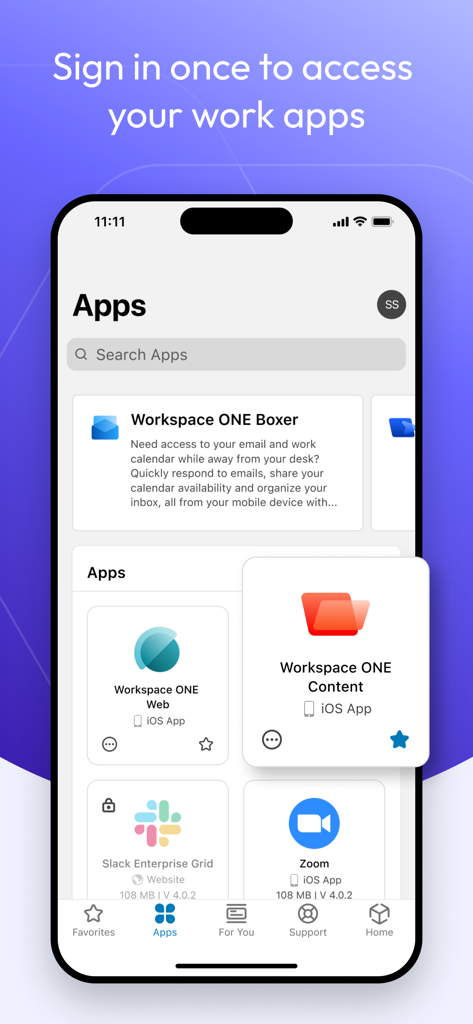
A mobile screen showing the Intelligent Hub app catalog with various corporate applications like Slack and Zoom.
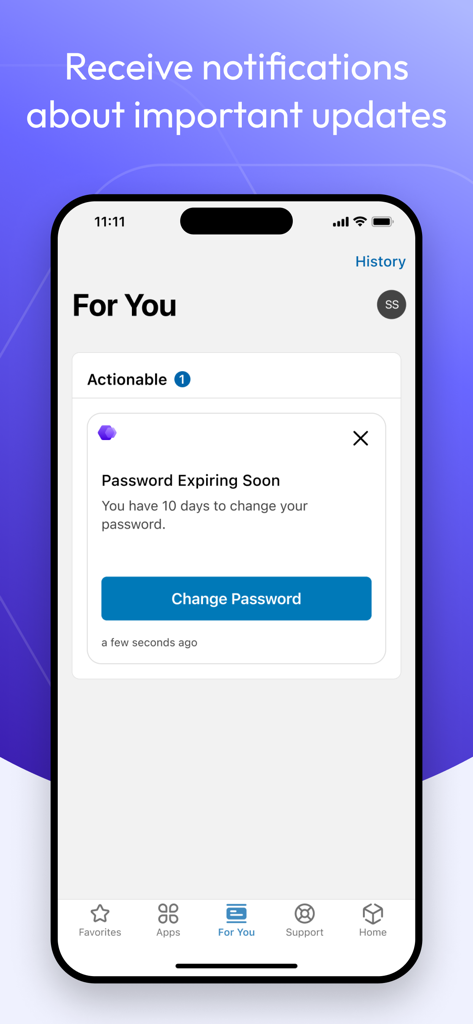
Intelligent Hub app screen showing a password update notification on an iPhone
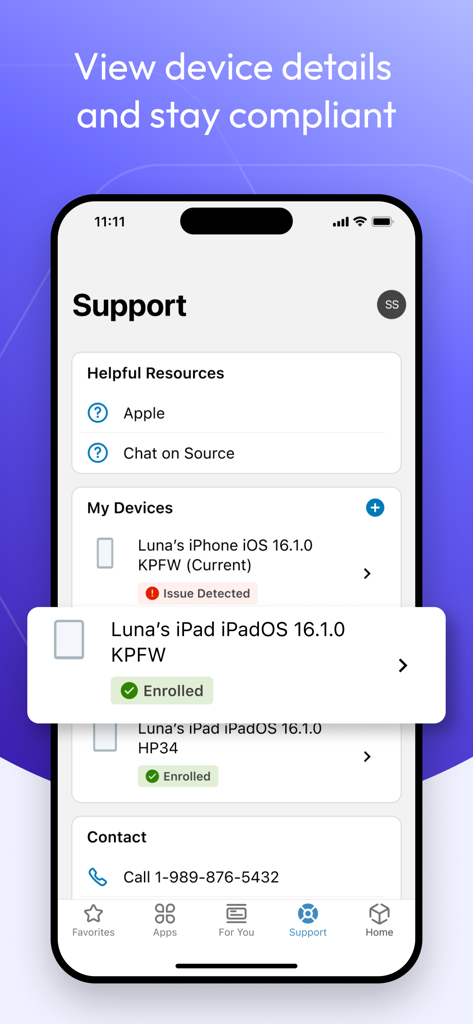
Support screen of Intelligent Hub app showing device management and compliance status
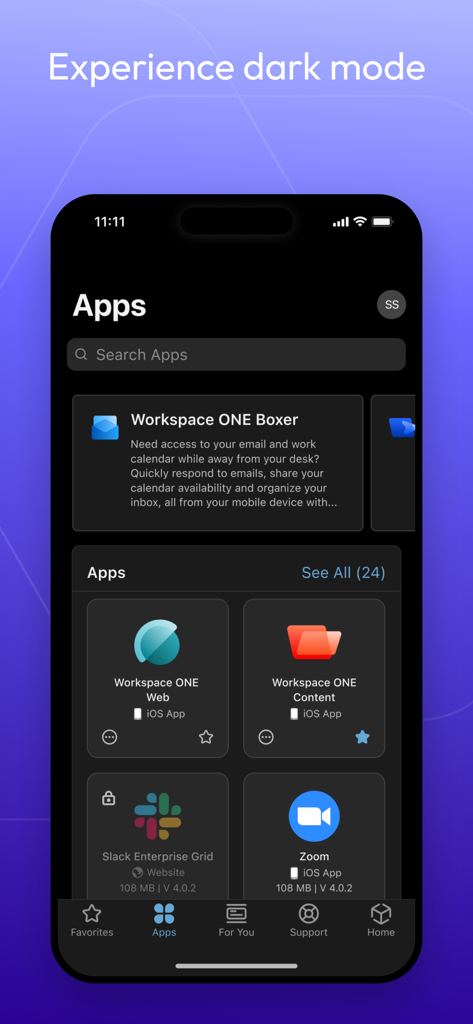
Intelligent Hub enterprise app catalog interface shown in dark mode on an iPhone
Description
Download
More Like This
Apps with similar features and user experience
Intune Company Portal
Microsoft Corporation
Zoom Workplace for Intune
Zoom Communications, Inc.

Kiosker Pro: Web Kiosk
Top North AB

Kiosk Pro Plus
Kiosk Group, Inc.

Kiosker: Fullscreen Web Kiosk
Top North AB

Kiosk Pro Basic
Kiosk Group, Inc.

Ivanti Mobile@Work™ Client
MobileIron

PIA S5 Control
MARS BROTHERS LIMITED

Apple Configurator
Apple Inc.
This page is not an official page of the app or its developer, but an independent editorial publication created for informational and commentary purposes. Unless expressly stated otherwise, neither the app nor its developer is affiliated with, endorsed by, sponsored by, authorized by, or otherwise officially connected with MWM, Apple, Google Play, the app publisher, or the app's developer, and nothing on this page implies that the app was developed using MWM's services. Any trademarks, logos, screenshots, and other content remain the property of their respective owners.