
This page is not an official page of the app or its developer, but an independent editorial publication created for informational and commentary purposes. Unless expressly stated otherwise, neither the app nor its developer is affiliated with, endorsed by, sponsored by, authorized by, or otherwise officially connected with MWM, Apple, Google Play, the app publisher, or the app's developer, and nothing on this page implies that the app was developed using MWM's services. Any trademarks, logos, screenshots, and other content remain the property of their respective owners.


Zoom Workplace for Intune
BYOD introduces security gaps. This app empowers IT with surgical control, preventing Zoom data breaches before they start.
Downloads
12.5M+User Rating
Total Ratings
30.7KPublisher
Category
BusinessLocales
17Latest Version
7.0.0Size
312.7 MBFirst Released
May 24, 2019Zoom Workplace for Intune: Key Management and Security Features
An analytical overview of the core capabilities designed for IT administrators and security professionals leveraging Microsoft Intune.
Corporate Data Protection & Leakage Prevention
It allows users to safeguard sensitive corporate data by preventing unauthorized sharing and enforcing data protection policies within the Zoom application.
Remote App & Data Wipe
This tool features the capability for IT to remotely wipe the Zoom application and all associated sensitive corporate data from compromised or lost devices, enhancing security.
Enhanced Mobile Application Management (MAM)
The app provides robust controls for BYOD and corporate devices, enabling IT administrators to enforce security policies effectively.
Seamless Integration with Microsoft Intune
The app provides native integration with Microsoft Intune, allowing IT administrators to manage Zoom Workplace within their existing enterprise mobility management framework.
Secure Access for Enterprise Users
The app provides enterprise users with full Zoom functionality under IT-controlled policies, ensuring secure and compliant usage across the organization.
Comprehensive Collaboration Suite (Managed)
It allows users to deploy a full suite of managed collaboration tools, including chat, meetings, and phone, ensuring secure and compliant access for end-users.
Frequently Asked Questions
Everything you need to know about Zoom Workplace for Intune
What is Zoom Workplace for Intune?
Zoom Workplace for Intune is an AI-powered collaboration platform for admins. It enables Mobile Application Management (MAM) to secure corporate data in BYOD environments, offering chat, meetings, phone, whiteboard, calendar, mail, and notes.
Who is Zoom Workplace for Intune intended for?
Zoom Workplace for Intune targets enterprise users and IT administrators. It provides robust mobile app management capabilities for IT to protect company information and manage devices in BYOD settings.
What collaboration tools are available in Zoom Workplace for Intune?
Zoom Workplace for Intune offers an all-in-one collaboration suite. Features include team chat, meetings, phone, whiteboard, calendar, mail, notes, and AI Companion for enhanced productivity.
Does Zoom Workplace for Intune use artificial intelligence?
Yes, Zoom Workplace for Intune is an AI-powered platform. It includes an AI Companion that provides features such as quick recaps and summaries for meetings, enhancing user experience and productivity.
Can IT remove data from lost devices using Zoom Workplace for Intune?
Yes, IT administrators can remotely remove Zoom Workplace for Intune from a lost or stolen iPhone or iPad. This action effectively deletes all associated sensitive company data from the device.
What are the setup requirements for Zoom Workplace for Intune?
Zoom Workplace for Intune requires a company’s work account and a Microsoft managed environment for operation. Specific functionality might vary based on geographic location and company policy.
Is Zoom Workplace for Intune a regular consumer app?
No, Zoom Workplace for Intune is not the standard consumer version. It is specifically built for enterprise users within Microsoft managed environments, offering advanced mobile application management for IT.
The following screenshots and description are sourced directly from the app's official store listing and are the property of the app developer.
App Store
Screenshots

AI-Powered Platform
This initial screen highlights the app's modern branding and introduces its core identity as an AI-Powered Collaboration Platform, setting the stage for its comprehensive features.
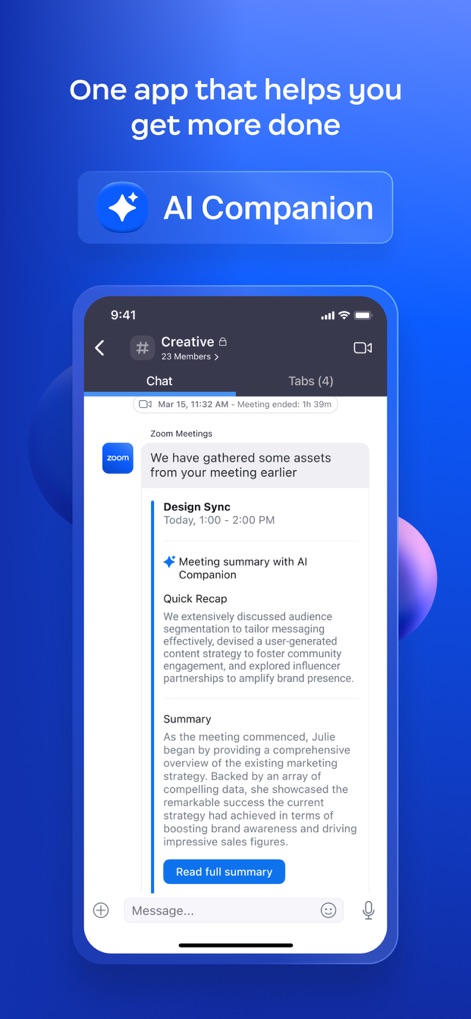
AI Companion Insights
Users can leverage the integrated AI Companion, visible in the detailed meeting summary and quick recap, to enhance productivity and streamline information processing from discussions.
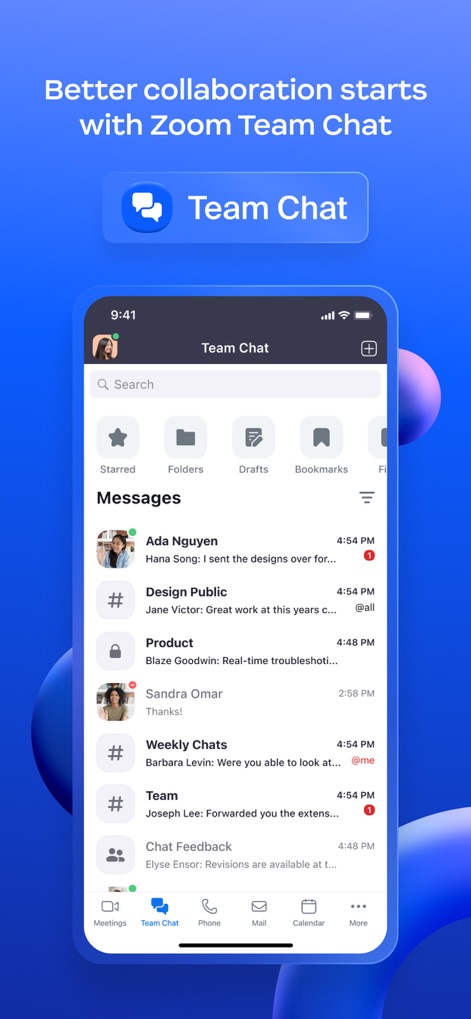
Streamlined Team Chat
The app facilitates seamless communication through its robust Team Chat interface, allowing users to engage in diverse message threads and easily organize conversations.

Integrated Phone System
This tool offers a comprehensive Zoom Phone experience, presenting users with a clear call history log and convenient access to voicemail management.
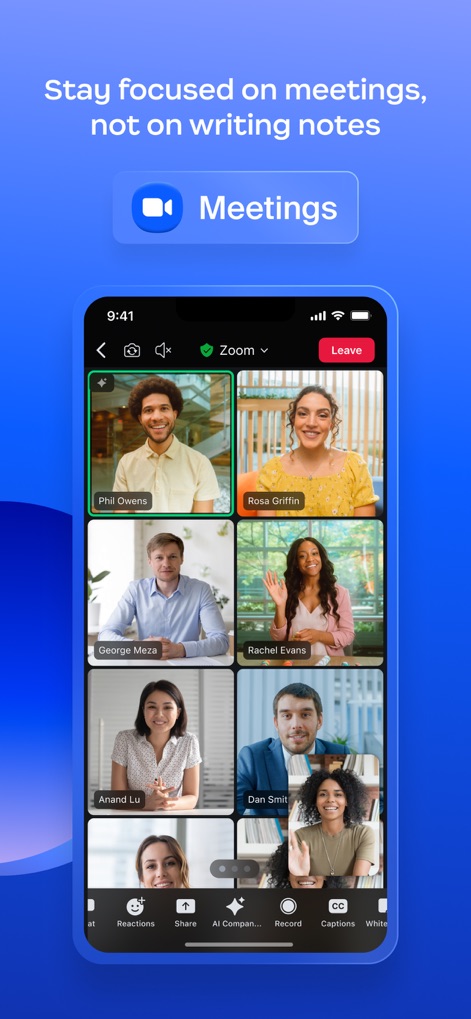
Dynamic Video Meetings
The app provides an intuitive Meetings interface, showcasing multiple participant video feeds and offering quick access to interactive features like Reactions and AI Companion options during live sessions.
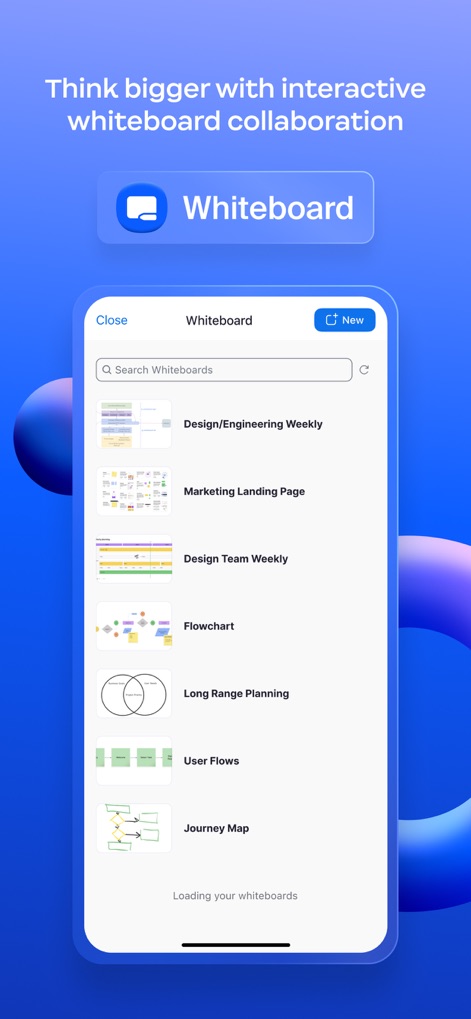
Collaborative Whiteboarding
Users can explore diverse interactive whiteboard sessions, depicted through multiple saved whiteboard examples and a clear search function for easy retrieval.

Workspace Management
The app simplifies workspace management, allowing users to view floor plans and instantly reserve preferred desks or other resources within the office environment.
Unified AI Platform
This concluding screen reinforces the app's identity as a comprehensive, AI-Powered platform, consolidating various collaboration tools into a single, cohesive user experience.
Description
Download
More Like This
Apps with similar features and user experience

Intune Company Portal
Microsoft Corporation

Kiosker Pro: Web Kiosk
Top North AB

Intelligent Hub
Wandering WiFi LLC

Kiosk Pro Plus
Kiosk Group, Inc.

Kiosker: Fullscreen Web Kiosk
Top North AB

Kiosk Pro Basic
Kiosk Group, Inc.

Ivanti Mobile@Work™ Client
MobileIron

PIA S5 Control
MARS BROTHERS LIMITED

Apple Configurator
Apple Inc.
This page is not an official page of the app or its developer, but an independent editorial publication created for informational and commentary purposes. Unless expressly stated otherwise, neither the app nor its developer is affiliated with, endorsed by, sponsored by, authorized by, or otherwise officially connected with MWM, Apple, Google Play, the app publisher, or the app's developer, and nothing on this page implies that the app was developed using MWM's services. Any trademarks, logos, screenshots, and other content remain the property of their respective owners.