
This page is not an official page of the app or its developer, but an independent editorial publication created for informational and commentary purposes. Unless expressly stated otherwise, neither the app nor its developer is affiliated with, endorsed by, sponsored by, authorized by, or otherwise officially connected with MWM, Apple, Google Play, the app publisher, or the app's developer, and nothing on this page implies that the app was developed using MWM's services. Any trademarks, logos, screenshots, and other content remain the property of their respective owners.


Intune Company Portal
The digital workplace demands rigid structure. It grants users controlled access, navigating corporate resources strictly within IT's pre-approved channels.
Downloads
25M+User Rating
Total Ratings
2.1MPublisher
Category
BusinessLocales
22Latest Version
5.2602.0Size
121.1 MBFirst Released
Nov 19, 2013Intune Company Portal: Core Employee Enablement & Security Analysis
An evaluation of key functionalities designed to empower working professionals in a managed IT environment.
Device Enrollment & Resource Access
The app allows users to seamlessly enroll their devices, granting secure access to crucial corporate resources such as Office applications, email, and cloud storage like OneDrive for Business, which is fundamental for day-to-day work.
Secure Device Management & Remote Wipe
This tool features the ability for users to view and manage all their enrolled devices, and critically, to remotely wipe corporate data from a lost or stolen device, significantly enhancing data security and personal responsibility.
Centralized Corporate App Catalog
It provides a curated catalog of approved applications, enabling users to easily discover and install tools sanctioned by their organization to enhance productivity and ensure compliance.
Self-Service Password Reset
The app empowers users to quickly and independently reset forgotten work account passwords, minimizing downtime and reducing reliance on IT support for common access issues.
Frequently Asked Questions
Everything you need to know about Intune Company Portal
Does Microsoft Intune Company Portal help simplify work-related tasks for employees?
Yes, Microsoft Intune Company Portal simplifies tasks like enrolling your device to access corporate resources, resetting work account passwords, finding company-provided apps, and managing enrolled devices.
What are the requirements to use the Intune Company Portal app?
To access corporate resources through Intune Company Portal, your IT admin must set up your work account, and your company must have a subscription to Microsoft Intune.
Can my company see my personal data through Intune Company Portal?
No, your company cannot view your browsing history, personal emails, contacts, calendar, passwords, photos, or the location of a personal device via Intune Company Portal.
How do I find and access company apps using Intune Company Portal?
You can find apps provided by your company within the Intune Company Portal by navigating to the 'Apps' section, which displays featured and recently published applications.
Is device management required to install apps from Intune Company Portal?
Yes, some applications found in Intune Company Portal, such as Microsoft PowerPoint, require device management for installation and access to corporate resources.
How do I install the management profile for Intune Company Portal on my device?
To install the management profile for Intune Company Portal, go to the Settings app, select 'Profile Downloaded,' then navigate to 'General' > 'VPN & Device Management,' and follow installation instructions.
Can I view details about my enrolled devices using Intune Company Portal?
Yes, you can view and manage all your enrolled devices, including their manufacturer, model, and operating system, within the Intune Company Portal's 'Device' section.
Can I remotely wipe my device if it is lost or stolen using Intune Company Portal?
Yes, Intune Company Portal allows you to wipe your enrolled device yourself if it gets lost or stolen, helping protect corporate data and resources.
How can I contact my IT department for support with Intune Company Portal?
You can get help from your IT department by finding their contact information (phone, email, IT link) in the 'Support' section of the Intune Company Portal app.
The following screenshots and description are sourced directly from the app's official store listing and are the property of the app developer.
App Store
Screenshots

Device Onboarding Streamlined
Explore the initial setup process, detailing the numbered steps for enrollment and the clear "Begin" and "Postpone" options for user control.

Privacy Protections Clearly
Understand the robust privacy safeguards with distinct "Can't" and "Can" sections, clearly outlining data access limitations like browsing history.
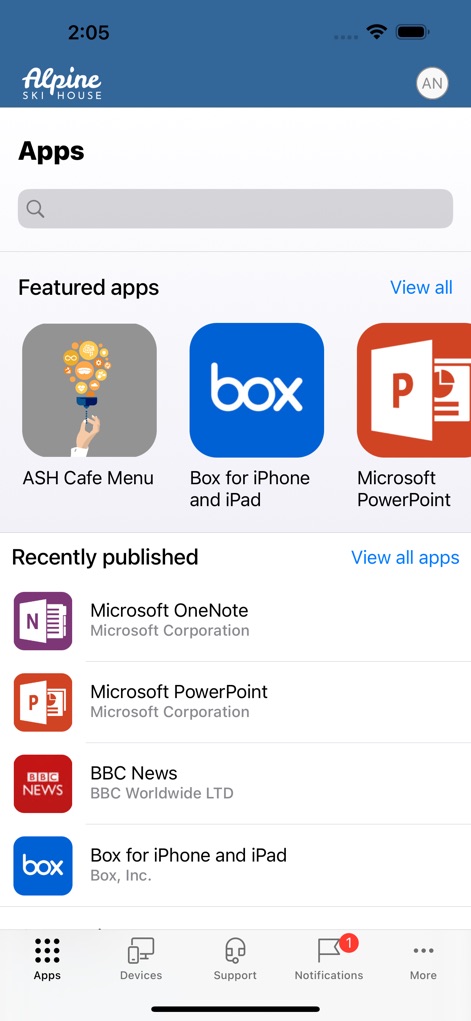
Corporate App Catalog
Discover the curated selection of corporate applications through the "Featured apps" gallery and the "Recently published" list, providing quick access to essential tools.

App Details Explored
Delve into specific app information, showcasing a detailed description of the app's functionality and the prominent "Install" button for seamless deployment.

Refined App Search
Utilize the powerful filtering options, including toggle switches for "Availability" status and a comprehensive list of "Publishers" for targeted app discovery.
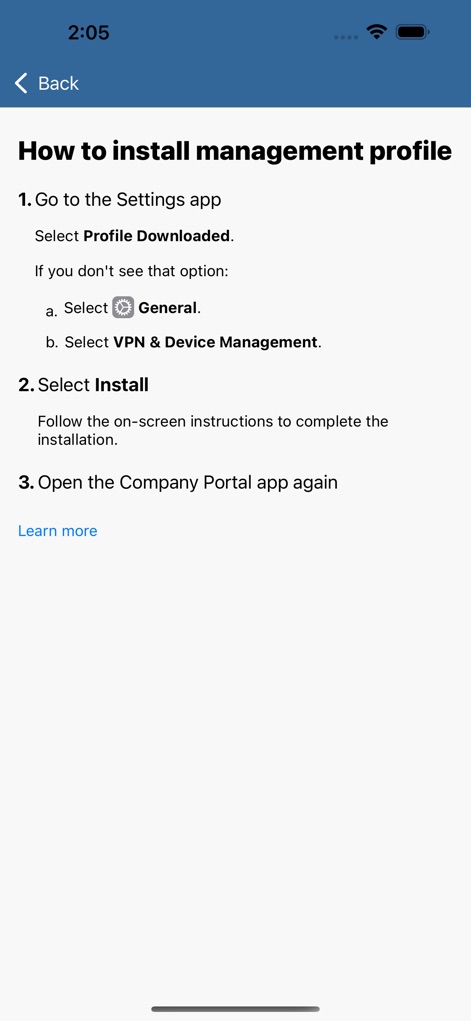
Profile Installation Guide
Follow the straightforward, numbered instructions for installing the management profile, with clear steps for navigating to "VPN & Device Management" within device settings.

Device Management Hub
Examine the device management interface, displaying key details like "Anya's iPhone" and offering controls such as the "Rename" button for personalizing device identification.
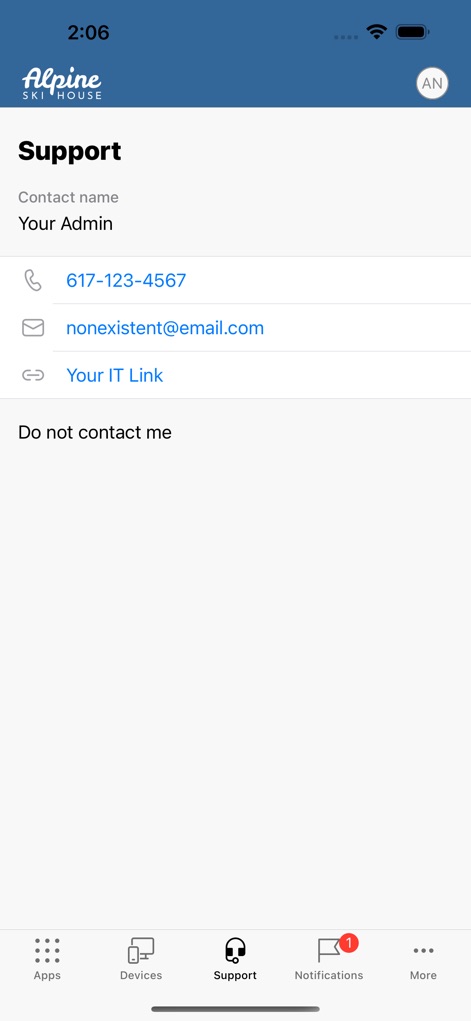
Direct Support Access
Access essential support resources, featuring direct contact details like the listed phone number and email address, along with an integrated "Your IT Link".
Description
Download
More Like This
Apps with similar features and user experience

Zoom Workplace for Intune
Zoom Communications, Inc.

Kiosker Pro: Web Kiosk
Top North AB

Intelligent Hub
Wandering WiFi LLC

Kiosk Pro Plus
Kiosk Group, Inc.

Kiosker: Fullscreen Web Kiosk
Top North AB

Kiosk Pro Basic
Kiosk Group, Inc.

Ivanti Mobile@Work™ Client
MobileIron

PIA S5 Control
MARS BROTHERS LIMITED

Apple Configurator
Apple Inc.
This page is not an official page of the app or its developer, but an independent editorial publication created for informational and commentary purposes. Unless expressly stated otherwise, neither the app nor its developer is affiliated with, endorsed by, sponsored by, authorized by, or otherwise officially connected with MWM, Apple, Google Play, the app publisher, or the app's developer, and nothing on this page implies that the app was developed using MWM's services. Any trademarks, logos, screenshots, and other content remain the property of their respective owners.