
This page is not an official page of the app or its developer, but an independent editorial publication created for informational and commentary purposes. Unless expressly stated otherwise, neither the app nor its developer is affiliated with, endorsed by, sponsored by, authorized by, or otherwise officially connected with MWM, Apple, Google Play, the app publisher, or the app's developer, and nothing on this page implies that the app was developed using MWM's services. Any trademarks, logos, screenshots, and other content remain the property of their respective owners.


Ivanti Mobile@Work™ Client
Connect to corporate email, VPN, and apps instantly with enterprise-grade security that respects and protects your personal privacy.
Downloads
4M+User Rating
Total Ratings
4K+Publisher
Category
BusinessLocales
18Latest Version
12.12.71Size
111.0 MBFirst Released
Jul 27, 2009Your Office, Delivered to Your Device
Ivanti Mobile@Work provides the secure bridge you need to access corporate resources without compromising your personal privacy or device performance.
Visual Privacy Assurance
Full transparency into your data. See exactly what your company can access and rest easy knowing your personal photos, texts, and apps remain private.
Seamless One-Tap Access
Eliminate manual setups. Automatically connect to corporate Wi-Fi and VPN networks to access your email, calendar, and contacts instantly.
Frequently Asked Questions
Everything you need to know about Ivanti Mobile@Work™ Client
What is Ivanti Mobile@Work and what does it do?
Ivanti Mobile@Work securely connects iOS devices to a company network. It provides access to corporate email, calendar, contacts, Wi-Fi, VPN, and work-related applications, ensuring secure and automated resource access.
Does Ivanti Mobile@Work offer privacy transparency for users?
Yes, Ivanti Mobile@Work features Visual Privacy. This allows employees to view exactly what data their company can see and the actions their company can take on the device, ensuring transparency.
Can Ivanti Mobile@Work help locate a lost or stolen iOS device?
Yes, Ivanti Mobile@Work includes a "Find My Phone" capability. This feature allows users or IT administrators to locate lost or stolen devices and perform remote management actions as needed.
What personal data can IT access when using Ivanti Mobile@Work?
Your IT organization can see device details like the model name, OS version, roaming status, and company applications. They cannot see personal information such as personal emails, text messages, photos, or contacts.
Does Ivanti Mobile@Work provide threat detection for my device?
Yes, Ivanti Mobile@Work includes Threat Defense capabilities. It actively scans for and detects device, network, and app threats, displaying the compliance status and offering remediation steps if issues are found.
How does Ivanti Mobile@Work enforce corporate security policies?
Ivanti Mobile@Work ensures automated compliance with corporate security policies. It integrates with Ivanti Core, deployed by your company's IT organization, to maintain a secure device environment.
Is it safe to remove the Ivanti Mobile@Work app from my device?
No, Ivanti Mobile@Work is required to access corporate resources. You should not remove the app without first consulting your company's IT organization to avoid losing access to essential work tools.
Can Ivanti Mobile@Work detect outdated iOS versions on a device?
Yes, Ivanti Mobile@Work detects outdated iOS versions. It notifies users when an operating system is not up-to-date, providing warnings and suggesting updates to address potential vulnerabilities.
The following screenshots and description are sourced directly from the app's official store listing and are the property of the app developer.
App Store
Screenshots
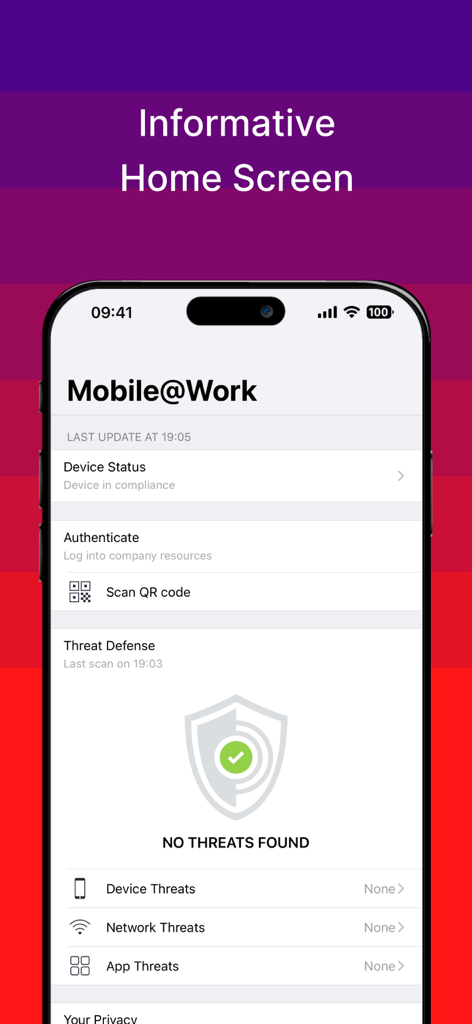
Ivanti Mobile at Work home screen showing device compliance and threat defense status
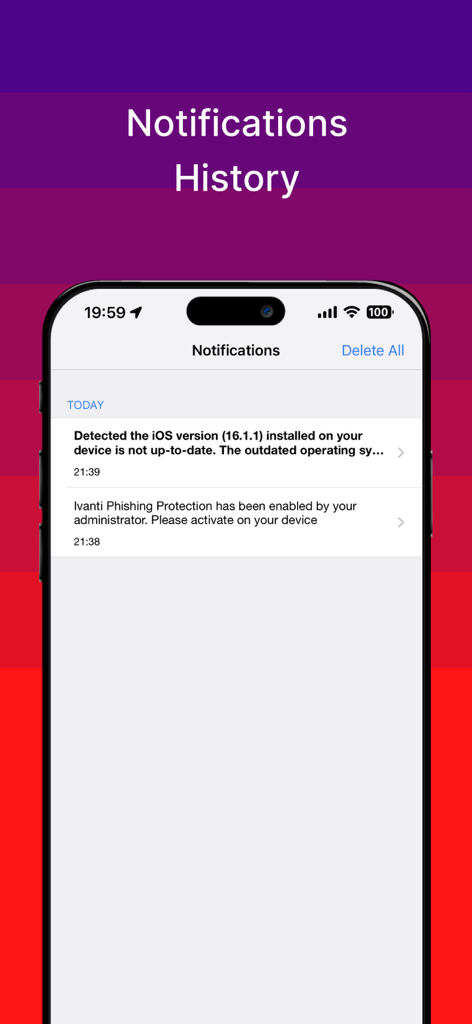
Ivanti Mobile at Work app notification history screen showing security alerts and device compliance notifications
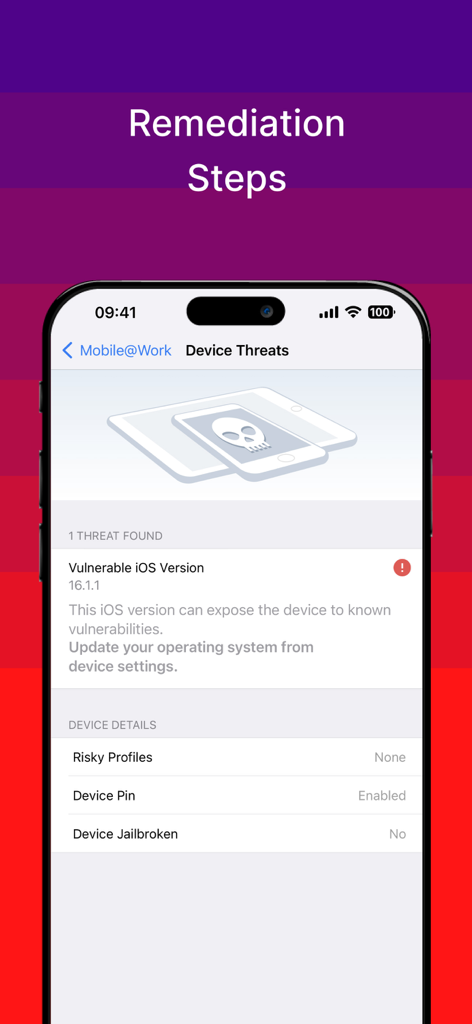
Mobile at Work app screen displaying device security threats and remediation steps for a vulnerable OS version
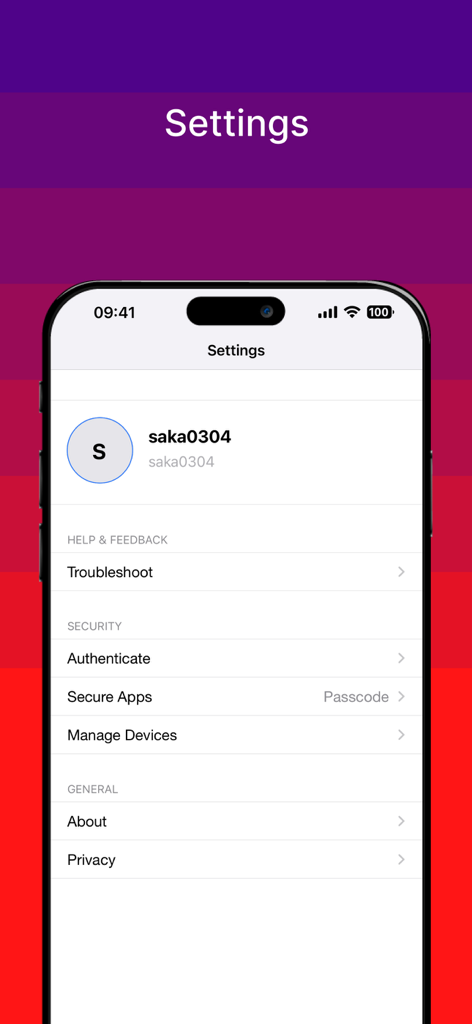
Settings menu of the Ivanti Mobile at Work app showing account security and privacy configurations
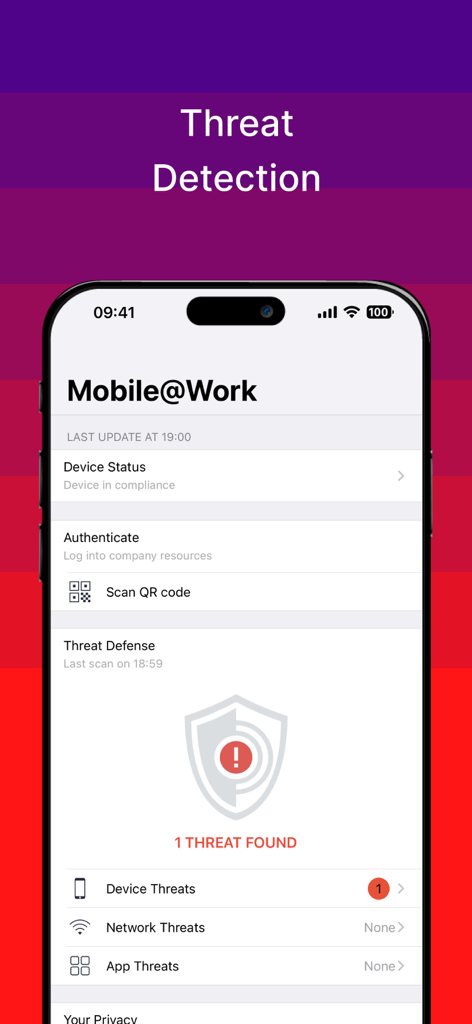
Ivanti Mobile at Work app showing threat detection screen with one device threat found
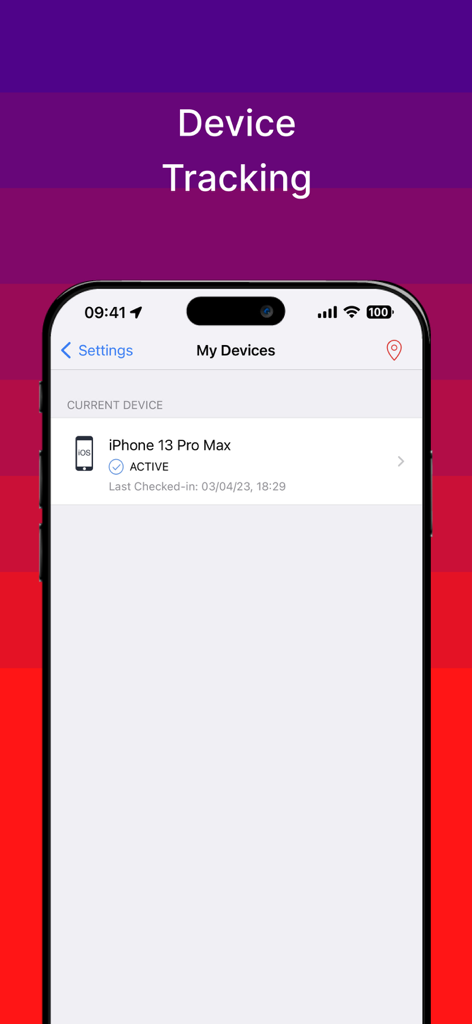
Ivanti Mobile at Work app screen showing active device tracking for an iPhone
Description
Download
More Like This
Apps with similar features and user experience

Intune Company Portal
Microsoft Corporation

Zoom Workplace for Intune
Zoom Communications, Inc.

Kiosker Pro: Web Kiosk
Top North AB

Intelligent Hub
Wandering WiFi LLC

Kiosk Pro Plus
Kiosk Group, Inc.

Kiosker: Fullscreen Web Kiosk
Top North AB

Kiosk Pro Basic
Kiosk Group, Inc.

PIA S5 Control
MARS BROTHERS LIMITED

Apple Configurator
Apple Inc.
This page is not an official page of the app or its developer, but an independent editorial publication created for informational and commentary purposes. Unless expressly stated otherwise, neither the app nor its developer is affiliated with, endorsed by, sponsored by, authorized by, or otherwise officially connected with MWM, Apple, Google Play, the app publisher, or the app's developer, and nothing on this page implies that the app was developed using MWM's services. Any trademarks, logos, screenshots, and other content remain the property of their respective owners.