iSetting-Lock App & Hide App
Download on App Store

This page is not an official page of the app or its developer, but an independent editorial publication created for informational and commentary purposes. Unless expressly stated otherwise, neither the app nor its developer is affiliated with, endorsed by, sponsored by, authorized by, or otherwise officially connected with MWM, Apple, Google Play, the app publisher, or the app's developer, and nothing on this page implies that the app was developed using MWM's services. Any trademarks, logos, screenshots, and other content remain the property of their respective owners.


Logo of iSetting-Lock App & Hide App
Download on App Store

iSetting-Lock App & Hide App

Take total command of your device with smart geofencing, app camouflage, and advanced restrictions. Whether securing your child’s focus at school or protecting your personal privacy, iSetting provides the ultimate layer of security and digital wellness.

Key Figures

Downloads

5K+

User Rating

4.5/5

Total Ratings

200

Publisher

巨 林

Category

Utilities

Locales

2

Latest Version

1.0.0

Size

6.3 MB

First Released

Dec 16, 2024
Features

Take Full Control of Your Digital Environment

iSetting empowers parents and professionals with precision tools to automate app restrictions, safeguard privacy, and prevent unauthorized device changes.

Smart Location & Time Automation

Automatically disable distracting apps when entering school zones or during bedtime with advanced geofencing and custom scheduling.

Stealth Mode & App Camouflage

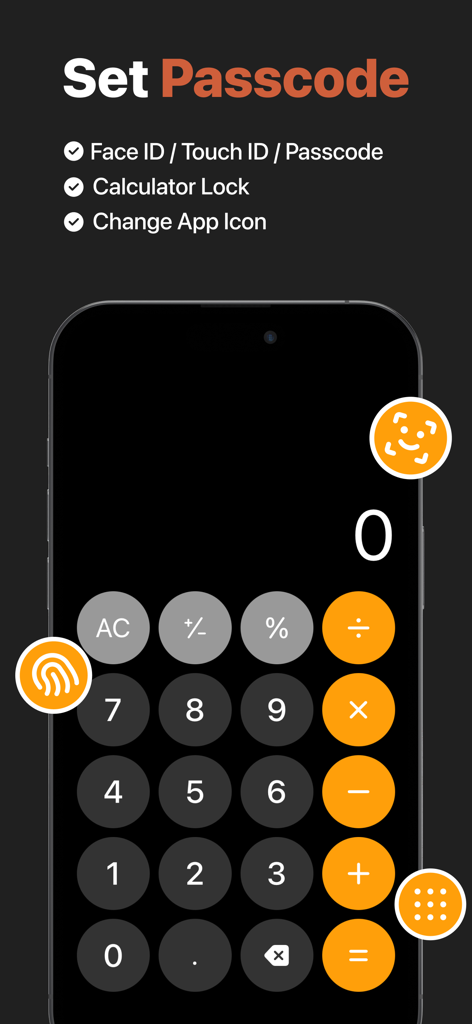
Hide sensitive apps from your home screen or use the calculator-style icon to keep your private life secure and completely invisible to prying eyes.

The following screenshots and description are sourced directly from the app's official store listing and are the property of the app developer.

App Store

Screenshots
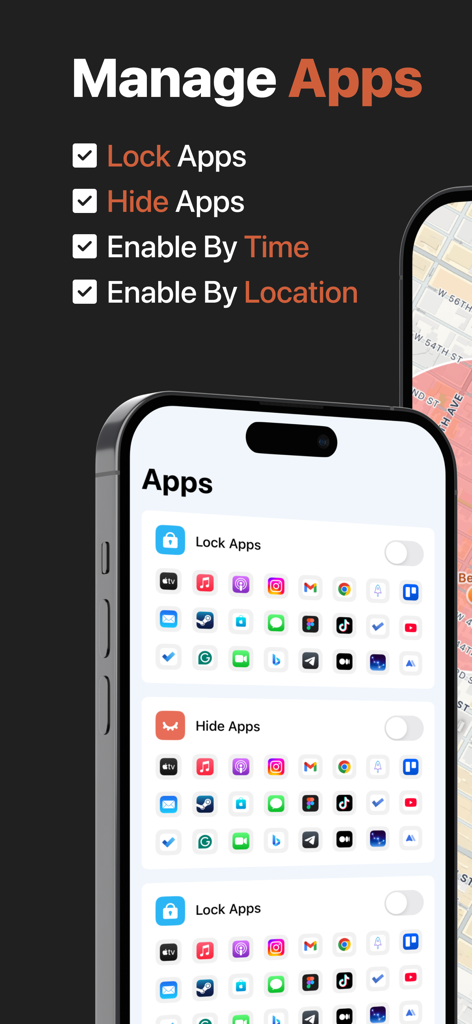
iSetting-Lock App & Hide App - App interface showing options to lock and hide mobile applications with settings for time and location
App interface showing options to lock and hide mobile applications with settings for time and location

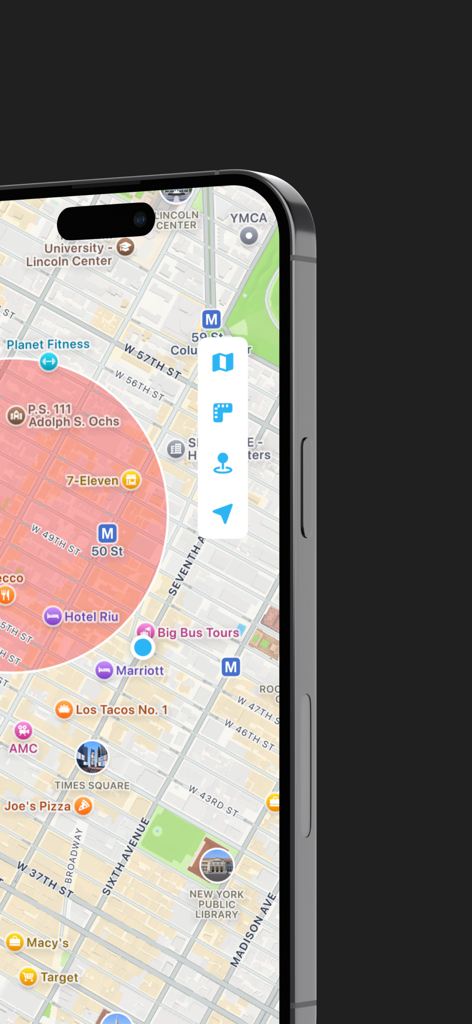
iSetting-Lock App & Hide App - A smartphone map display showing a red geofence circle used for automatic app locking and parental controls
A smartphone map display showing a red geofence circle used for automatic app locking and parental controls

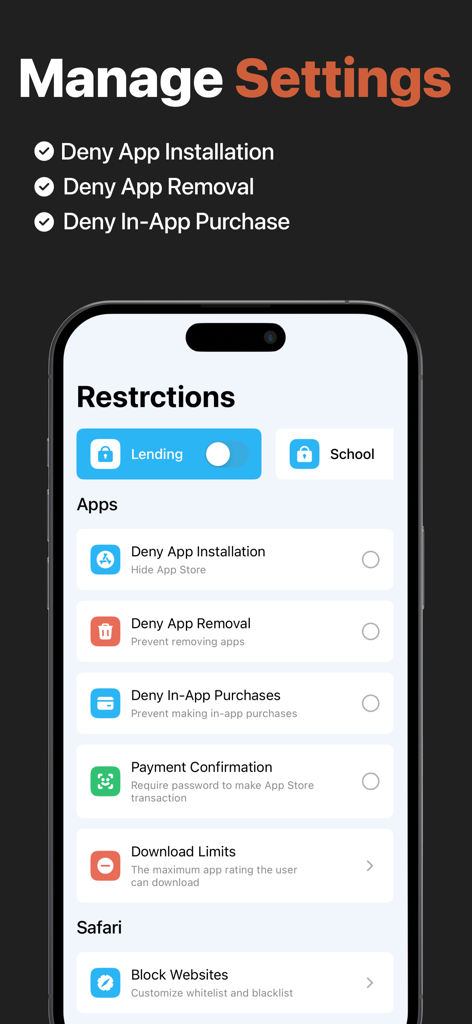
iSetting-Lock App & Hide App - Mobile app interface showing restrictions for app installation removal and in-app purchases
Mobile app interface showing restrictions for app installation removal and in-app purchases

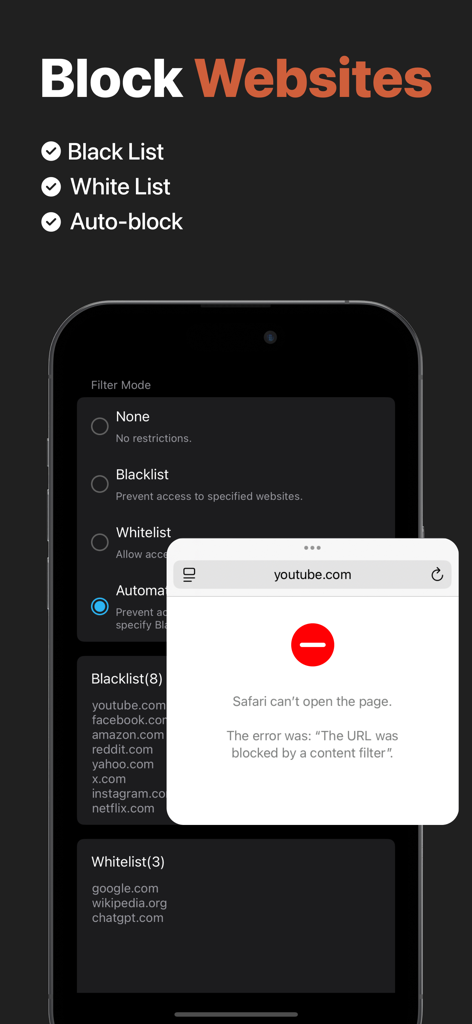
iSetting-Lock App & Hide App - Interface showing website blocking settings and a notification of a blocked URL in Safari.
Interface showing website blocking settings and a notification of a blocked URL in Safari.

iSetting-Lock App & Hide App - Calculator camouflage interface for app lock and security settings
Calculator camouflage interface for app lock and security settings

iSetting-Lock App & Hide App - iCloud Sync feature illustration showing compatibility across iPhone iPad and other Apple devices

iCloud Sync feature illustration showing compatibility across iPhone iPad and other Apple devices

Description

iSetting is an app management and permission setting tool, suitable for individuals and parents to manage device usage and protect personal privacy and security. 【App Management】 Supports adding multiple configurations, which can be enabled with one click when needed. Main features: - Lock Apps: Prevent the use of specific apps or all apps. - Hide Apps: Hide specific apps from the device. 【Geofencing】 Automatically locks (or hides) apps when entering or leaving a specified area. Example scenarios: - Automatically lock (or hide) gaming apps on the device when entering school. - Automatically unlock (or restore) apps when returning home. 【Time Window】 Automatically locks (or hides) apps during a specified time period. Example scenarios: - Automatically lock all apps between 10:00 PM and 06:00 AM to avoid staying up late. 【Device Management】 Manage device permissions to help users restrict device access in specific scenarios. Main features: - Deny App Installation: Hide App Store. - Deny App Removal: Prevent removing apps. - Deny In-App Purchases: Prevent making in-app purchases. - Payment Confirmation: Require password to make App Store transaction. - Download Limits: The maximum app rating the user can download. - Lock Accounts: Prevent changing iCloud account. - Lock Passcode: Prevent changing passcode. - Require Automatic Date: Prevent changing date and time. - Deny Siri: Prevent access to Siri. - Deny Auto Fill: Disable Safari’s AutoFill feature. - Block Websites: Customize whitelist and blacklist. - Lock eSIM: Prevent changing eSIM settings. - Lock Cellular Plan: Prevent changing cellular plan. - Lock App Cellular Data: Prevent changing cellular data settings. - Deny Music Service: Prevent accessing Apple Music’s streaming content. - Deny Explicit Content: Prevent accessing explicit content. - Deny Erotic Books: Prevent accessing media with an erotica tag in the Bookstore. - Deny Adding Friends: Prevent adding Game Center friends. - Deny Multiplayer Gaming: Prevent joining Game Center multiplayer games. 【Lock Protection】 The app supports lock protection to prevent unauthorized changes to your settings. - Face ID. - Touch ID. - Password. 【App Camouflage】 - Supports a calculator-style lock screen interface. - Supports changing to a calculator-style icon. 【Data Sync】 The app supports syncing configuration data and preferences across devices. Enable iCloud to automatically sync data. 【Terms of Service】 https://www.yuque.com/progress_tutorial/enrt8z/gd2dh62v9rqfetz5 【Privacy Policy】 The app does not collect or share any user information, and your privacy is protected by Apple. https://www.yuque.com/progress_tutorial/enrt8z/tx43ar5z8l1ra0vt 【Contact Us】 You can send feedback via the 「Settings - Feedback」in the app, or leave your suggestions in the App Store.

Download

Download on App Store

This page is not an official page of the app or its developer, but an independent editorial publication created for informational and commentary purposes. Unless expressly stated otherwise, neither the app nor its developer is affiliated with, endorsed by, sponsored by, authorized by, or otherwise officially connected with MWM, Apple, Google Play, the app publisher, or the app's developer, and nothing on this page implies that the app was developed using MWM's services. Any trademarks, logos, screenshots, and other content remain the property of their respective owners.








