
This page is not an official page of the app or its developer, but an independent editorial publication created for informational and commentary purposes. Unless expressly stated otherwise, neither the app nor its developer is affiliated with, endorsed by, sponsored by, authorized by, or otherwise officially connected with MWM, Apple, Google Play, the app publisher, or the app's developer, and nothing on this page implies that the app was developed using MWM's services. Any trademarks, logos, screenshots, and other content remain the property of their respective owners.

敬业签 - 记事备忘云便签
专为职场精英与留学生设计,完美打通 Windows 与 iPhone 的记事鸿沟。支持农历提醒、微信推送及时间轴历史记录,银行级加密让您的数据在海外也安全无忧。
Downloads
796K+User Rating
Total Ratings
1K+Publisher
Category
ProductivityLocales
1Latest Version
3.4.14Size
241.4 MBFirst Released
Dec 11, 2017敬业签:您的跨境全能高效工作台
专为在美华人与留学生打造的云便签工具,完美融合记事、待办管理与多端同步,让您在大洋彼岸也能高效掌控生活与工作。
跨系统多端实时云同步
无论是在实验室使用Windows电脑,还是在外使用iPhone或Apple Watch,您的笔记与待办事项均能实时无缝同步,跨越设备限制。
农历提醒与多渠道通知
特有农历重复提醒功能,不错过国内亲人的传统生日;支持微信、短信及App多重提醒,确保重要职场任务万无一失。
Frequently Asked Questions
Everything you need to know about 敬业签 - 记事备忘云便签
What is 敬业签?
敬业签 is a cloud-based application that provides notes, to-do lists, and timed reminders. It supports real-time synchronization across various operating systems and devices.
Does 敬业签 support cross-device synchronization for notes?
Yes, 敬业签 features cloud synchronization for notes. This allows data to automatically sync across multiple systems and devices, preventing data loss.
What reminder options does 敬业签 offer?
敬业签 offers flexible timed reminders based on Gregorian or Lunar dates. Users can configure single, repeat, or important reminders daily, weekly, monthly, or yearly.
What notification channels does 敬业签 use for reminders?
敬业签 sends reminder notifications through multiple channels including in-app alerts, SMS, Telecom messages, WeChat Official Account, WeChat Work, and DingTalk.
Can attachments be stored within 敬业签 notes?
Yes, 敬业签's attachment storage feature allows users to upload images, files, documents, archives, and media files directly into notes for cloud management and quick retrieval.
How does 敬业签 ensure the security of user data?
敬业签 secures user data with HTTPS encryption, SASL user authentication, unique Secret Keys, and Aliyun Rds database with high-level security certifications. It also holds third-party security certifications.
Is 敬业签 ISO27001 certified for information security?
Yes, 敬业签's company first achieved ISO27001 information security management system certification in 2019 and successfully passed its supervisory audit again in August 2023.
What is the monthly cost for a 敬业签 membership?
The continuous monthly membership for 敬业签 costs 12 yuan per month. Payment is processed through the user's iTunes account.
How can I cancel my 敬业签 monthly subscription on iOS?
To cancel, navigate to Settings, then iTunes Store & App Store, tap your Apple ID, select View Apple ID, go to Account Settings, then Subscriptions. Find 敬业签 and cancel.
Does 敬业签 allow viewing of past notes and to-dos?
Yes, 敬业签 includes a history feature. Users can access completed notes and to-dos, along with a timeline of additions, modifications, completions, and deletions.
Does 敬业签 include a calendar view?
Yes, 敬业签 provides a calendar view for users. This allows for quick visualization and review of recorded items and scheduled tasks.
The following screenshots and description are sourced directly from the app's official store listing and are the property of the app developer.
App Store
Screenshots
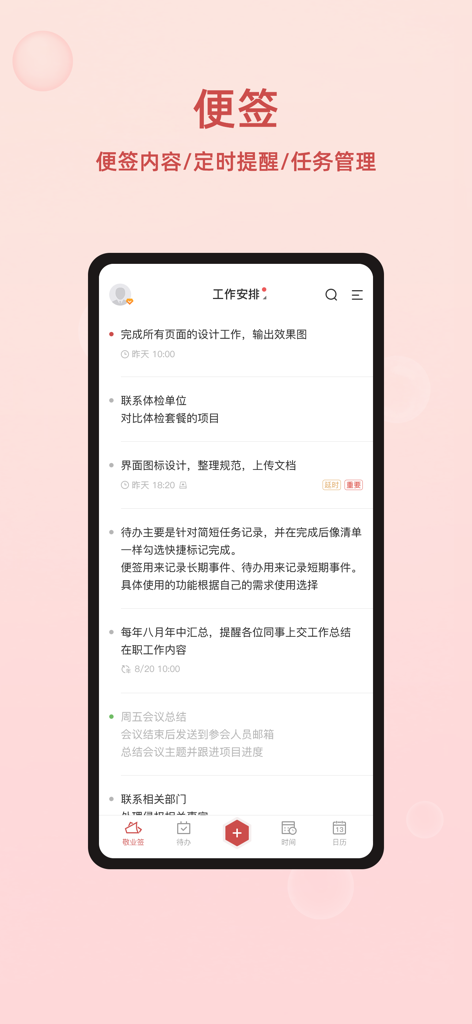
Mobile app screenshot of Jingyeqian showing a work schedule with notes and task reminders in Simplified Chinese.
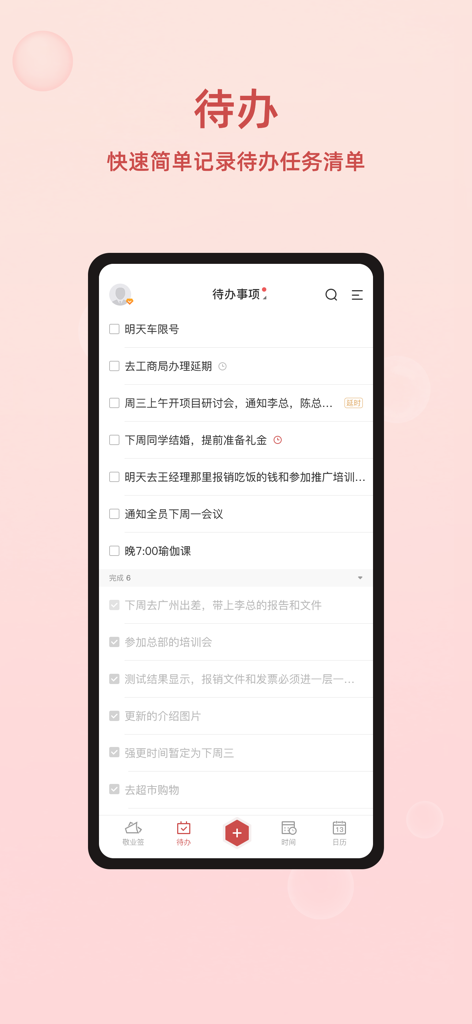
A mobile app screen of Jingyeqian displaying a to-do list with various tasks in Chinese.
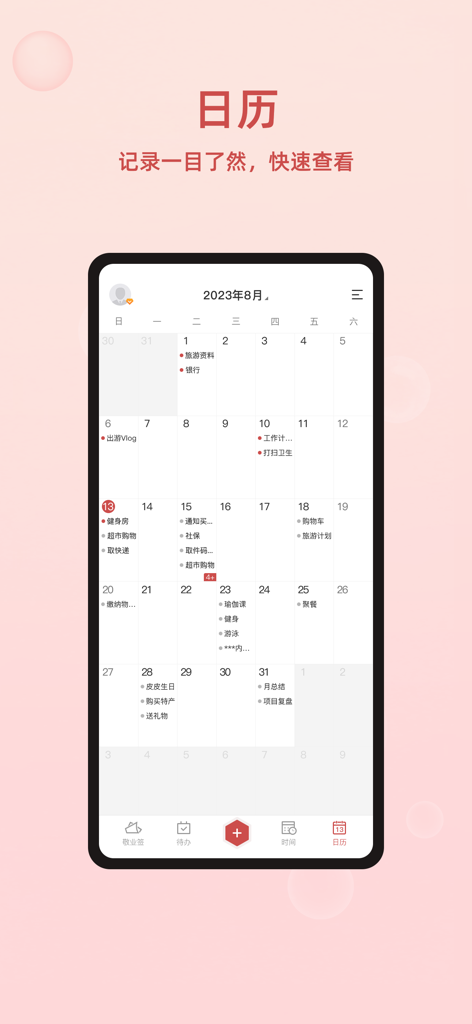
Jingyeqian mobile app monthly calendar interface showing scheduled tasks and reminders.
Description
Download
More Like This
Apps with similar features and user experience
Notion: Notes, Tasks, AI
Notion Labs, Incorporated

Freenotes®: Pro AI Take Notes
Hangzhou Free Notes Technology Co., Ltd

Structured - Daily Planner
unorderly GmbH
Google Tasks: Get Things Done
Google LLC
TickTick:To-Do List & Calendar
Appest Limited

Noteful: Notes & PDF Markup
Noteful Technologies Ltd
Todoist: To Do List & Calendar
Doist Inc.
To Do List MinimaList & Widget
Inner Grow Limited
monday.com - Work Platform
monday.com Ltd.
This page is not an official page of the app or its developer, but an independent editorial publication created for informational and commentary purposes. Unless expressly stated otherwise, neither the app nor its developer is affiliated with, endorsed by, sponsored by, authorized by, or otherwise officially connected with MWM, Apple, Google Play, the app publisher, or the app's developer, and nothing on this page implies that the app was developed using MWM's services. Any trademarks, logos, screenshots, and other content remain the property of their respective owners.