
This page is not an official page of the app or its developer, but an independent editorial publication created for informational and commentary purposes. Unless expressly stated otherwise, neither the app nor its developer is affiliated with, endorsed by, sponsored by, authorized by, or otherwise officially connected with MWM, Apple, Google Play, the app publisher, or the app's developer, and nothing on this page implies that the app was developed using MWM's services. Any trademarks, logos, screenshots, and other content remain the property of their respective owners.

JPG to PDF: Convert Picture to
The fast, private way to turn your photos and receipts into professional PDFs. Experience secure on-device conversion with no cloud uploads—perfect for students and professionals.
Downloads
100User Rating
Total Ratings
0Publisher
Category
UtilitiesLocales
1Latest Version
1.0Size
34.6 MBFirst Released
Jan 12, 2026Convert with Confidence and Speed
The smartest way to turn photos into professional documents. Fast, secure, and designed for your mobile-first workflow.
Total On-Device Privacy
Your sensitive documents never leave your iPhone. All conversions happen locally, ensuring your data remains 100% private and secure.
Instant Batch Merging
Stop converting one by one. Select dozens of receipts, notes, or contracts and merge them into a single high-quality PDF in seconds.
Frequently Asked Questions
Everything you need to know about JPG to PDF: Convert Picture to
What is JPG to PDF: Convert Picture to?
JPG to PDF: Convert Picture to is an iOS application for iPhone and iPad that rapidly converts JPG, JPEG, PNG, or HEIC photos into a single PDF document directly on your device.
What image formats does JPG to PDF: Convert Picture to support?
JPG to PDF: Convert Picture to supports JPG, JPEG, PNG, and HEIC image formats. Users can select multiple photos in these formats for conversion into a single PDF.
Is JPG to PDF: Convert Picture to private?
Yes, JPG to PDF: Convert Picture to ensures user privacy by performing all conversions directly on the device. No photos are uploaded during the conversion process.
Can I convert multiple images into one PDF with JPG to PDF: Convert Picture to?
Yes, JPG to PDF: Convert Picture to allows users to select multiple photos simultaneously and merge them into a single PDF document. This feature is available on iPhone and iPad.
Is JPG to PDF: Convert Picture to free to use?
Yes, JPG to PDF: Convert Picture to is free to try with a limited number of conversions. Users must upgrade to Premium to unlock unlimited conversions within the app.
How does JPG to PDF: Convert Picture to handle converted files?
The app maintains a history of conversions, allowing users to find, rename, or delete their PDF files anytime. PDFs can also be instantly shared with any app.
The following screenshots and description are sourced directly from the app's official store listing and are the property of the app developer.
App Store
Screenshots
Smiling professional woman with image format tags for JPG PNG and HEIC next to PDF conversion text
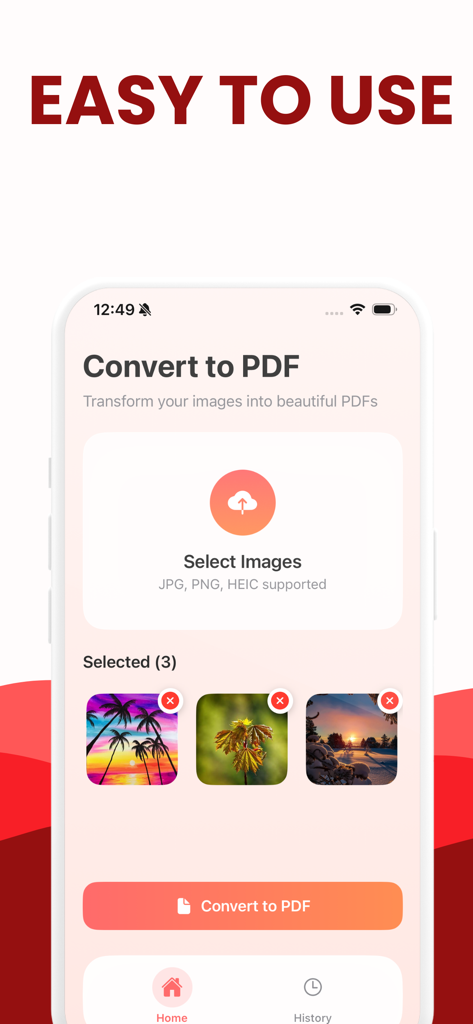
A mobile interface showing the JPG to PDF conversion screen with three selected images and a convert button.
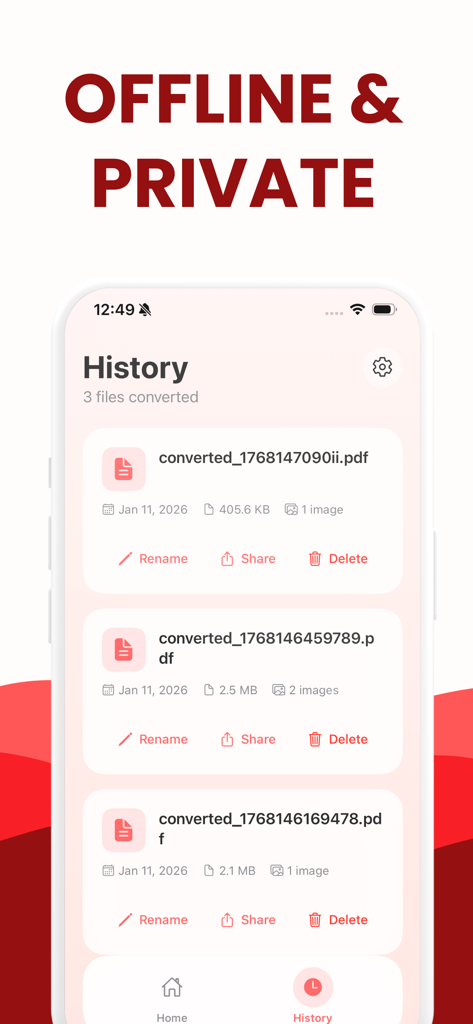
History list of converted PDF files in the app showing rename share and delete options
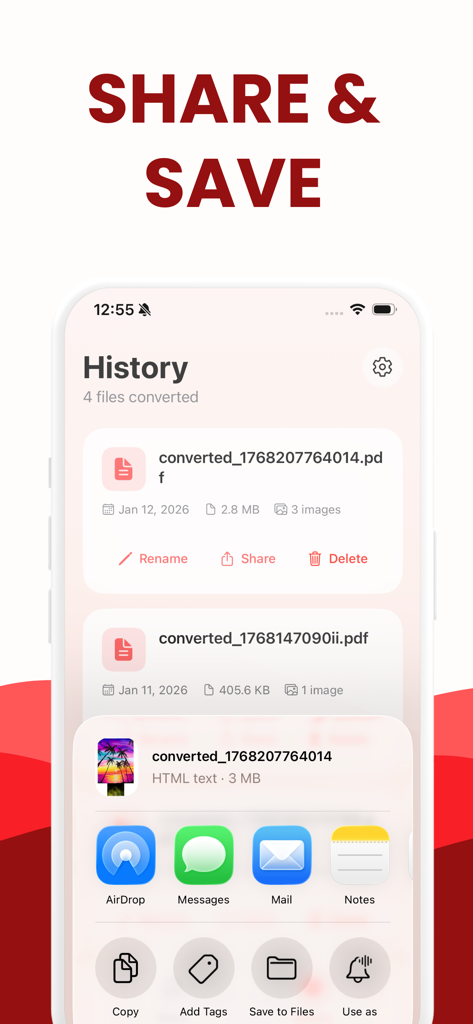
The history screen of a JPG to PDF app showing converted files and iOS sharing options
Description
Download
More Like This
Top-ranked apps in the same category

Google LLC

Google Chrome
Google LLC

中国移动(手机营业厅)
China Mobile Online Services Co., Ltd.

Google Authenticator
Google LLC

CNH do Brasil
Servicos e Informacoes do Brasil

Cleanup: Phone Storage Cleaner
DEEP FLOW SOFTWARE SERVICES - FZCO

gov.br
Servicos e Informacoes do Brasil

中国电信-全国统一官方服务平台
CHINA TELECOM Corporation Ltd.

Microsoft Edge: AI Browser
Microsoft Corporation
This page is not an official page of the app or its developer, but an independent editorial publication created for informational and commentary purposes. Unless expressly stated otherwise, neither the app nor its developer is affiliated with, endorsed by, sponsored by, authorized by, or otherwise officially connected with MWM, Apple, Google Play, the app publisher, or the app's developer, and nothing on this page implies that the app was developed using MWM's services. Any trademarks, logos, screenshots, and other content remain the property of their respective owners.