
This page is not an official page of the app or its developer, but an independent editorial publication created for informational and commentary purposes. Unless expressly stated otherwise, neither the app nor its developer is affiliated with, endorsed by, sponsored by, authorized by, or otherwise officially connected with MWM, Apple, Google Play, the app publisher, or the app's developer, and nothing on this page implies that the app was developed using MWM's services. Any trademarks, logos, screenshots, and other content remain the property of their respective owners.


JPKI利用者ソフト
Bridge the distance between you and Japan. Use your iPhone to verify electronic certificates, update passwords, and manage your administrative tasks securely without needing a separate card reader.
Downloads
539K+User Rating
Total Ratings
400Publisher
Category
UtilitiesLocales
1Latest Version
2.5.0Size
6.5 MBFirst Released
Mar 17, 2024Seamless Identity Management from Anywhere
Your iPhone becomes a secure bridge to Japan’s administrative services. Manage your My Number Card certificates and stay compliant while living abroad in the USA.
Integrated Card Reading
Eliminate the need for external IC readers. Use your iPhone's NFC capabilities to instantly verify electronic certificates and card status from your home.
Proactive Expiration Alerts
Avoid the stress of expired documents. Receive timely notifications before your electronic certificates lapse, ensuring uninterrupted access to e-Tax and banking.
Frequently Asked Questions
Everything you need to know about JPKI利用者ソフト
What is the JPKI利用者ソフト app?
The JPKI利用者ソフト app manages electronic certificates from the My Number Card on an iPhone. It provides functions to check certificate validity, display details, and change passwords.
Can I check the validity of my electronic certificate with JPKI利用者ソフト?
Yes, the JPKI利用者ソフト app allows users to confirm the validity and view details of their electronic certificates embedded in the My Number Card directly on an iPhone.
Does JPKI利用者ソフト allow an iPhone to act as a PC card reader?
No, the JPKI利用者ソフト app does not support using an iPhone as a card reader to connect to a personal computer. This function is not available.
What are the minimum device requirements for JPKI利用者ソフト?
JPKI利用者ソフト requires an iPhone 7 or newer with NFC capability, running iOS 13.0 or later, to operate correctly.
How do I ensure correct My Number Card reading with JPKI利用者ソフト?
To ensure correct My Number Card reading with JPKI利用者ソフト, keep the card steady over the iPhone until complete. Remove phone cases and avoid reading on metal surfaces.
What types of passwords can JPKI利用者ソフト help manage?
JPKI利用者ソフト allows users to change their My Number Card's signing password, user verification password, issuer-specific password, and individual number card password.
What are the character requirements for JPKI利用者ソフト passwords?
The signing password for My Number Card is 6-16 alphanumeric characters. The user verification password is a 4-digit number.
What happens if a My Number Card password is entered incorrectly too many times in JPKI利用者ソフト?
If the signing password is entered incorrectly 5 times or the user verification password 3 times consecutively, the My Number Card password locks automatically.
How do I unlock a locked My Number Card password for JPKI利用者ソフト?
A locked My Number Card password for JPKI利用者ソフト requires unlocking at a local municipal office. The app itself does not provide this function.
Does JPKI利用者ソフト notify users about electronic certificate expiration?
Yes, JPKI利用者ソフト features an update notification that alerts users when their My Number Card electronic certificate is within three months of expiration, upon app launch.
When can I renew my My Number Card electronic certificate via JPKI利用者ソフト?
Renewal of a My Number Card electronic certificate must be done at a local municipal office, starting three months before its expiration date. The JPKI利用者ソフト app does not handle renewal.
The following screenshots and description are sourced directly from the app's official store listing and are the property of the app developer.
App Store
Screenshots
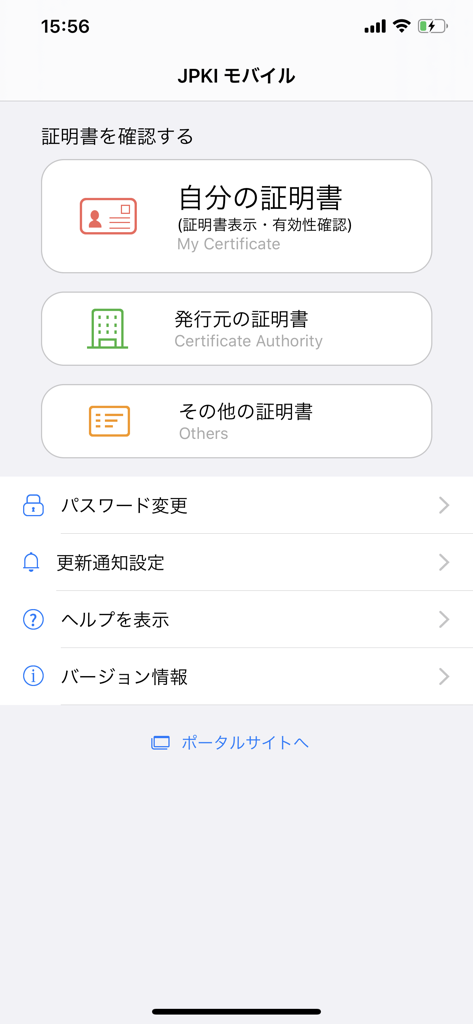
Main screen of the JPKI Client Software app showing digital certificate management options
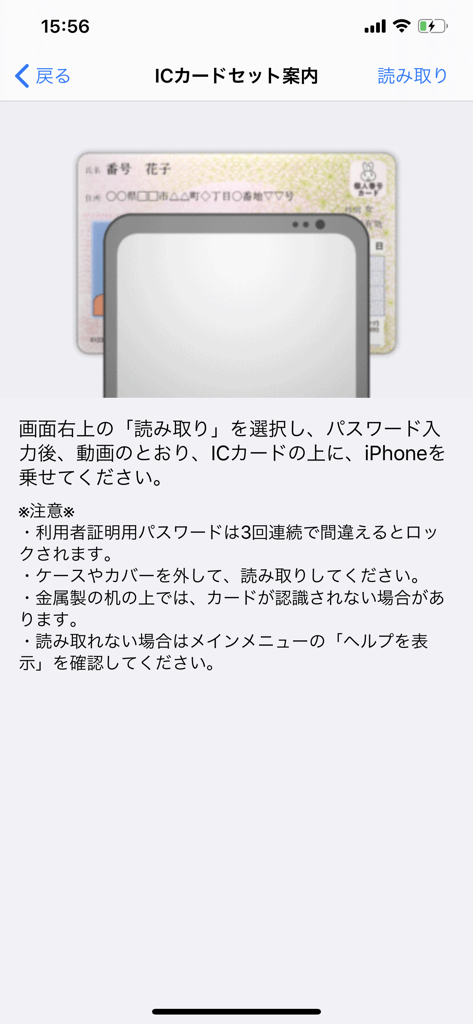
An illustration showing an iPhone scanning a Japanese My Number Card with NFC
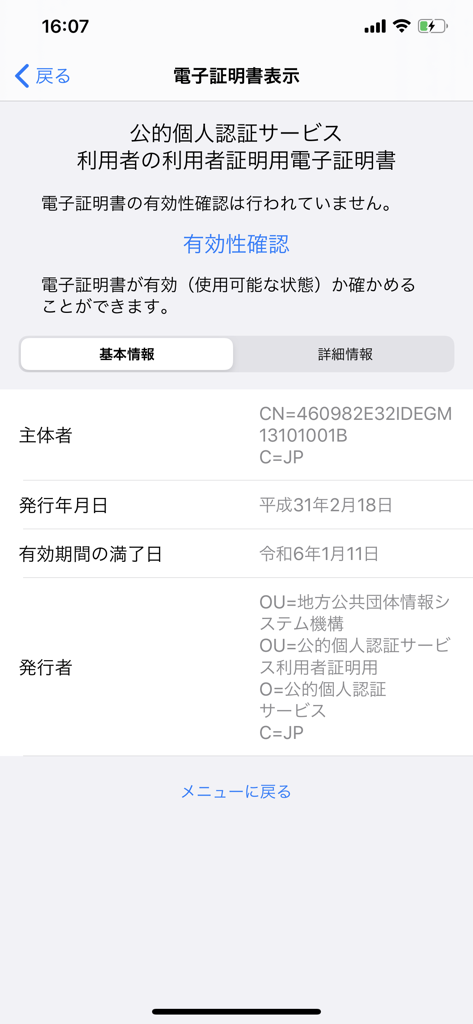
JPKI app interface displaying electronic certificate information for My Number Card
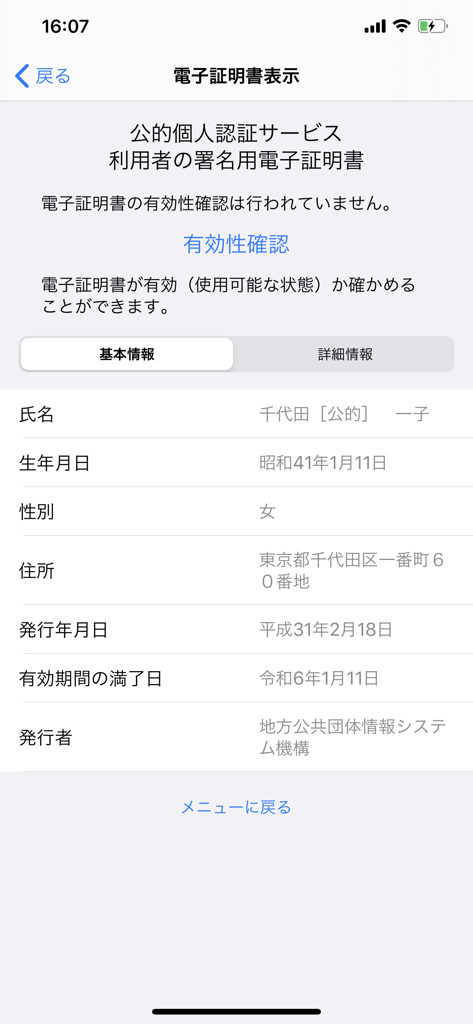
A screen from the JPKI app displaying digital certificate details for a Japanese My Number Card including personal information and expiration dates.
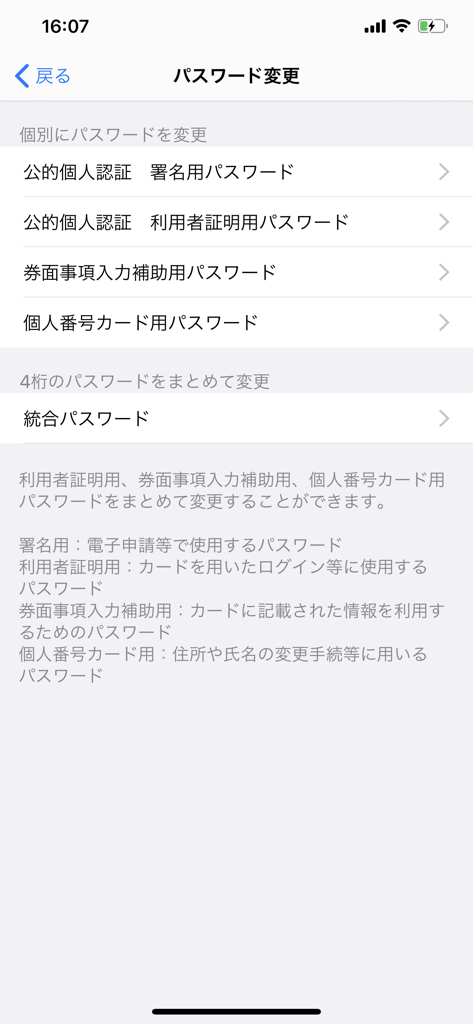
Password change options menu in the JPKI Client Software app
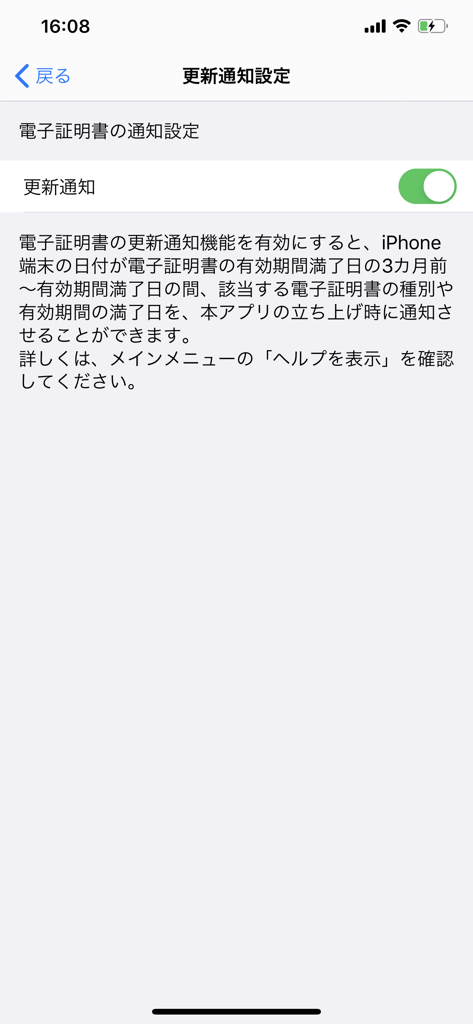
Renewal notification settings screen in the JPKI Client Software app for My Number Card.
Description
Download
More Like This
Top-ranked apps in the same category

Google LLC

Google Chrome
Google LLC

中国移动(手机营业厅)
China Mobile Online Services Co., Ltd.

Google Authenticator
Google LLC

CNH do Brasil
Servicos e Informacoes do Brasil

Cleanup: Phone Storage Cleaner
DEEP FLOW SOFTWARE SERVICES - FZCO

gov.br
Servicos e Informacoes do Brasil

中国电信-全国统一官方服务平台
CHINA TELECOM Corporation Ltd.

Microsoft Edge: AI Browser
Microsoft Corporation
This page is not an official page of the app or its developer, but an independent editorial publication created for informational and commentary purposes. Unless expressly stated otherwise, neither the app nor its developer is affiliated with, endorsed by, sponsored by, authorized by, or otherwise officially connected with MWM, Apple, Google Play, the app publisher, or the app's developer, and nothing on this page implies that the app was developed using MWM's services. Any trademarks, logos, screenshots, and other content remain the property of their respective owners.