
This page is not an official page of the app or its developer, but an independent editorial publication created for informational and commentary purposes. Unless expressly stated otherwise, neither the app nor its developer is affiliated with, endorsed by, sponsored by, authorized by, or otherwise officially connected with MWM, Apple, Google Play, the app publisher, or the app's developer, and nothing on this page implies that the app was developed using MWM's services. Any trademarks, logos, screenshots, and other content remain the property of their respective owners.


JSON Editor Mobile
Master your data with an intuitive outline mode, smart validation, and Git-friendly edits. Built for developers who need to visualize, edit, and fix code on the go without compromising their workflow.
Downloads
18K+User Rating
Total Ratings
0Publisher
Category
Developer ToolsLocales
1Latest Version
1.3Size
10.5 MBFirst Released
Apr 30, 2024Professional JSON Editing on the Go
Stop fighting with raw text. Master your data structures with a powerful, developer-first mobile IDE designed for precision, speed, and clean workflows.
Structure-First Outline Mode
Navigate and manipulate complex nested objects with a touch-optimized tree view. Add, reorder, or edit items without the frustration of mobile text selection.
Git-Friendly Smart Edits
Engineered for version control. The app makes minimal file changes to ensure your repository diffs stay clean and relevant for your next pull request.
The following screenshots and description are sourced directly from the app's official store listing and are the property of the app developer.
App Store
Screenshots
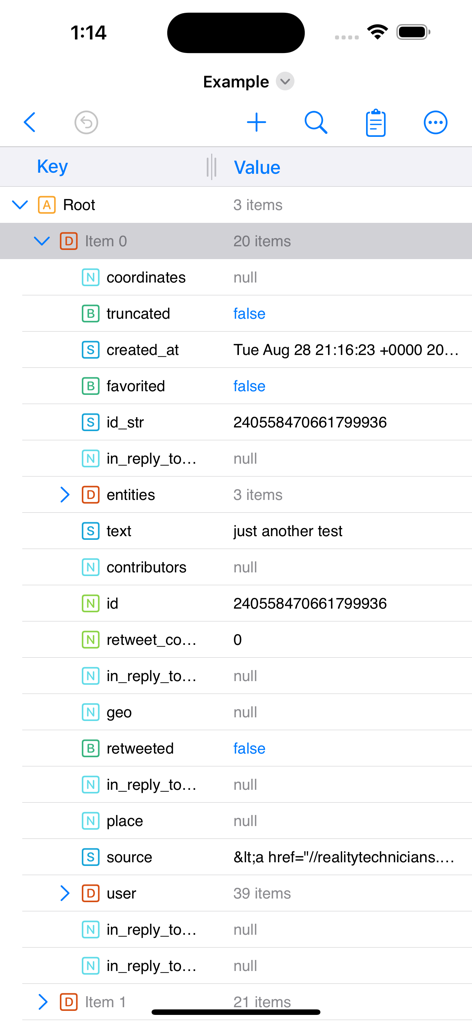
A screenshot of the JSON Editor Mobile app interface displaying a nested tree structure of data in outline mode with key and value columns.
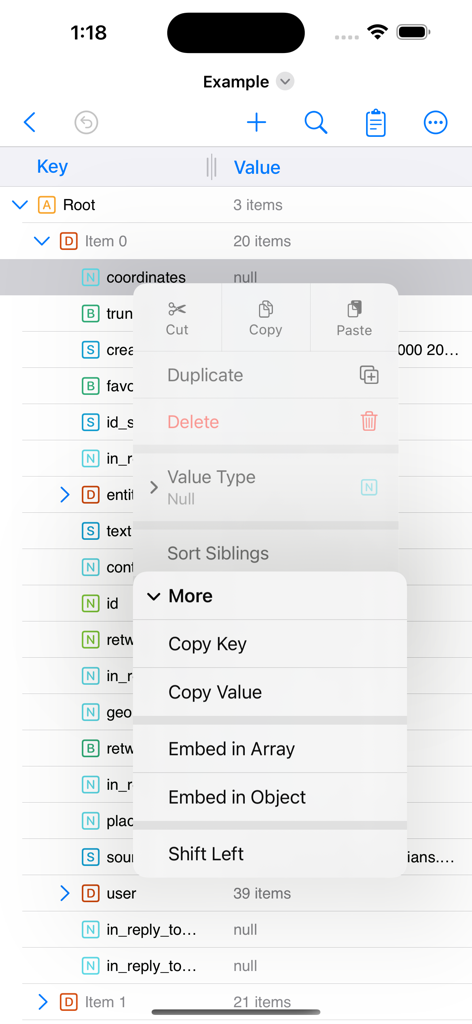
JSON Editor Mobile app interface displaying the outline tree view and an open context menu for data manipulation.
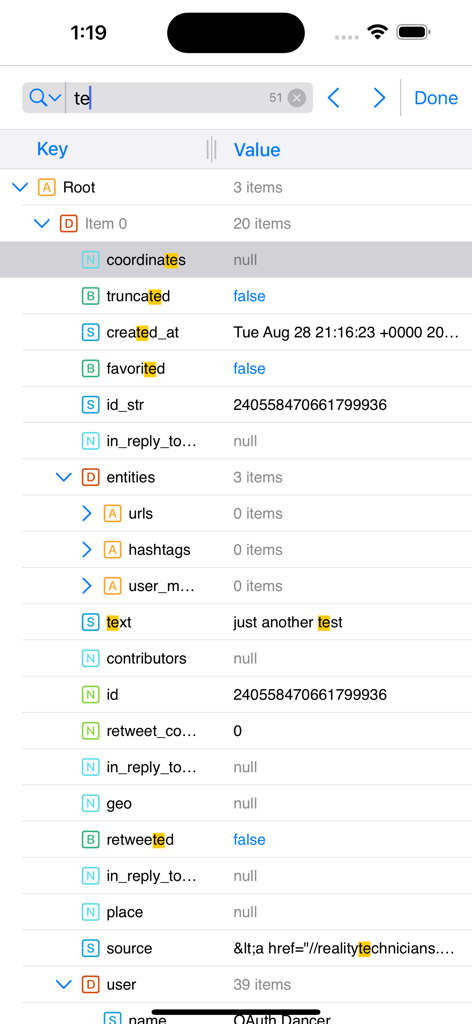
JSON Editor Mobile interface showing search results highlighted in outline mode
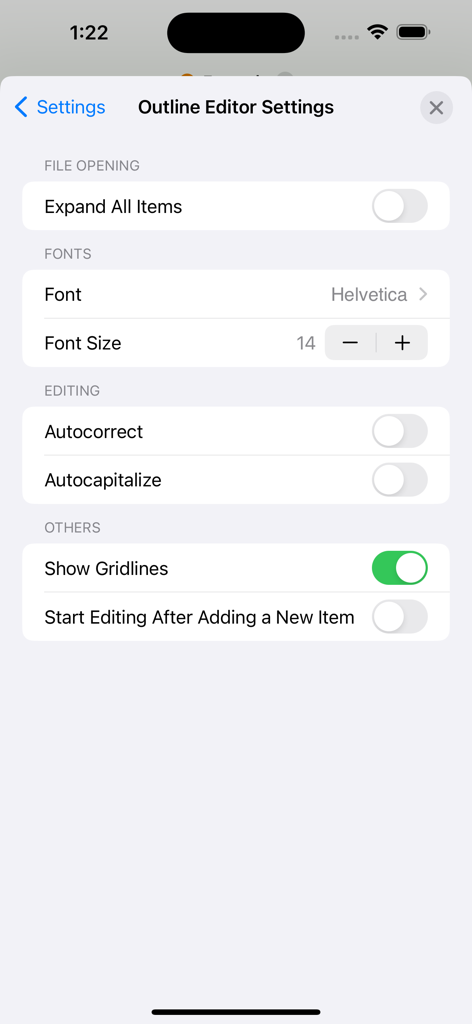
JSON Editor Mobile outline editor settings screen showing font and editing customization options
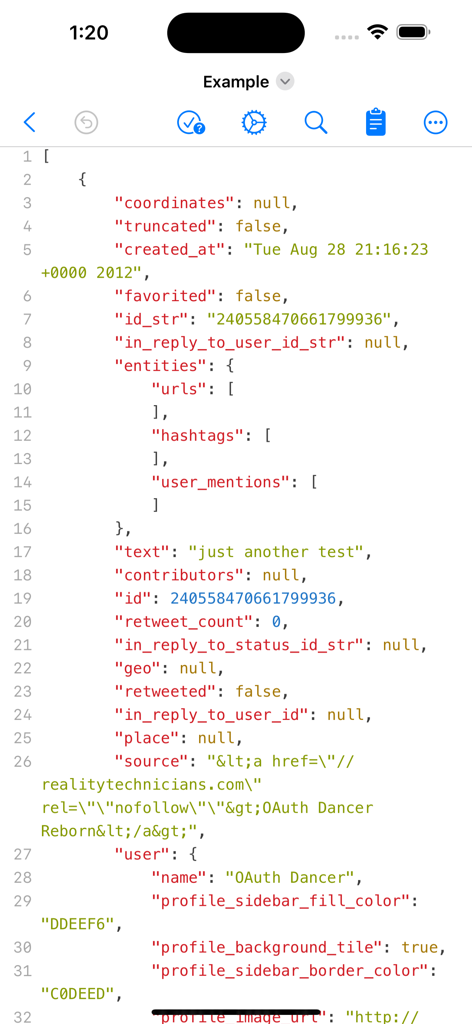
Mobile interface of a JSON editor in text mode with syntax highlighting and line numbers
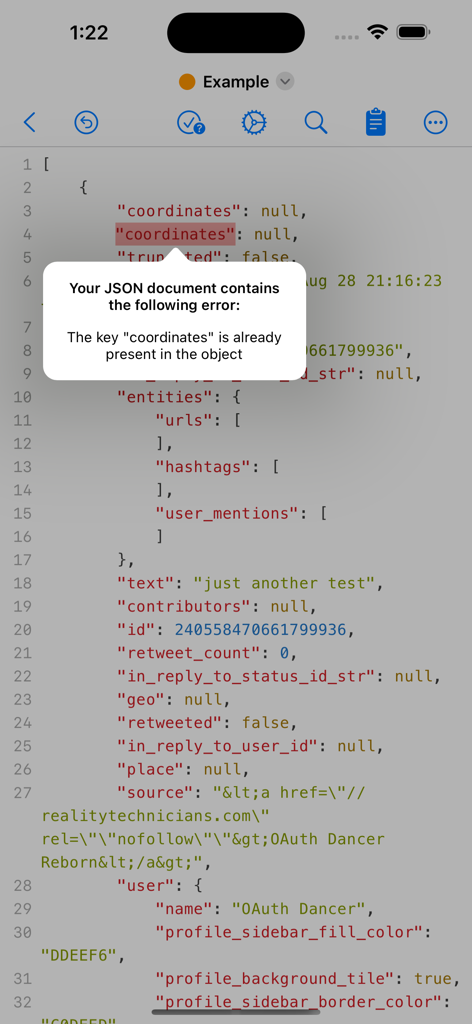
JSON Editor Mobile displaying a validation error alert for a duplicate key in a code document.
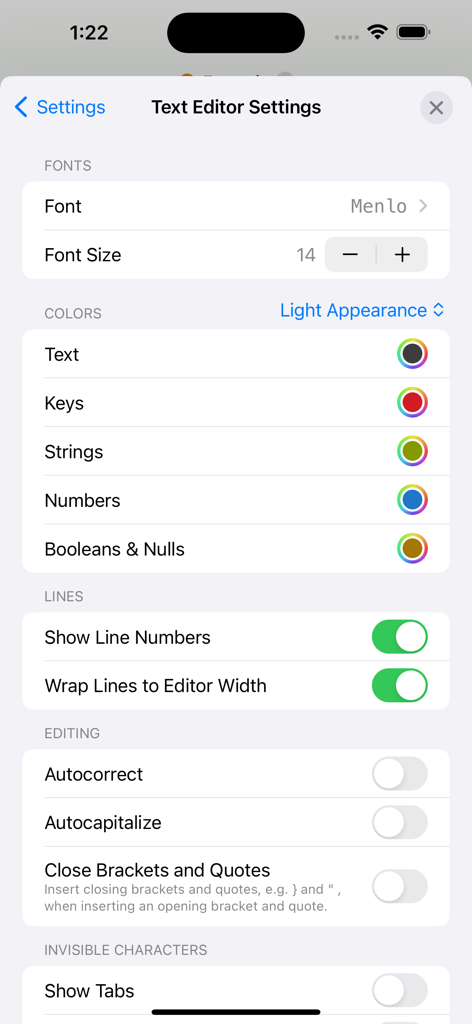
Text editor settings screen in JSON Editor Mobile showing font and color customization options
Description
Download
More Like This
Top-ranked apps in the same category

TestFlight
Apple Inc.

Replit: Vibe Code Apps
Replit, Inc

GitHub
GitHub

O-KAM Pro
Shenzhen VeePai IoT Intelligent Technology LLC

Apple Developer
Apple Inc.

Expo Go
650 Industries, Inc.

Scriptable
Simon Stovring

App Store Connect
Apple Inc.

Sekai: Create · Remix · Play
Versa AI, Inc.
This page is not an official page of the app or its developer, but an independent editorial publication created for informational and commentary purposes. Unless expressly stated otherwise, neither the app nor its developer is affiliated with, endorsed by, sponsored by, authorized by, or otherwise officially connected with MWM, Apple, Google Play, the app publisher, or the app's developer, and nothing on this page implies that the app was developed using MWM's services. Any trademarks, logos, screenshots, and other content remain the property of their respective owners.