Lao Keyboard: Translator
Download on App Store

This page is not an official page of the app or its developer, but an independent editorial publication created for informational and commentary purposes. Unless expressly stated otherwise, neither the app nor its developer is affiliated with, endorsed by, sponsored by, authorized by, or otherwise officially connected with MWM, Apple, Google Play, the app publisher, or the app's developer, and nothing on this page implies that the app was developed using MWM's services. Any trademarks, logos, screenshots, and other content remain the property of their respective owners.

Logo of Lao Keyboard: Translator
Download on App Store

Lao Keyboard: Translator

The ultimate keyboard extension for the Lao community. Connect with family on social media using smart auto-suggestions, instant translation, and fully customizable themes that reflect your unique identity.

Key Figures

Downloads

1000

User Rating

1.0/5

Total Ratings

0

Publisher

Rushikesh Trivedi

Category

Utilities

Locales

1

Latest Version

1.1.4

Size

29.0 MB

First Released

Feb 1, 2022
Features

Communicate in Lao with Confidence

The all-in-one keyboard extension designed for the modern Lao diaspora, featuring smart typing assistance, instant translation, and endless visual customization.

Smart Script Predictions

Type faster and more accurately with an intelligent auto-suggestion engine that recognizes your intent even if you are still mastering the script.

In-App Translation

Bridge the gap between languages instantly. Translate your Lao text to any language directly within your favorite social and messaging apps.

The following screenshots and description are sourced directly from the app's official store listing and are the property of the app developer.

App Store

Screenshots
Lao Keyboard: Translator - Splash screen of the Lao Keyboard Translator app featuring a keyboard icon with Lao characters on an iPhone
Splash screen of the Lao Keyboard Translator app featuring a keyboard icon with Lao characters on an iPhone

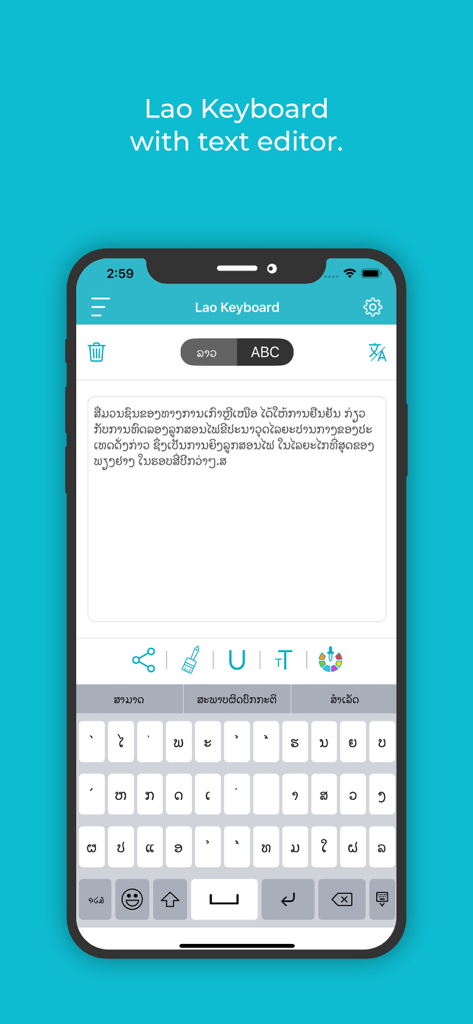
Lao Keyboard: Translator - Lao Keyboard app interface displaying a text editor and keyboard with Lao characters
Lao Keyboard app interface displaying a text editor and keyboard with Lao characters

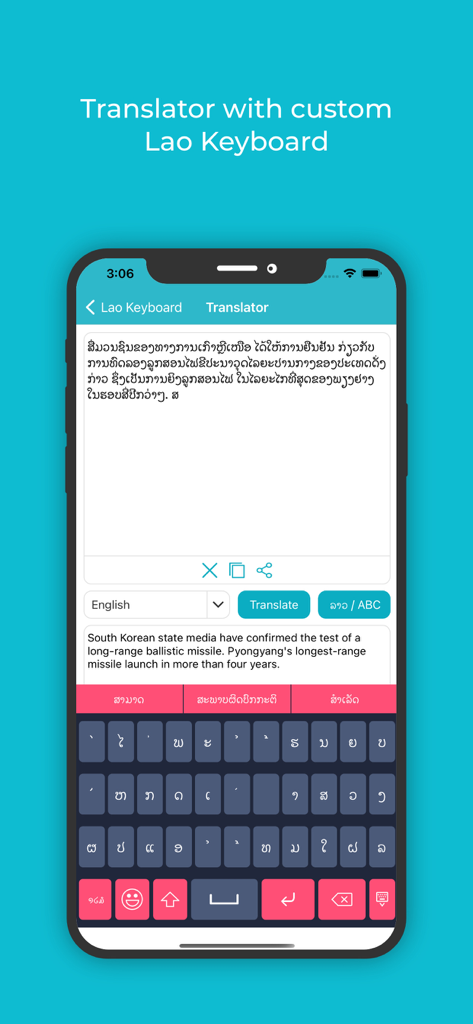
Lao Keyboard: Translator - Lao Keyboard and Translator app interface showing Lao script translation and custom keyboard
Lao Keyboard and Translator app interface showing Lao script translation and custom keyboard

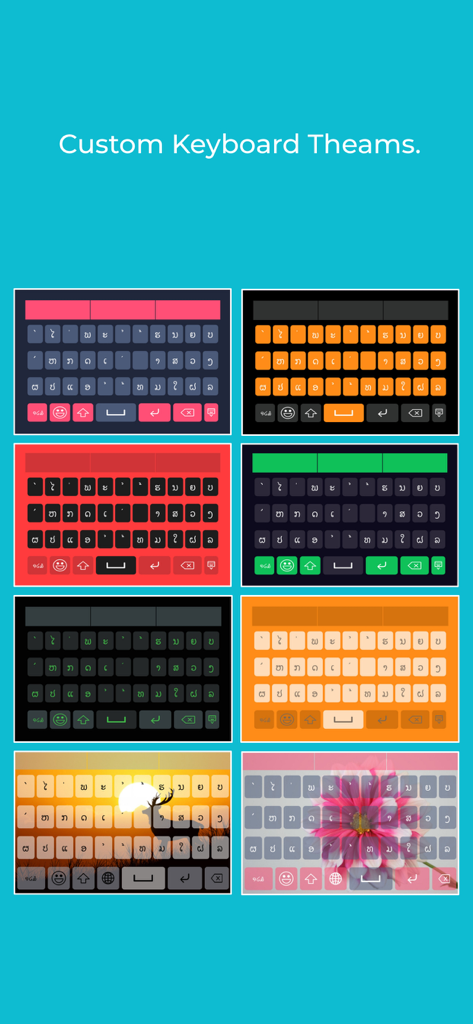
Lao Keyboard: Translator - A variety of colorful custom keyboard themes and background skins for the Lao Keyboard app.
A variety of colorful custom keyboard themes and background skins for the Lao Keyboard app.

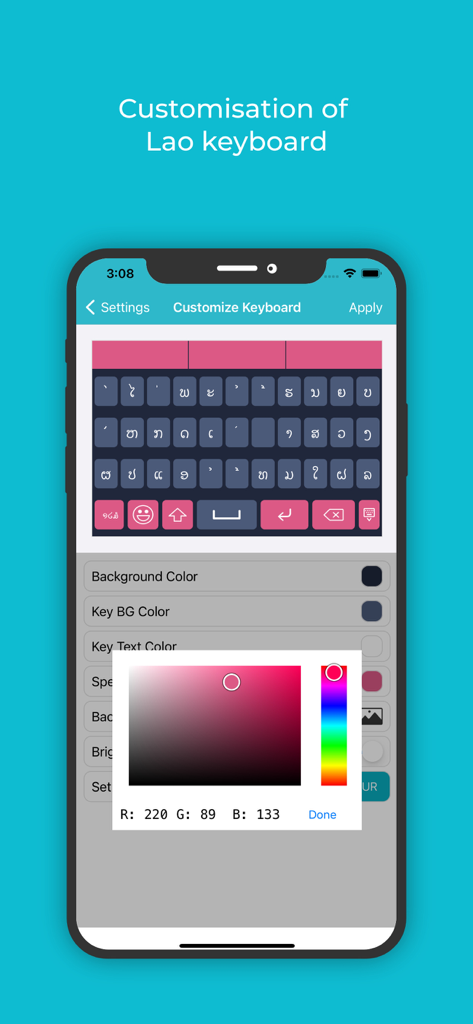
Lao Keyboard: Translator - Screenshot of the Lao Keyboard app showing customization settings with a pink color picker for themes and backgrounds
Screenshot of the Lao Keyboard app showing customization settings with a pink color picker for themes and backgrounds

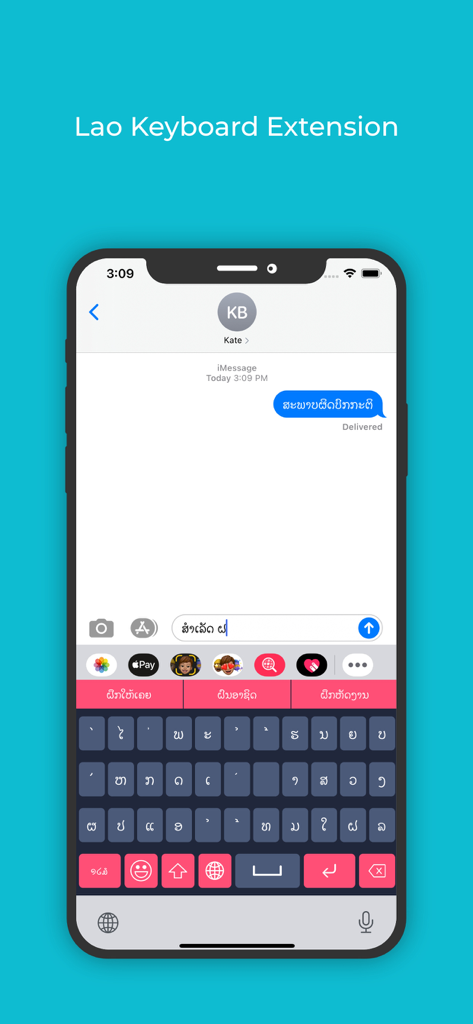
Lao Keyboard: Translator - Lao keyboard extension being used in a messaging app on an iPhone
Lao keyboard extension being used in a messaging app on an iPhone

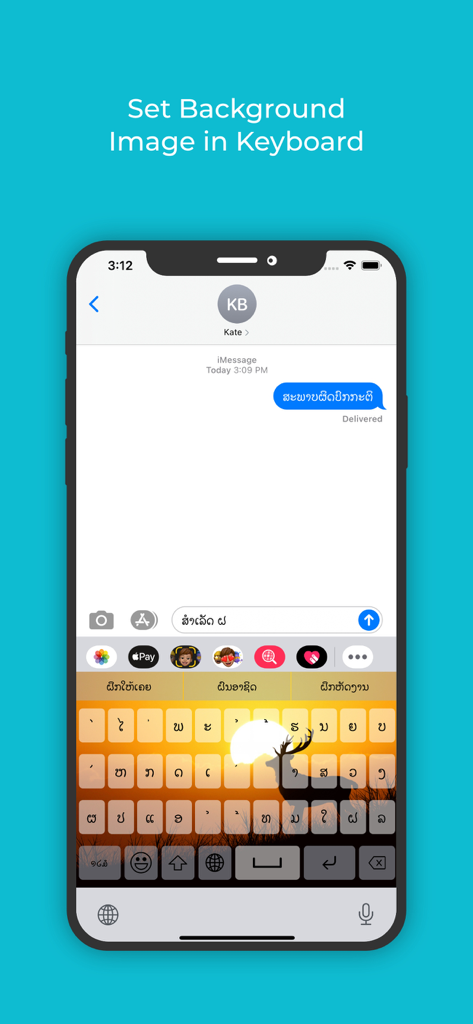
Lao Keyboard: Translator - Lao keyboard interface featuring a custom sunset and deer background image with Lao script characters

Lao keyboard interface featuring a custom sunset and deer background image with Lao script characters

Description

**** Lao Keyboard and Translator ***** If you want to write something in Lao, but have still not mastered the language, use this Lao keyboard and translator, the best Lao keyboard and translator for iOS. You can easily write and if there is any mistake, or you are not able to recall some particular word that would fit, it offers an auto suggestion very quickly, and more importantly very precisely. Even if you are an expert at Lao language, you can use this Lao keyboard and translator iOS that has a multitude of features and functionalities to make your message appealing to the eye and compelling to the mind of the reader. This best Lao Keyboard And Translator for iOS has been researched very well, so whatever word you intend to write, it picks it up without offering irrelevant word suggestions. This is the reason that makes it the best Lao Keyboard And Translator for iOS users. Next, once you write in Lao, you can translate the text to any language of the world just by a few clicks. So you can compare your content both in intent and syntax with other languages easily. Complete your Lao writing tasks very easily with this Lao keyboard and Translator for iOS. Change font colors, keyboard skins, background images and what not. This Lao Keyboard And Translator is all yours to explore. App Features • Easily write messages in Lao language with the Lao keyboard for iOS. • Changing the font, the colour, underlining features inbuilt in this Lao keyboard iOS. • Directly share messages or delete them with the best Lao Keyboard And Translator for iOS as you’d like. • Keypress sound functionality and vibration functionality to make tying feel fun. • Change colours for the Background colour, Key background colour, Keyboard text colour, Suggestion box colour etc, so that typing does not seem boring and monotonous with this Lao keyboard for iOS. • With the Lao keyboard for iOS, you can even set your own image in the background. • If you do not wish to spend a lot of time in the setup, use the default theme that comes in built in the best Lao Keyboard and Translator for iOS. • A colour picker allows you to pick any colour of your choice. • You can also pick out from the many available themes for the keyboard. • Another important feature in the Lao keyboard and Translator, and one that makes this the best Lao keyboard and Translator for iOS is its adaptability with apps. Use the keyboard extension feature to type Lao directly into any app. • If you later wish to translate your Lao message to any other language, you can easily do so as there are a number of languages already pre-installed in this Lao keyboard and Translator with iOS software. How To Use • Once the software for this best Lao keyboard and Translator for iOS is installed, you can use the enable extension feature in this app, to sync it with any other app where you want to start writing Lao. • Now use the apps background and theme settings to customise before you start typing, or go with the default theme in the best Lao Keyboard for iOS. • Once you start typing, you can underline, colour or change the font of any letter to emphasise or de-emphasise it in this best Lao Keyboard And Translator for iOS. • Once you’re done with your writing in Lao, you can use the translator feature in the best Lao Keyboard And Translator for iOS to convert the text into any other language as well.

Download

Download on App Store

This page is not an official page of the app or its developer, but an independent editorial publication created for informational and commentary purposes. Unless expressly stated otherwise, neither the app nor its developer is affiliated with, endorsed by, sponsored by, authorized by, or otherwise officially connected with MWM, Apple, Google Play, the app publisher, or the app's developer, and nothing on this page implies that the app was developed using MWM's services. Any trademarks, logos, screenshots, and other content remain the property of their respective owners.








