
This page is not an official page of the app or its developer, but an independent editorial publication created for informational and commentary purposes. Unless expressly stated otherwise, neither the app nor its developer is affiliated with, endorsed by, sponsored by, authorized by, or otherwise officially connected with MWM, Apple, Google Play, the app publisher, or the app's developer, and nothing on this page implies that the app was developed using MWM's services. Any trademarks, logos, screenshots, and other content remain the property of their respective owners.


Lens - PDF Scanner and Editor
Paperwork dissolves. This app hands users a digital desk, perfectly organized.
Downloads
100k+User Rating
Total Ratings
4.5KPublisher
Category
ProductivityLocales
12Latest Version
1.1.7Size
335.7 MBFirst Released
Dec 19, 2025An evaluation of core functionalities designed for productivity-focused users.
Key Features Analysis: Lens - PDF Scanner and Editor
Advanced OCR Capabilities
It allows users to convert scanned documents into searchable and editable text, significantly boosting productivity and data accessibility.
High-Quality Document Scanning
The app provides rapid, high-quality digitization of various document types into clean PDF files.
Comprehensive In-App PDF Editing
The app provides direct editing functionalities, including annotations, highlighting, and drawing, for quick adjustments without external tools.
Intelligent Auto-Enhancement
This tool features automatic edge detection and clarity enhancement, ensuring professional-looking scans with minimal effort.
Flexible Document Export & Merging
This tool features options to merge multiple scanned pages into one document and export them effortlessly as PDFs or images.
Intuitive Document Organization
It allows users to manage scanned documents efficiently by organizing them into custom folders.
The following screenshots and description are sourced directly from the app's official store listing and are the property of the app developer.
App Store
Screenshots
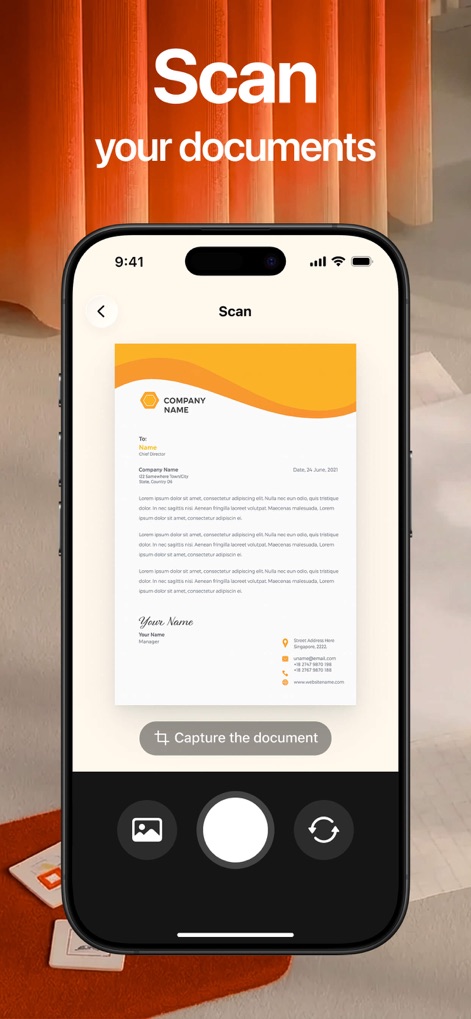
Observe how Lens provides an intuitive camera interface with a live document preview and a clear 'Capture the document' button for effortless scanning.
Document Digitization Simplified
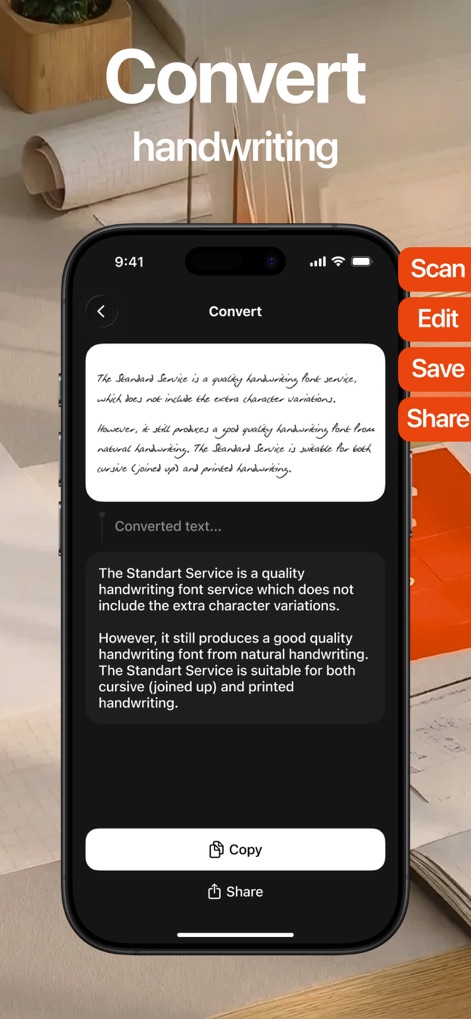
This tool expertly transforms handwritten notes into searchable digital text, showcasing both the original handwritten input and the precise 'Converted Text' output.
Handwriting to Digital
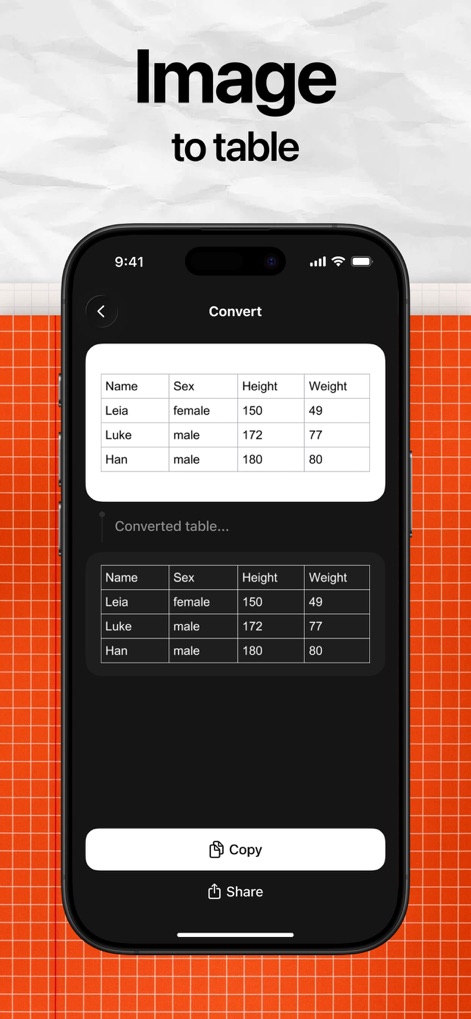
Witness the app's capability to extract structured information, converting an image of a table into a fully editable 'Converted table' format.
Data Transformation
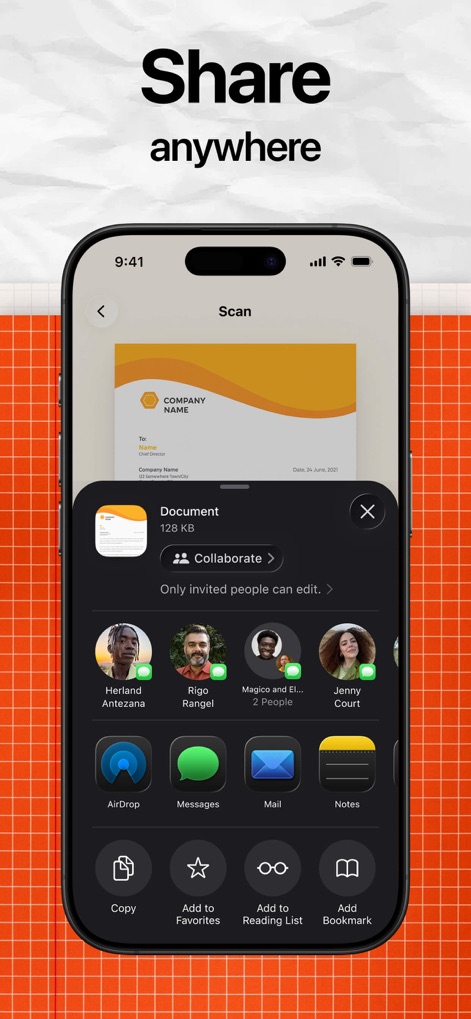
Users can efficiently distribute their digitized files, as demonstrated by the scanned document preview and the comprehensive system share sheet for various platforms.
Seamless Document Sharing
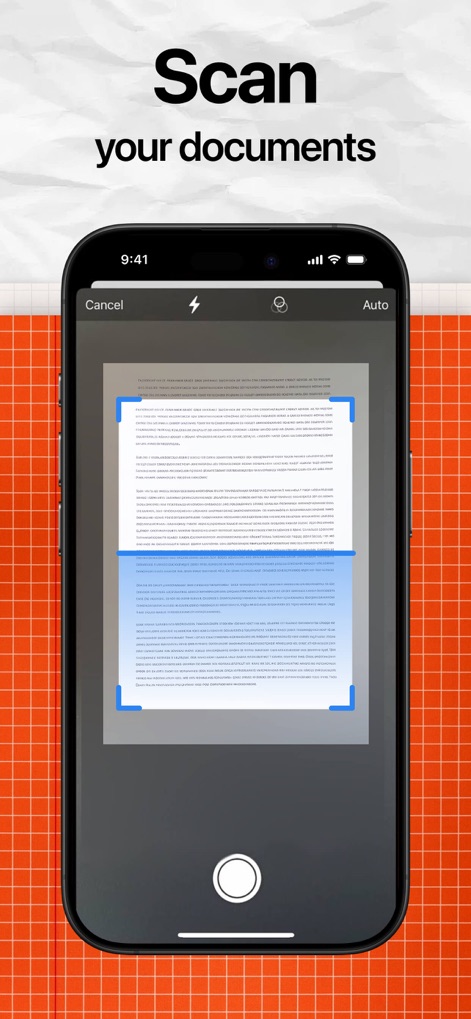
This screenshot highlights the app's intelligent design, displaying automatic edge detection with adjustable blue selection handles and convenient 'Auto' scan mode options.
Smart Scanning Features
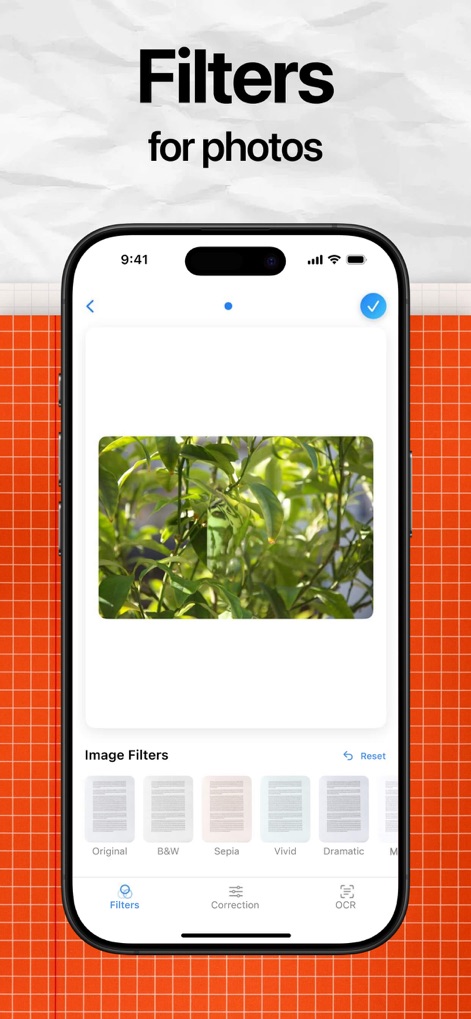
Discover how the app allows for visual refinement, featuring a prominent image preview and a diverse carousel of 'Image Filters' to enhance scanned documents or photos.
Visual Enhancement Options
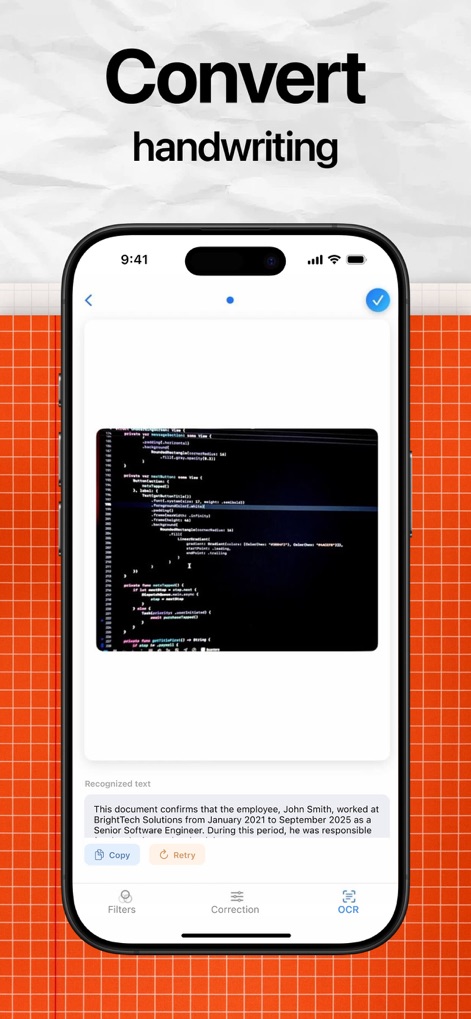
Observe the app's powerful optical character recognition, converting an image of code into precise 'Recognized text' for easy digital access.
Advanced OCR Precision

The app provides robust organization capabilities, featuring a structured 'Folders' section for categorization and a practical 'Recent Documents' list for quick access.
Intuitive Document Management
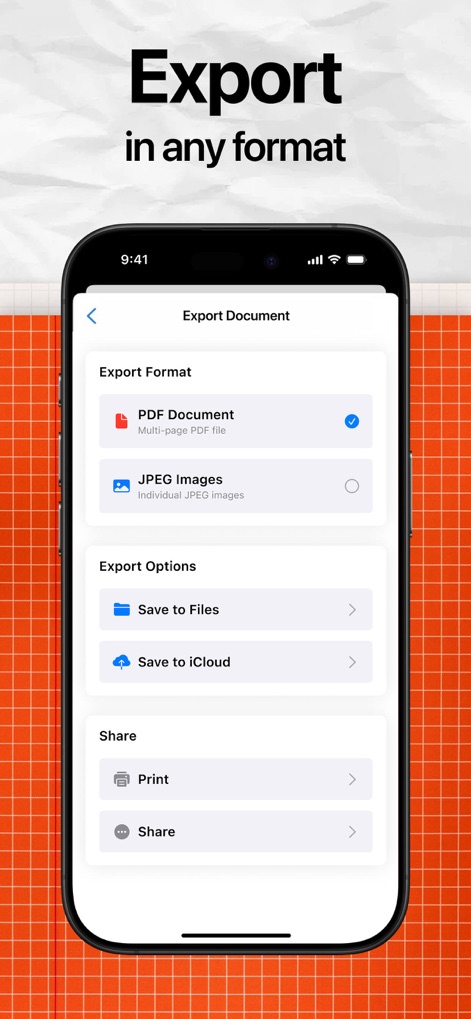
Users can seamlessly export their documents, choosing between 'PDF Document' and 'JPEG Images' formats, and utilizing diverse 'Export Options' including cloud services.
Flexible Export & Sharing
Description
Download
More Like This
Top-ranked apps in the same category

ChatGPT
OpenAI OpCo, LLC

Google Gemini
Google LLC

Grok
X.AI Corporation

Gmail - Email by Google
Google LLC

千问 - 阿里最强大模型官方AI助手
Shanghai Zhixin Puhui Technology Co., Ltd.

Google Drive
Google LLC

Microsoft Authenticator
Microsoft Corporation

Google Sheets
Google LLC
Google Docs
Google LLC
This page is not an official page of the app or its developer, but an independent editorial publication created for informational and commentary purposes. Unless expressly stated otherwise, neither the app nor its developer is affiliated with, endorsed by, sponsored by, authorized by, or otherwise officially connected with MWM, Apple, Google Play, the app publisher, or the app's developer, and nothing on this page implies that the app was developed using MWM's services. Any trademarks, logos, screenshots, and other content remain the property of their respective owners.