
This page is not an official page of the app or its developer, but an independent editorial publication created for informational and commentary purposes. Unless expressly stated otherwise, neither the app nor its developer is affiliated with, endorsed by, sponsored by, authorized by, or otherwise officially connected with MWM, Apple, Google Play, the app publisher, or the app's developer, and nothing on this page implies that the app was developed using MWM's services. Any trademarks, logos, screenshots, and other content remain the property of their respective owners.

LGMV-Business
Streamline your service calls with real-time refrigeration cycle data, black box diagnostics, and expert troubleshooting guides designed specifically for LG air conditioning engineers.
Downloads
1K+User Rating
Total Ratings
100Publisher
Category
UtilitiesLocales
-Latest Version
1.3.1Size
53.9 MBFirst Released
Apr 9, 2020Precision Engineering at Your Fingertips
Empower your service team with advanced diagnostic tools designed to streamline LG HVAC maintenance and maximize first-time fix rates.
Live System Diagnostics
Monitor refrigerant cycles and system pressures in real-time, eliminating the need for bulky manual manifold gauges on-site.
Black Box Data Analysis
Access historical operation logs to pinpoint elusive intermittent faults and verify system performance trends over time.
Frequently Asked Questions
Everything you need to know about LGMV-Business
What is the LGMV-Business app used for?
The LGMV-Business app monitors LG Air Conditioner product status, diagnoses issues, and interprets refrigeration cycles for service engineers. It helps them identify operation status and provide solutions.
Who can use the LGMV-Business app?
The LGMV-Business app is exclusively for air conditioning service engineers. General users cannot use this application.
What does the Monitoring viewer feature in LGMV-Business provide?
The Monitoring viewer in LGMV-Business displays key air conditioner information. It also presents pressure and frequency data in a graphical format.
Does LGMV-Business offer a troubleshooting guide?
Yes, LGMV-Business offers a Troubleshooting guide. It displays error numbers and provides resolution plans via a PDF document for specific error codes.
Is a special module required to use LGMV-Business?
Yes, a separately sold LGMV Wi-Fi Module (PLGMVW100) is required for some LGMV-Business functionalities. Indoor unit operation control needs this module connected to the outdoor unit.
Can LGMV-Business save air conditioner data?
Yes, LGMV-Business saves received air conditioner information as files. It also saves Black Box data and Test operation results from the product.
Is there a new version of LGMV available?
Yes, a new LGMV version is available, expanding support to platforms like iPhone while maintaining consistent UX and features. The previous LGMV will cease service.
The following screenshots and description are sourced directly from the app's official store listing and are the property of the app developer.
App Store
Screenshots
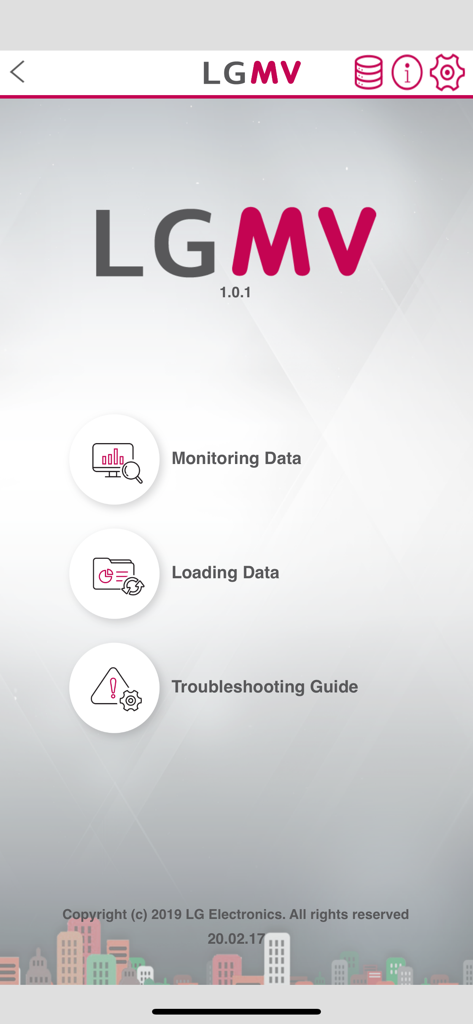
LGMV Business app main menu with options for monitoring data and troubleshooting.
Description
Download
More Like This
Top-ranked apps in the same category

Google LLC

Google Chrome
Google LLC

中国移动(手机营业厅)
China Mobile Online Services Co., Ltd.

Google Authenticator
Google LLC

CNH do Brasil
Servicos e Informacoes do Brasil

Cleanup: Phone Storage Cleaner
DEEP FLOW SOFTWARE SERVICES - FZCO

gov.br
Servicos e Informacoes do Brasil

Microsoft Edge: AI Browser
Microsoft Corporation

Super VPN Fly 2026
YUNFAN TECHNOLOGY CO., LIMITED
This page is not an official page of the app or its developer, but an independent editorial publication created for informational and commentary purposes. Unless expressly stated otherwise, neither the app nor its developer is affiliated with, endorsed by, sponsored by, authorized by, or otherwise officially connected with MWM, Apple, Google Play, the app publisher, or the app's developer, and nothing on this page implies that the app was developed using MWM's services. Any trademarks, logos, screenshots, and other content remain the property of their respective owners.