
This page is not an official page of the app or its developer, but an independent editorial publication created for informational and commentary purposes. Unless expressly stated otherwise, neither the app nor its developer is affiliated with, endorsed by, sponsored by, authorized by, or otherwise officially connected with MWM, Apple, Google Play, the app publisher, or the app's developer, and nothing on this page implies that the app was developed using MWM's services. Any trademarks, logos, screenshots, and other content remain the property of their respective owners.

LiDAR View
Visualize your surroundings in total darkness and map complex environments with real-time contour overlays, 3D point clouds, and immersive stereo vision.
Downloads
0User Rating
Total Ratings
0Publisher
Category
UtilitiesLocales
1Latest Version
2.1Size
3.4 MBFirst Released
Sep 14, 2023Unlock Your Pro Hardware's Full Potential
LiDAR View turns your high-end iPhone or iPad into a professional-grade spatial sensor, giving you superpowers to see through darkness and visualize complex geometry.
See Through the Dark
Navigate pitch-black attics or dim environments with ease. By using infrared LiDAR instead of visible light, you can clearly see your surroundings when cameras fail.
Precision Contour Overlay
Perfect for DIY projects and interior design. Merge your camera feed with LiDAR data to highlight the physical contours and 'bones' of any room in real-time.
The following screenshots and description are sourced directly from the app's official store listing and are the property of the app developer.
App Store
Screenshots
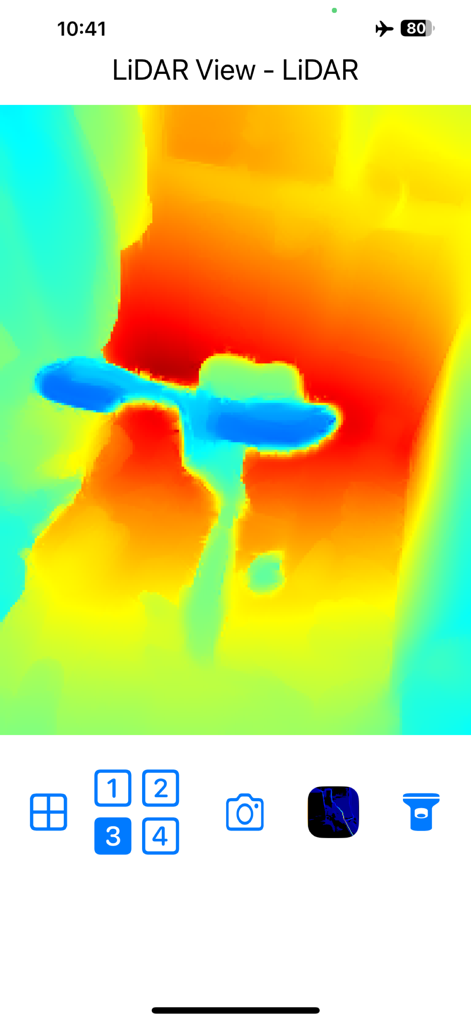
Real-time LiDAR depth map visualization showing distance with color-coded heatmap in the LiDAR View app
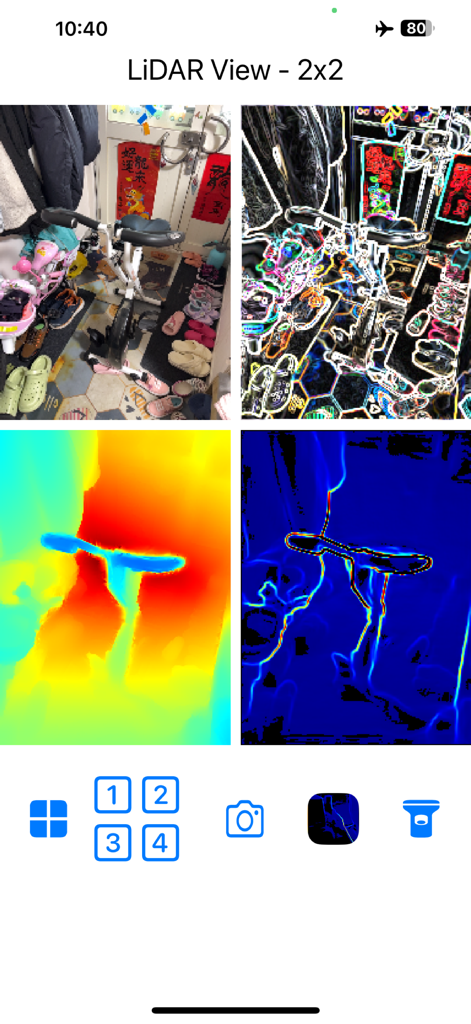
A 2x2 grid display in the LiDAR View app showing simultaneous camera feed, contour highlighting, and colorized depth maps.
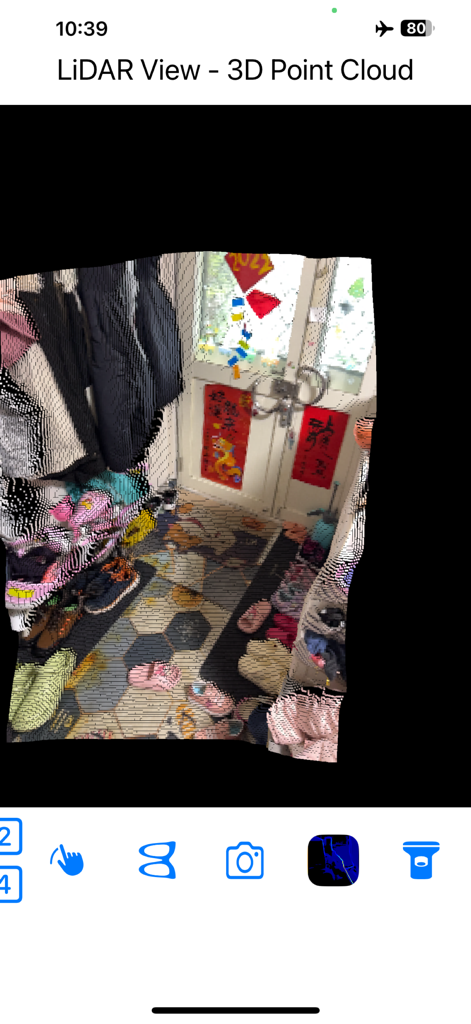
3D point cloud visualization of a room interior using the LiDAR View app
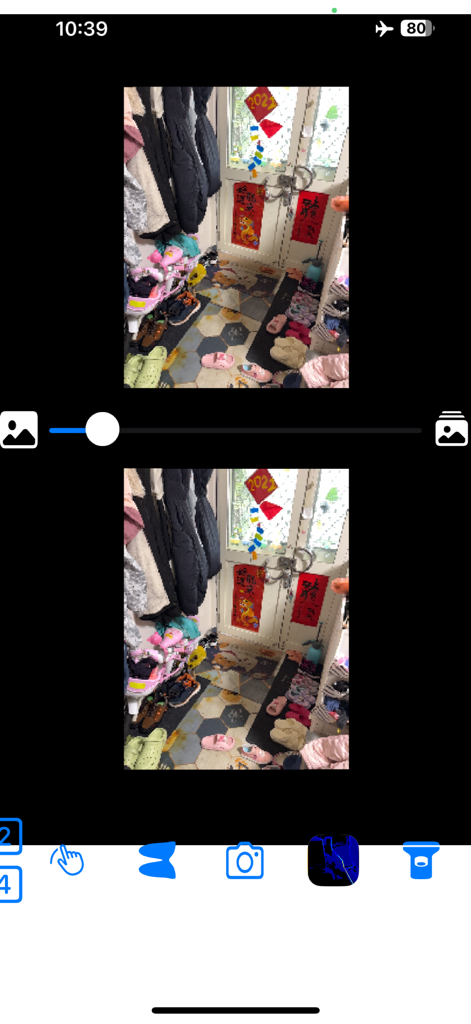
LiDAR View app interface showing a side by side stereo view for VR headsets and Google Cardboard
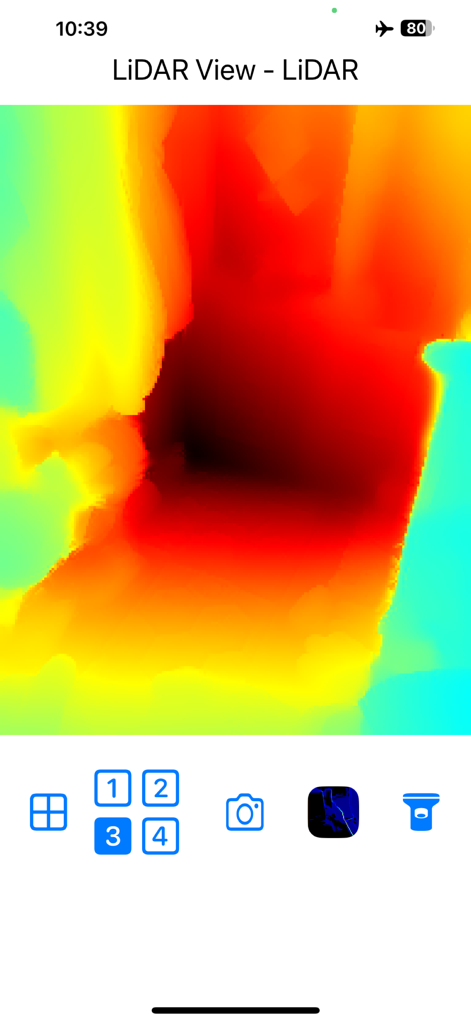
Real-time colorful LiDAR depth map visualization showing spatial distance through color gradients
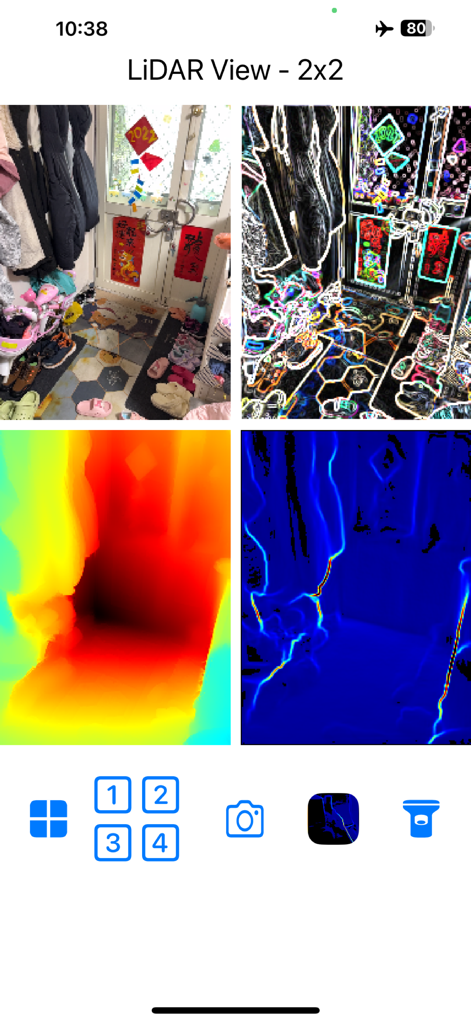
A 2x2 grid display of LiDAR View app showing camera feed contour detection and depth map visualizations
Description
Download
More Like This
Top-ranked apps in the same category

Google LLC

Google Chrome
Google LLC

中国移动(手机营业厅)
China Mobile Online Services Co., Ltd.

Google Authenticator
Google LLC

Cleanup: Phone Storage Cleaner
DEEP FLOW SOFTWARE SERVICES - FZCO

Super VPN Fly 2026
YUNFAN TECHNOLOGY CO., LIMITED

gov.br
Servicos e Informacoes do Brasil

CNH do Brasil
Servicos e Informacoes do Brasil

Microsoft Edge: AI Browser
Microsoft Corporation
This page is not an official page of the app or its developer, but an independent editorial publication created for informational and commentary purposes. Unless expressly stated otherwise, neither the app nor its developer is affiliated with, endorsed by, sponsored by, authorized by, or otherwise officially connected with MWM, Apple, Google Play, the app publisher, or the app's developer, and nothing on this page implies that the app was developed using MWM's services. Any trademarks, logos, screenshots, and other content remain the property of their respective owners.