
This page is not an official page of the app or its developer, but an independent editorial publication created for informational and commentary purposes. Unless expressly stated otherwise, neither the app nor its developer is affiliated with, endorsed by, sponsored by, authorized by, or otherwise officially connected with MWM, Apple, Google Play, the app publisher, or the app's developer, and nothing on this page implies that the app was developed using MWM's services. Any trademarks, logos, screenshots, and other content remain the property of their respective owners.


Lightleap by Lightricks
Unflattering photos are obsolete. Lightleap by Lightricks grants users the power to effortlessly bend reality, transforming casual snaps into captivating visual statements.
Downloads
25M+User Rating
Total Ratings
196.2KPublisher
Category
Photo & VideoLocales
12Latest Version
1.21Size
270.5 MBFirst Released
Aug 31, 2017Software Evaluation: Lightleap by Lightricks
A critical analysis of key functionalities for casual photographers and social media enthusiasts.
Sky Replacement
The app provides a unique function to instantly replace photo backgrounds with a selection of over 60 high-quality skies, ranging from sunny to fantasy, allowing users to dramatically change the mood and setting of their images.
One-Tap Style Looks
The app features predefined "Looks" that allow users to instantly change the overall vibe of their photos, creating a signature style for social media feeds with options like golden hour glows, dusk, or fantasy aesthetics.
Curated Filters
It offers a diverse collection of gorgeous, theme-based filters, allowing users to apply specific moods like warm, black and white, or urban, and adjust their intensity to achieve desired aesthetic effects quickly.
Object Removal & Retouch
This tool enables users to effortlessly remove unwanted elements like people or smudges from their photos and correct minor imperfections, ensuring a clean and polished final image.
Dynamic Effects
This tool lets users add various special effects such as shadow overlays, sparkles, lens flares, and seasonal themes to bring dull areas to life and enhance the visual appeal of their photos with dynamic elements.
Comprehensive Adjustments
The app provides a full suite of essential editing tools, including light, contrast, temperature, tint, hue, cropping, sharpening, depth, structure, and grain, empowering users to fine-tune every detail for a professional finish.
Frequently Asked Questions
Everything you need to know about Lightleap by Lightricks
What is Lightleap by Lightricks?
Lightleap by Lightricks is a photo editor app that enables users to transform their photos quickly. It offers features like Sky replacement, healing, filters, effects, and comprehensive adjustment tools for professional-looking results.
How can I replace the sky in my photos using Lightleap?
Lightleap's Sky feature allows users to replace the background sky with one tap. It offers over 60 high-quality sky backgrounds, including options like sunny, dusk, sunset, storm, and fantasy skies, to enhance images.
Can Lightleap remove unwanted objects or people from images?
Yes, Lightleap features a Heal function designed to remove unwanted objects or people from photos. Users can select and erase items in both the foreground and background, and also smooth over mistakes.
What are 'Looks' in the Lightleap photo editor?
In the Lightleap photo editor, 'Looks' are predefined styles that change a photo's vibe with one tap. They function as filters, allowing users to create signature styles or apply specific moods like golden hour or dusk.
Does Lightleap offer various photo filters?
Yes, Lightleap provides numerous filters organized by theme, such as warm, black and white, urban, and fade. Users can easily adjust the intensity of these filters to achieve their desired photographic effects.
What kind of special effects are available in Lightleap?
Lightleap offers special effects like shadow overlays, sparkles, lens flares, and weather manipulations to enhance photos. Users can also add seasonal themes and adjust mood elements for creative outcomes.
What photo adjustment tools does Lightleap include?
Lightleap includes a comprehensive set of adjustment tools. These allow users to modify light, contrast, temperature, tint, and hue. The app also supports cropping, sharpening, depth, structure, and grain adjustments.
Is Lightleap a standalone app or part of a suite?
Lightleap is part of the Enlight Creativity Suite by Lightricks, an award-winning developer. This suite also includes other creative applications like Pixaloop, Videoleap, and Photofox, enhancing user creativity.
Who developed the Lightleap app?
Lightleap is developed by Lightricks, an award-winning app developer known for its Enlight Creativity Suite. Lightricks also developed apps such as Pixaloop, Videoleap, and Photofox.
The following screenshots and description are sourced directly from the app's official store listing and are the property of the app developer.
App Store
Screenshots
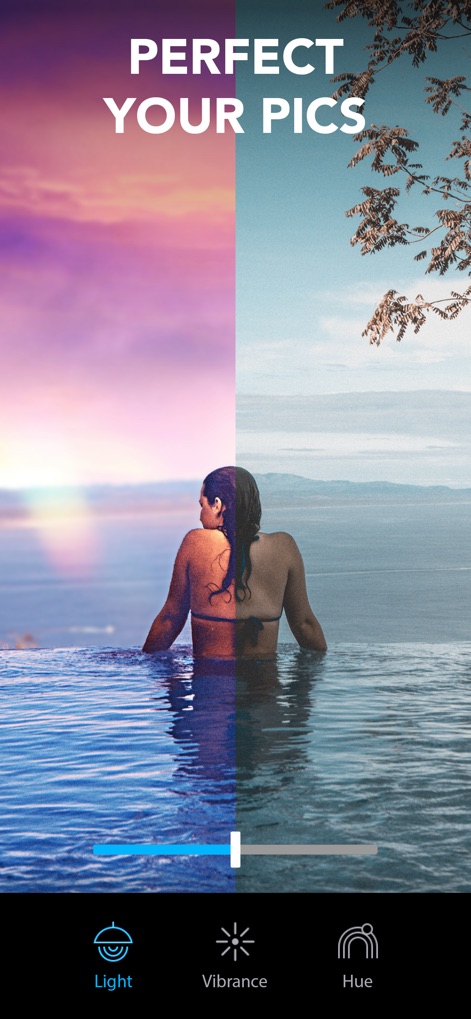
Photo Perfection Unlocked
This tool allows users to effortlessly transform their images, showcasing vibrant color enhancements via the intuitive before/after slider and precise control over "Vibrance" and "Hue."
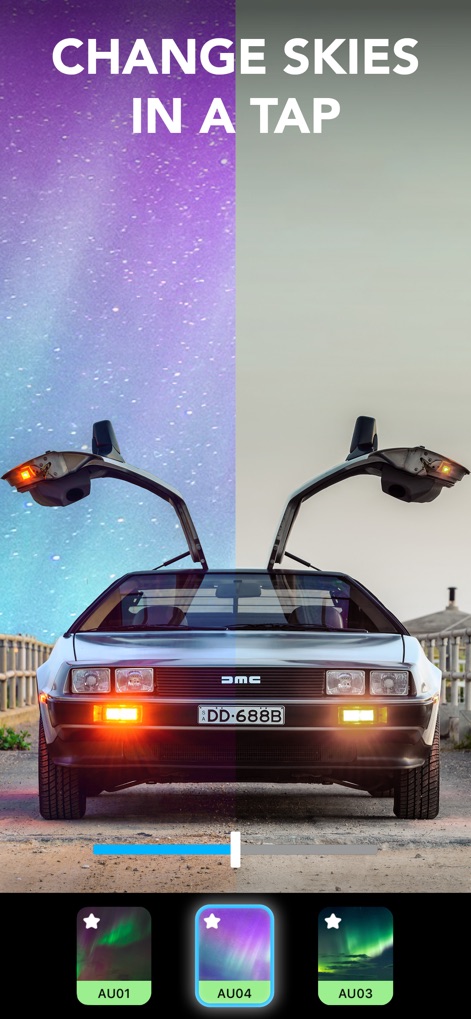
Dynamic Sky Transformations
Discover how quickly users can revolutionize backgrounds with the Sky feature, instantly changing dull skies to vibrant ones like the "AU04" aurora preset, visible through the clear before/after comparison.
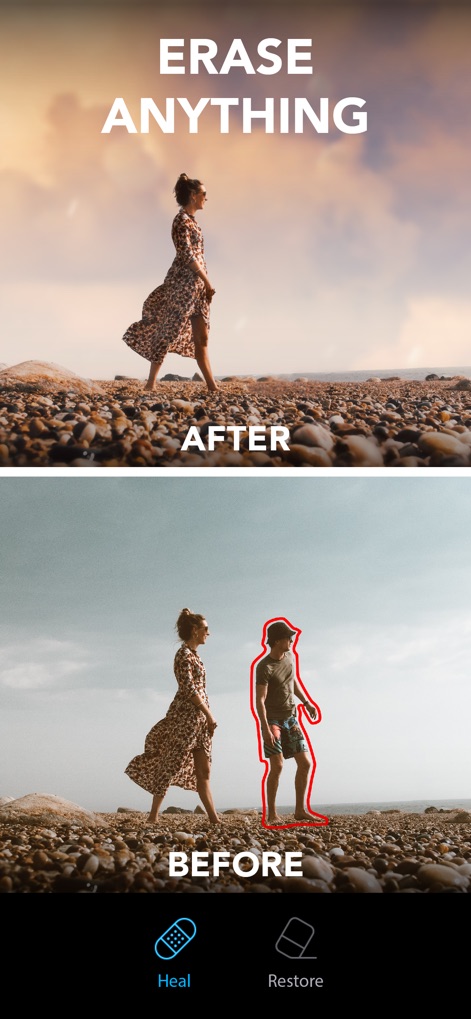
Seamless Object Removal
The app's powerful "Heal" function is demonstrated, allowing users to flawlessly erase unwanted elements like a person from the background, as clearly shown in the dramatic before/after comparison.
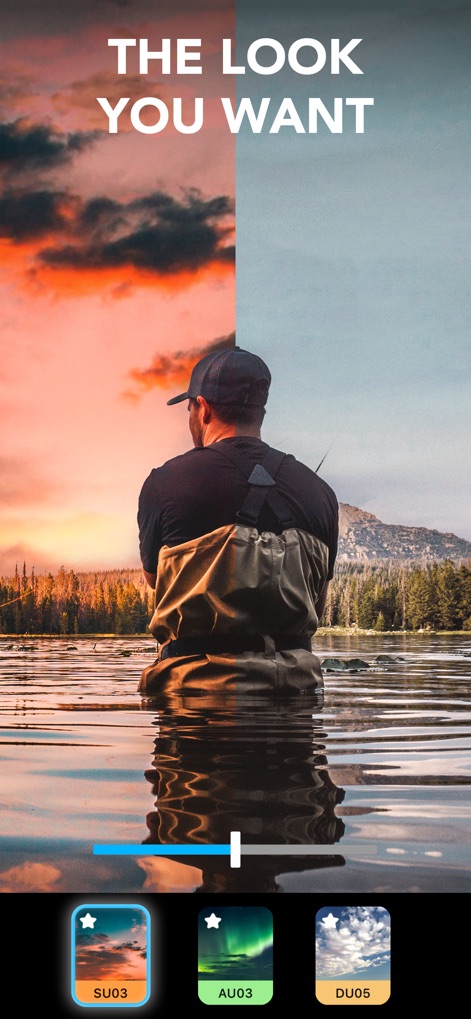
Instant Aesthetic Styles
Explore how users can instantly apply predefined "Looks" to alter a photo's atmosphere, highlighting the "SU03" preset's ability to create a stunning sunset glow, easily controlled by a slider.
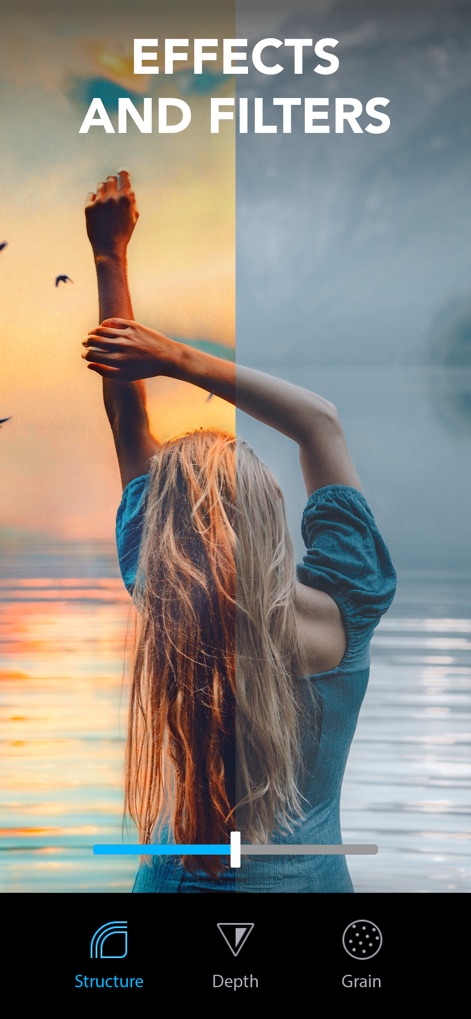
Creative Filter Finesse
Witness the transformative power of the app's filters and effects, where users can refine image details using "Structure" and "Depth" adjustments to achieve a polished, warm-toned aesthetic.
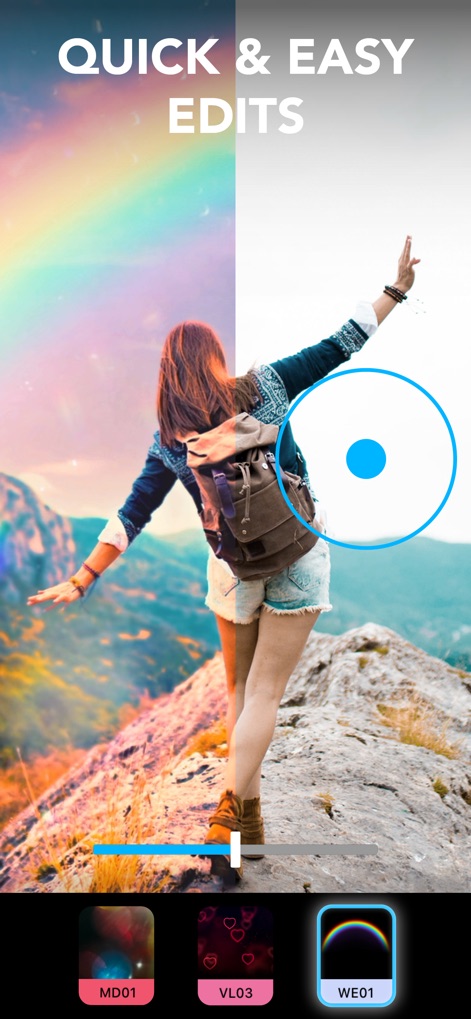
Effortless Photo Enhancement
This tool showcases its user-friendly interface for rapid edits, demonstrating how easily a user can apply captivating effects like the "WE01" rainbow overlay using a simple, interactive slider.
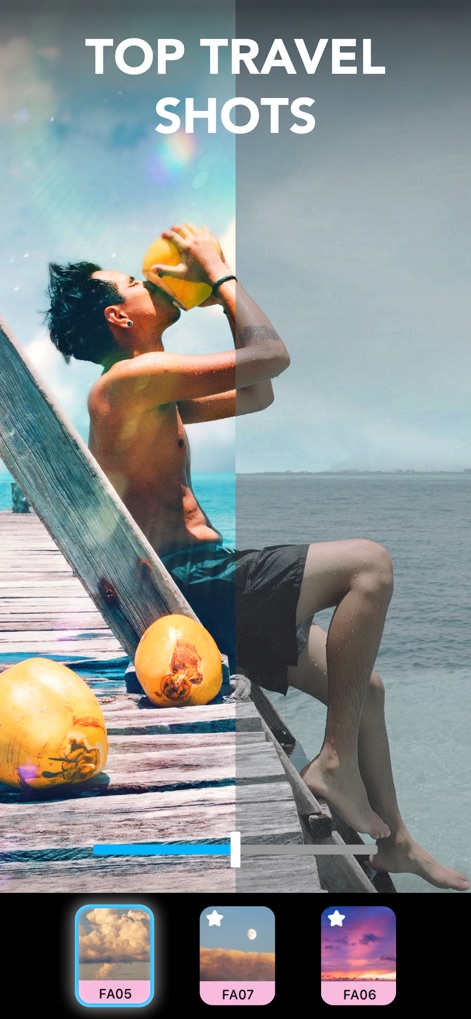
Travel Vibe Amplified
See how Lightleap elevates travel photography, allowing users to enhance a scene's mood with vibrant colors and options like the "FA05" cloud preset, effortlessly transforming ordinary shots.
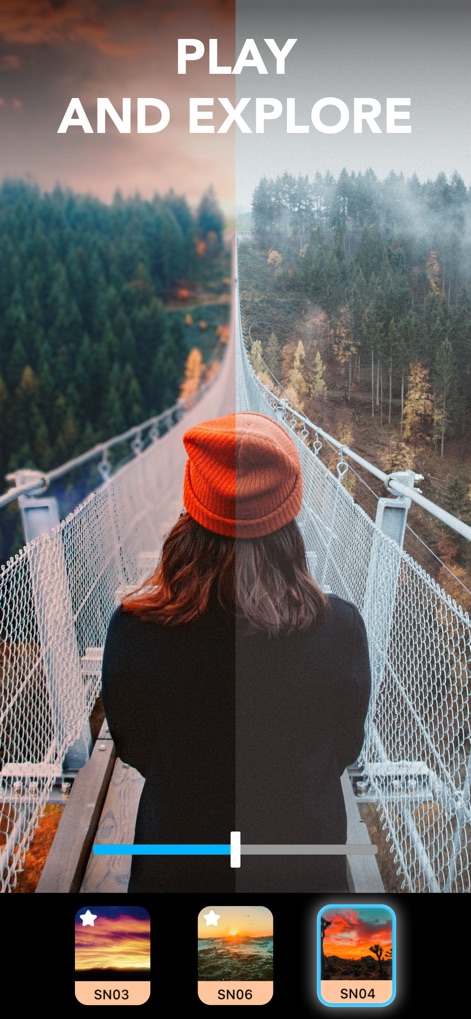
Discover New Horizons
The app encourages creative exploration, enabling users to dramatically alter ambient light and sky with presets such as "SN03," adding an inspiring, atmospheric touch to landscapes.
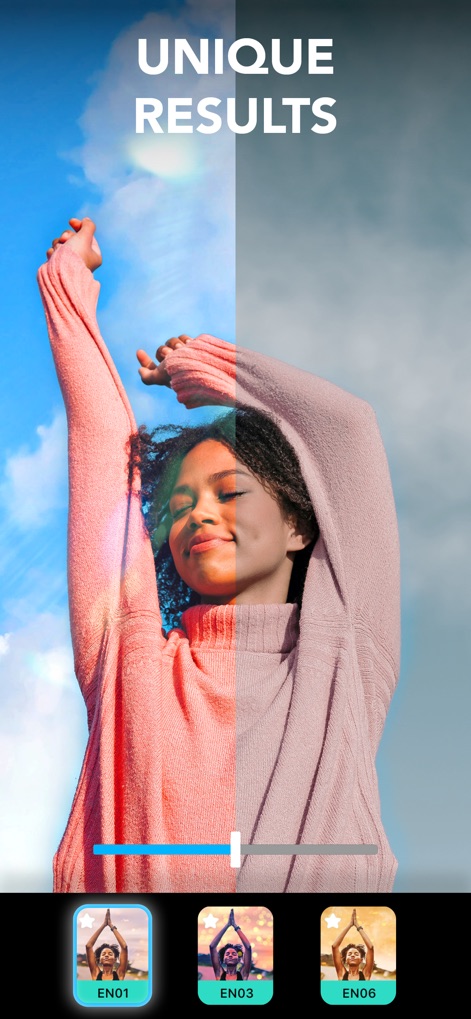
Distinctive Photo Artistry
Witness how Lightleap empowers users to achieve personalized and striking results, evident in the enhanced vibrant colors and the artistic sun flare effect provided by the "EN01" preset.

Masterful Image Control
The app provides precise control over essential editing parameters, allowing users to adjust "Exposure" and "Temperature" to achieve a perfectly balanced and beautifully toned final image.
Description
Download
More Like This
Apps with similar features and user experience

EPIK - AI Photo & Video Editor
SNOW Corporation

Citrus: AI 1 Tap Perfect Photo
Wemagine.ai LLP

SnapEdit: Photo Editor AI
SilverAI Joint Stock Company

Background Eraser 〜 Stickers
handyCloset Inc.

PhotoScan by Google Photos
Google LLC

Magic Eraser - Remove Object
Creatix Technology Global Limited

Magic Eraser Background Editor
Honk Honk Punch Pty Ltd

ProKnockOut-Cut Paste Photos
Shenzhen Qianhai Happy Tour Network Technology Co., Ltd.

Background Eraser - Remove BG*
SHANTANU PTE. LTD.
This page is not an official page of the app or its developer, but an independent editorial publication created for informational and commentary purposes. Unless expressly stated otherwise, neither the app nor its developer is affiliated with, endorsed by, sponsored by, authorized by, or otherwise officially connected with MWM, Apple, Google Play, the app publisher, or the app's developer, and nothing on this page implies that the app was developed using MWM's services. Any trademarks, logos, screenshots, and other content remain the property of their respective owners.