LightPDF Scanner: The AI-Powered Assistant to Scan, Edit, and Sign on the Go
Empowering students and professionals to digitize notes, erase handwriting from exams, and create perfect ID photos with professional precision—all from your pocket.
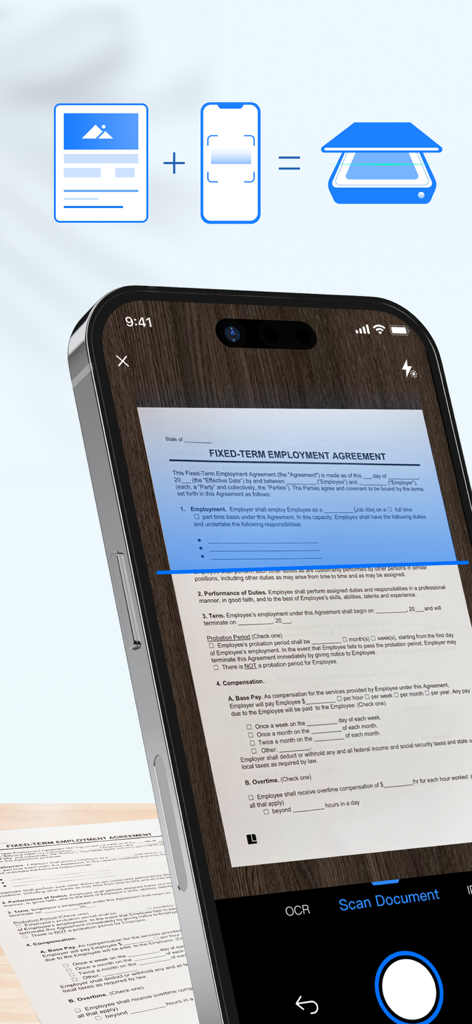
A smartphone using the LightPDF Scanner app to scan an employment agreement document on a wooden surface.
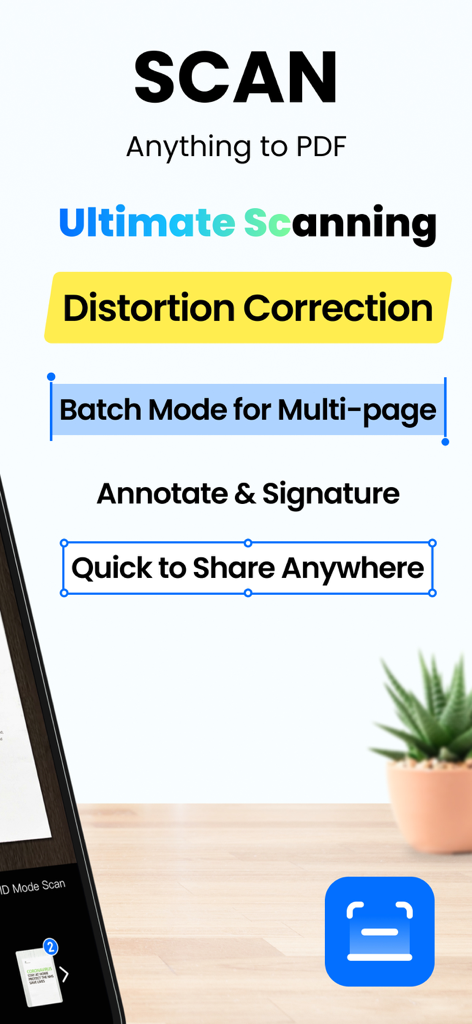
A promotional screen for LightPDF Scanner highlighting features like distortion correction and multi-page batch mode
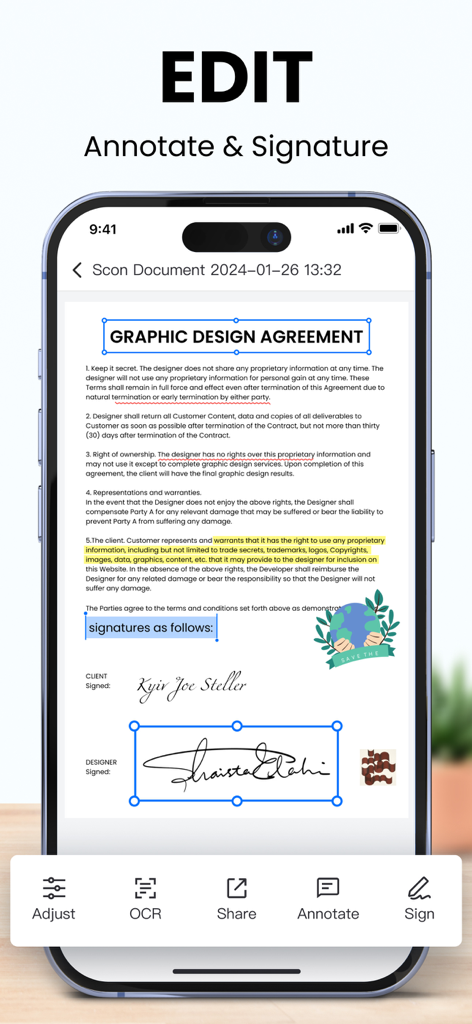
LightPDF Scanner app interface showing digital signature and annotation tools on a graphic design agreement
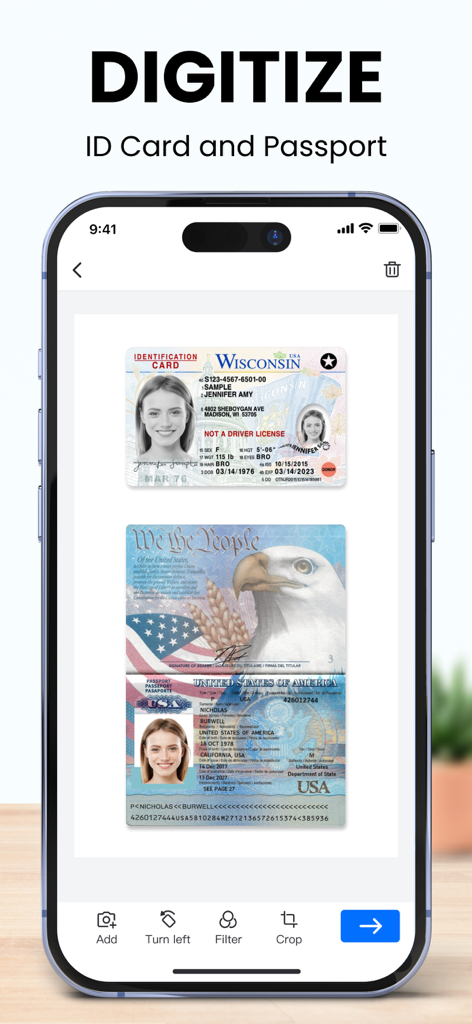
A smartphone displaying the LightPDF Scanner app interface digitizing a Wisconsin ID card and a US passport.
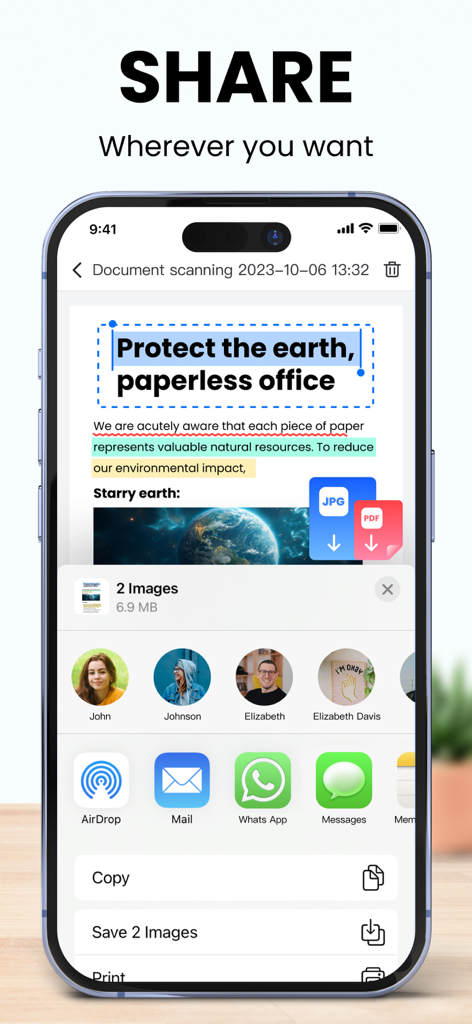
LightPDF Scanner mobile app showing document sharing options and the paperless office concept
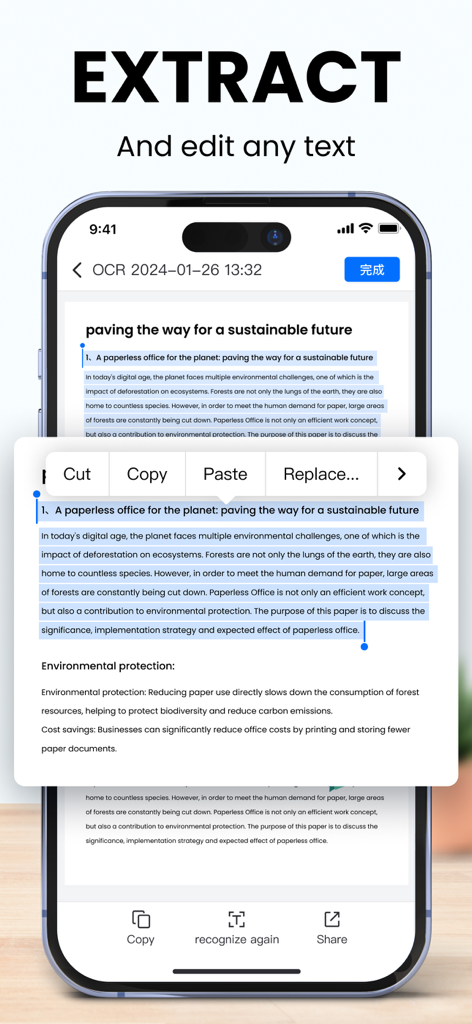
A smartphone screen showing the LightPDF Scanner app extracting and editing text from a scanned document using OCR technology.
Scan, Edit, and Study Smarter
The tools that make this app stand out, trusted by 10K+ users.
✍️
The Ultimate Study Hack
Instantly remove handwriting from old exams for fresh practice and convert messy whiteboard notes into clean, editable text with AI OCR.
💼
Your Mobile HQ
E-sign contracts on the fly and convert scans directly to Word or Excel while keeping the layout perfect for professional collaboration.
🆔
Skip the Print Shop
Create government-compliant passport and ID photos with automatic background removal, saving you time and money on administrative errands.
About the app
Everything you need to know about LightPDF Scanner: Scan PDF.
Description
Say goodbye to huge and heavy copy machines, and say hello to your mobile phone by using the powerful scanner app LightPDF Scanner. Simply take a photo of the file, and the app will automatically convert it into a high-quality PDF file. Easy and fast to create quality scans on the go.
-------------------------
Key Features:
Document Scanner:
1. Scan Files
- Scan anything you need, books, papers, contracts, notes, photos...
- Unique smart calibration technology helps to correct image distortion and cluttered background, ensuring quality scans.
- Batch scanning lets you scan multiple documents into one single file, saving you from the hassle of combining them manually.
2. Scan IDs
- ID Card & Passport mode is specifically designed for fast scans of ID photos, saving you a trip to the print shop.
- ID info is 100% confidential, only visible to you.
PDF Converter & Editor:
1. File Converter
- This PDF scanner saves any of your scans as PDF, Word, Excel, TXT, and JPG.
- The converted files retain the original layout of text, images and tables, ensuring a seamless transition.
2. PDF Editor
- There is a variety of editing tools for further modifying: add, delete, merge, annotate, e-sign, and highlight.
- The AI Retouch mode harness the power of AI to remove sensitive or private info from the file.
3. Text Recognition (OCR)
- Extract text from PDFs and uneditable images swiftly, copy text with a single tap, or export it as a TXT file for editing the text.
- Supports 20+ languages including Simplified Chinese, Traditional Chinese, English, Japanese, Spanish, French, and more.
ID Photo Assistant:
1. Taking ID Photos
- The ID mode supports commonly-used ID sizes, including passports for US, UK, Japan, and Visa for US and EU.
- Automatically remove backgrounds, and offer various colors, specifications, and filters for good-looking ID photos.
2. Fix Blurry Image
- The new Unblur Image mode rescues you from blurred photos, improving image quality in a simple tap.
Essential Learning Tools:
1. Erase Handwriting
- Automatically removes handwritings from test papers, giving you a completely blank new paper.
- Save you from the mistakes you made in your study.
2. Scan Books
- Easily convert books, materials, notes into e-books. Access them on the go anytime, anywhere, making learning efficient and flexible.
3. Convert Handwriting To Text
- Take photos of blackboard or whiteboard notes, the app automatically converts them into texts, helping you organize and backup your notes efficiently, saving time in taking note in the class.
Quick Share & Send
1. Share the file in the format you need, PDF, JPG, TXT, etc.
2. Email scans as attachments.
3. Share with other by social media and messaging apps.
4. Print directly from our scanner app.
-------------------------
Use Cases:
1. Students: Organize lecture notes, collect study materials, submit homework, collaborate in group studies and create ID photos.
2. Teachers: Archive assignments, prepare teaching materials, share educational content with students and their parents.
3. Office Use: Digitize paper contracts, meeting notes, and other imprtant documents for easy archiving, managment, and collaboration; sign document anywhere, and share project materials across departments.
Subscription Service:
1. Periods: 1 Month, 1 Year, 3 Years.
2. Pricing:
$4.99/month with a 3-Day Free Trial. Continuous subscription, cancel anytime.
$9.99/year, continuous subscription, cance anytime.
$19.99/3 years, one-time payment, non-renewing.
3. Subscription fees are charged directly from your account.
4. To cancel the auto-renewal, manually turn off the service in Apple ID Settings at least 24 hours before the subscription expires.
5. Terms of Service: https://lightpdf.com/lightpdf-scanner-terms
6. Privacy Policy: https://lightpdf.com/lightpdf-scanner-privacy
We'd love to hear your feedback!
Email us at support@lightpdf.com
Follow us on Twitter: @LightPdf
Follow us on Facebook: Lightpdf
Latest Version
2.1.6
Size
125.3 MB
First Released
Jul 5, 2020
Your Entire Office, Right in Your Pocket.
Join thousands of students and professionals who scan, sign, and study smarter. Experience the power of AI-driven scanning and go paperless today.
App information, icons, screenshots, and descriptions displayed on this page are sourced from the Apple App Store and are the property of their respective developers. Download estimates and rankings are based on MWM's proprietary models and may not reflect actual figures. This page is provided for informational and analytical purposes only.
Believe this page infringes your intellectual property? File a dispute