
This page is not an official page of the app or its developer, but an independent editorial publication created for informational and commentary purposes. Unless expressly stated otherwise, neither the app nor its developer is affiliated with, endorsed by, sponsored by, authorized by, or otherwise officially connected with MWM, Apple, Google Play, the app publisher, or the app's developer, and nothing on this page implies that the app was developed using MWM's services. Any trademarks, logos, screenshots, and other content remain the property of their respective owners.


Live Focus
Transform ordinary photos, AI art, and old memories into professional masterpieces. Add realistic bokeh and refocus any shot long after it's been taken.
Downloads
176K+User Rating
Total Ratings
0Publisher
Category
Photo & VideoLocales
1Latest Version
2.0.4Size
48.5 MBFirst Released
May 27, 2016Pro-Level Depth for Every Memory
Transform any photo, AI-generated art, or vintage snap into a cinematic masterpiece with advanced post-capture depth mapping.
Shoot Now, Focus Later
Never miss the perfect shot again. Simply tap anywhere on your image after it's taken to shift focus and fix missed focal points instantly.
Cinematic Bokeh Effects
Get the high-end DSLR look without the expensive gear. Apply realistic, adjustable background blur to give your photos a professional edge.
The following screenshots and description are sourced directly from the app's official store listing and are the property of the app developer.
App Store
Screenshots
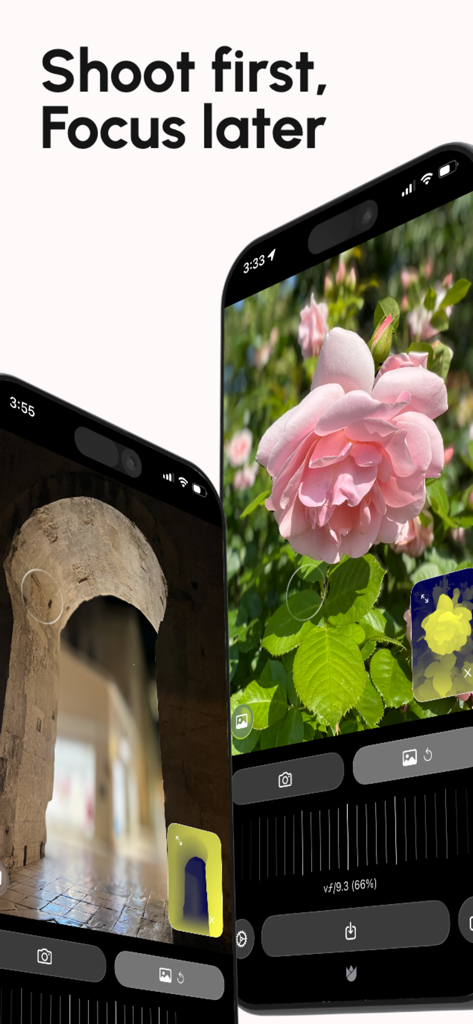
Live Focus app interface showing focus and background blur adjustments on a photo of a flower
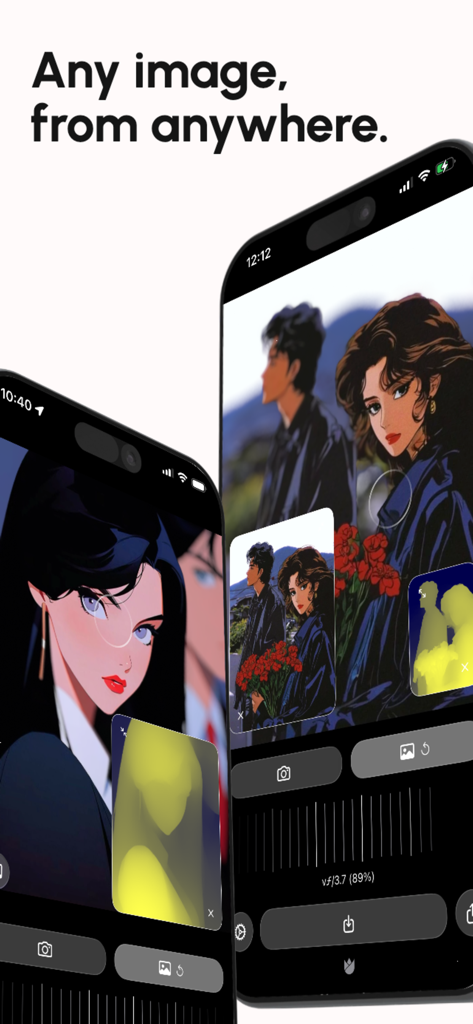
Live Focus app interface on two iPhones showing depth and focus adjustments on anime-style illustrations with a depth map overlay
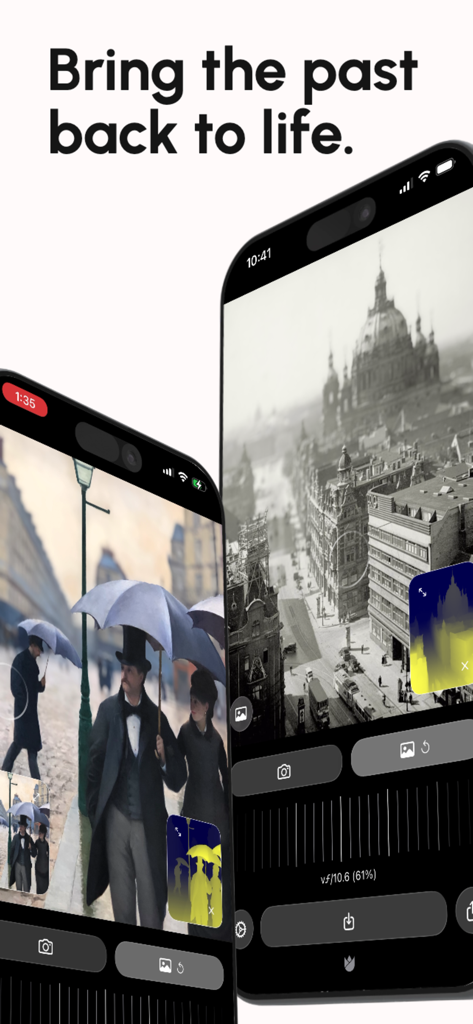
App interface showing depth mapping and refocusing on vintage black and white photographs
Description
Download
More Like This
Top-ranked apps in the same category

CapCut: Photo & Video Editor
BYTEDANCE PTE. LTD.

Instagram, Inc.

YouTube
Google LLC

Canva: AI Photo & Video Editor
Canva Pty Ltd

Snapchat
Snap, Inc.

快手
Beijing Kwai Technology Co., Ltd.

Edits: Video Editor
Instagram, Inc.

Meitu- AI Photo & Video Editor
Xiamen Meitu Technology Co., Ltd.

Google Photos: Backup & Edit
Google LLC
This page is not an official page of the app or its developer, but an independent editorial publication created for informational and commentary purposes. Unless expressly stated otherwise, neither the app nor its developer is affiliated with, endorsed by, sponsored by, authorized by, or otherwise officially connected with MWM, Apple, Google Play, the app publisher, or the app's developer, and nothing on this page implies that the app was developed using MWM's services. Any trademarks, logos, screenshots, and other content remain the property of their respective owners.