Live Transcribe Pro
Live Transcribe Pro

This page is not an official page of the app or its developer, but an independent editorial publication created for informational and commentary purposes. Unless expressly stated otherwise, neither the app nor its developer is affiliated with, endorsed by, sponsored by, authorized by, or otherwise officially connected with MWM, Apple, Google Play, the app publisher, or the app's developer, and nothing on this page implies that the app was developed using MWM's services. Any trademarks, logos, screenshots, and other content remain the property of their respective owners.
Logo of Live Transcribe Pro

Live Transcribe Pro

Follow every word in noisy restaurants, meetings, and daily life. Get instant, accurate transcription with large, easy-to-read text and total privacy—no accounts required.

Key Figures

Downloads

0

User Rating

1.0/5

Total Ratings

0

Publisher

Angel App Publishing Ltd.

Category

Utilities

Locales

1

Latest Version

1.2.1

Size

8.4 MB

First Released

Nov 26, 2025
Features

Never Miss a Word Again

From noisy family gatherings to professional lectures, Live Transcribe Pro turns every conversation into clear, real-time text on your screen.

Instant Live Subtitles

Follow along without delay. Our high-speed recognition captures every word as it is spoken, ensuring you never lose the flow of the conversation.

Private & Secure by Design

Your conversations stay yours. All processing happens securely on your device with no account required and no data stored in the cloud.

The following screenshots and description are sourced directly from the app's official store listing and are the property of the app developer.

App Store

Screenshots

Live Transcribe Pro - A person using the Real Life Subtitles app on an iPhone to view live transcription during a social conversation in a cafe
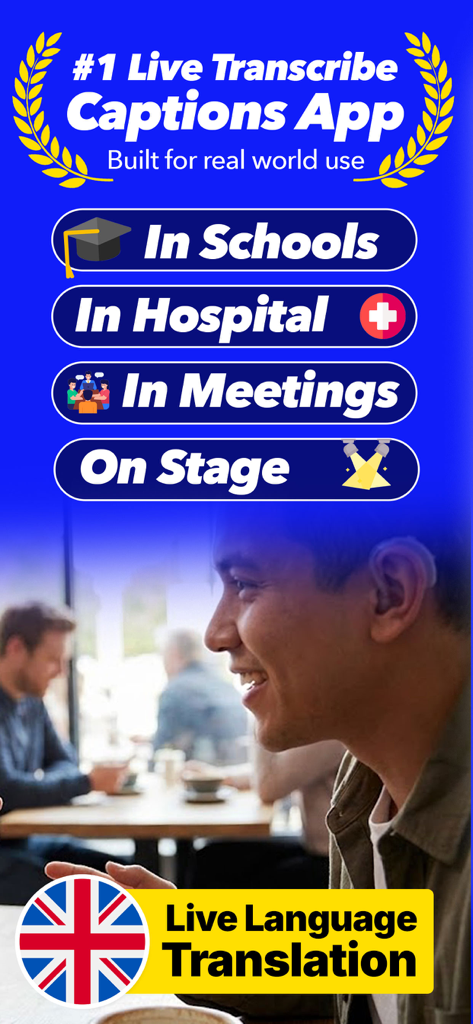
A person using the Real Life Subtitles app on an iPhone to view live transcription during a social conversation in a cafe

Live Transcribe Pro - Live Transcribe Pro app highlighting use cases in schools and hospitals with live translation
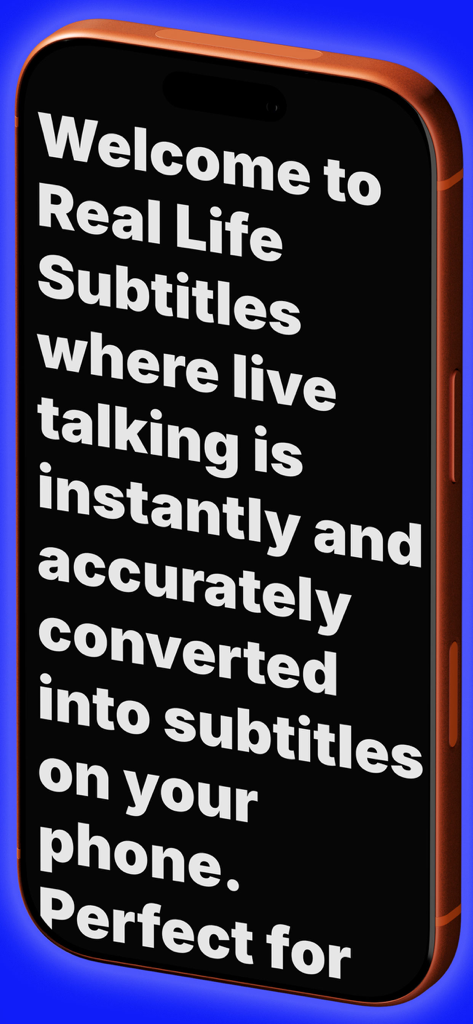
Live Transcribe Pro app highlighting use cases in schools and hospitals with live translation

Live Transcribe Pro - Welcome screen of the Real Life Subtitles app showing large transcription text on an iPhone
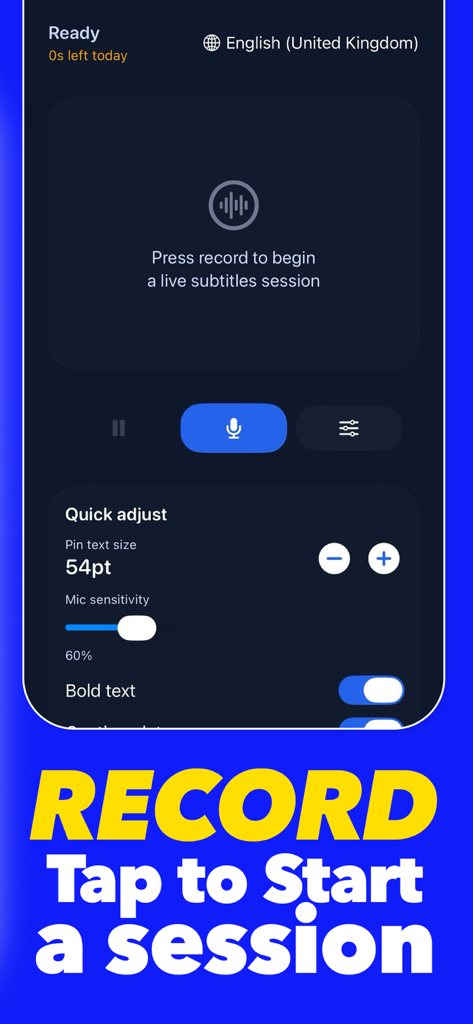
Welcome screen of the Real Life Subtitles app showing large transcription text on an iPhone

Live Transcribe Pro - Interface of the Live Transcribe Pro app showing the record button to start a session and quick adjust settings for text size and microphone sensitivity
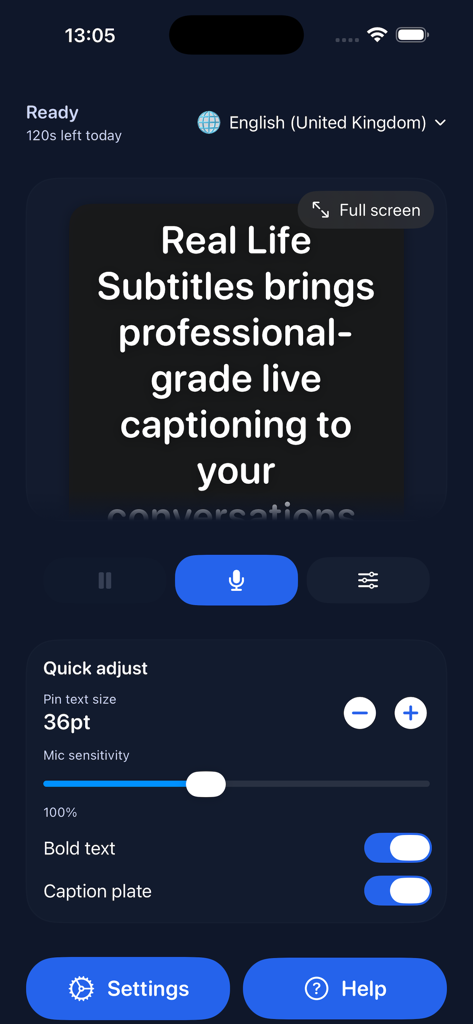
Interface of the Live Transcribe Pro app showing the record button to start a session and quick adjust settings for text size and microphone sensitivity

Live Transcribe Pro - Quick adjust settings interface in the Live Transcribe Pro app showing text size and microphone sensitivity controls
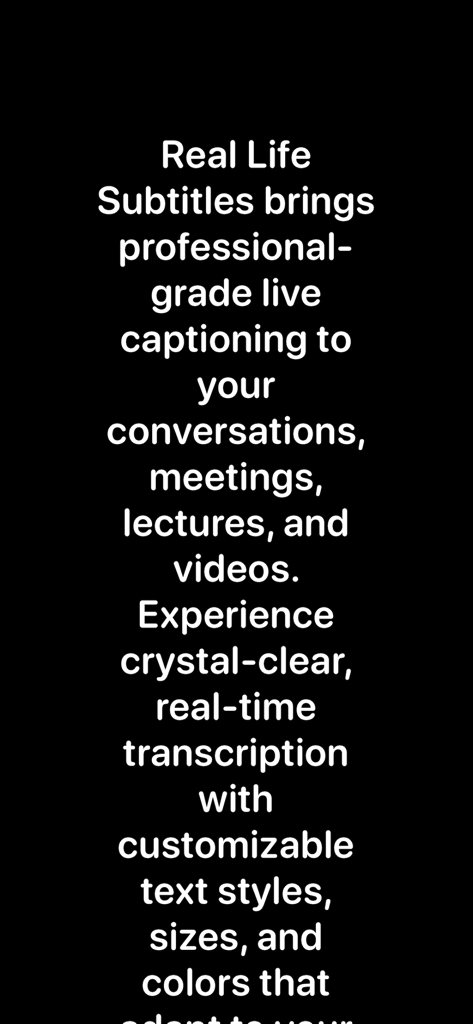
Quick adjust settings interface in the Live Transcribe Pro app showing text size and microphone sensitivity controls

Live Transcribe Pro - Text description of Live Transcribe Pro app features including live captioning for meetings and lectures with customizable text.
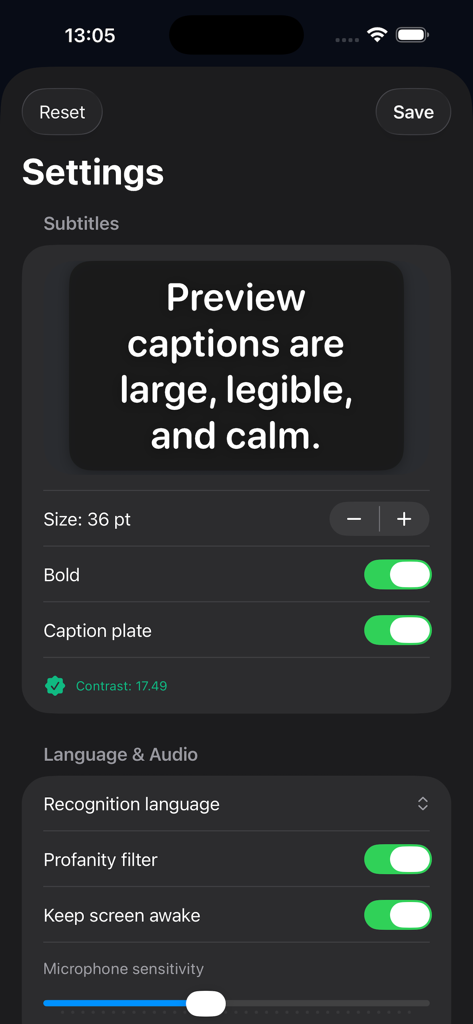
Text description of Live Transcribe Pro app features including live captioning for meetings and lectures with customizable text.

Live Transcribe Pro - Settings screen for customizing caption size and audio preferences
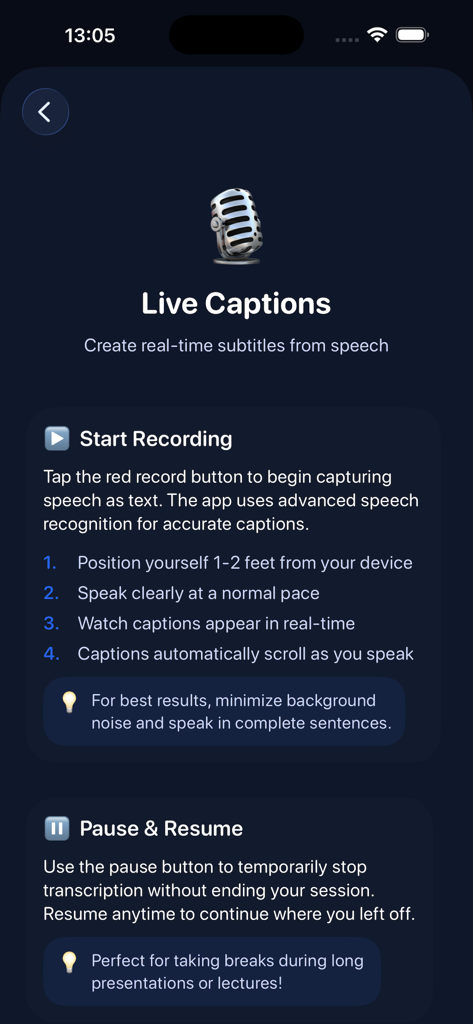
Settings screen for customizing caption size and audio preferences

Live Transcribe Pro - An instruction screen for Live Transcribe Pro explaining how to start recording real-time subtitles from speech.
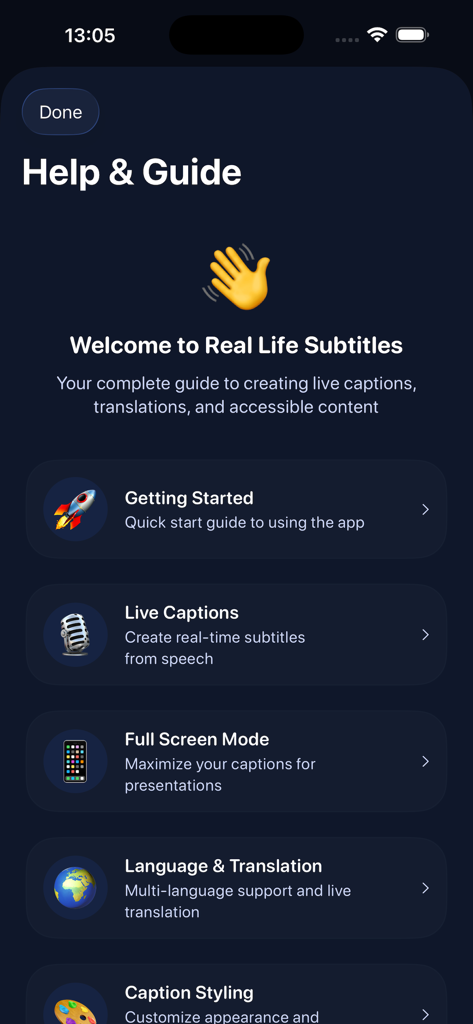
An instruction screen for Live Transcribe Pro explaining how to start recording real-time subtitles from speech.

Live Transcribe Pro - Help and Guide menu for the Live Transcribe Pro app featuring setup tutorials and captioning features
Help and Guide menu for the Live Transcribe Pro app featuring setup tutorials and captioning features

Live Transcribe Pro - App interface showing language selection and live translation features for multi-language support.

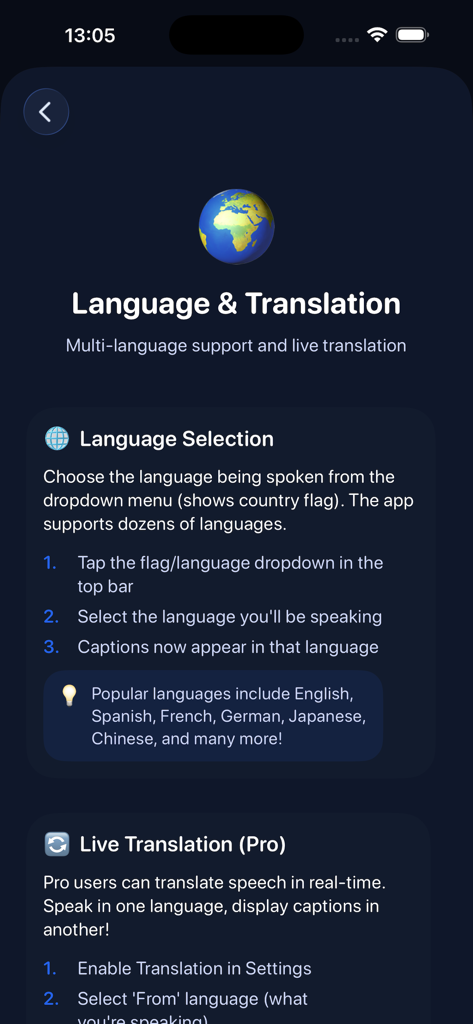
App interface showing language selection and live translation features for multi-language support.

Description

Real Life Subtitles is an easy to use app that instantly turns spoken words into clear readable text on your screen. Whether you are trying to follow fast conversations in a busy room, understand someone speaking quietly, watch a video without sound, or keep up during meetings and lessons, this app gives you a simple way to see what is being said in real time. There is no complicated setup required. Just open the app, tap start, and the microphone will begin listening and converting speech into text with impressive speed and accuracy. The clean layout makes it easy to read long sentences or short quick phrases without losing the flow of the conversation. Text appears smoothly and continuously so you can glance at your screen and understand what is happening right away. Real Life Subtitles works in a range of everyday situations. You can use it when talking with one person or with a group. It can help when watching videos or listening to speeches. It can support you in workplaces, classrooms, public settings, and even at home. If you often find yourself missing parts of conversations or struggling to hear every word, this app gives you a practical tool to stay informed and confident. The app includes adjustable text size, clear colour themes, and a distraction free mode so you can customise the experience to match your environment. Larger text makes it easier to read from a distance, while smaller text lets you see more of the conversation at once. You can also keep a continuous log of what has been said, allowing you to scroll back and re read past lines if needed. All processing happens securely on your device whenever possible, supporting both privacy and fast performance. Your conversations stay yours. There are no accounts to create and no complex menus to learn. This is a tool built for simplicity, speed, and everyday usefulness. Key features: - Instant on screen transcription - Accurate and fast recognition - Large easy to read text - Clean and simple design - Great for busy or quiet environments - Supports everyday conversations meetings classrooms and videos - Scroll back to review previous text - No account required Real Life Subtitles is designed to remove stress from communication. It gives you a reliable companion that helps you understand more of the world around you. If you have ever wished you could see the words someone said or if you want more confidence during conversations or presentations, this app offers a straightforward way to do exactly that. Download today and experience clear communication with real time text made simple. Legal and Subscription Info Disclaimer: Real Life Subtitles is not a substitute for professional transcription services or accessibility accommodations. The app provides automated speech recognition which may contain errors or inaccuracies. For critical or professional use cases, consult qualified transcription services. Note: Unlimited transcription requires a Pro subscription, which can be managed or cancelled anytime via your Apple ID Settings. Free trial available for new users. Privacy Policy: https://reallifesubtitles.com/privacy.html Terms of Use: https://reallifesubtitles.com/terms.html Apple Terms of Use: https://www.apple.com/legal/internet-services/itunes/dev/stdeula/

Download

This page is not an official page of the app or its developer, but an independent editorial publication created for informational and commentary purposes. Unless expressly stated otherwise, neither the app nor its developer is affiliated with, endorsed by, sponsored by, authorized by, or otherwise officially connected with MWM, Apple, Google Play, the app publisher, or the app's developer, and nothing on this page implies that the app was developed using MWM's services. Any trademarks, logos, screenshots, and other content remain the property of their respective owners.








