
This page is not an official page of the app or its developer, but an independent editorial publication created for informational and commentary purposes. Unless expressly stated otherwise, neither the app nor its developer is affiliated with, endorsed by, sponsored by, authorized by, or otherwise officially connected with MWM, Apple, Google Play, the app publisher, or the app's developer, and nothing on this page implies that the app was developed using MWM's services. Any trademarks, logos, screenshots, and other content remain the property of their respective owners.


LLM Bridge - Multi LLM Client
Unify OpenAI, Claude, Ollama, and LM Studio in one native iOS interface. Empower your workflow with advanced parameter control, vision AI, and a privacy-first bridge to your local servers.
Downloads
2K+User Rating
Total Ratings
0Publisher
Category
UtilitiesLocales
4Latest Version
2.2.1Size
1.9 MBFirst Released
Nov 22, 2024Ultimate Control Over Your AI Universe
The professional gateway to local and cloud LLMs. Connect to Ollama, Claude, and OpenAI with precision tools designed for power users and privacy purists.
Unified Model Management
Seamlessly switch between cloud leaders like GPT-4 and Claude, or your own local Ollama and LM Studio servers, all within one native iOS interface.
Privacy-First Local Integration
Keep your data truly private. Connect to your home or office hardware to run open-source models without your sensitive information ever hitting the cloud.
The following screenshots and description are sourced directly from the app's official store listing and are the property of the app developer.
App Store
Screenshots
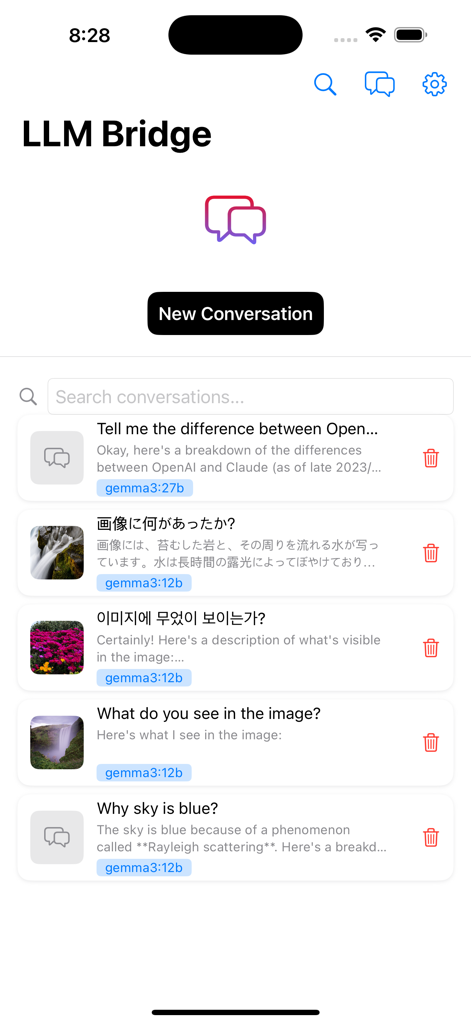
Main screen of the LLM Bridge app showing a list of recent AI chat conversations in multiple languages with specific model labels like gemma3.
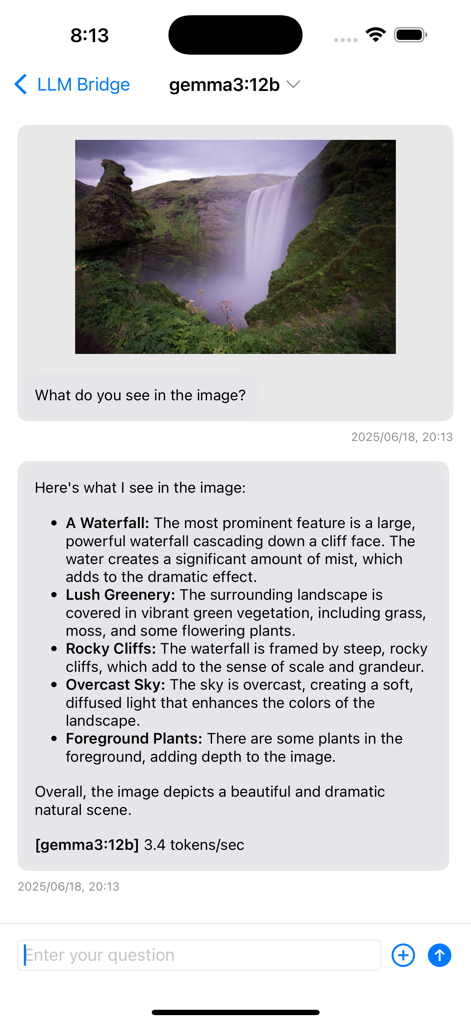
The LLM Bridge app interface showing a vision AI model analyzing an uploaded photo of a waterfall
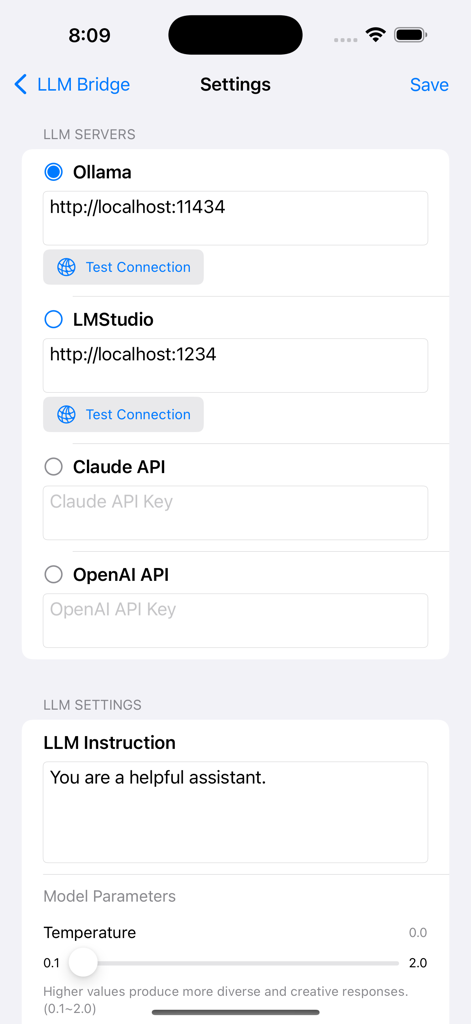
Settings screen for configuring LLM servers and model parameters in the LLM Bridge app
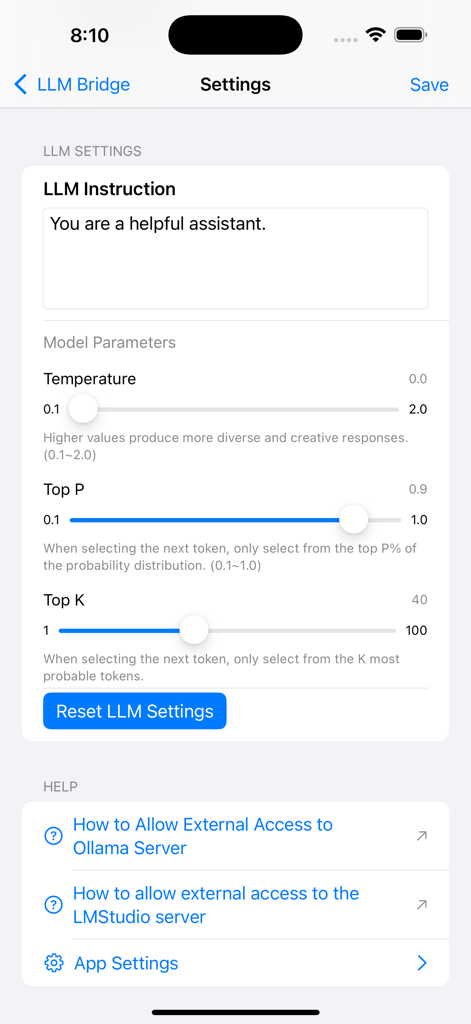
The model parameters settings screen in the LLM Bridge app showing sliders for Temperature, Top P, and Top K.
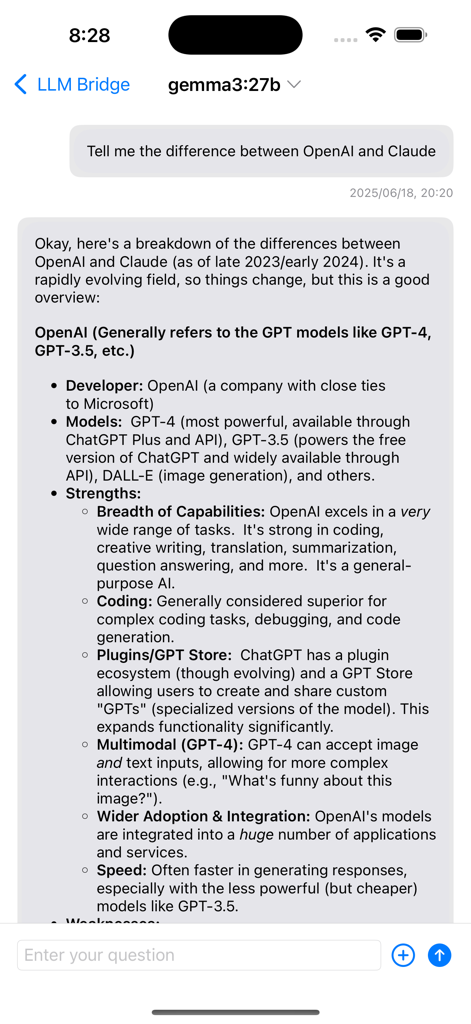
A chat screen in the LLM Bridge app where the Gemma model provides a detailed comparison between OpenAI and Claude.
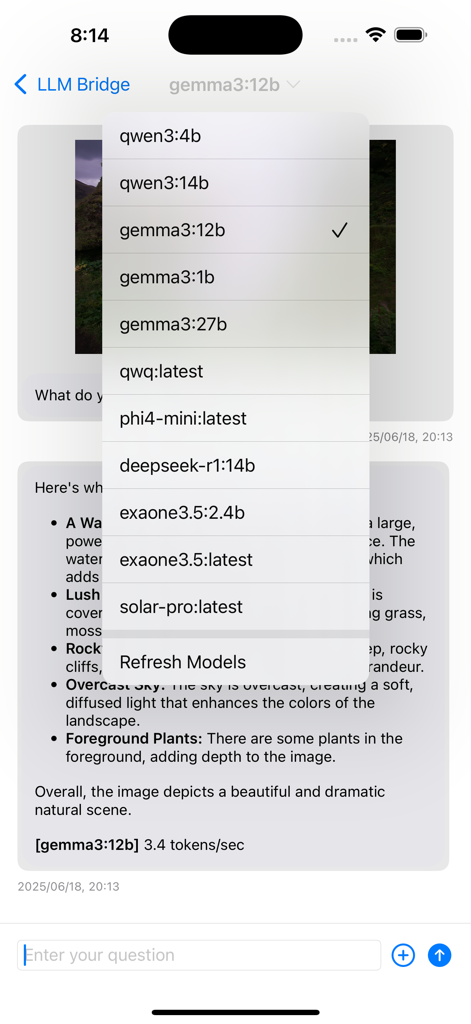
A screenshot of the LLM Bridge app showing a dropdown list of available AI models for selection.
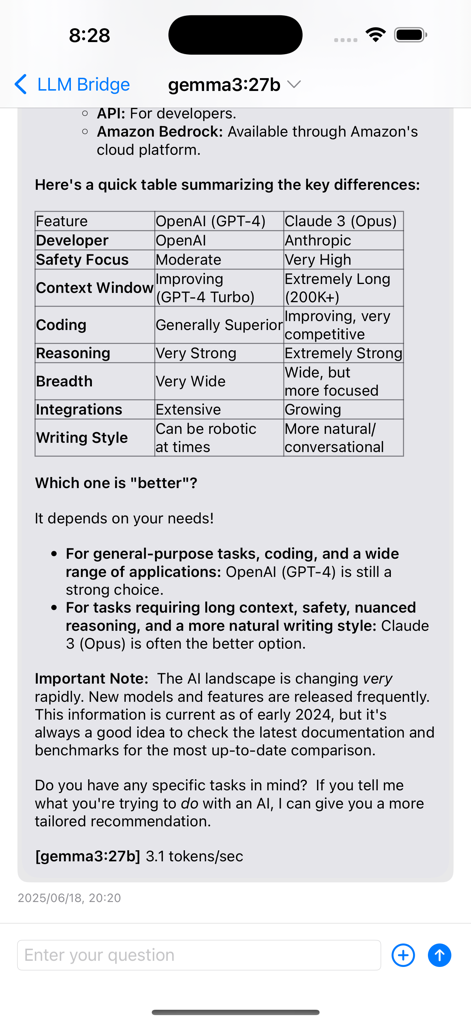
Screenshot of LLM Bridge app displaying a detailed comparison table between OpenAI GPT-4 and Claude 3 Opus models in a chat interface.
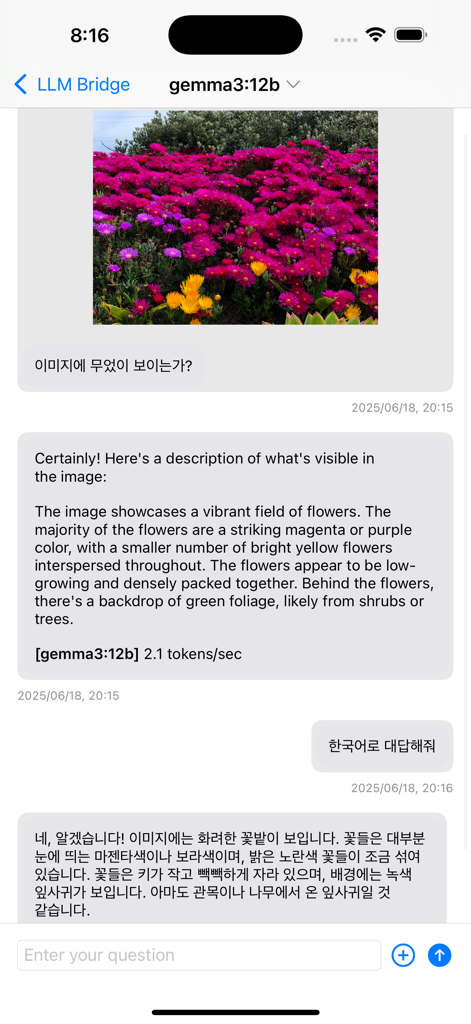
Interface of LLM Bridge showing image analysis and translation in a chat using Gemma 3 model.
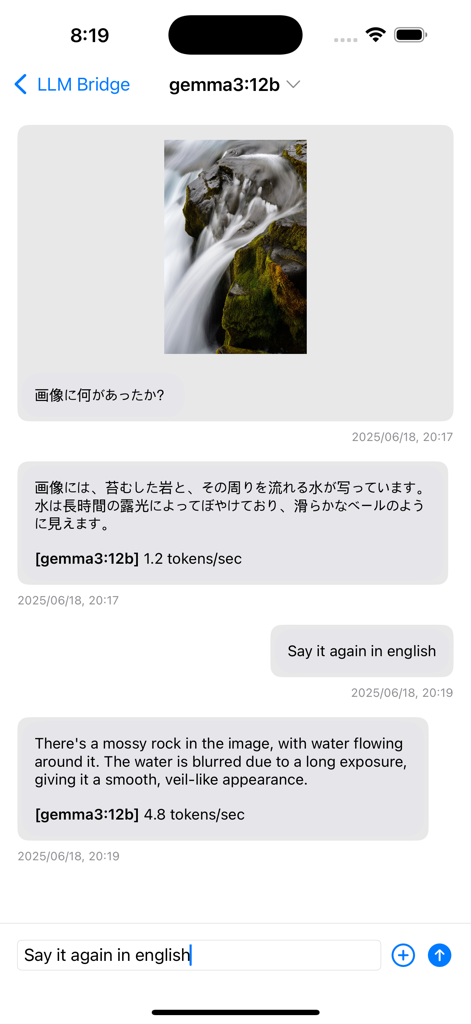
LLM Bridge app demonstrating Vision AI image analysis and multilingual chat support.
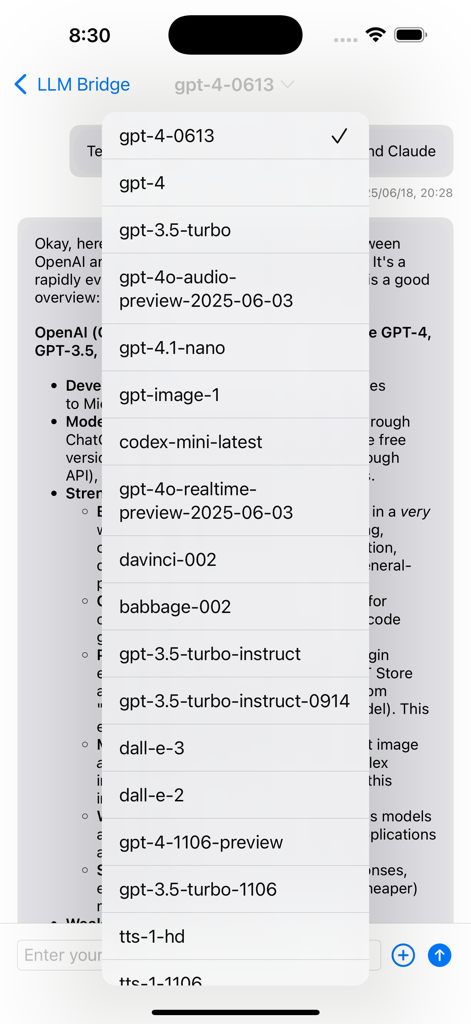
A dropdown menu in the LLM Bridge app showing a variety of selectable GPT models from OpenAI
Description
Download
More Like This
Top-ranked apps in the same category

Google LLC

Google Chrome
Google LLC

中国移动(手机营业厅)
China Mobile Online Services Co., Ltd.

Google Authenticator
Google LLC

CNH do Brasil
Servicos e Informacoes do Brasil

Cleanup: Phone Storage Cleaner
DEEP FLOW SOFTWARE SERVICES - FZCO

gov.br
Servicos e Informacoes do Brasil

中国电信-全国统一官方服务平台
CHINA TELECOM Corporation Ltd.

Microsoft Edge: AI Browser
Microsoft Corporation
This page is not an official page of the app or its developer, but an independent editorial publication created for informational and commentary purposes. Unless expressly stated otherwise, neither the app nor its developer is affiliated with, endorsed by, sponsored by, authorized by, or otherwise officially connected with MWM, Apple, Google Play, the app publisher, or the app's developer, and nothing on this page implies that the app was developed using MWM's services. Any trademarks, logos, screenshots, and other content remain the property of their respective owners.