
This page is not an official page of the app or its developer, but an independent editorial publication created for informational and commentary purposes. Unless expressly stated otherwise, neither the app nor its developer is affiliated with, endorsed by, sponsored by, authorized by, or otherwise officially connected with MWM, Apple, Google Play, the app publisher, or the app's developer, and nothing on this page implies that the app was developed using MWM's services. Any trademarks, logos, screenshots, and other content remain the property of their respective owners.


Magic Packet - Wake On Lan
Seamlessly wake, restart, or shut down your workstations and servers from your iPhone, Apple Watch, or via Siri. The essential tool for remote workers, IT professionals, and home lab enthusiasts.
Downloads
116K+User Rating
Total Ratings
1K+Publisher
Category
UtilitiesLocales
41Latest Version
3.3.2Size
29.2 MBFirst Released
Dec 3, 2019Ultimate Power Control for Your Tech Ecosystem
The most reliable tool to wake, monitor, and manage your PCs, servers, and NAS devices from your iPhone, Apple Watch, or via Siri.
Global Remote Wake-up
Easily boot your home workstation or office server from anywhere in the world to start your remote sessions via RDP or TeamViewer instantly.
Siri & Watch Automation
Power up your gear with a hands-free voice command or a quick tap on your wrist. Integrated Apple Watch support and interactive widgets for total efficiency.
Frequently Asked Questions
Everything you need to know about Magic Packet - Wake On Lan
What is Magic Packet - Wake On Lan?
Magic Packet is a convenient tool that allows users to turn on, turn off, and restart their computers over a local network and the Internet. It supports various power management tasks, including waking up PCs for remote access and managing multiple hosts.
Can I use Magic Packet to remotely turn on my computer using Siri?
Yes, Magic Packet supports Siri commands and Siri Shortcuts. Users can configure Siri to remotely wake up their computer, check its ping, or reboot it, as shown in the app's interface.
Does Magic Packet support controlling multiple computers?
Yes, Magic Packet supports an unlimited number of hosts. The app allows users to add and manage multiple computers, servers, or NAS devices, displaying their statuses on a single screen.
Can Magic Packet check the availability status of a host?
Yes, Magic Packet checks host availability using ping or HTTP. This feature monitors the online/offline status of connected computers, providing real-time updates within the application.
Are there widgets available for quick access in Magic Packet?
Yes, Magic Packet provides interactive widgets for quick access. These widgets can be placed on the home screen, lock screen, and Control Center, enabling fast power management actions like Wake Up or Shutdown.
Does Magic Packet include support for SecureON?
Yes, Magic Packet includes support for SecureON. This feature is integrated into the app's functionality, as demonstrated within the Siri Shortcuts setup for Wake Up actions.
Can Magic Packet turn off a computer remotely?
Yes, Magic Packet allows users to remotely turn off their computers. The app provides options for shutdown, reboot, and sleep, accessible through the host management screen and widgets.
Does Magic Packet offer a dark mode interface?
Yes, Magic Packet offers a dark mode interface. This feature enhances user comfort, especially in low-light environments, and is consistently applied throughout the application.
The following screenshots and description are sourced directly from the app's official store listing and are the property of the app developer.
App Store
Screenshots
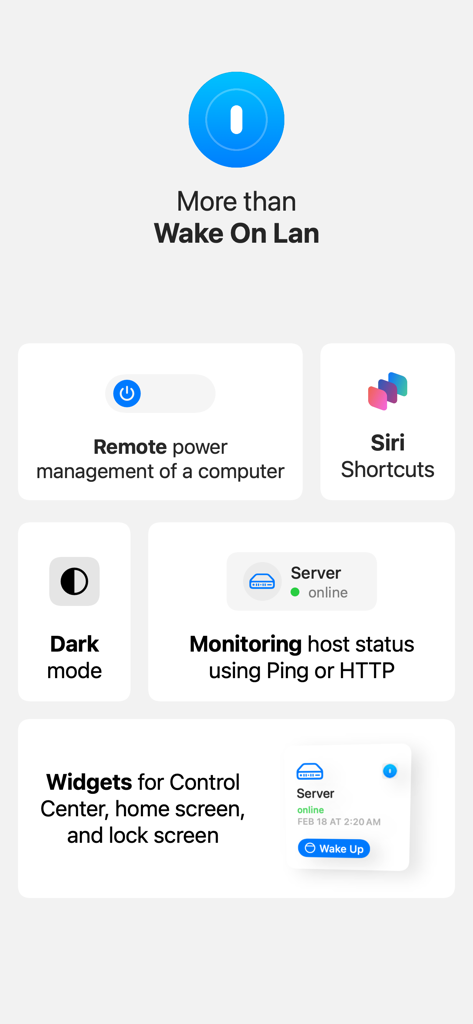
Overview of Magic Packet app features including Siri shortcuts host monitoring and iOS widgets
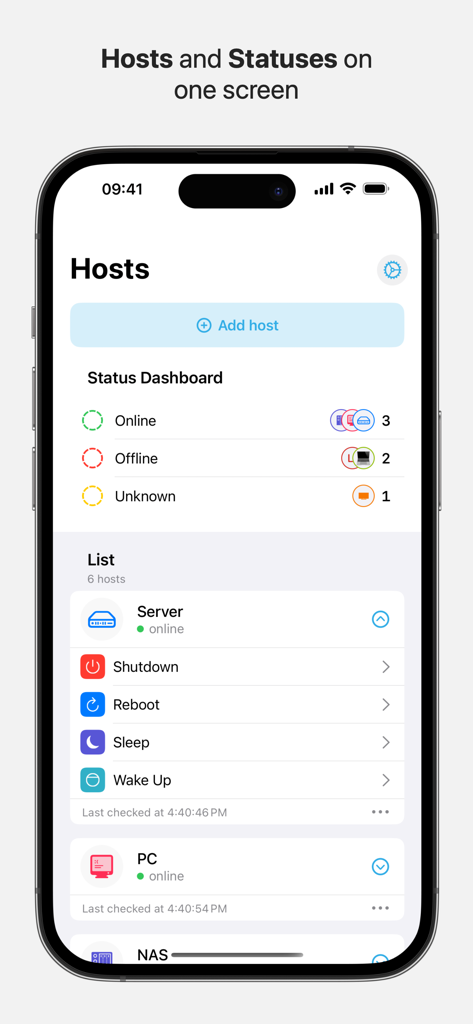
Dashboard of the Magic Packet app showing network host statuses and remote power control options
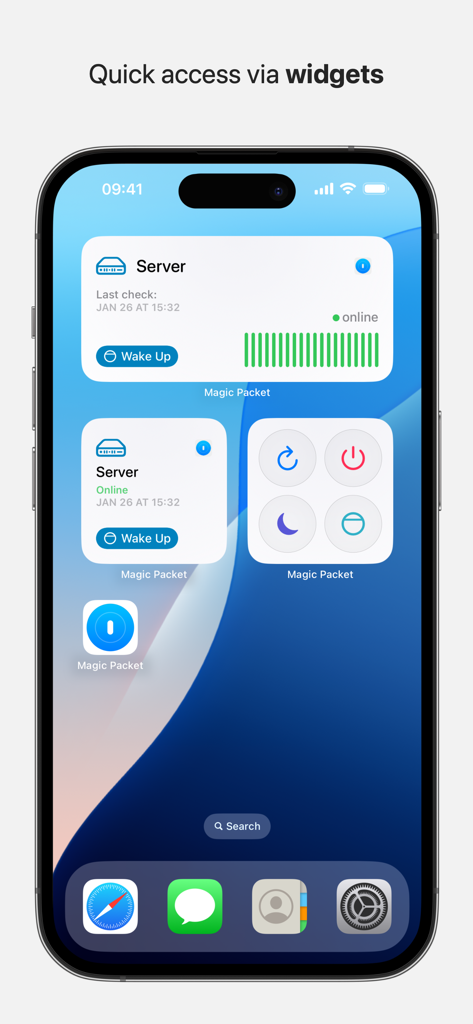
Magic Packet app interactive widgets on an iPhone home screen for server control and status monitoring
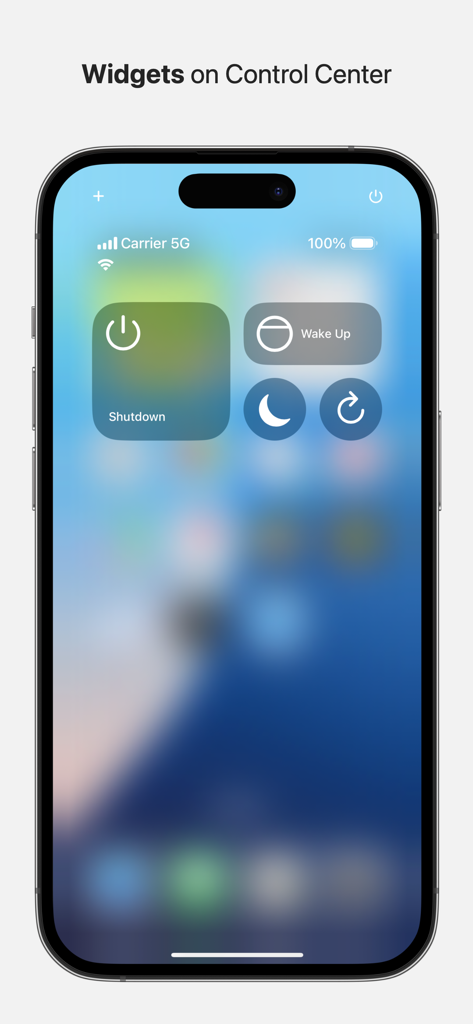
iOS Control Center featuring Magic Packet widgets for remote wake and shutdown.
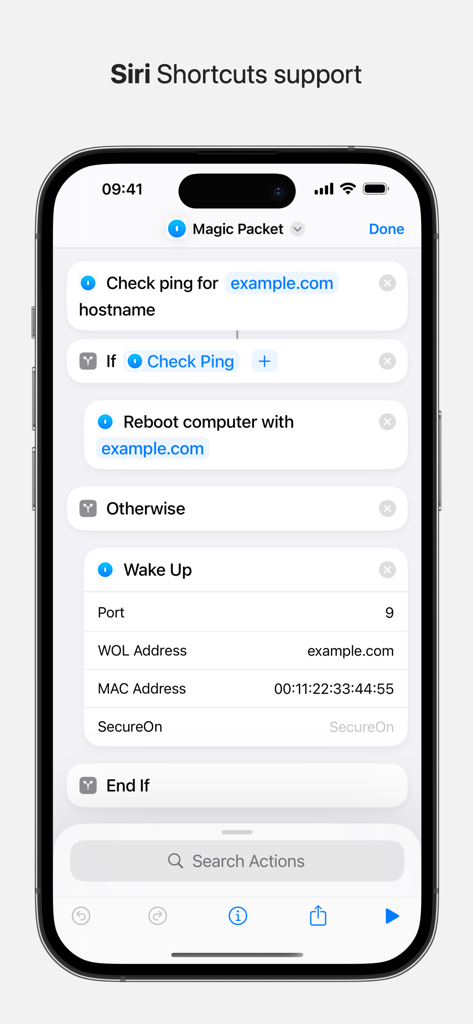
Siri Shortcuts interface for Magic Packet app automation
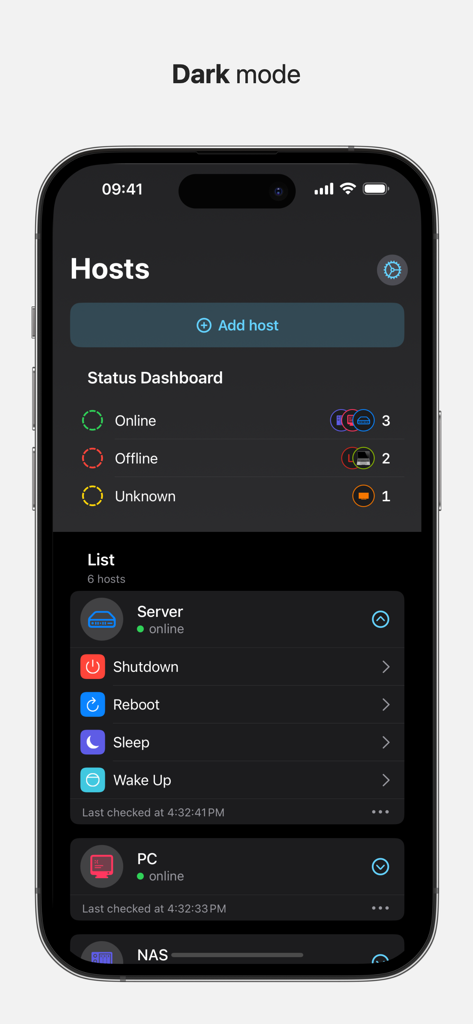
Magic Packet app dashboard in dark mode showing network host statuses and control options
Description
Download
More Like This
Top-ranked apps in the same category

Google LLC

Google Chrome
Google LLC

中国移动(手机营业厅)
China Mobile Online Services Co., Ltd.

Google Authenticator
Google LLC

CNH do Brasil
Servicos e Informacoes do Brasil

Cleanup: Phone Storage Cleaner
DEEP FLOW SOFTWARE SERVICES - FZCO

gov.br
Servicos e Informacoes do Brasil

中国电信-全国统一官方服务平台
CHINA TELECOM Corporation Ltd.

Microsoft Edge: AI Browser
Microsoft Corporation
This page is not an official page of the app or its developer, but an independent editorial publication created for informational and commentary purposes. Unless expressly stated otherwise, neither the app nor its developer is affiliated with, endorsed by, sponsored by, authorized by, or otherwise officially connected with MWM, Apple, Google Play, the app publisher, or the app's developer, and nothing on this page implies that the app was developed using MWM's services. Any trademarks, logos, screenshots, and other content remain the property of their respective owners.