Markdown+ Text & Code Editor
Download on App Store

This page is not an official page of the app or its developer, but an independent editorial publication created for informational and commentary purposes. Unless expressly stated otherwise, neither the app nor its developer is affiliated with, endorsed by, sponsored by, authorized by, or otherwise officially connected with MWM, Apple, Google Play, the app publisher, or the app's developer, and nothing on this page implies that the app was developed using MWM's services. Any trademarks, logos, screenshots, and other content remain the property of their respective owners.


Logo of Markdown+ Text & Code Editor
Download on App Store

Markdown+ Text & Code Editor

Master your workflow with real-time math rendering, smart variables, and syntax highlighting for 140+ languages. One-time purchase for Vision Pro, Mac, iPad, and iPhone.

Key Figures

Downloads

400

User Rating

1.0/5

Total Ratings

0

Publisher

Zetegy LLC

Category

Productivity

Locales

1

Latest Version

1.8.9

Size

25.2 MB

First Released

Apr 1, 2023
Features

Engineered for Technical Excellence

Ditch the lag of web-based editors. Markdown+ combines pure native performance with advanced tools specifically designed for STEM professionals and power users.

Smart Variables & Live Math

Define reusable variables and calculate mathematical expressions directly within your document. Real-time LaTeX rendering brings your complex formulas to life.

Pure Native Performance

Optimized for Vision Pro, Mac, and iOS. Enjoy instant previews, synchronized scrolling, and low battery consumption even when working on massive technical files.

The following screenshots and description are sourced directly from the app's official store listing and are the property of the app developer.

App Store

Screenshots
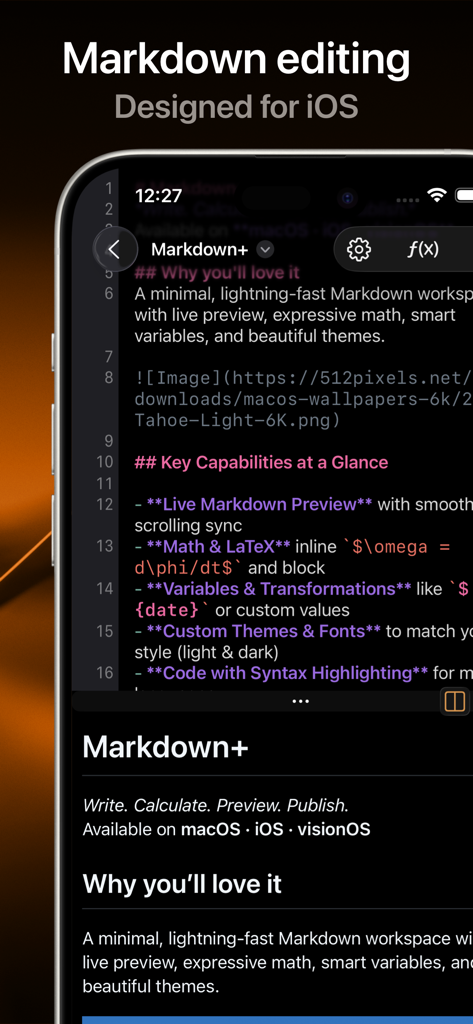
Markdown+ Text & Code Editor - Markdown plus app interface on iPhone showing code editor and live preview
Markdown plus app interface on iPhone showing code editor and live preview

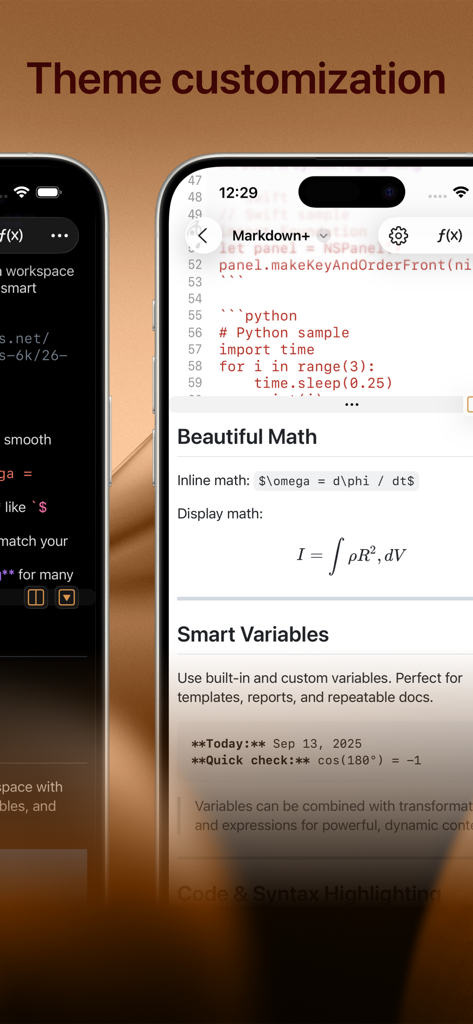
Markdown+ Text & Code Editor - Markdown plus text editor displaying theme customization math formulas and smart variables on iPhone
Markdown plus text editor displaying theme customization math formulas and smart variables on iPhone

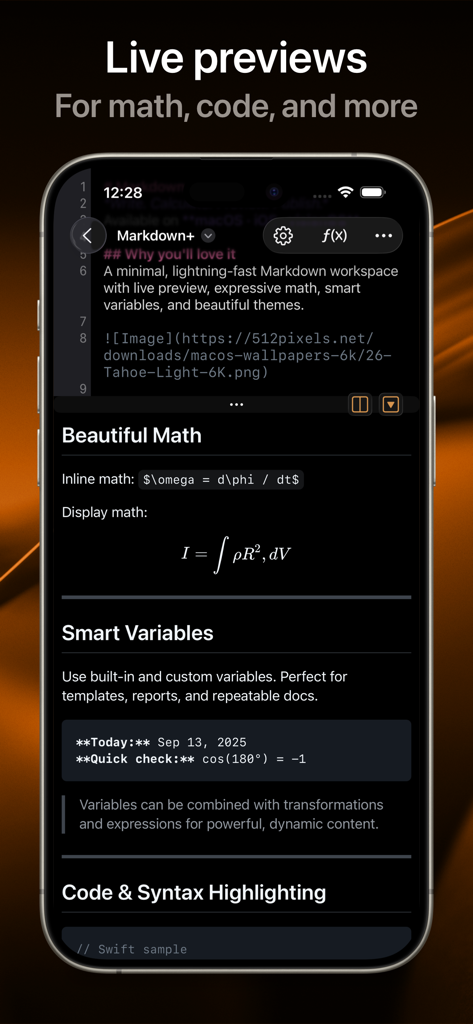
Markdown+ Text & Code Editor - Markdown plus app screenshot showing live previews of math formulas and code blocks
Markdown plus app screenshot showing live previews of math formulas and code blocks

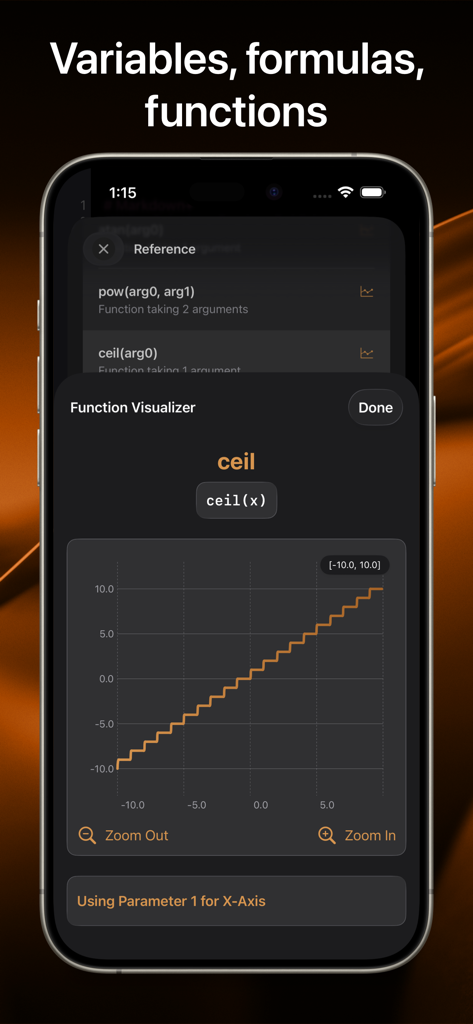
Markdown+ Text & Code Editor - Markdown Plus app displaying a math function visualizer with a step graph for the ceil function on an iPhone screen.
Markdown Plus app displaying a math function visualizer with a step graph for the ceil function on an iPhone screen.

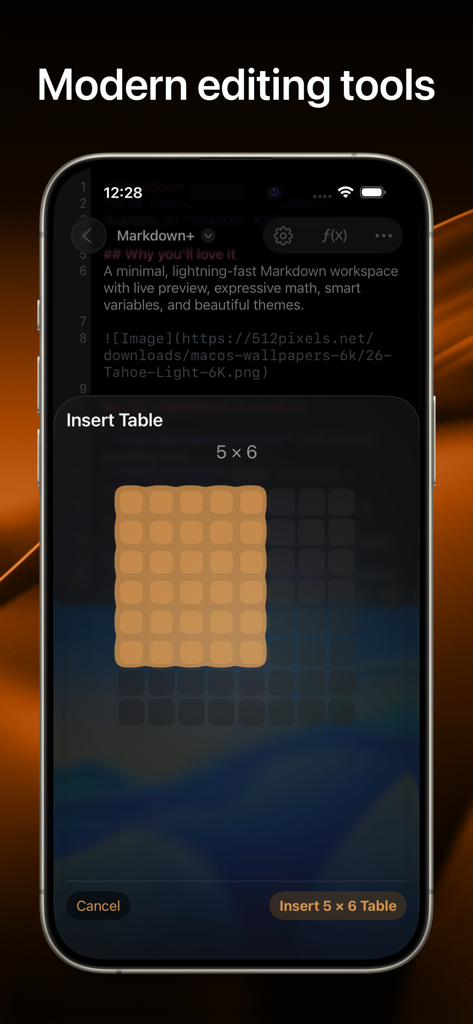
Markdown+ Text & Code Editor - A screenshot of the Markdown plus app on iPhone showing a visual grid selector for inserting a 5 by 6 table into a document

A screenshot of the Markdown plus app on iPhone showing a visual grid selector for inserting a 5 by 6 table into a document

Description

Introducing the native, real-time Markdown editor with superpowers. Markdown+ has been meticulously crafted for Vision Pro, iPhone, iPad, and Mac. With blazing-fast performance and powerful features like dynamic variables and real-time math rendering, Markdown+ delivers an unparalleled experience across all your Apple devices. Modern Editing Tools Experience the perfect balance of simplicity and power with our distraction-free interface. The split-view design lets you edit Markdown on one side while watching your content come alive instantly on the other—with perfect synchronized scrolling and jump-to-selection capabilities. Tables, Images, Links Easily create embed tables, images, and links, without having to memorize the markup. Live Code & Math Highlighting Create beautiful documents with advanced syntax highlighting for code blocks across 140+ programming languages. Write complex mathematical formulas with LaTeX-style syntax and watch them render in real-time with professional typesetting. Smart Variables System Transform your documents with the unique Variables feature. Create reusable components for names, dates, and complex expressions. Need to calculate sin(90)+cos(80)? Simply define it once, then reference it throughout your document—changes update everywhere automatically. Use Variables to evaluate or chain multiple mathematical expression right within your document, and use the vast library of built-in functions. Dark Mode & Custom Themes Work comfortably day or night with full dark mode support and customizable themes that perfectly complement your workflow and personal style. Performance Without Compromise Built with a native-first approach, Markdown+ delivers exceptional speed even with massive documents. Our optimized parsing engine ensures real-time previews update instantly as you type, without draining your battery or slowing down your device. Seamless Cross-Device Experience Whether you're working on Vision Pro, Mac, iPad, or iPhone, Markdown+ adapts perfectly to each screen with device-specific optimizations. Start a document on your Mac and seamlessly continue on your iPhone—your experience remains consistently excellent. One-Time Purchase, Lifetime Value No subscriptions. No in-app purchases. No hidden costs. Buy Markdown+ once and use it forever on all your devices with Family Sharing included. All future updates and features are yours at no additional cost. Learn more: EULA: https://zetegy.com/eula/markdown/ Privacy policy: https://zetegy.com/privacy/markdown/ Terms of use: https://zetegy.com/terms/markdown/

Download

Download on App Store

This page is not an official page of the app or its developer, but an independent editorial publication created for informational and commentary purposes. Unless expressly stated otherwise, neither the app nor its developer is affiliated with, endorsed by, sponsored by, authorized by, or otherwise officially connected with MWM, Apple, Google Play, the app publisher, or the app's developer, and nothing on this page implies that the app was developed using MWM's services. Any trademarks, logos, screenshots, and other content remain the property of their respective owners.








