
This page is not an official page of the app or its developer, but an independent editorial publication created for informational and commentary purposes. Unless expressly stated otherwise, neither the app nor its developer is affiliated with, endorsed by, sponsored by, authorized by, or otherwise officially connected with MWM, Apple, Google Play, the app publisher, or the app's developer, and nothing on this page implies that the app was developed using MWM's services. Any trademarks, logos, screenshots, and other content remain the property of their respective owners.

Mboard — Muslim Keyboard
Stop typing out long greetings and avoid autocorrect fails. Enhance your daily chats with a customizable, lightweight keyboard designed for the modern Muslim community.
Downloads
278K+User Rating
Total Ratings
1K+Publisher
Category
UtilitiesLocales
2Latest Version
2.1Size
28.1 MBFirst Released
Sep 17, 2016Communicate with Ease and Etiquette
Mboard simplifies your digital conversations by giving you instant access to commonly used Islamic phrases, perfectly formatted for your favorite messaging apps.
One-Tap Blessings
Skip the tedious typing. Send full greetings and common Islamic phrases instantly in any app, from WhatsApp to iMessage.
Fully Personalized
Organize your keyboard by frequency of use or add your own custom phrases to match your unique style of communication.
Frequently Asked Questions
Everything you need to know about Mboard — Muslim Keyboard
What is Mboard — Muslim Keyboard?
Mboard is a specialized keyboard developed for Muslims that simplifies writing commonly used Islamic phrases and helps save time on iOS devices.
Does Mboard collect personal data?
No, Mboard does not collect and process your personal data. While full access is required for functionality due to iOS limitations, the app explicitly states it does not track personal data.
How do I enable the Mboard keyboard on my iPhone?
To enable Mboard, go to your iPhone's Settings, then General, Keyboard, Keyboards, Add New Keyboard, and select "Mboard." After that, allow full access.
Can I customize or edit phrases in Mboard?
Yes, Mboard allows users to customize the order of phrases, set them by frequency of use, edit existing phrases' spelling, and add new phrases.
Why does Mboard require full access on iOS?
Mboard requires full access due to iOS limitations regarding third-party keyboards. This access is necessary for the application to utilize all its functions.
What is the current version of the Mboard app?
The current version of the Mboard application is 2.1.
How can I change the display order of phrases in Mboard?
You can change the viewing order of phrases in Mboard by selecting options like Default, Frequently used, or Manually. This setting is found within the app's configuration.
The following screenshots and description are sourced directly from the app's official store listing and are the property of the app developer.
App Store
Screenshots
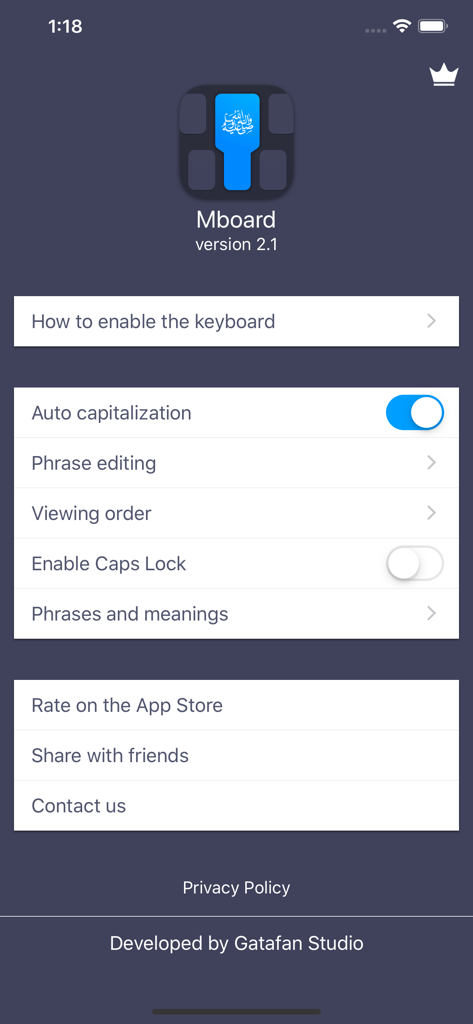
Settings screen of the Mboard Muslim Keyboard app showing customization options like phrase editing and capitalization settings
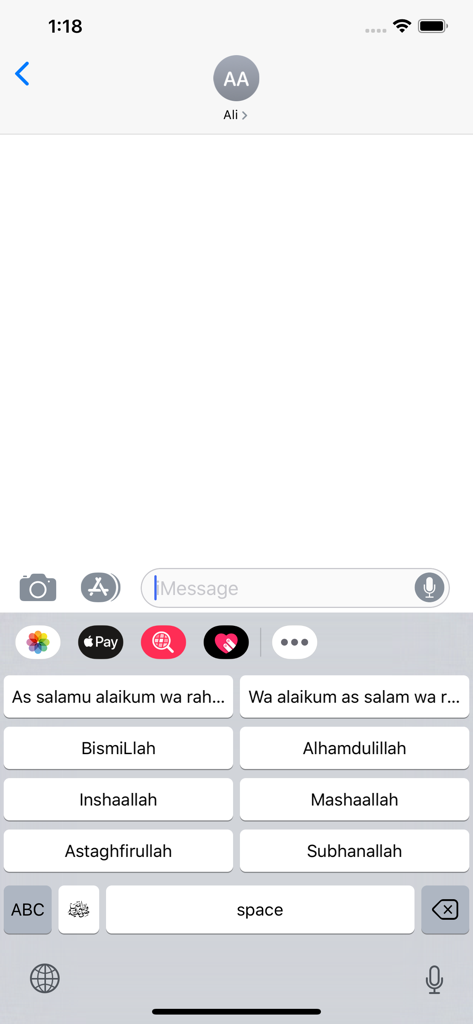
Mobile keyboard interface featuring one-tap buttons for common Islamic phrases like Bismillah and Alhamdulillah in a messaging app.
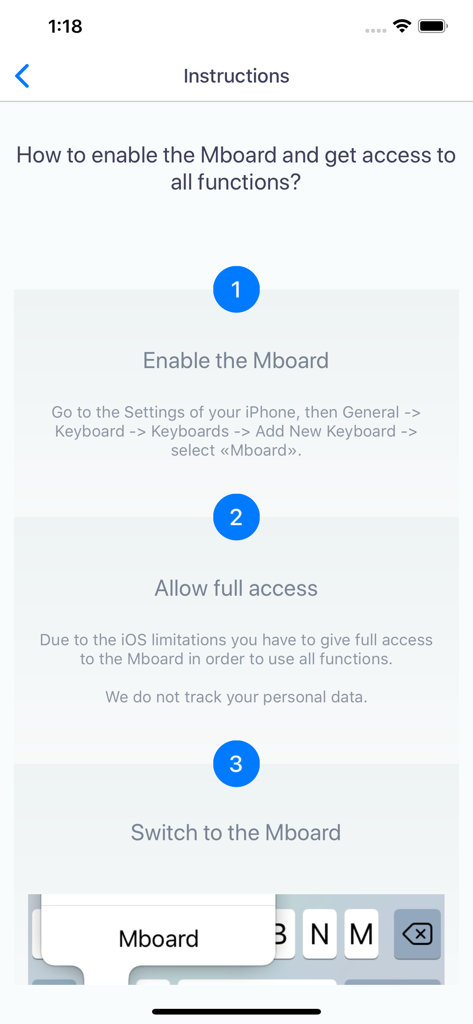
Instructions for enabling the Mboard Muslim keyboard on iOS
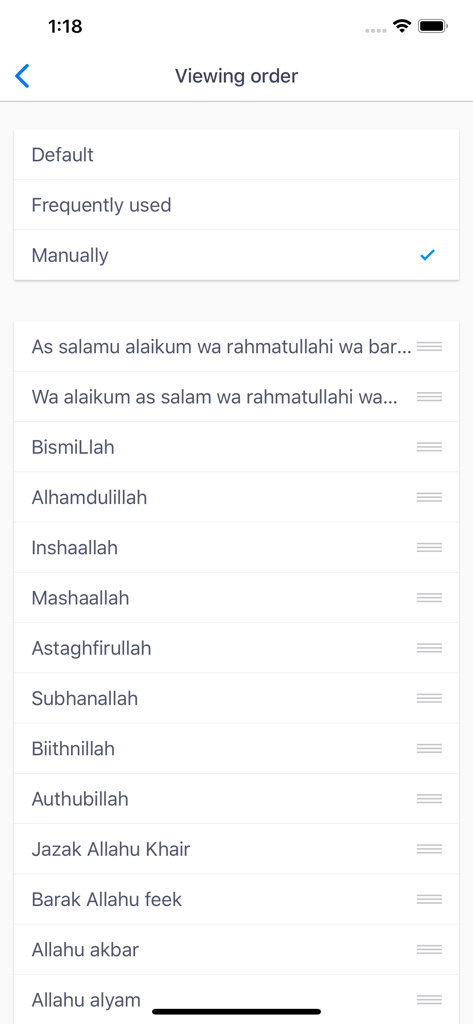
Settings screen for reordering Islamic phrases in the Mboard app
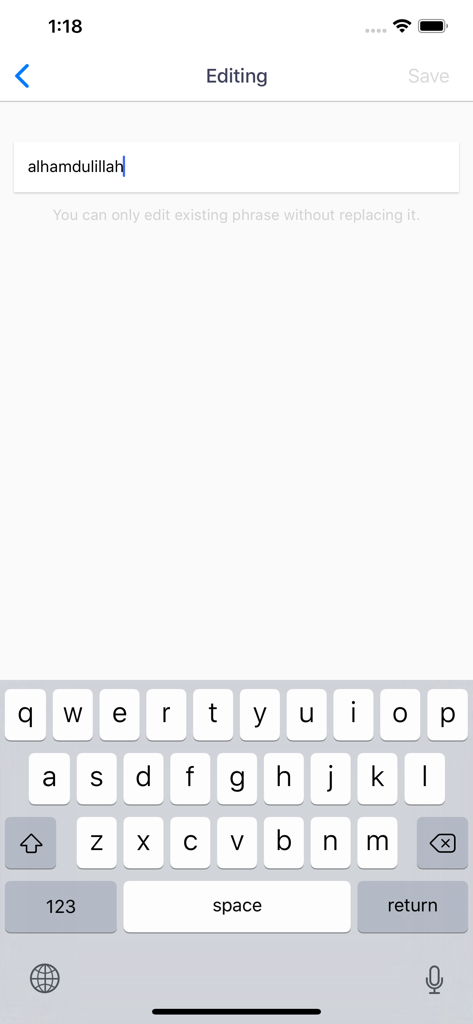
Editing an Islamic phrase in the Mboard app interface
Description
Download
More Like This
Top-ranked apps in the same category

Google LLC

Google Chrome
Google LLC

中国移动(手机营业厅)
China Mobile Online Services Co., Ltd.

Google Authenticator
Google LLC

CNH do Brasil
Servicos e Informacoes do Brasil

Cleanup: Phone Storage Cleaner
DEEP FLOW SOFTWARE SERVICES - FZCO

gov.br
Servicos e Informacoes do Brasil

中国电信-全国统一官方服务平台
CHINA TELECOM Corporation Ltd.

Microsoft Edge: AI Browser
Microsoft Corporation
This page is not an official page of the app or its developer, but an independent editorial publication created for informational and commentary purposes. Unless expressly stated otherwise, neither the app nor its developer is affiliated with, endorsed by, sponsored by, authorized by, or otherwise officially connected with MWM, Apple, Google Play, the app publisher, or the app's developer, and nothing on this page implies that the app was developed using MWM's services. Any trademarks, logos, screenshots, and other content remain the property of their respective owners.