
This page is not an official page of the app or its developer, but an independent editorial publication created for informational and commentary purposes. Unless expressly stated otherwise, neither the app nor its developer is affiliated with, endorsed by, sponsored by, authorized by, or otherwise officially connected with MWM, Apple, Google Play, the app publisher, or the app's developer, and nothing on this page implies that the app was developed using MWM's services. Any trademarks, logos, screenshots, and other content remain the property of their respective owners.


Mercedes-Benz (USA/CA)
Your Mercedes, always at your command. It offers unparalleled control, giving users the ultimate freedom over their luxury vehicle.
Downloads
2.5M+User Rating
Total Ratings
328.7KPublisher
Category
LifestyleLocales
39Latest Version
3.64.0Size
585.1 MBFirst Released
Aug 14, 2018Evaluating essential functionalities for affluent, tech-savvy owners of MY2019+ vehicles.
Mercedes-Benz (USA/CA) App Analysis: Key Features
Remote Vehicle Control
The app allows users to remotely start the engine, lock, and unlock the vehicle doors from virtually anywhere, enhancing convenience and security for premium automobile owners.
Real-time Vehicle Status
It provides owners with instant access to critical vehicle data such as mileage, fuel level, tire pressure, and other essential metrics, ensuring peace of mind and proactive maintenance.
Vehicle Locator
This tool features precise GPS tracking, enabling users to quickly locate their Mercedes-Benz vehicle on a map, which is useful for security and finding it in large parking areas.
Send2Car Navigation
The app allows users to send destination addresses directly from their device to the vehicle’s navigation system, streamlining trip planning and reducing in-car setup time.
Personalized Account Management
It enables owners to conveniently manage their personal profile and linked Mercedes-Benz vehicles within the app, centralizing all essential ownership details.
Dealer & Service Finder
The app provides a practical feature to locate nearby authorized Mercedes-Benz dealerships and service centers, facilitating easy access to maintenance and support.
Frequently Asked Questions
Everything you need to know about Mercedes-Benz (USA/CA)
What Mercedes-Benz vehicle model years are compatible with the Mercedes-Benz app?
The Mercedes-Benz app supports vehicles model year 2019 or newer. Select model year 2018 GLE and C-Class vehicles are also equipped with Mercedes-Benz Digital Extras technology. Consult your dealer for details on specific models.
Can I remotely start my car engine using the Mercedes-Benz app?
Yes, the Mercedes-Benz app enables remote engine start for compatible vehicles. This is a primary connected vehicle service accessible directly through the app's interface.
How do I find my vehicle's location with the Mercedes-Benz app?
Yes, the Mercedes-Benz app allows you to view your vehicle's location on a map. This feature is listed under connected services and shown within the app's 'Vehicle Status' section.
What vehicle data can I monitor using the Mercedes-Benz app?
The Mercedes-Benz app displays essential vehicle data like mileage, fuel level, battery range, and tire pressure. It also shows service intervals and trip data.
Can I send a destination to my car's navigation from the Mercedes-Benz app?
Yes, the Mercedes-Benz app allows you to send an address directly to your vehicle's navigation system. This simplifies planning routes and ensures your destination is ready when you start driving.
Can I manage more than one Mercedes-Benz vehicle in the app?
Yes, the Mercedes-Benz app lets you manage multiple vehicles. The 'My Vehicles' section, also referred to as the 'Garage', provides an option to select and add various Mercedes-Benz models.
Which app should owners of older Mercedes-Benz vehicles use for connected services?
For Mercedes-Benz vehicles model year 2018 and prior with an active mbrace® account, connected vehicle services are available through the separate mbrace app.
Does the Mercedes-Benz app allow remote locking and unlocking of doors?
Yes, the Mercedes-Benz app offers remote locking and unlocking of your vehicle's doors. This feature is available under the 'Primary Connected Vehicle Services' within the app.
The following screenshots and description are sourced directly from the app's official store listing and are the property of the app developer.
App Store
Screenshots
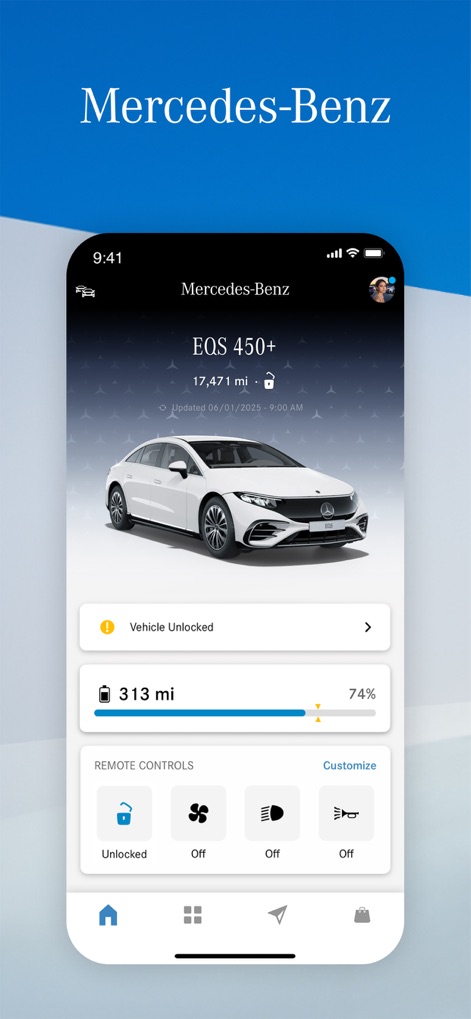
Users can monitor their vehicle's vital statistics at a glance, including the current battery level and remote control status.
Instant Vehicle Status
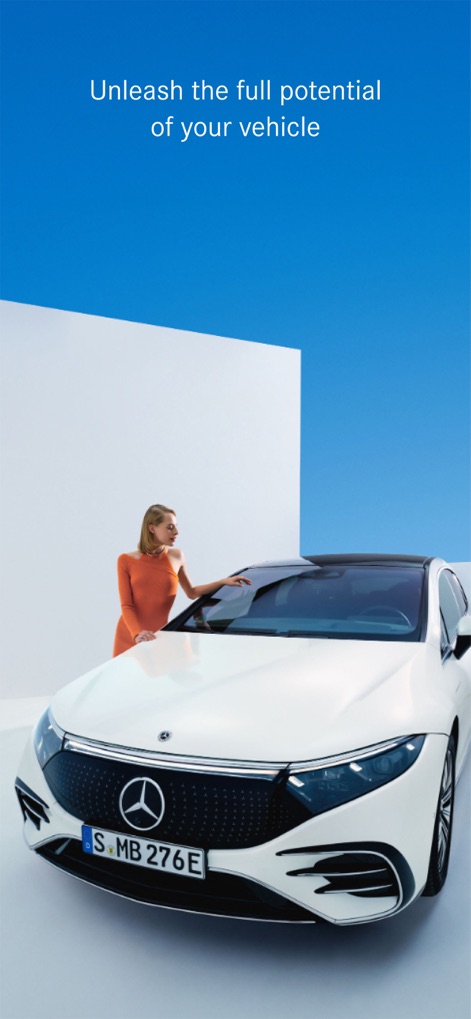
This image highlights the elegant design of the Mercedes-Benz vehicle and the intuitive user interaction facilitated by the app.
Seamless Integration
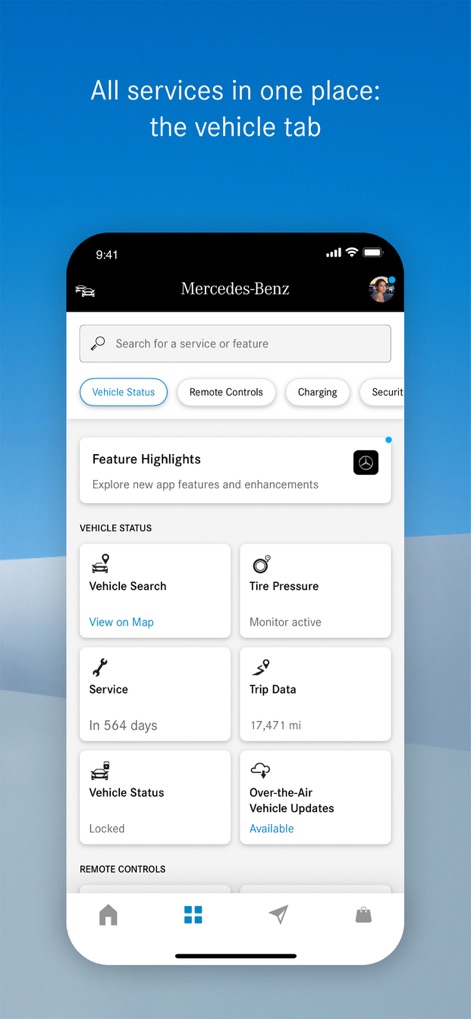
The app consolidates essential services into one intuitive interface, providing access to vehicle data and over-the-air updates.
Unified Vehicle Management
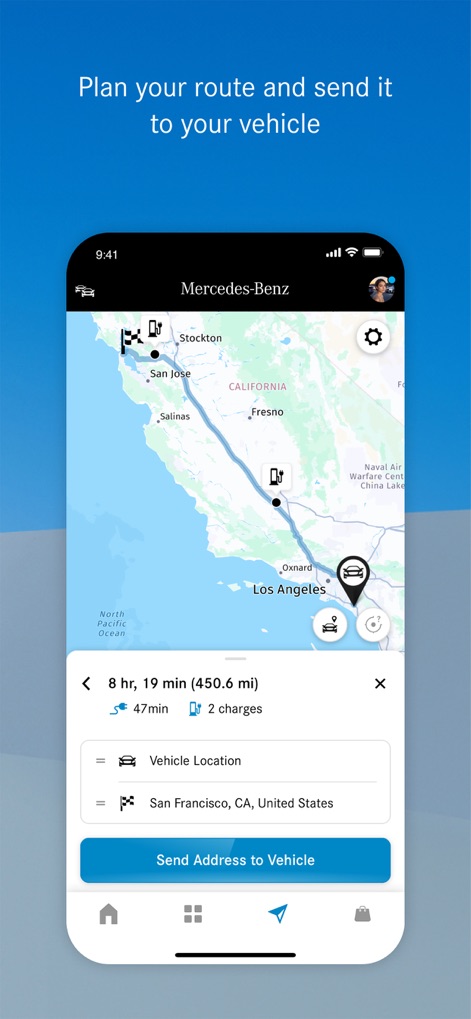
The app empowers users to seamlessly plan routes on an interactive map and send addresses directly to their vehicle's navigation system.
Intuitive Navigation Sync
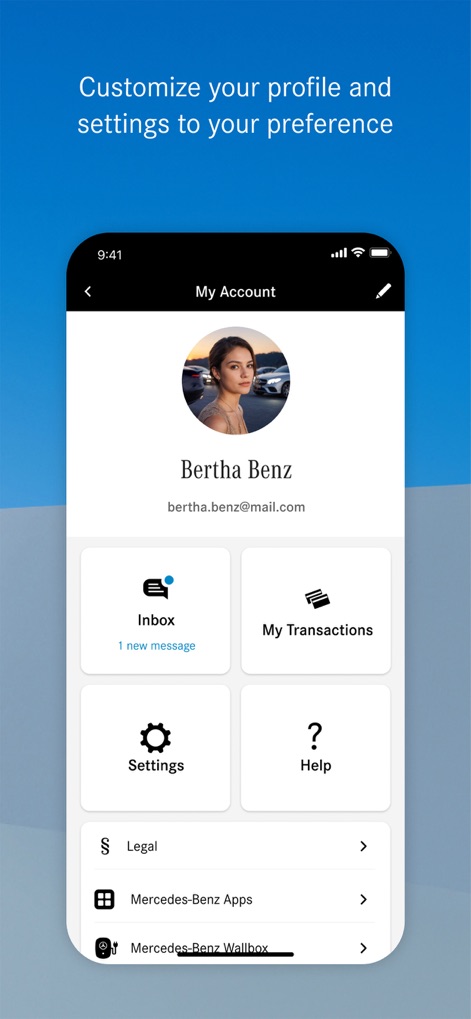
This section allows for personalized profile management and provides quick access to essential features like the inbox and application settings.
Profile Customization
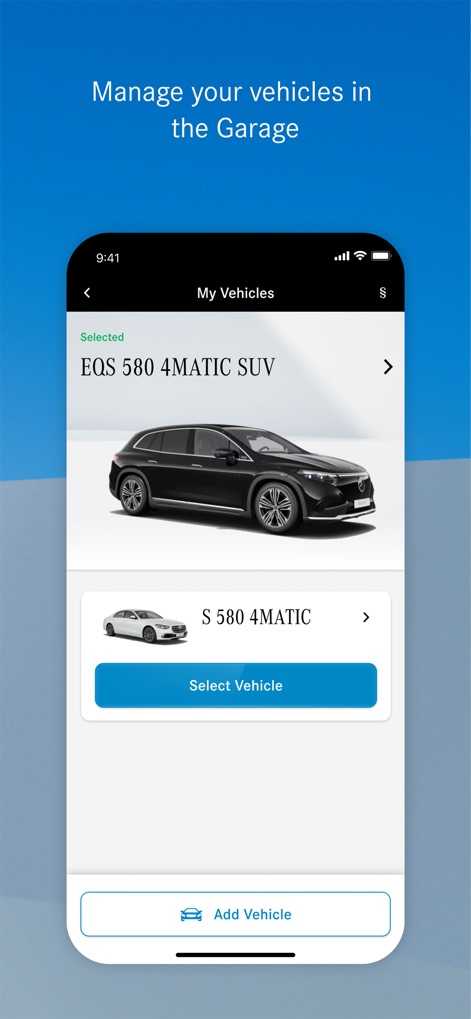
The app provides a dedicated 'My Vehicles' section for effortlessly managing multiple Mercedes-Benz vehicles and adding new ones.
Garage Management
Description
Download
More Like This
Apps with similar features and user experience

Toyota
Toyota Motor Sales, U.S.A., Inc.
myChevrolet
General Motors
My BMW
BMW NORTH AMERICA, LLC

MyHyundai with Bluelink
Hyundai Motor America

LoJack
Spireon, Inc.

Tessie — For your Tesla
Tessie Technology LLC

Tesla
Tesla, Inc.

Ford™
Ford Motor Company
MyMazda
Mazda Motor Corporation
This page is not an official page of the app or its developer, but an independent editorial publication created for informational and commentary purposes. Unless expressly stated otherwise, neither the app nor its developer is affiliated with, endorsed by, sponsored by, authorized by, or otherwise officially connected with MWM, Apple, Google Play, the app publisher, or the app's developer, and nothing on this page implies that the app was developed using MWM's services. Any trademarks, logos, screenshots, and other content remain the property of their respective owners.