
This page is not an official page of the app or its developer, but an independent editorial publication created for informational and commentary purposes. Unless expressly stated otherwise, neither the app nor its developer is affiliated with, endorsed by, sponsored by, authorized by, or otherwise officially connected with MWM, Apple, Google Play, the app publisher, or the app's developer, and nothing on this page implies that the app was developed using MWM's services. Any trademarks, logos, screenshots, and other content remain the property of their respective owners.


myChevrolet
No more fumbling. This app puts command of your Chevrolet directly in your pocket.
Downloads
10M+User Rating
Total Ratings
1.0MPublisher
Category
LifestyleLocales
12Latest Version
8.6.0Size
245.0 MBFirst Released
Oct 27, 2010Evaluating key features for Chevrolet owners' convenience, safety, and vehicle management.
myChevrolet App: Core Functionality Analysis
Remote Vehicle Control
The app provides convenient remote control functionalities, allowing users to start their vehicle and pre-set the cabin temperature directly from their smartphone.
Roadside Assistance Request
It allows users to quickly request essential roadside assistance services, offering peace of mind during unexpected vehicle issues.
Vehicle Status Monitoring
This tool features comprehensive monitoring of key vehicle parameters, including fuel level, tire pressure, oil life, and odometer readings, keeping users informed about their car's health.
Vehicle Locator & Walking Directions
The app provides a vehicle locator feature with walking directions, making it easy for users to find their parked car in unfamiliar or large areas.
Frequently Asked Questions
Everything you need to know about myChevrolet
Can I remotely start my vehicle using the myChevrolet app?
Yes, the myChevrolet app allows users to remotely start their vehicle and set the ideal cabin temperature directly from their phone. This feature provides convenience before entering the vehicle.
Does the myChevrolet app help locate my vehicle?
Yes, the myChevrolet app helps users easily find their vehicle. It provides walking directions to the vehicle's current location directly within the app.
What vehicle information can I monitor with the myChevrolet app?
The myChevrolet app allows users to track their vehicle's fuel level, tire pressure, oil life, and odometer. For EVs, it displays battery charge status and estimated range.
Can I schedule vehicle service through the myChevrolet app?
Yes, the myChevrolet app enables users to schedule service appointments with a tap of a button. It also shows recommended maintenance and preferred dealer information.
Does the myChevrolet app offer roadside assistance?
Yes, the myChevrolet app allows users to request Roadside Assistance directly. This feature provides help whenever it is needed, accessible through the app's service section.
How does the myChevrolet app display EV charging status?
The myChevrolet app displays an EV's charge status, showing the current battery percentage and estimated range. It also indicates the charging type, like "DC Fast," and the estimated completion time.
Can I control my Chevrolet vehicle's climate settings remotely?
Yes, the myChevrolet app allows users to set and save climate and driver preferences. This includes adjusting the cabin temperature remotely before entering the vehicle.
The following screenshots and description are sourced directly from the app's official store listing and are the property of the app developer.
App Store
Screenshots

The app provides users with a detailed vehicle status, including the model year and current mileage, alongside an interactive map for location tracking.
Comprehensive Vehicle Overview
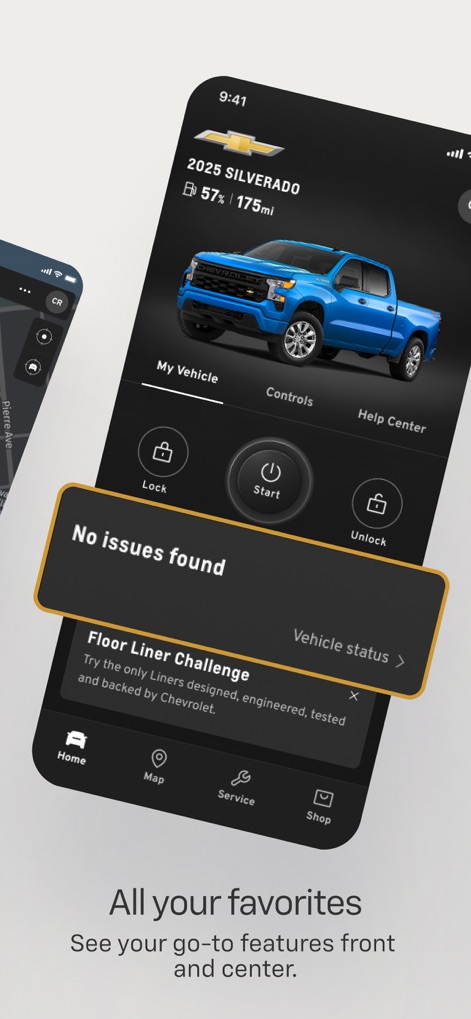
Users can efficiently manage their vehicle through remote lock and unlock functions, while simultaneously checking for any detected issues.
Remote Vehicle Control
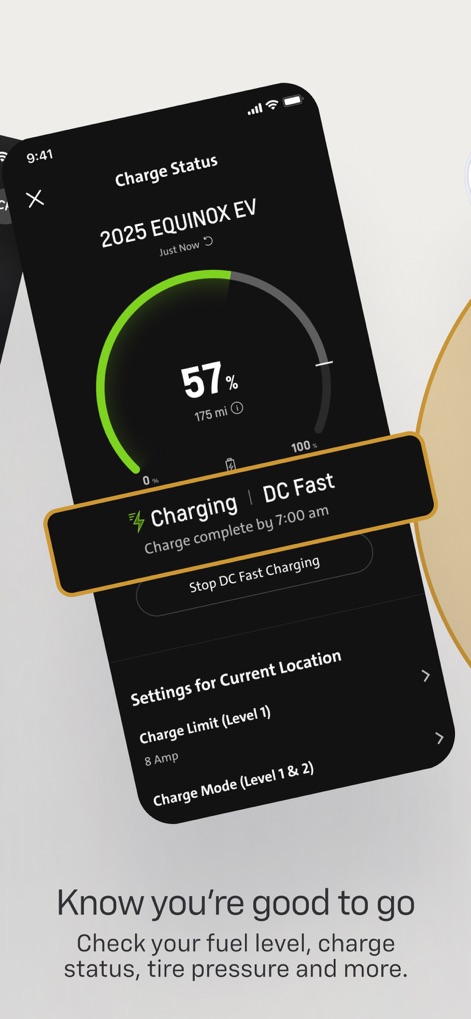
This screen clearly displays the current charge percentage and estimated range for an EV, along with the active charging method like "DC Fast".
EV Charging Status
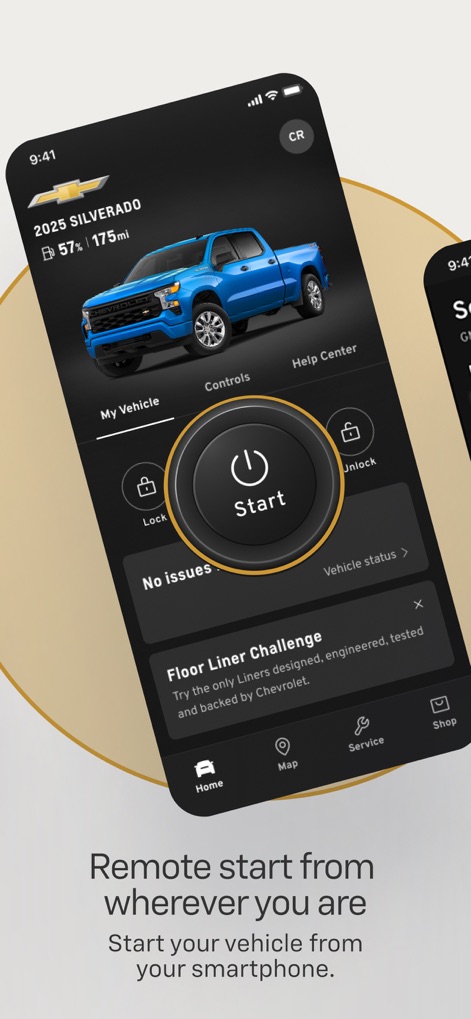
The app enables users to easily start their vehicle remotely via the prominent 'Start' button and continuously monitors vehicle status.
One-Tap Remote Start
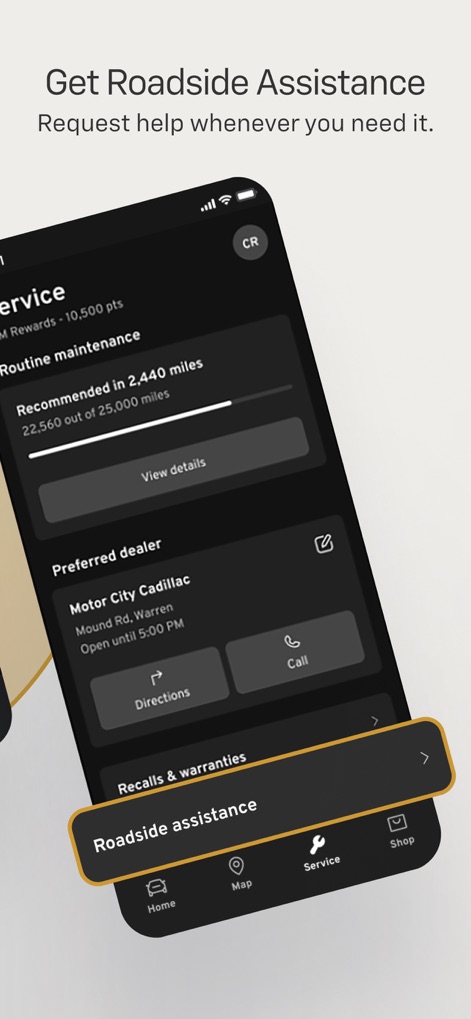
The tool offers quick access to service recommendations, such as 'routine maintenance' due in 2,440 miles, and direct contact for 'Roadside assistance'.
Service & Assistance
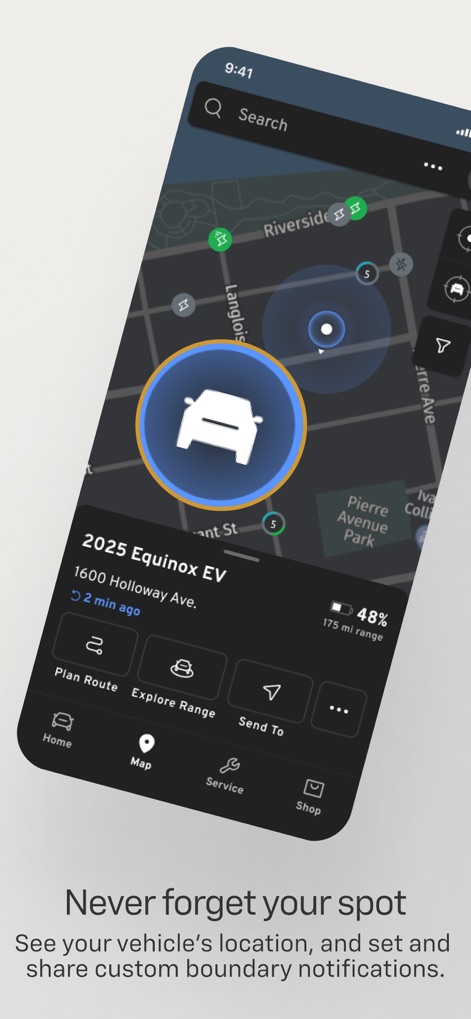
Users can pinpoint their vehicle's location on a detailed map and explore range possibilities with the integrated 'Plan Route' feature.
Intelligent Location Services
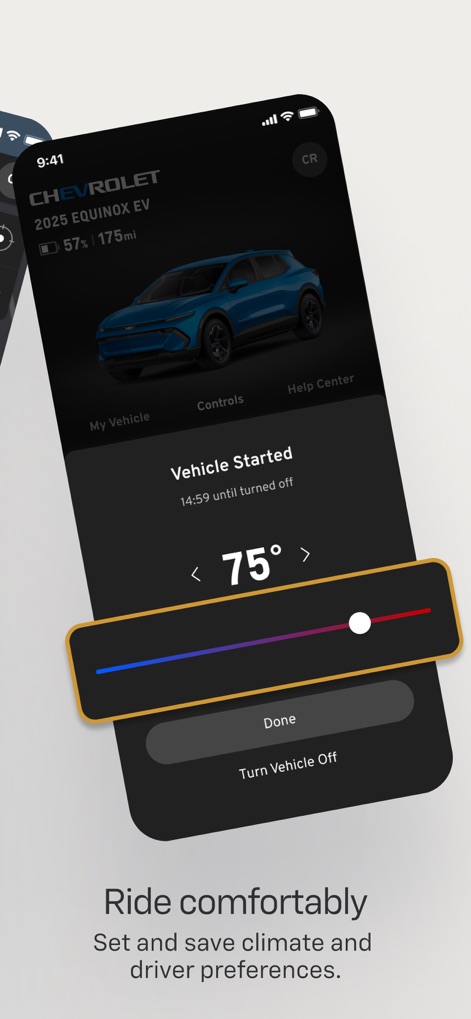
This feature allows users to set their preferred cabin temperature using an intuitive slider and confirms the 'Vehicle Started' status.
Climate Control On-Demand

This visual emphasizes the comprehensive Chevrolet brand experience, highlighting the vehicle on a scenic landscape and its "Connected by OnStar" integration.
Chevrolet Brand Connection
Description
Download
More Like This
Apps with similar features and user experience

Toyota
Toyota Motor Sales, U.S.A., Inc.
My BMW
BMW NORTH AMERICA, LLC

Mercedes-Benz (USA/CA)
Mercedes-Benz USA LLC

MyHyundai with Bluelink
Hyundai Motor America

LoJack
Spireon, Inc.

Tessie — For your Tesla
Tessie Technology LLC

Tesla
Tesla, Inc.

Ford™
Ford Motor Company

MyMazda
Mazda Motor Corporation
This page is not an official page of the app or its developer, but an independent editorial publication created for informational and commentary purposes. Unless expressly stated otherwise, neither the app nor its developer is affiliated with, endorsed by, sponsored by, authorized by, or otherwise officially connected with MWM, Apple, Google Play, the app publisher, or the app's developer, and nothing on this page implies that the app was developed using MWM's services. Any trademarks, logos, screenshots, and other content remain the property of their respective owners.