
This page is not an official page of the app or its developer, but an independent editorial publication created for informational and commentary purposes. Unless expressly stated otherwise, neither the app nor its developer is affiliated with, endorsed by, sponsored by, authorized by, or otherwise officially connected with MWM, Apple, Google Play, the app publisher, or the app's developer, and nothing on this page implies that the app was developed using MWM's services. Any trademarks, logos, screenshots, and other content remain the property of their respective owners.


Mermind
Turn your ideas into stunning flowcharts, mind maps, and system architectures with the ultimate native Mermaid editor for iPad and Mac. No login, no lag—just pure, offline-first productivity for the Apple ecosystem.
Downloads
0User Rating
Total Ratings
0Publisher
Category
Developer ToolsLocales
5Latest Version
1.2Size
9.3 MBFirst Released
Dec 22, 2025Visualize Your Logic Instantly
Leverage the power of Mermaid syntax with a native Apple experience designed for developers, architects, and productivity power users.
Diagrams as Code
Forget manual drag-and-drop. Type your ideas using Mermaid syntax and see real-time previews of flowcharts, mind maps, and sequence diagrams as you write.
Seamless Apple Sync
Transition effortlessly between your iPad and Mac with native iCloud integration, ensuring your technical documentation is always synchronized and up to date.
The following screenshots and description are sourced directly from the app's official store listing and are the property of the app developer.
App Store
Screenshots
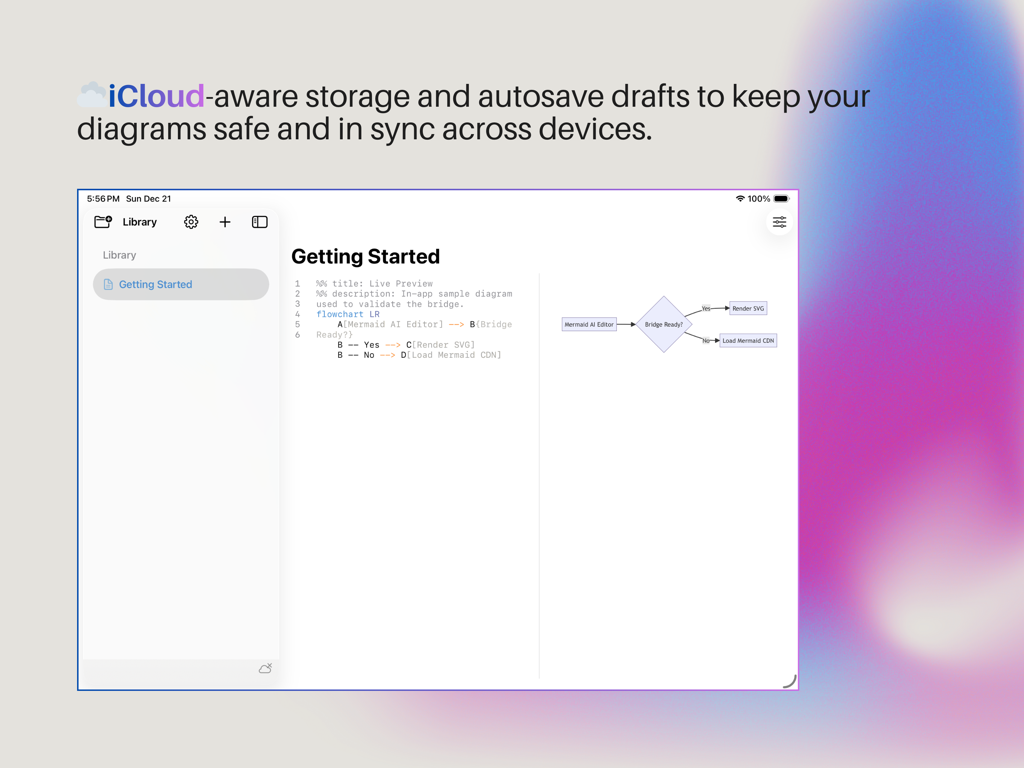
Mermind app interface showing a split-view diagram editor with Mermaid syntax and live flowchart preview highlighting iCloud synchronization.
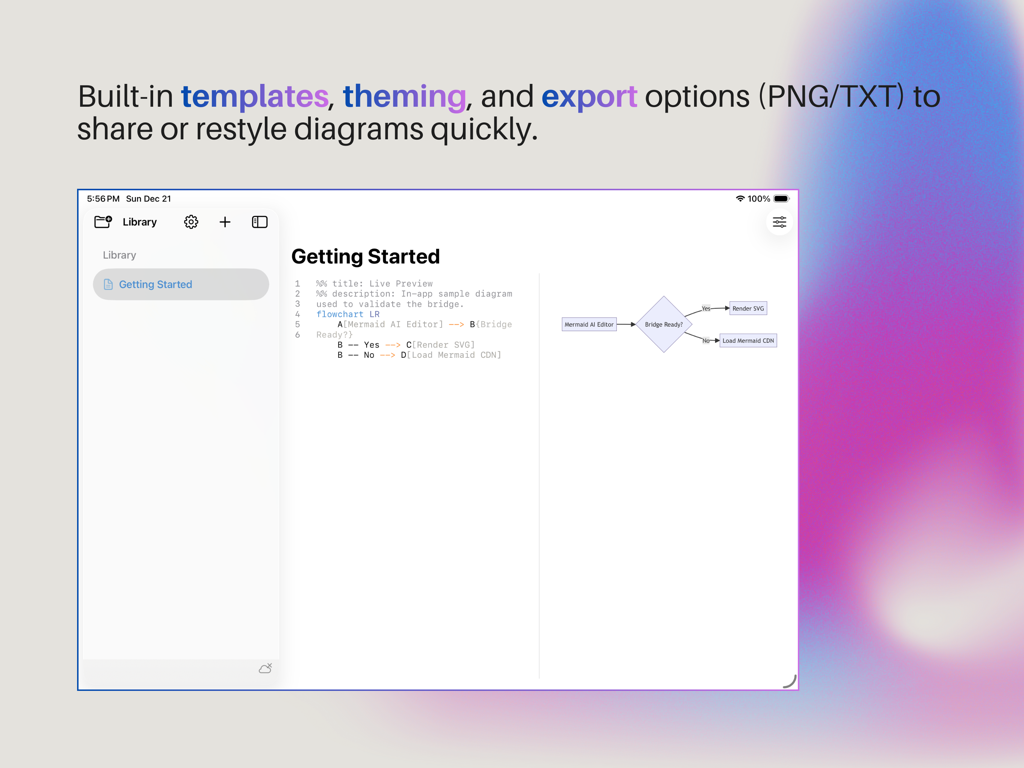
The Mermind app interface on iPad featuring a split-screen view with a text editor for Mermaid syntax on the left and a real-time flowchart preview on the right.
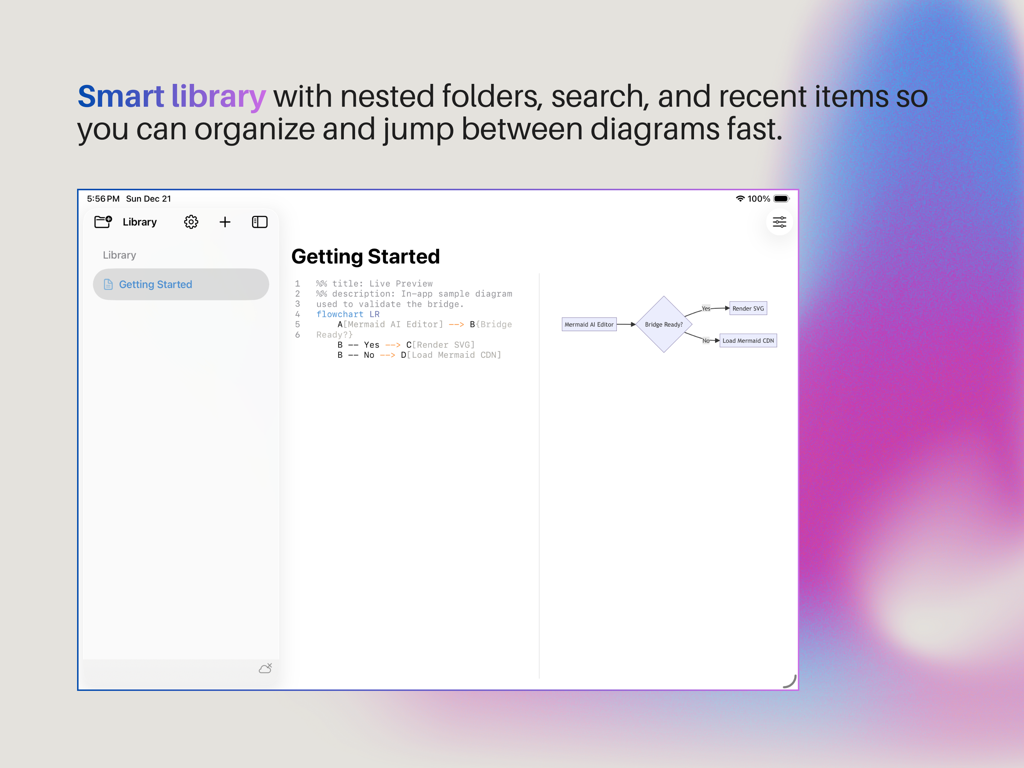
Mermind app interface on iPad showing the smart library and mermaid diagram editor with live preview
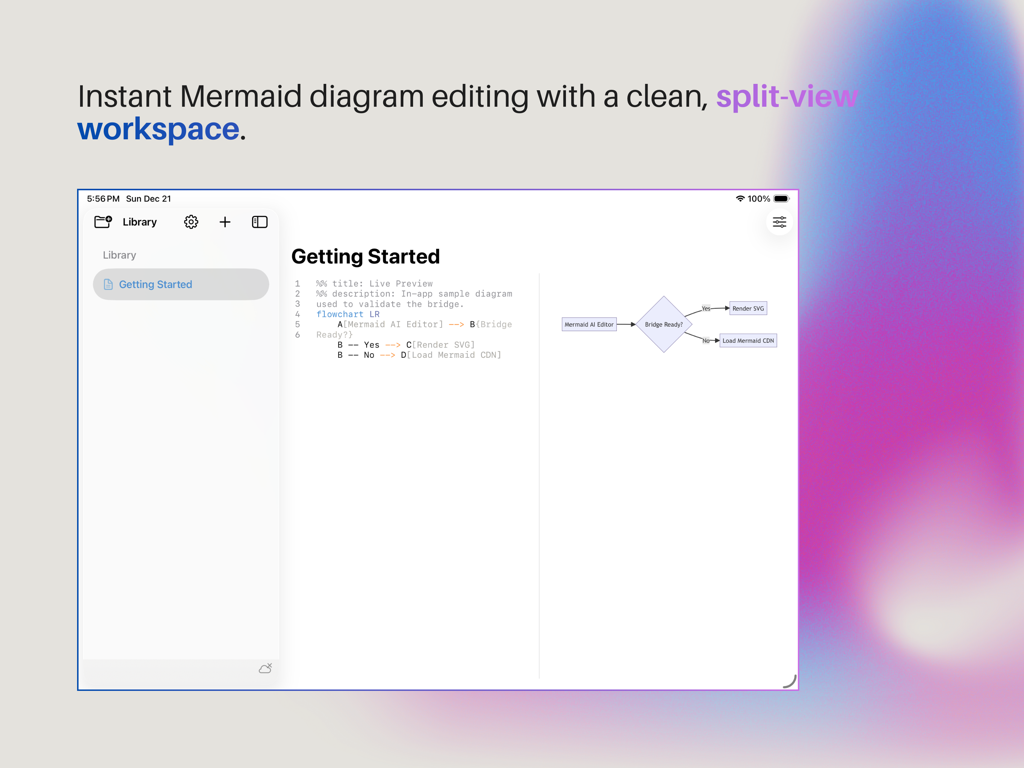
Mermind app interface showing a split view with Mermaid syntax code and a real time flowchart preview
Description
Download
More Like This
Top-ranked apps in the same category

TestFlight
Apple Inc.

Replit: Vibe Code Apps
Replit, Inc

GitHub
GitHub

O-KAM Pro
Shenzhen VeePai IoT Intelligent Technology LLC

Apple Developer
Apple Inc.

Expo Go
650 Industries, Inc.

Scriptable
Simon Stovring

App Store Connect
Apple Inc.

Sekai: Create · Remix · Play
Versa AI, Inc.
This page is not an official page of the app or its developer, but an independent editorial publication created for informational and commentary purposes. Unless expressly stated otherwise, neither the app nor its developer is affiliated with, endorsed by, sponsored by, authorized by, or otherwise officially connected with MWM, Apple, Google Play, the app publisher, or the app's developer, and nothing on this page implies that the app was developed using MWM's services. Any trademarks, logos, screenshots, and other content remain the property of their respective owners.