
This page is not an official page of the app or its developer, but an independent editorial publication created for informational and commentary purposes. Unless expressly stated otherwise, neither the app nor its developer is affiliated with, endorsed by, sponsored by, authorized by, or otherwise officially connected with MWM, Apple, Google Play, the app publisher, or the app's developer, and nothing on this page implies that the app was developed using MWM's services. Any trademarks, logos, screenshots, and other content remain the property of their respective owners.

MetaMoJi Note
Empower your professional workflow with the only cross-platform tool that combines advanced handwriting, voice-synced memos, and professional PDF markup on an infinite, high-resolution canvas.
Downloads
266K+User Rating
Total Ratings
3K+Publisher
Category
ProductivityLocales
13Latest Version
3.10.4Size
99.8 MBFirst Released
Sep 26, 2012Infinite Creativity, Professional Precision
MetaMoJi Note is the all-in-one digital workspace that combines high-resolution sketching, advanced PDF annotation, and voice-synced note-taking for the modern professional.
Infinite Zoom Vector Canvas
Sketch, draw, or write with 100% visual integrity. Scale your ideas from a tiny sticky note to a massive whiteboard without ever losing resolution or detail.
Professional PDF Markup
Import, sign, and annotate complex contracts or design documents with ease. Use advanced calligraphy pens and smart cropping tools for professional-grade feedback.
Frequently Asked Questions
Everything you need to know about MetaMoJi Note
What is MetaMoJi Note?
MetaMoJi Note is a comprehensive note and sketchbook app, PDF annotation tool, voice memo recorder, and digital scrapbook. It supports advanced handwriting recognition and drawing with various pens and paper styles.
Can I convert handwriting to text in MetaMoJi Note?
Yes, MetaMoJi Note supports handwriting to text conversion and advanced handwriting recognition. This functionality requires the separate purchase of the mazec Handwriting Input Method.
What is MetaMoJi Note's Gold Service?
Gold Service is a premium add-on for MetaMoJi Note that enhances MetaMoJi Cloud usage. It provides shared drive capabilities, auto-sync intervals, additional cloud storage, and unlimited access to premium items.
Does MetaMoJi Note offer cloud synchronization?
Yes, MetaMoJi Note allows users to sync all folders to the MetaMoJi Cloud. This service provides up to 2GB of free storage for saving and managing documents across devices.
Can MetaMoJi Note password protect notes?
Yes, the paid version of MetaMoJi Note includes the capability to password protect your notes. This feature ensures that your important information remains secure and private within the app.
What types of documents can I import into MetaMoJi Note?
MetaMoJi Note allows importing various file types. Users can import images, graphics, Microsoft Office files via Google Drive, and PDF documents for annotation and saving.
Is MetaMoJi Note available on multiple platforms?
Yes, MetaMoJi Note is available across all major mobile platforms. It is recognized as the only note-taking app with such broad cross-platform compatibility.
Does MetaMoJi Note support voice memos?
Yes, MetaMoJi Note includes voice memo capabilities. Users can tag voice recordings to visual content and utilize audio editing features to index voice cues within any document or drawing.
Can I co-edit documents using MetaMoJi Note?
Yes, MetaMoJi Note's premium Gold Service includes a Shared Drive capability. This feature allows users to collaborate and co-edit documents, enhancing teamwork and productivity.
What advanced pen styles does MetaMoJi Note offer?
MetaMoJi Note offers advanced pen styles such as highlighters, fountain pens, and brushes. These are in addition to a variety of standard pens and calligraphy options for versatile drawing and writing.
The following screenshots and description are sourced directly from the app's official store listing and are the property of the app developer.
App Store
Screenshots
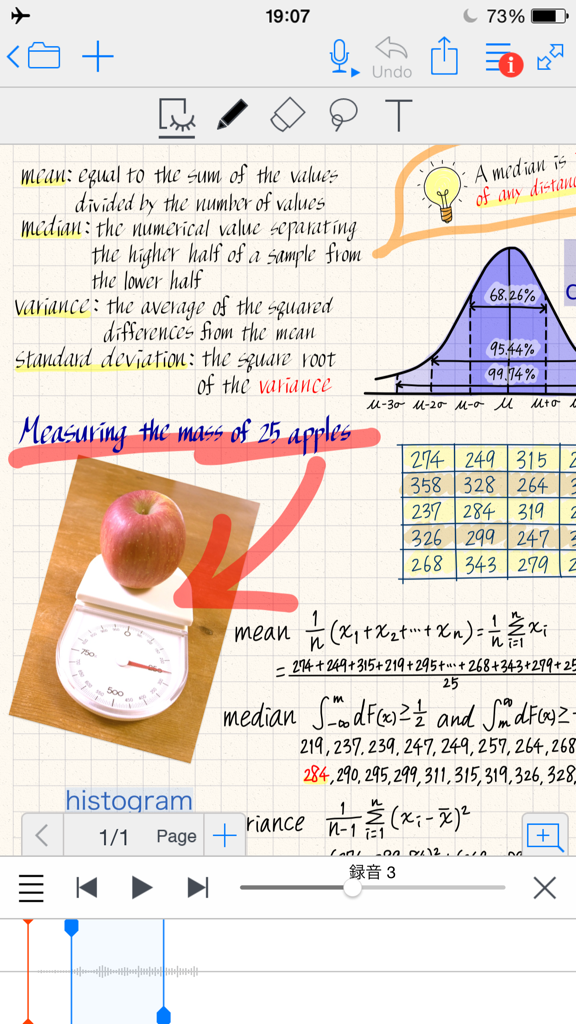
Digital notebook page in MetaMoJi Note showing handwritten statistics formulas diagrams and voice recording sync
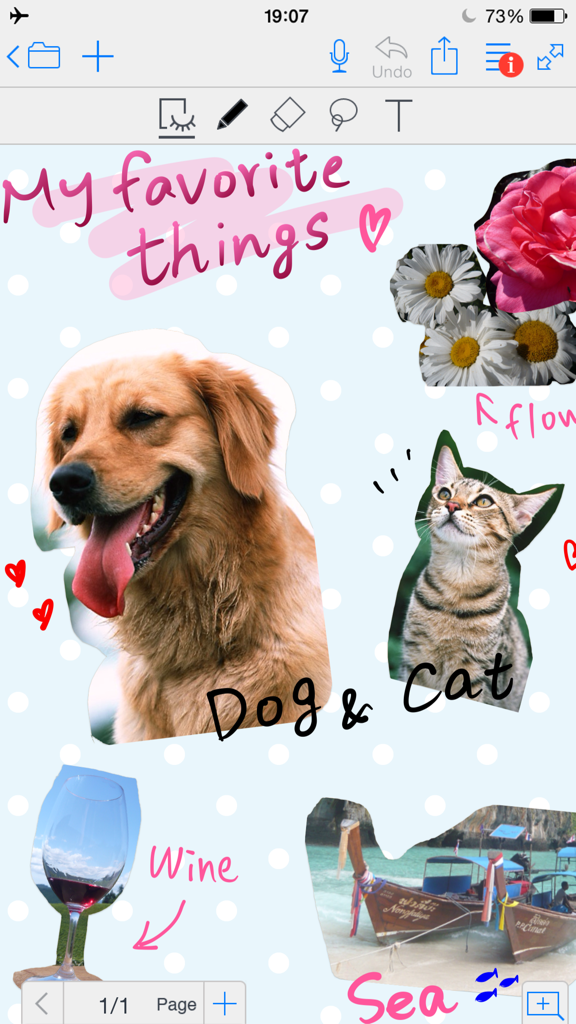
Digital scrapbook page in MetaMoJi Note with photos and handwritten notes
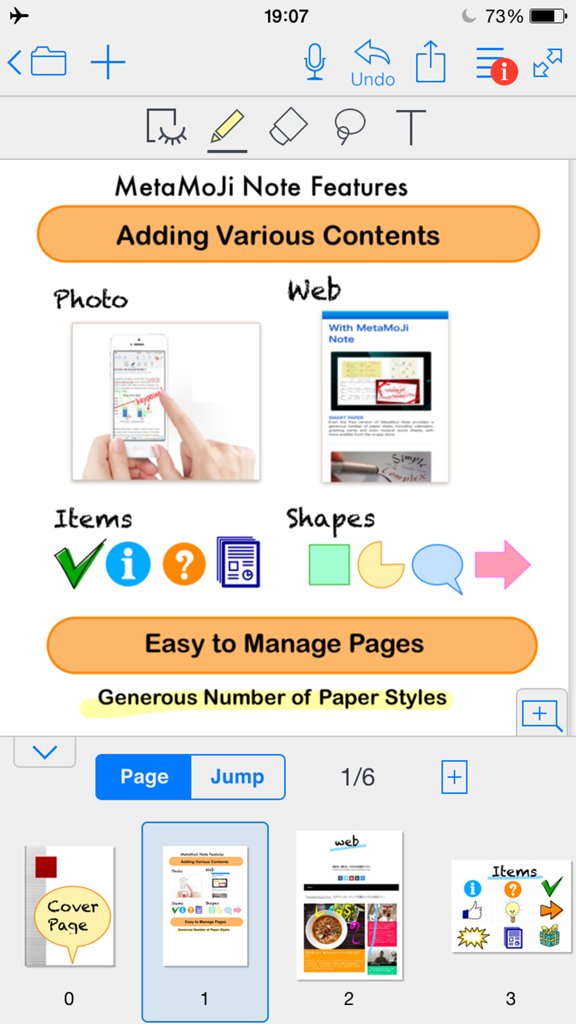
Screenshot of MetaMoJi Note showing features for adding photos web content shapes and items alongside page management tools

Digital note in MetaMoJi Note showing a room planning sketch with a floor plan and photos
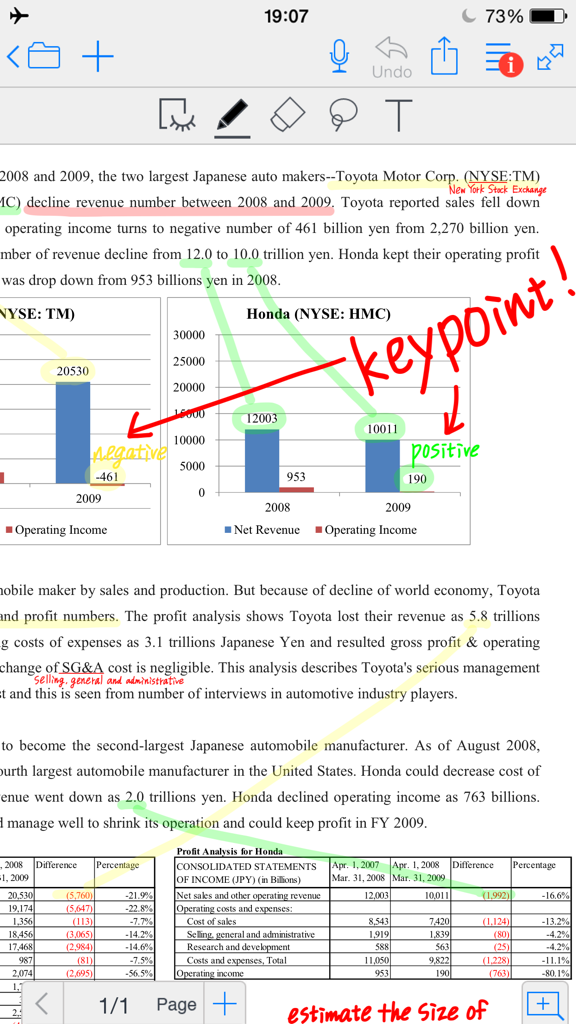
Annotating a business document with handwriting and highlights in MetaMoJi Note
Description
Download
More Like This
Apps with similar features and user experience

Notepad: Easy Notes & Memos
1381802 Ontario Inc.

EasyNote: Note, Handwrite, PDF
Hangzhou Tensorart Technology Co., Ltd

Wellnote-Notes&PDF
MAXEYE US INC.

AJournal - Planner & Journal
WonderApps AB

Element Note
Soysauce Lab

Penbook
User Camp Inc.

Notes Writer - Note Taking
Kairoos Solutions S.L.

Notewise - AI Notes, PDF, Docs
ZIIKR Pte. Ltd.

Notes Writer Pro 2026
Kairoos Solutions S.L.
This page is not an official page of the app or its developer, but an independent editorial publication created for informational and commentary purposes. Unless expressly stated otherwise, neither the app nor its developer is affiliated with, endorsed by, sponsored by, authorized by, or otherwise officially connected with MWM, Apple, Google Play, the app publisher, or the app's developer, and nothing on this page implies that the app was developed using MWM's services. Any trademarks, logos, screenshots, and other content remain the property of their respective owners.