Mobile OCR Scanner for iPhone

Mobile OCR Scanner for iPhone

Download on App Store
Logo of Mobile OCR Scanner for iPhone

Mobile OCR Scanner for iPhone: Scan, Sign, and Send Professional Documents Anywhere

Transform your iOS device into a powerful portable office. Effortlessly digitize paperwork, add legally binding e-signatures, and sync with your favorite cloud services in seconds.

Download on App Store

Publisher

People Talent Tech Sdn. Bhd.

Category

Business

Downloads

0

User Rating

4.5/5

Total Ratings

0

Locales

1

Efficiency at a Glance

Discover the interface used by 0 users.
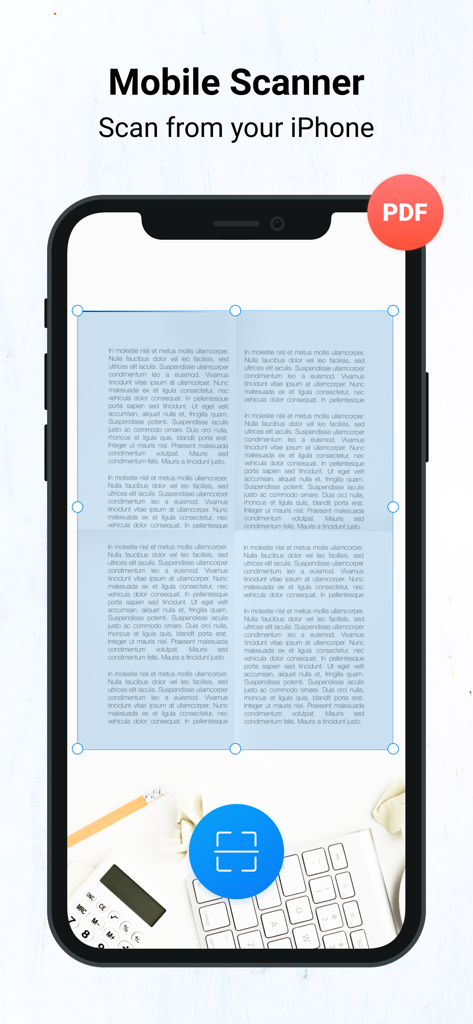
An iPhone screen showing the Mobile OCR Scanner app capturing a text document to convert into a PDF

An iPhone screen showing the Mobile OCR Scanner app capturing a text document to convert into a PDF

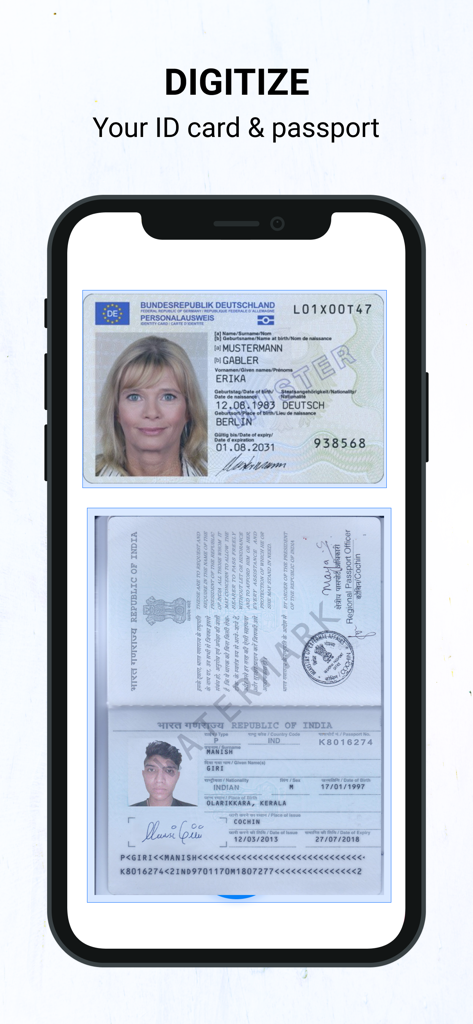
Smartphone screen showing the digitization of an ID card and a passport using the OCR scanner app

Smartphone screen showing the digitization of an ID card and a passport using the OCR scanner app

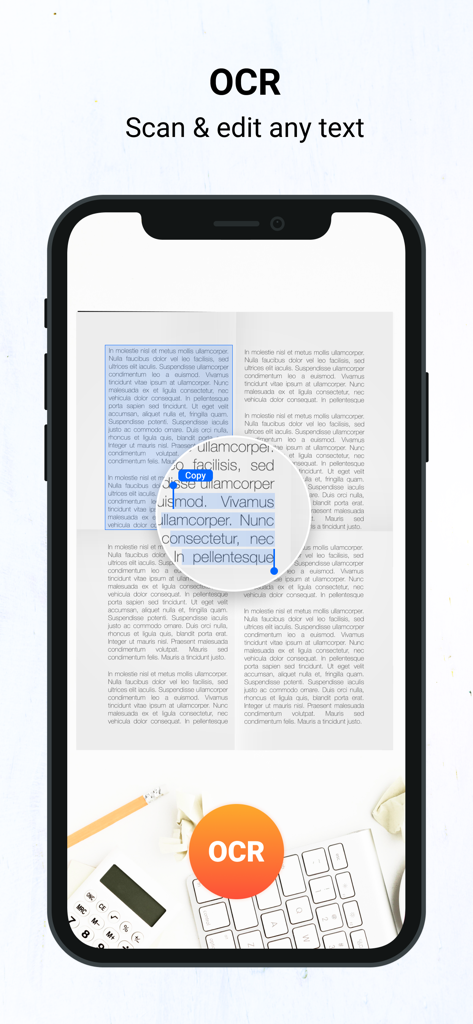
Mobile OCR scanner app interface showing text recognition and editing on an iPhone

Mobile OCR scanner app interface showing text recognition and editing on an iPhone

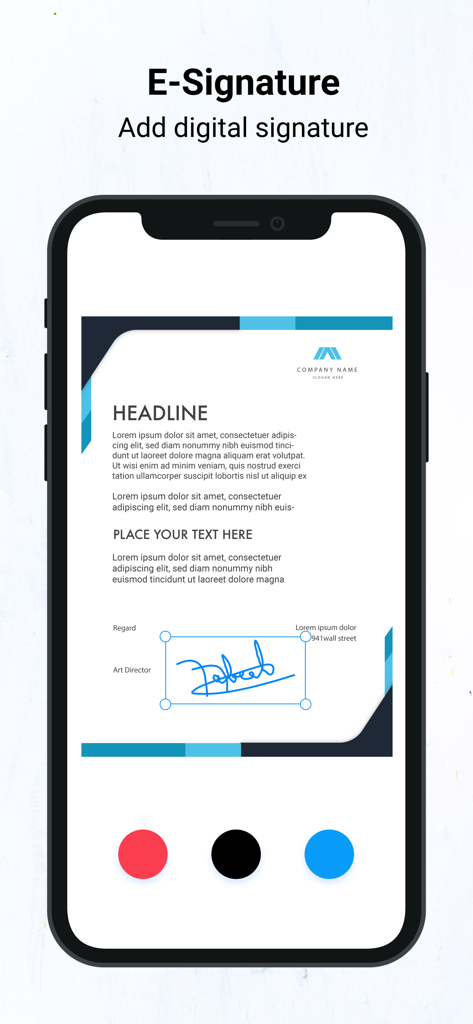
iPhone screen displaying the e-signature feature for adding digital signatures to documents

iPhone screen displaying the e-signature feature for adding digital signatures to documents

Your Entire Office in Your Pocket

The tools that make this app stand out, trusted by 0 users.

📸

Instant HD Document Scanning

Ditch the bulky hardware. Capture high-quality PDFs with automatic edge detection and smart enhancement tools for a professional finish.

🖊️

Secure One-Tap E-Signatures

Sign contracts, NDAs, and leases on the fly. Stay compliant and close deals faster without ever needing to print or scan manually.

🌐

Seamless Cloud Integration

Instantly export to Google Drive, Dropbox, or OneDrive. Keep your documents organized and accessible across all your devices.

About the app

Everything you need to know about Mobile OCR Scanner for iPhone.

Description

Scan, Sign & Send! Turn your iOS device into a portable scanner! Scan and edit any document, put your e-signature on each page and share it in PDF or JPEG format. # Key Features: * A handy iOS scanner app that can scan any document including receipts, images/photos, cards, paper notes, book pages etc * Fast, easy & perfectly designed for both iPhone and iPad * Has both single & batch mode for multiple scans. # Advanced PDF Scanner app: * Scan by camera or choose photos from Camera Roll * Save scans in gray scale, black & white or color * Automatic shutter& border detection for any scannable object * Multipage scanning - scan as many pages as you like # Document Editor: * E-sign any document by adding your signature to scans within the app * Re-size, rename & rotate pages by Biz Scanner * Change effect by adding grayscale, B&W or color. # Document Sharing Tools: * Share your scans via email * Easy print your scans with any Wi-Fi printer * Share and upload scanned documents to cloud services like Dropbox, Evernote, Yandex Disk, Box, Google Drive or OneDrive. * Export files as PDF * Save files to Camera Roll # Choose from different subscription options: - 1 Week Subscription - 1 Month Subscription - 3 Months Subscription - 6 Months Subscription - 1 Year Subscription # Subscription Information: Please note: * Your subscription will automatically renew unless auto-renew is turned off at least 24-hours before the end of the current period * You can cancel subscription anytime cancelling your subscription through your iTunes account settings. This must be done 24 hours before the end of subscription period to avoid being charged. The cancellation will take effect the day after the last day of the current subscription period, and you will be downgraded to the free service. * Payment will be charged to your iTunes Account at confirmation of purchase * Your account will be charged for renewal within 24-hours prior to the end of the current period and the cost will be identified. * Subscriptions may be managed by the user and auto-renewal may be turned off by going to the user’s Account Settings after purchase EULA: https://people-talent.com.my/Privacy/terms_and_conditions.html Privacy Policy: https://people-talent.com.my/Privacy/Privacy_Policy.html Got questions or suggestions? Please don’t hesitate to email us at info@people-talent.com.my Or reach us on Facebook to get immediate support Facebook : https://www.facebook.com/peopletalenttech/ We will constantly keep Docs Scanner updated for our users by adding new features & fixing bugs, so please write your review by rating us, it will help us to improve the Docs Scanner.

Latest Version

5.2.1

Size

24.4 MB

First Released

Dec 8, 2017

Transform Your iPhone into a Portable Office

Join thousands of professionals who scan, sign, and share documents on the go. Get the precision of a high-end scanner right in your pocket and never miss a deadline again.

Download on App Store

App information, icons, screenshots, and descriptions displayed on this page are sourced from the Apple App Store and are the property of their respective developers. Download estimates and rankings are based on MWM's proprietary models and may not reflect actual figures. This page is provided for informational and analytical purposes only.

Believe this page infringes your intellectual property? File a dispute