Mojisand: Emoji Sand Timers
Download on App Store

This page is not an official page of the app or its developer, but an independent editorial publication created for informational and commentary purposes. Unless expressly stated otherwise, neither the app nor its developer is affiliated with, endorsed by, sponsored by, authorized by, or otherwise officially connected with MWM, Apple, Google Play, the app publisher, or the app's developer, and nothing on this page implies that the app was developed using MWM's services. Any trademarks, logos, screenshots, and other content remain the property of their respective owners.

Logo of Mojisand: Emoji Sand Timers
Download on App Store

Mojisand: Emoji Sand Timers

Swap boring clocks for customizable emoji hourglasses. Designed for focus, fitness, and flow across your iPhone, iPad, and Mac. One-time purchase, zero subscriptions, total privacy.

Key Figures

Downloads

0

User Rating

5.0/5

Total Ratings

0

Publisher

Flore Technologies, LLC.

Category

Utilities

Locales

51

Latest Version

1.30

Size

88.1 MB

First Released

Jun 5, 2025
Features

Mastering Time Never Looked This Good

More than just a timer—Mojisand is a sensory-driven productivity tool designed for those who value aesthetics, privacy, and flow. No subscriptions, just pure focus.

End Time Blindness Visually

Numbers can be stressful. Watch colorful emoji sand fall in real-time to 'feel' the passage of time—perfect for Pomodoro sessions, ADHD focus, or mindful meditation.

Automate Your Daily Routines

Set it and forget it. Chain together work, rest, and repeat cycles for HIIT workouts, study drills, or complex recipes with hands-free, automated transitions.

The following screenshots and description are sourced directly from the app's official store listing and are the property of the app developer.

App Store

Screenshots
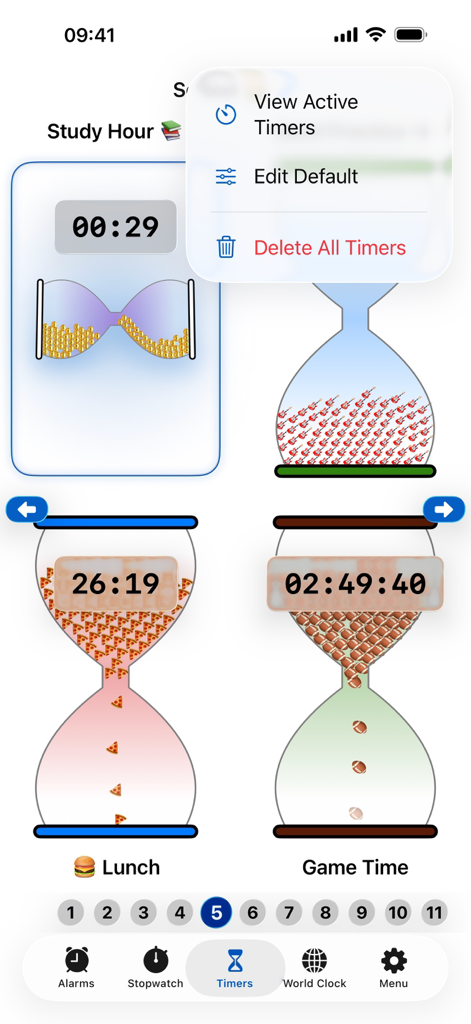
Mojisand: Emoji Sand Timers - The Mojisand app interface showing custom sand timers with emoji sand and a popup menu for active timers.
The Mojisand app interface showing custom sand timers with emoji sand and a popup menu for active timers.

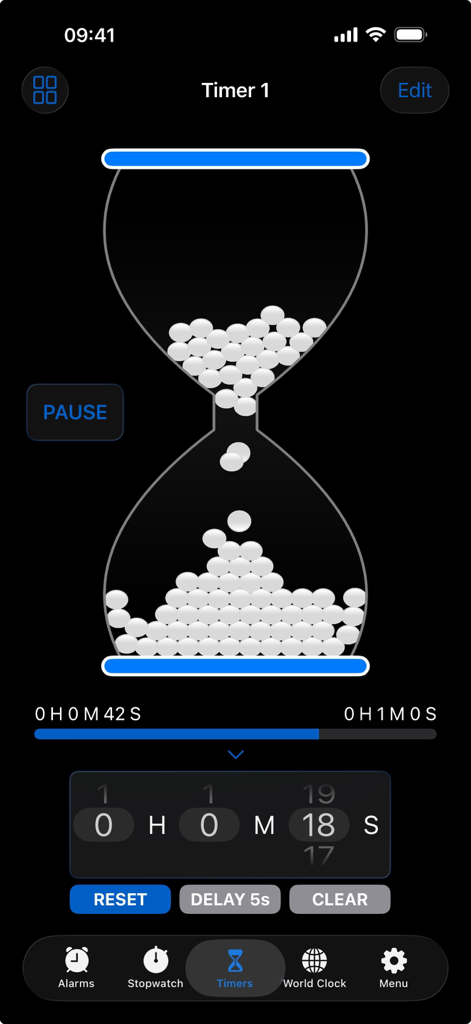
Mojisand: Emoji Sand Timers - Mojisand app interface showing a customizable digital hourglass with falling emoji sand
Mojisand app interface showing a customizable digital hourglass with falling emoji sand

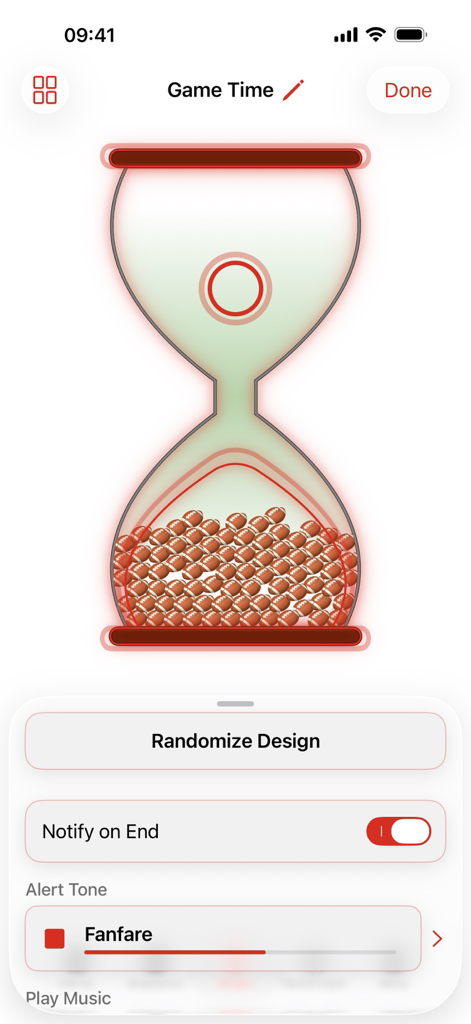
Mojisand: Emoji Sand Timers - Mojisand app interface showing a custom sand timer filled with football emojis and alert settings.

Mojisand app interface showing a custom sand timer filled with football emojis and alert settings.
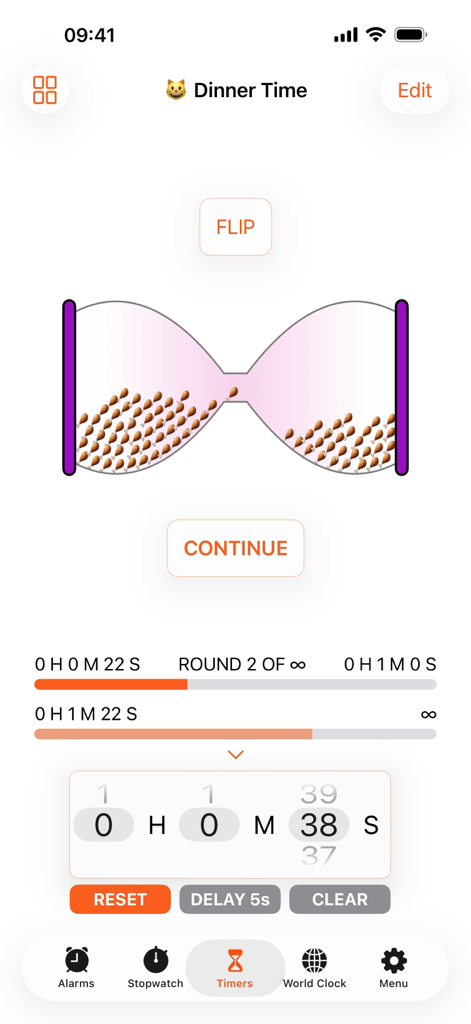
Mojisand: Emoji Sand Timers - Interface of Mojisand app showing a custom dinner timer with chicken leg emojis as sand in an hourglass.
Interface of Mojisand app showing a custom dinner timer with chicken leg emojis as sand in an hourglass.

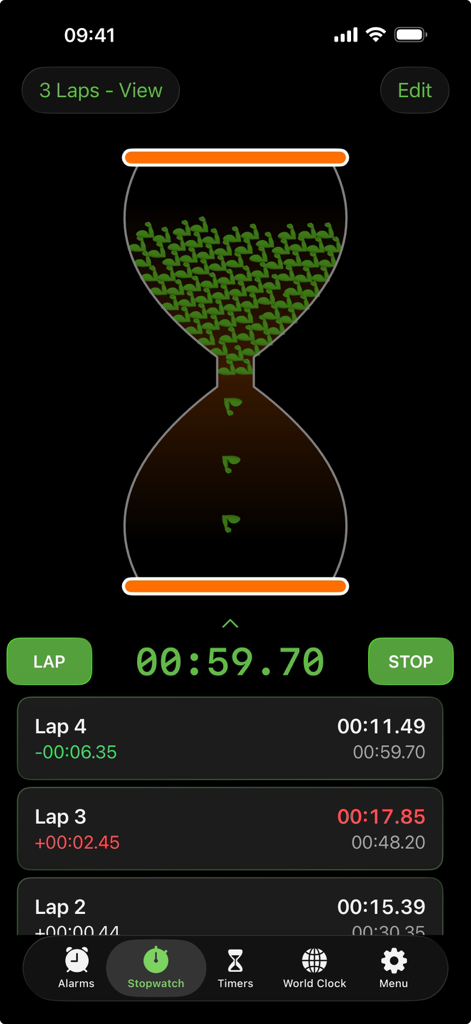
Mojisand: Emoji Sand Timers - Mojisand stopwatch interface featuring an hourglass filled with muscle emojis and a list of recorded lap times.
Mojisand stopwatch interface featuring an hourglass filled with muscle emojis and a list of recorded lap times.

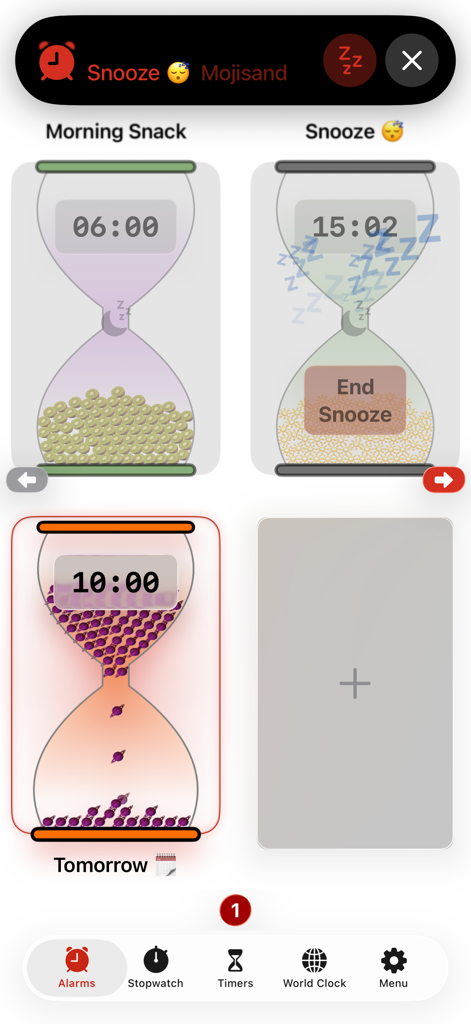
Mojisand: Emoji Sand Timers - A collection of customizable emoji sand timers on the Mojisand alarms dashboard.
A collection of customizable emoji sand timers on the Mojisand alarms dashboard.

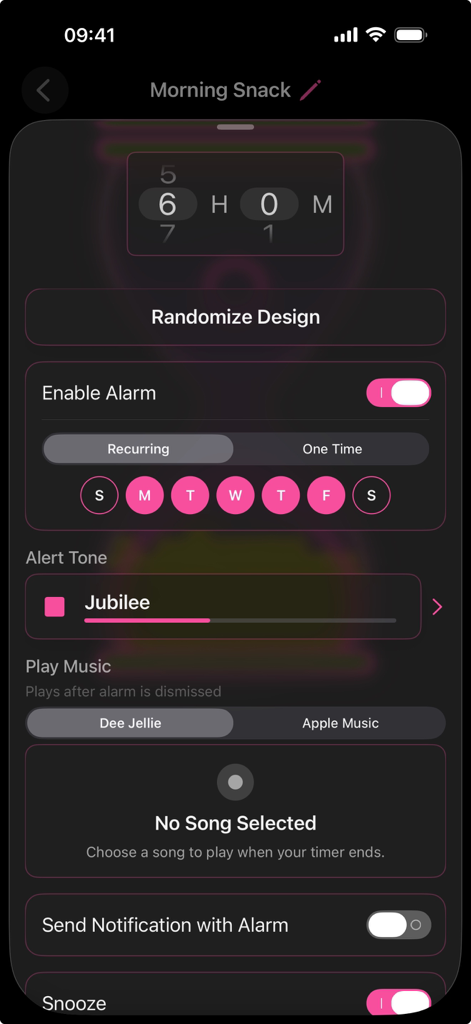
Mojisand: Emoji Sand Timers - Mojisand app screen showing alarm and timer settings with a pink aesthetic theme
Mojisand app screen showing alarm and timer settings with a pink aesthetic theme

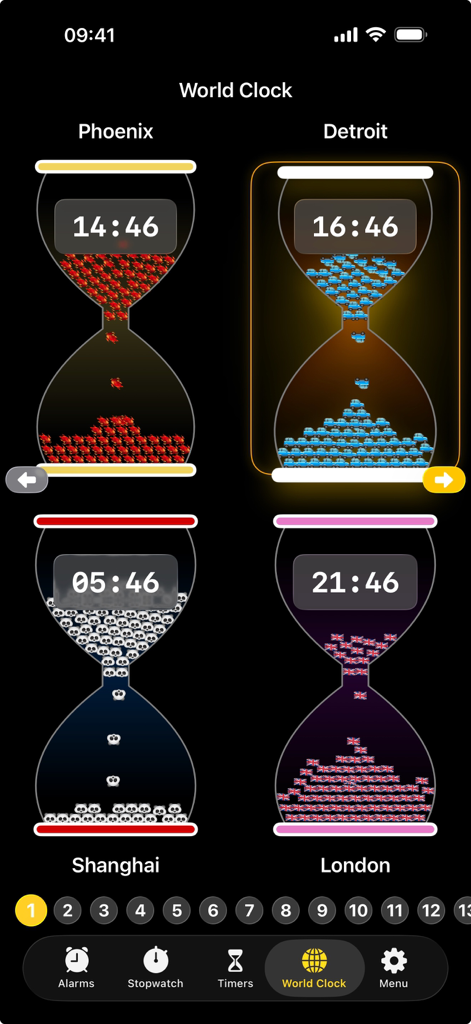
Mojisand: Emoji Sand Timers - Mojisand world clock screen featuring four customized emoji hourglass timers for Phoenix Detroit Shanghai and London
Mojisand world clock screen featuring four customized emoji hourglass timers for Phoenix Detroit Shanghai and London

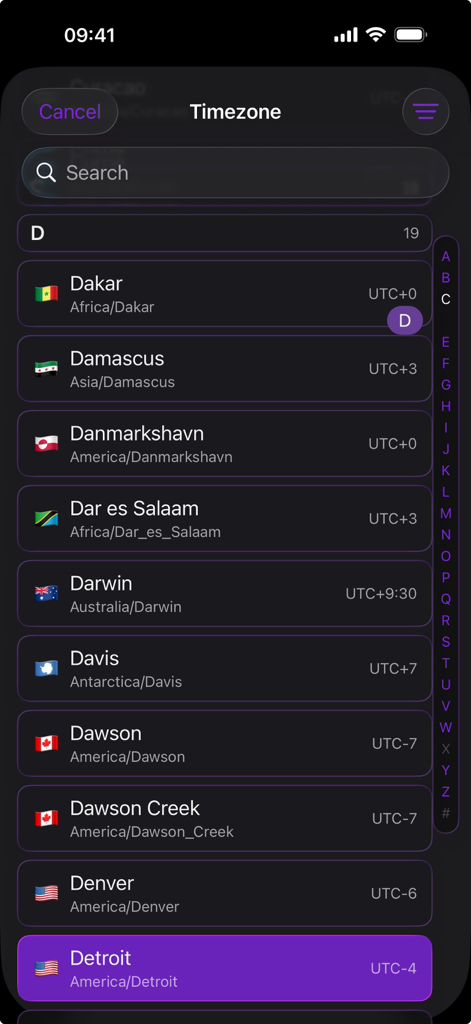
Mojisand: Emoji Sand Timers - A searchable list of global cities and timezones in the Mojisand app with a dark purple aesthetic theme.
A searchable list of global cities and timezones in the Mojisand app with a dark purple aesthetic theme.

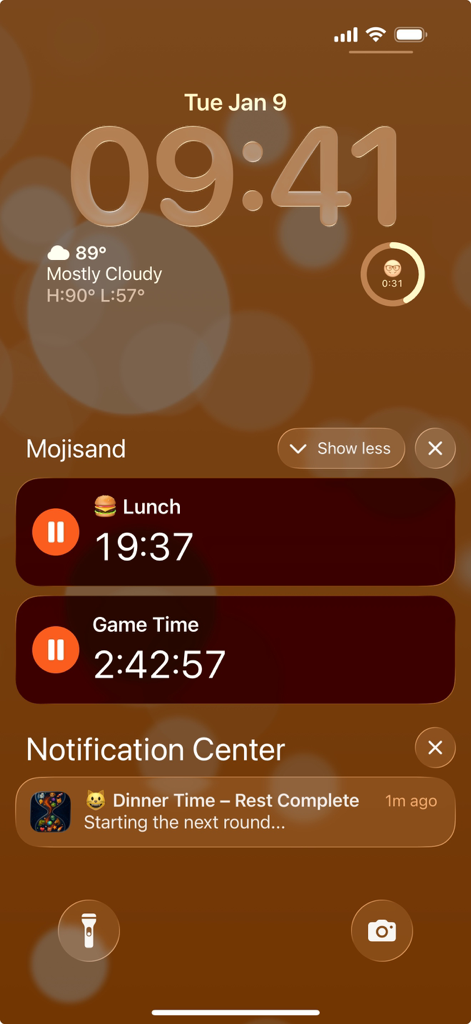
Mojisand: Emoji Sand Timers - Mojisand app timers and notifications displayed on an iPhone lock screen using Live Activities.

Mojisand app timers and notifications displayed on an iPhone lock screen using Live Activities.

Description

A timer you'll want to watch. Mojisand turns every countdown into a living, colorful emoji hourglass. Pick your colors, watch the sand fall. Build up to 400 custom timers across iPhone, iPad, and Mac — for the gym, the kitchen, the classroom, or anywhere focus matters. Organize across 100 named pages so every part of your routine has its own space. One purchase. No subscriptions. --- MAKE IT YOURS Every timer is a canvas. Choose any emoji, color the sand, glass, and supports, and build something you'll recognize at a glance. Tap randomize for instant inspiration, or save a favorite design as your Default for new timers and the stopwatch. SIMPLE TO START, POWERFUL UNDERNEATH Launch the app, tap, and go — you're timing in seconds. Scroll the wheels or use the numpad with presets for common durations. When you need more control, add a start delay, configure repeat mode, and set rest periods from 5 to 30 seconds. REPEAT & REST AUTOMATION Set it once and Mojisand runs your whole routine — work, rest, work, rest — hands-free. Perfect as a Pomodoro focus timer, a HIIT or Tabata interval clock, an EMOM tracker at the gym, a study drill pacer, or a kitchen timer that cycles through every dish. STOPWATCH MODE Millisecond accuracy when it counts. Time sprints, experiments, or mindfulness sessions. Every lap is color-coded with instant feedback and trend graphs so you can track progress over time. ALARMS Wake up your way. Set one-time or recurring alarms — every day, weekdays, weekends, or any custom combination. Customize each with its own emoji hourglass, label, and sound. Snooze when you need a few more minutes. System-level reliability means your alarm fires even when Mojisand is closed. WORLD CLOCK Keep tabs on time zones around the globe — Mojisand style. Each city displays as an animated hourglass with emoji sand that fills as the day progresses. Add up to four clocks per page, each with its own colors and emoji, so you can tell Tokyo from Toronto at a glance. HANDS-FREE ALERTS Haptic feedback, banners, and notifications reach you even when the app is closed. Smart in-app alerts keep things quiet when you're focused. YOUR MUSIC, YOUR MOMENT When you're done, your soundtrack kicks in. Dismiss the alert and start listening. Link a song from Dee Jellie or your Apple Music library to any timer or alarm — ease into your morning, power through reps, or unwind after a focus session with the music you love. LIVE ACTIVITIES Glance at your Lock Screen or Dynamic Island to see how much time is left — no unlocking, no switching apps. Pause, continue, and restart in one tap. SIRI & SHORTCUTS "Start my Pomodoro timer." Control any timer by name with Siri or the Shortcuts app — start, pause, and reset without touching your phone. HOME & LOCK SCREEN WIDGETS Keep timers front and center. Four Home Screen widgets track specific timers, show what's running, or display an entire page. Two Lock Screen widgets show your soonest-ending timer with a progress ring. THEME YOUR SPACE Match the app to your aesthetic — from man cave to modern minimalist. Apply a global theme or customize individual timers to stand out. ICLOUD SYNC Build your timer setup on iPad, then pick up your iPhone — everything's already there. All data syncs privately via iCloud, and offline changes catch up automatically. ON-DEVICE TUTORIALS Every feature explained through animated guides built right into the app. No website, no manual, no guesswork. PRIVACY FIRST No ads, no analytics, no data harvesting. Your data stays on your device and your personal iCloud. MULTILINGUAL Built for everyone, everywhere. Fully localized in over 50 languages — from French, German, Italian, Spanish, Russian, and Greek to Chinese, Japanese, Korean, Arabic, Hebrew, Thai, Vietnamese, Hindi, and many more. ---

Download

Download on App Store

This page is not an official page of the app or its developer, but an independent editorial publication created for informational and commentary purposes. Unless expressly stated otherwise, neither the app nor its developer is affiliated with, endorsed by, sponsored by, authorized by, or otherwise officially connected with MWM, Apple, Google Play, the app publisher, or the app's developer, and nothing on this page implies that the app was developed using MWM's services. Any trademarks, logos, screenshots, and other content remain the property of their respective owners.