
This page is not an official page of the app or its developer, but an independent editorial publication created for informational and commentary purposes. Unless expressly stated otherwise, neither the app nor its developer is affiliated with, endorsed by, sponsored by, authorized by, or otherwise officially connected with MWM, Apple, Google Play, the app publisher, or the app's developer, and nothing on this page implies that the app was developed using MWM's services. Any trademarks, logos, screenshots, and other content remain the property of their respective owners.

Monet AI - Fix Photo & Enhance
Erase distractions, expand your photos, and transform your look using simple text prompts. Get professional-grade edits for Instagram and Tinder in just one tap.
Downloads
118K+User Rating
Total Ratings
500Publisher
Category
Graphics & DesignLocales
8Latest Version
3.0Size
91.0 MBFirst Released
May 30, 2023Master Your Digital Aesthetic
Stop settling for 'almost perfect' shots. Monet AI brings high-end generative tools to your pocket, allowing you to rewrite your photos with simple text descriptions or a single tap.
Text-to-Edit Reality
Swap outfits, add details, or upgrade your look for dating apps just by typing. Simply select an area and describe your vision to see it come to life.
Smart Frame Expansion
Transform horizontal shots into vertical Stories without cropping. Our AI intelligently generates missing parts like legs or backgrounds to fit any screen.
Frequently Asked Questions
Everything you need to know about Monet AI - Fix Photo & Enhance
How does Monet AI remove unwanted objects from photos?
Monet AI removes unwanted objects by allowing users to select them and tap Erase. The app's AI makes the objects disappear as if they were never in the photo.
Can Monet AI add or replace objects in photos using text descriptions?
Yes, Monet AI can add and replace objects in photos using text descriptions. Users select an area, type a description (e.g., "white sneakers"), and the AI generates the new content with high realism.
Does Monet AI improve photo quality and resolution?
Yes, Monet AI improves photo quality and resolution. The Upscale feature enhances photo quality and increases dimensions up to 4k, allowing users to export high-resolution images.
How can Monet AI restore missing parts or change photo aspect ratios?
Monet AI's Expand Photo feature restores missing parts, like legs or arms, by generating content beyond the original crop. It also allows users to change the photo's aspect ratio without cropping.
What is the Outfits feature in Monet AI?
The Outfits feature in Monet AI allows users to apply cool filters to their photos. They can try different styles, such as business looks, a superman, an athlete, or a latex catsuit, with a single tap.
Can users generate new images with Monet AI?
Yes, users can generate new, high-quality AI art with Monet AI. The app offers various aspect ratios and styles, and a Variations feature to create similar images based on preferences.
Does Monet AI allow the generation of explicit content?
No, Monet AI strictly prohibits the generation of sexual, explicit, or adult content. The app does not allow the creation of such material.
How can I contact support for Monet AI?
You can contact support for Monet AI by sending an email to hello@monetai.pro if you need help or have an idea.
Where can I find the Terms of Use for Monet AI?
The Terms of Use for Monet AI are available at relvancel.com/monet/terms/. This link provides the official conditions for using the application.
The following screenshots and description are sourced directly from the app's official store listing and are the property of the app developer.
App Store
Screenshots
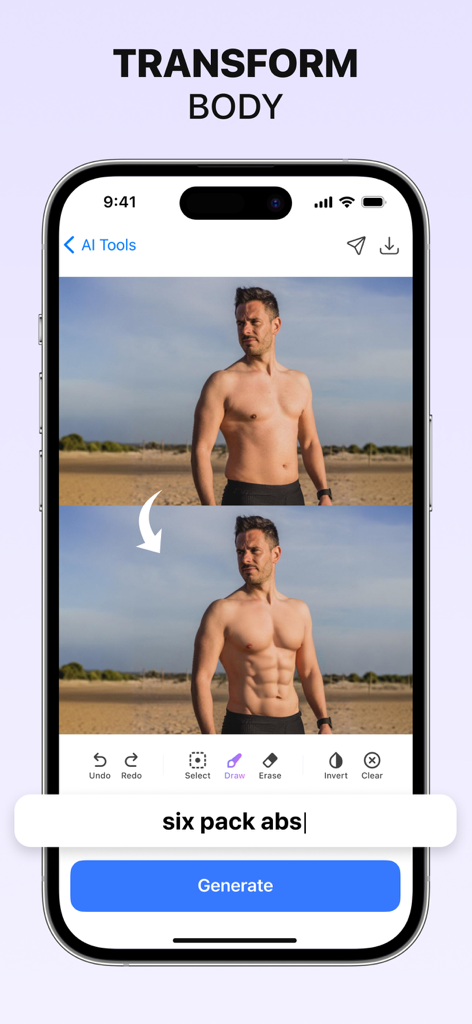
Mobile app interface showing AI body transformation adding six pack abs to a man photo
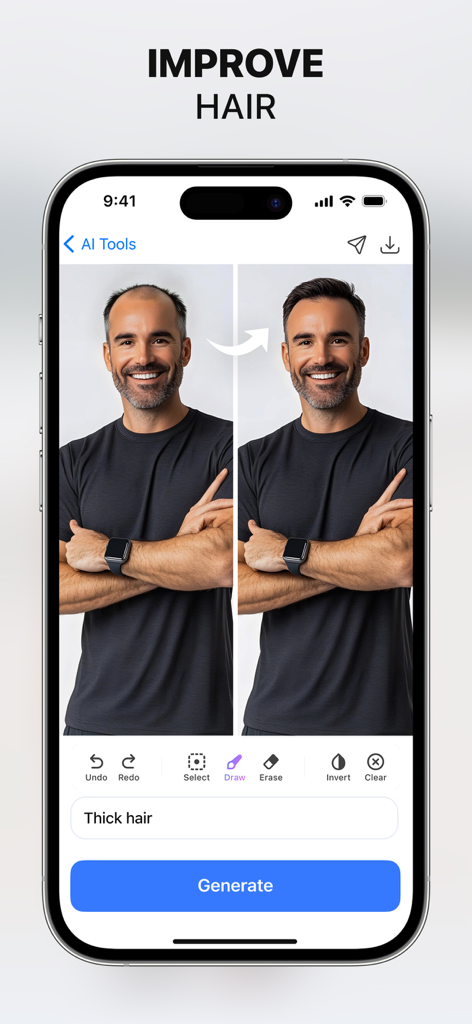
Before and after comparison of a man using Monet AI to get thicker hair using a text prompt.
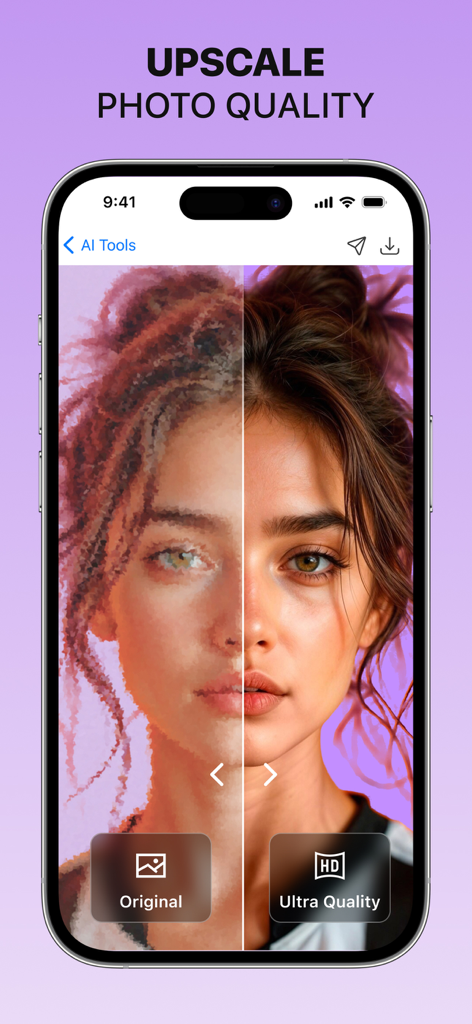
Before and after comparison of AI photo upscaling to ultra quality
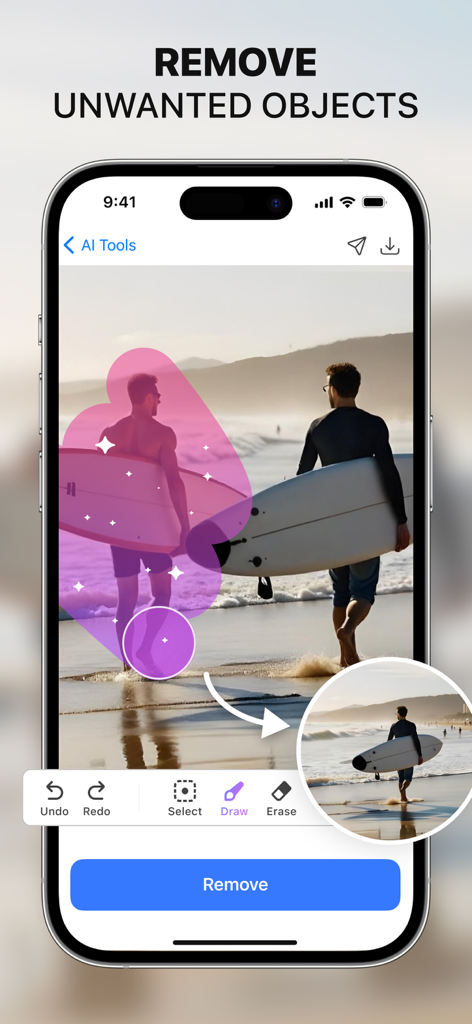
Screenshot of the Monet AI app showing a feature to remove unwanted objects from a beach photo using a brush tool.
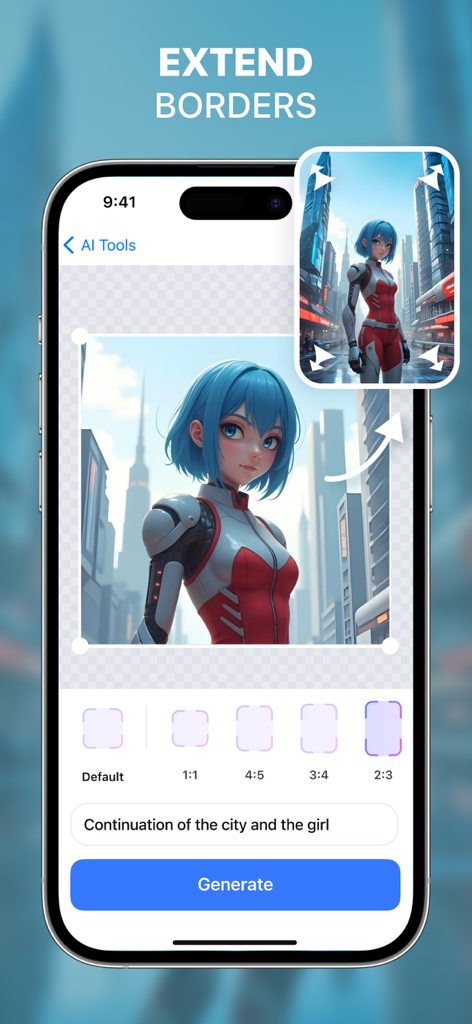
Interface of Monet AI app demonstrating the Extend Borders feature to expand a photo background using AI outpainting
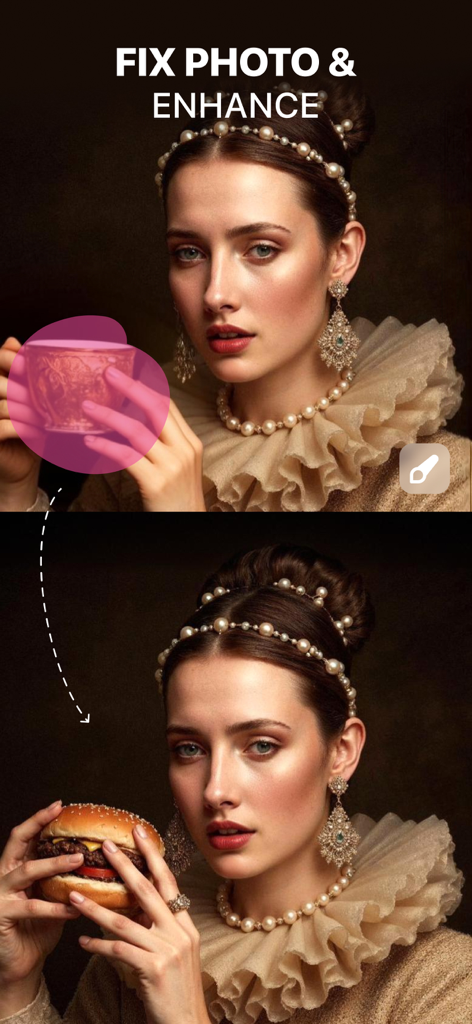
Before and after comparison showing a tea cup replaced with a hamburger using Monet AI generative fill.
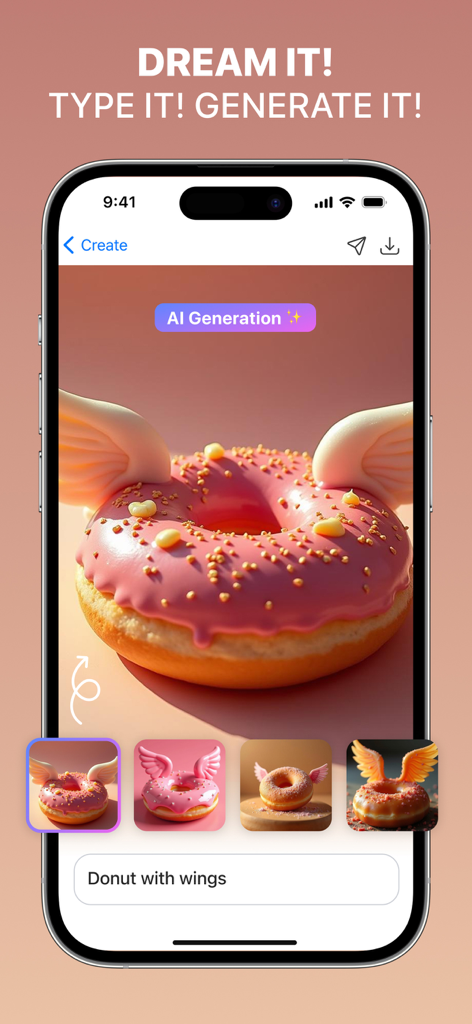
Interface of Monet AI app showing an AI generated pink donut with wings from a text prompt.
Description
Download
More Like This
Apps with similar features and user experience

EPIK - AI Photo & Video Editor
SNOW Corporation

Citrus: AI 1 Tap Perfect Photo
Wemagine.ai LLP

SnapEdit: Photo Editor AI
SilverAI Joint Stock Company

Background Eraser 〜 Stickers
handyCloset Inc.

PhotoScan by Google Photos
Google LLC

Magic Eraser - Remove Object
Creatix Technology Global Limited

Magic Eraser Background Editor
Honk Honk Punch Pty Ltd

ProKnockOut-Cut Paste Photos
Shenzhen Qianhai Happy Tour Network Technology Co., Ltd.

Background Eraser - Remove BG*
SHANTANU PTE. LTD.
This page is not an official page of the app or its developer, but an independent editorial publication created for informational and commentary purposes. Unless expressly stated otherwise, neither the app nor its developer is affiliated with, endorsed by, sponsored by, authorized by, or otherwise officially connected with MWM, Apple, Google Play, the app publisher, or the app's developer, and nothing on this page implies that the app was developed using MWM's services. Any trademarks, logos, screenshots, and other content remain the property of their respective owners.