MoonCatcher
MoonCatcher
Download on App Store

This page is not an official page of the app or its developer, but an independent editorial publication created for informational and commentary purposes. Unless expressly stated otherwise, neither the app nor its developer is affiliated with, endorsed by, sponsored by, authorized by, or otherwise officially connected with MWM, Apple, Google Play, the app publisher, or the app's developer, and nothing on this page implies that the app was developed using MWM's services. Any trademarks, logos, screenshots, and other content remain the property of their respective owners.

Logo of MoonCatcher
Download on App Store

MoonCatcher

Stop settling for blurry white blobs. Transform your iPhone into a precision lunar camera with 40x zoom, automatic exposure control, and pro-level focus shifting designed specifically for the night sky.

Key Figures

Downloads

14K+

User Rating

2.3/5

Total Ratings

0

Publisher

HIROFUMI MARUO

Category

Photo & Video

Locales

2

Latest Version

18.1

Size

22.7 MB

First Released

Dec 17, 2014
Features

Capture the Cosmos with Precision

Stop settling for a blurry white glow. MoonCatcher transforms your iPhone into a powerful lunar telescope with advanced focus-shifting and specialized exposure controls to reveal the moon's true texture.

No More "White Blobs"

Our specialized Moon Mode automatically balances exposure to reveal intricate craters and lunar patterns that native camera apps typically blow out.

Advanced 40x Moon Zoom

Get closer than ever before. Use our precision zoom and focus-shifting technology to find the perfect sharpness, even at maximum magnification.

The following screenshots and description are sourced directly from the app's official store listing and are the property of the app developer.

App Store

Screenshots
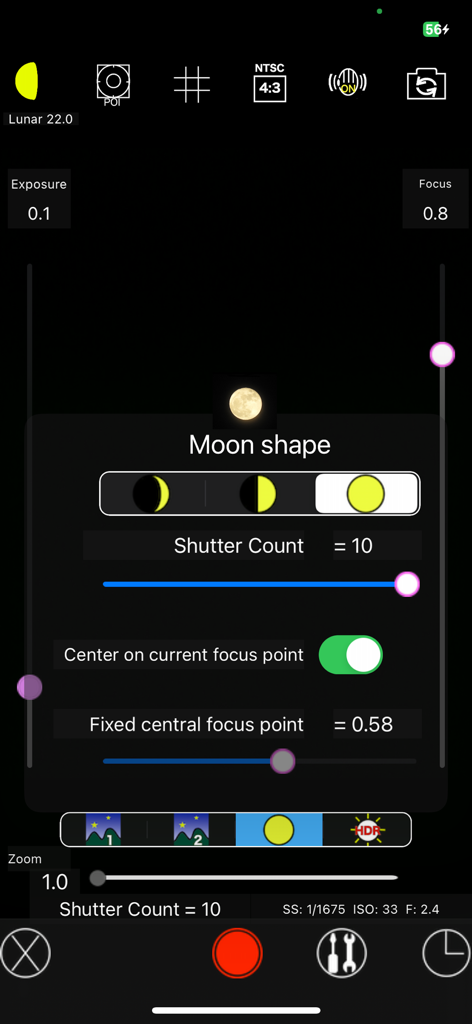
MoonCatcher - MoonCatcher app interface showing manual camera settings and moon shape selection for astrophotography
MoonCatcher app interface showing manual camera settings and moon shape selection for astrophotography

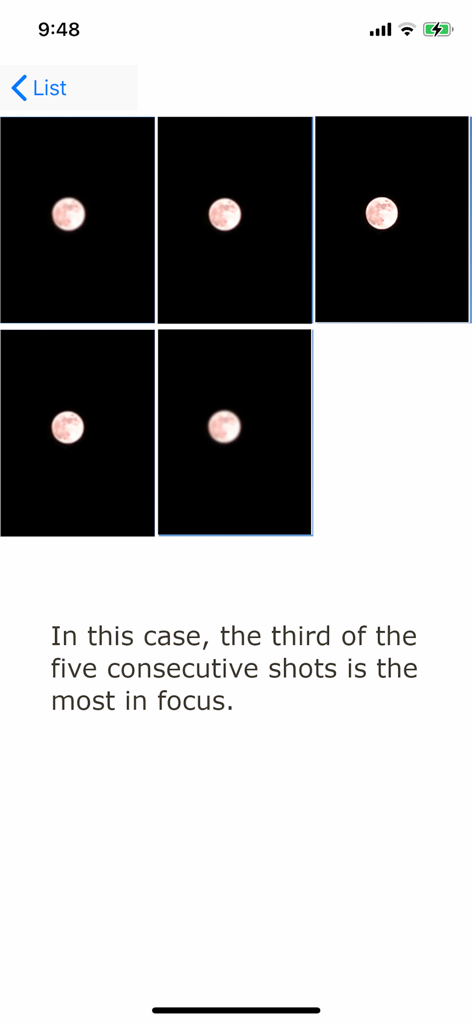
MoonCatcher - A sequence of five consecutive moon photos in the MoonCatcher app demonstrating focus shifting to find the sharpest image.
A sequence of five consecutive moon photos in the MoonCatcher app demonstrating focus shifting to find the sharpest image.

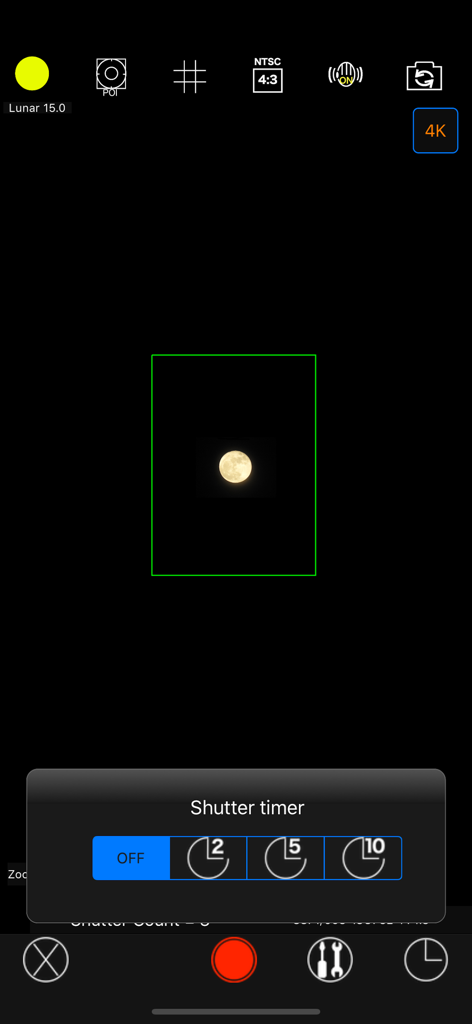
MoonCatcher - MoonCatcher app camera interface showing a shutter timer menu and a captured image of the moon
MoonCatcher app camera interface showing a shutter timer menu and a captured image of the moon

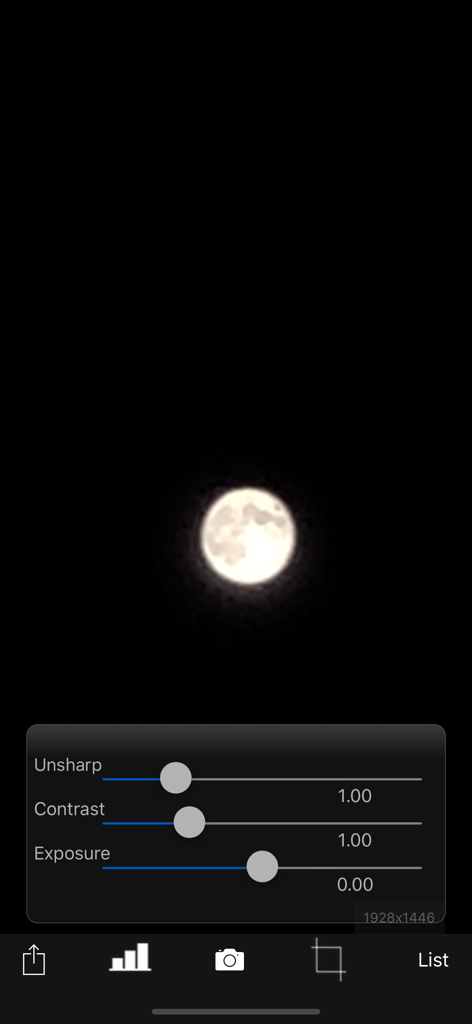
MoonCatcher - MoonCatcher app interface with a moon photo and editing sliders for unsharp contrast and exposure

MoonCatcher app interface with a moon photo and editing sliders for unsharp contrast and exposure
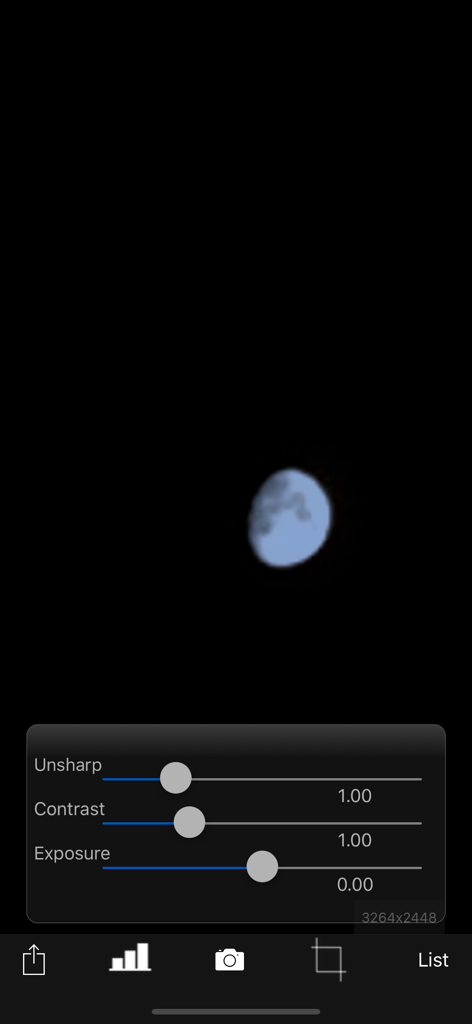
MoonCatcher - MoonCatcher app photo editing screen showing adjustment sliders for unsharp contrast and exposure over a moon image
MoonCatcher app photo editing screen showing adjustment sliders for unsharp contrast and exposure over a moon image

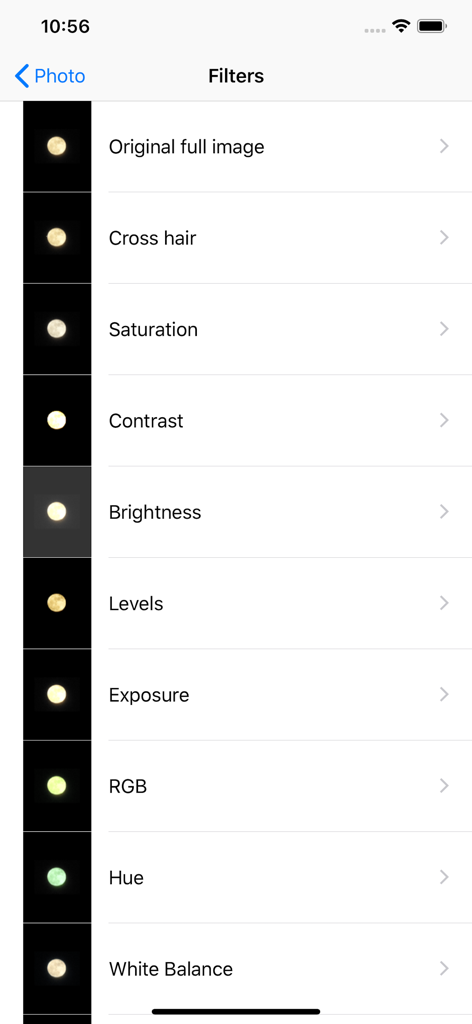
MoonCatcher - MoonCatcher app interface showing a list of photo editing filters for moon photography.
MoonCatcher app interface showing a list of photo editing filters for moon photography.

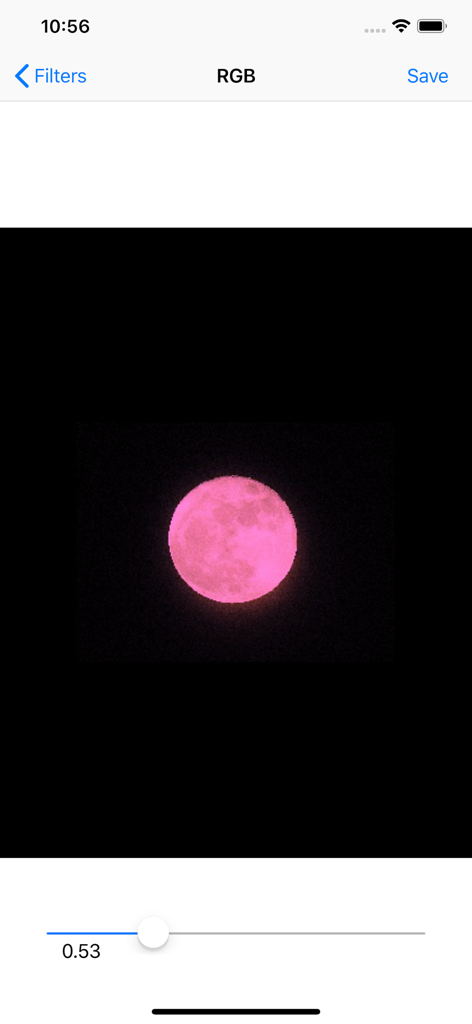
MoonCatcher - MoonCatcher app interface showing a pink moon being edited with an RGB filter slider
MoonCatcher app interface showing a pink moon being edited with an RGB filter slider

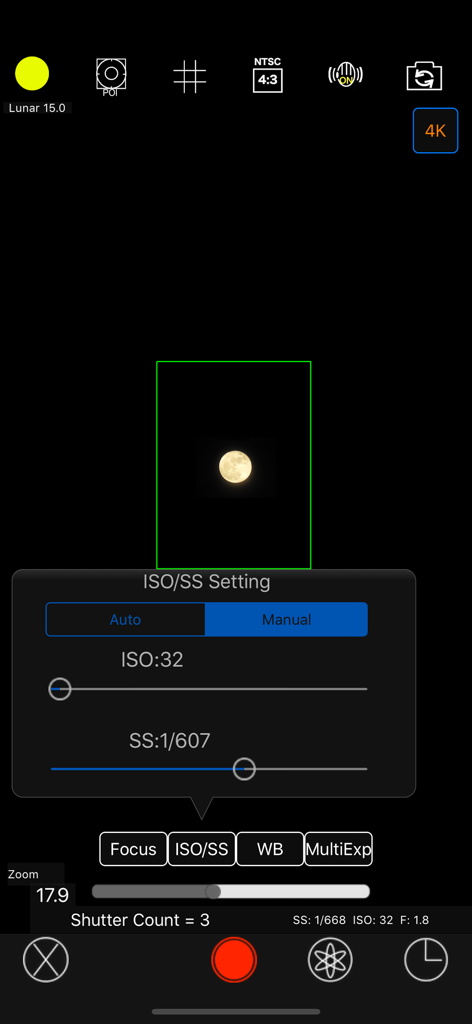
MoonCatcher - Manual ISO and shutter speed settings interface in the MoonCatcher photography app
Manual ISO and shutter speed settings interface in the MoonCatcher photography app

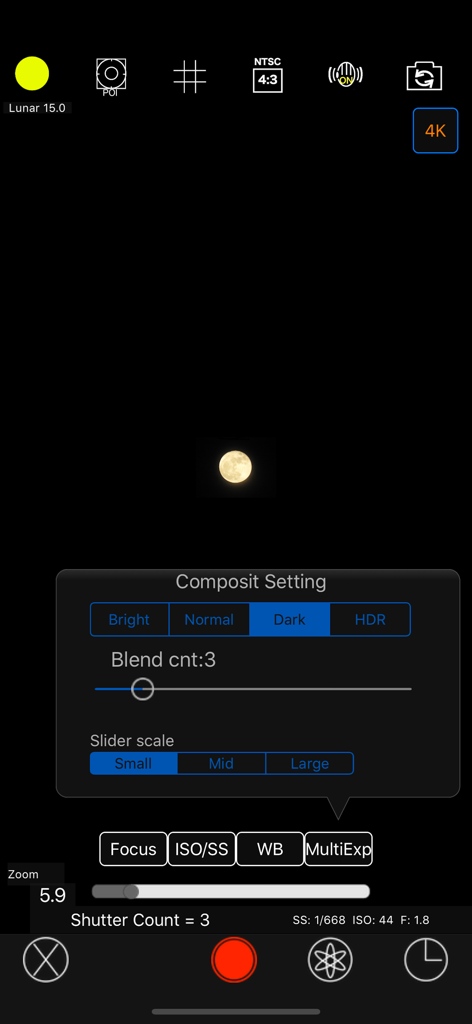
MoonCatcher - MoonCatcher camera interface showing the manual composite settings menu and a captured moon image

MoonCatcher camera interface showing the manual composite settings menu and a captured moon image

Description

This is an app that allows you to easily photograph the moon at night, including its pattern. You can also zoom easily. Usage is simple. (A) Tap the moon from the menu and tap the closest moon shape among the three. (B) Point the camera at the moon and zoom. (C) Release the shutter without moving the smartphone (tripod recommended). The shutter will fire several times, so don't let it slide until the end. If you cannot take any of the photos with the moon in focus, you can try "changing the center of focus" as many times as you like below. Tap the manual mode button (second button from the bottom right) to enter manual mode, where you can manually set focus, ISO/shutter speed, white balance, and multiple exposure parameters. ------------------------- The features of this app are (1) Fully automatic function - If you select "Moon", the exposure will be automatically darkened in response to the bright moon in the night sky, and the focus will be adjusted to the distance. Since it fires continuously while changing the focus multiple times, you can choose the best result among them. (The number of consecutive shots and the center of focus can be changed with the slider) *"Change the focus center": Tap "Moon" on the shooting screen to display the moon shape selection segment, the number of consecutive shots slider, and the focus center slider. Now you can change each value. Because the moon is far away, it is difficult to focus when zoomed in. Therefore, if you take pictures while changing the focus little by little, you can expect the moon to be in focus at some point. The focus range is from 0 (nearby) to 1 (far), but in reality, the focus is shifted by 1/5 when shooting. For example, 0.7 to 0.9 (0.8 in the center). By changing the center of focus, you can shift the focus within any range and fire continuously. - There are two types of night views. ・"Night Scene 1" brightens a dark night scene by one level. ・“Night Scene 2” brightens the image one step brighter than “Night Scene 1”. It fires continuously while changing the brightness 4 times. - If you select "HDR", multiple consecutive images with different exposures will be combined to create a pseudo-large dynamic range.  Multiple exposure 3 times. (2) Full manual function You can take photos by manually setting the focal length, exposure, white balance, photo composition method, and number of photos. ・Tap "Focus", "ISO/SS", and "WB" to select auto or manual. 
 ・Tap "Multiple Exposure" to select the multiple exposure composition method and set the number of composite images (up to 100). The synthesis methods are as following. Bright: Screen composit (Screen Blend) Normal: Comparison(light) composition (Lighten Blend) Dark: Comparison (dark) composition (Darken Blend) HDR: Special composition (Special Blend) (3) Other camera functions ・Zoom function: Achieving a zoom ratio of 40 time ・A camera position: The LCD screen side or the back camera is selectable. ・Focus position specification ・Mesh display ・Aspect selection ・Deviation correction selection (4) Filter function just after the photography To display the photograph just after photography and the following filtering are possible by slider operation. ・Purity (sharpness) ・Comparison degree (contrast) ・Luminosity (exposure) ・Display list function The photos taken in this app is stored in the camera roll and in app itself too and you can see the list of them with the shooting date and time information. ・Image processing function When you tap the image on the list, it displays the list of filters for image processing. It has about 70 filters such as 'Brightness','Contrast','Blur','Sharpening','Sepia','Monochrome','Edge detection','Sketch' and so on. *** This app include the following open sources. - GPUImage (Copyright (c) 2012, Brad Larson, Ben Cochran, Hugues Lismonde, Keitaroh Kobayashi, Alaric Cole, Matthew Clark, Jacob Gundersen, Chris Williams. All rights reserved.)

Download

Download on App Store

This page is not an official page of the app or its developer, but an independent editorial publication created for informational and commentary purposes. Unless expressly stated otherwise, neither the app nor its developer is affiliated with, endorsed by, sponsored by, authorized by, or otherwise officially connected with MWM, Apple, Google Play, the app publisher, or the app's developer, and nothing on this page implies that the app was developed using MWM's services. Any trademarks, logos, screenshots, and other content remain the property of their respective owners.








