
This page is not an official page of the app or its developer, but an independent editorial publication created for informational and commentary purposes. Unless expressly stated otherwise, neither the app nor its developer is affiliated with, endorsed by, sponsored by, authorized by, or otherwise officially connected with MWM, Apple, Google Play, the app publisher, or the app's developer, and nothing on this page implies that the app was developed using MWM's services. Any trademarks, logos, screenshots, and other content remain the property of their respective owners.


MovieMaker: Make Movies
The easiest way to stitch videos, add aesthetic fonts, and pick the perfect soundtrack. Create scroll-stopping movies for Instagram and TikTok in minutes—no editing skills required.
Downloads
550K+User Rating
Total Ratings
3K+Publisher
Category
Photo & VideoLocales
1Latest Version
3.3Size
70.6 MBFirst Released
Aug 15, 2015From Camera Roll to Cinematic Masterpiece
Transform your favorite moments into share-worthy stories in minutes. No complex software—just your creativity and our powerful, easy-to-use tools.
Seamless Clip Stitching
Quickly combine multiple clips into one fluid movie. Perfect for festival recaps or weekend highlights without the editing headache.
Aesthetic Frames & Fonts
Give your videos a unique personality with curated frames and trendy typography designed to make your social media feed pop.
Frequently Asked Questions
Everything you need to know about MovieMaker: Make Movies
What is MovieMaker: Make Movies?
MovieMaker is an app that allows users to create videos by combining multiple clips, adding text, frames, and music. It provides powerful editing features for adjusting video length, text position, and volume.
Can I add music to my videos in MovieMaker?
Yes, MovieMaker allows users to add music to their videos. This feature is available with a Movie Maker Pro subscription. You can also adjust volume and apply fade-in/fade-out effects to the music.
How do I add text to a video in MovieMaker?
MovieMaker allows users to add text to their videos. You can pick from many great fonts and adjust the text position using the powerful editing features, as shown in Screenshot #2.
How much does MovieMaker Pro subscription cost?
MovieMaker Pro offers three auto-renewing subscription options for United States customers: $4.99 per week, $9.99 per month, or $49.99 per year. Pricing may vary in other countries.
How do I cancel my MovieMaker subscription?
You can turn off auto-renewal for your MovieMaker subscription at any time from your iTunes account settings. Refunds are not provided for any unused portion of the term.
Can MovieMaker crop videos for Instagram?
Yes, MovieMaker allows you to crop your video to a square, which is suitable for sharing on platforms like Instagram or Vine. You can also adjust and zoom to perfectly position your video.
Where can I find MovieMaker's Terms of Use?
The Terms of Use for MovieMaker are available at the following link: http://totoventures.com/terms-of-use/. This document provides important legal information regarding the app's usage.
Does MovieMaker offer video trimming features?
Yes, MovieMaker includes powerful editing features to adjust video length. Users can trim and crop their videos as demonstrated in Screenshot #3, which displays trim handles on a video timeline.
The following screenshots and description are sourced directly from the app's official store listing and are the property of the app developer.
App Store
Screenshots

MovieMaker app intro screen with the text Make movies with your videos
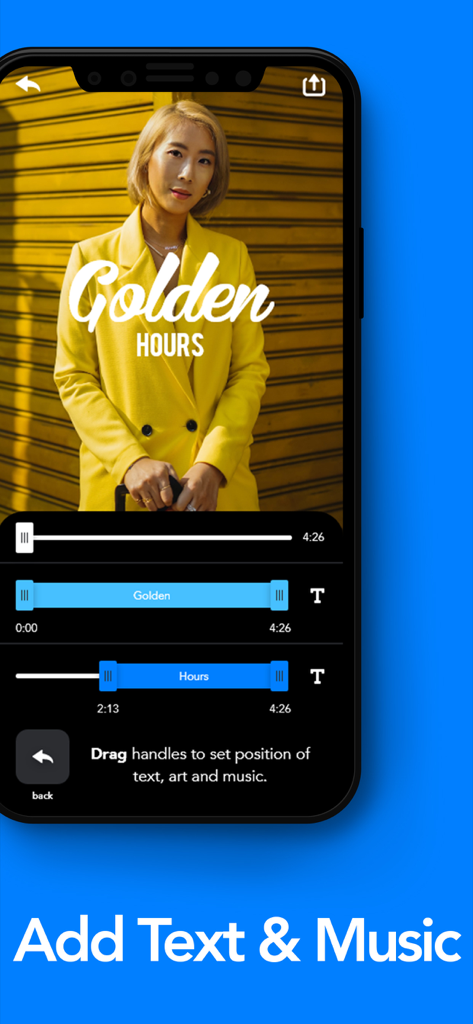
MovieMaker app interface showing options to add text and music to a video
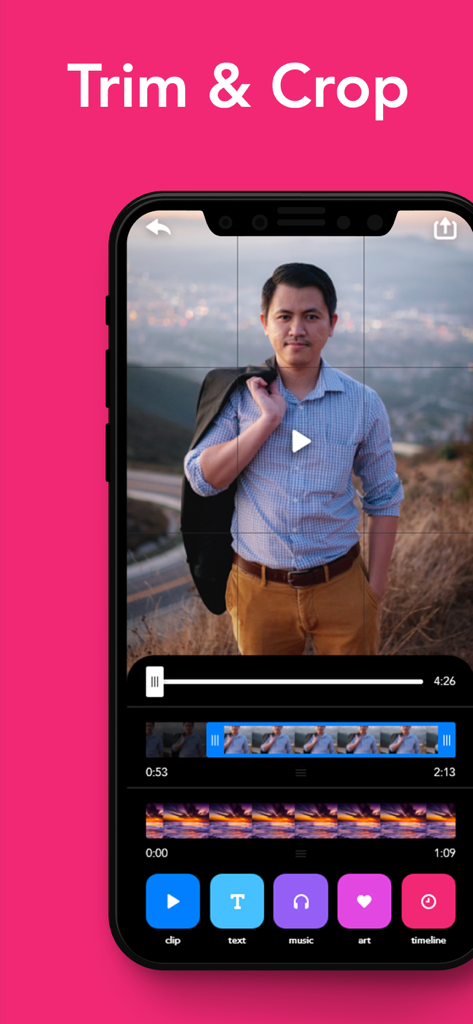
MovieMaker app interface showing the trim and crop video editing features on an iPhone
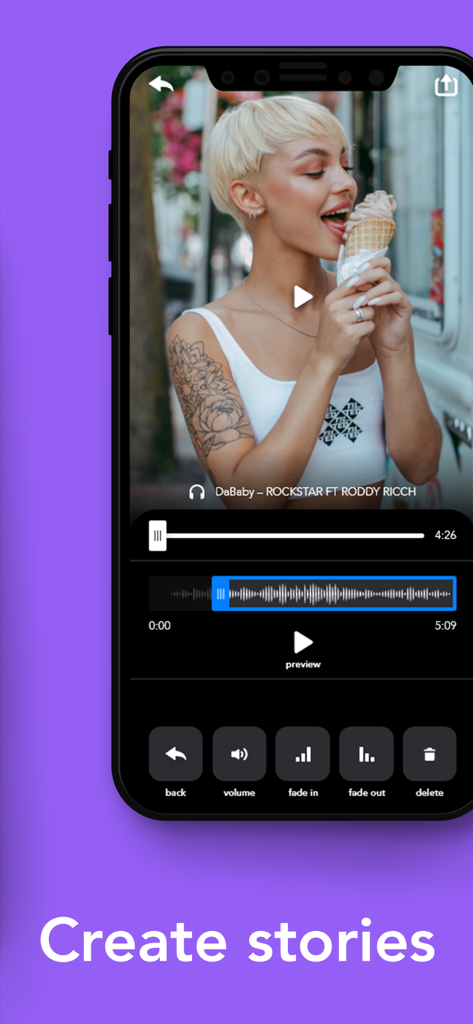
iPhone screen showing MovieMaker app editing a video with audio waveform and story creation tools
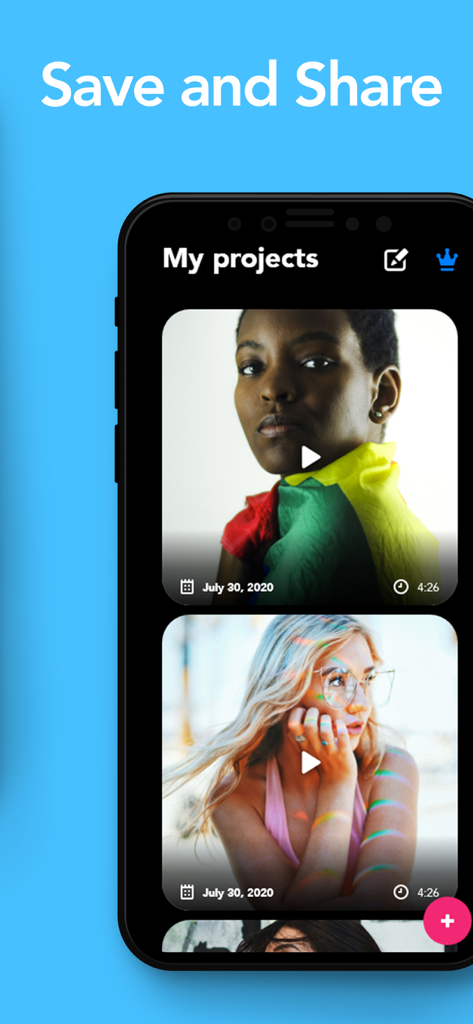
A smartphone screen displaying the MovieMaker app project library with video thumbnails and save and share text.
Description
Download
More Like This
Top-ranked apps in the same category

CapCut: Photo & Video Editor
BYTEDANCE PTE. LTD.

Instagram, Inc.

YouTube
Google LLC

Canva: AI Photo & Video Editor
Canva Pty Ltd

Snapchat
Snap, Inc.

快手
Beijing Kwai Technology Co., Ltd.

Edits: Video Editor
Instagram, Inc.

Meitu- AI Photo & Video Editor
Xiamen Meitu Technology Co., Ltd.

Google Photos: Backup & Edit
Google LLC
This page is not an official page of the app or its developer, but an independent editorial publication created for informational and commentary purposes. Unless expressly stated otherwise, neither the app nor its developer is affiliated with, endorsed by, sponsored by, authorized by, or otherwise officially connected with MWM, Apple, Google Play, the app publisher, or the app's developer, and nothing on this page implies that the app was developed using MWM's services. Any trademarks, logos, screenshots, and other content remain the property of their respective owners.