MP3 Converter Edit Music files

MP3 Converter Edit Music files

Download on App Store
Logo of MP3 Converter Edit Music files

MP3 Converter Edit Music files: Your Professional All-in-One Audio Tool

Effortlessly convert, edit, and share any audio format—from FLAC and OGG to MP3 and WAV. Optimized for creators and pros who need fast, background processing on the go.

Download on App Store

Publisher

OFFIWIZ, S.L.

Category

Utilities

Downloads

0

User Rating

3.8/5

Total Ratings

0

Locales

7

A Glimpse Inside

Discover the interface used by 0 users.

Interface of the MP3 Converter app displaying a list of audio files in different formats like WMA, MP3, and FLAC for selection.
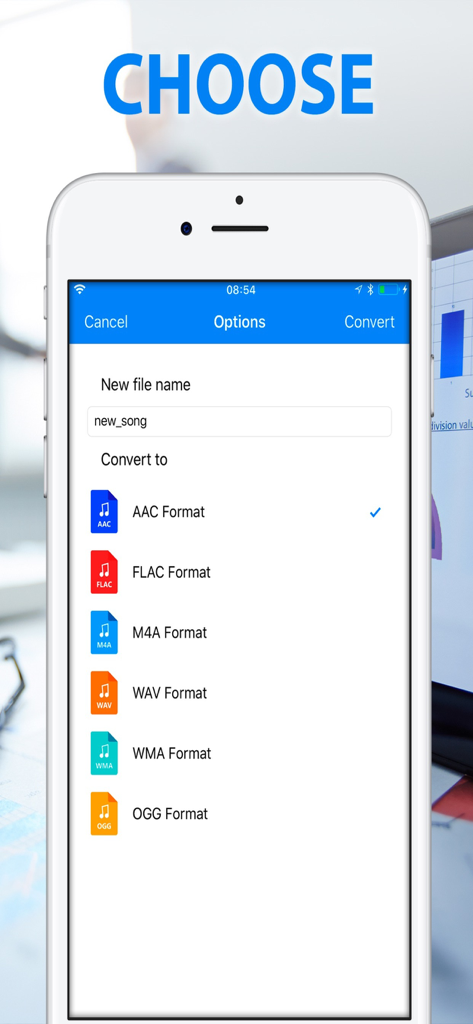
Interface of the MP3 Converter app displaying a list of audio files in different formats like WMA, MP3, and FLAC for selection.

Interface of the MP3 Converter app showing options to choose output audio formats including AAC, FLAC, and WAV
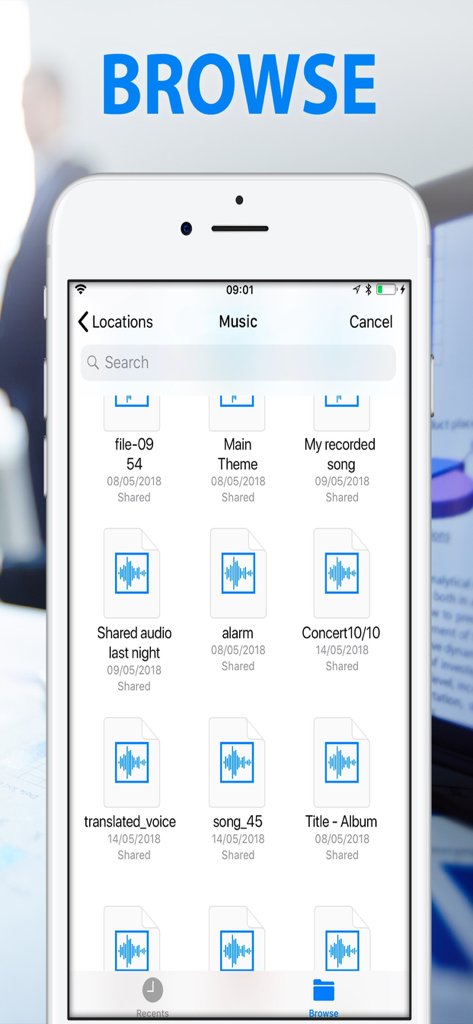
Interface of the MP3 Converter app showing options to choose output audio formats including AAC, FLAC, and WAV

iPhone screen showing the browse tab with a list of saved audio and music files ready for conversion.
iPhone screen showing the browse tab with a list of saved audio and music files ready for conversion.

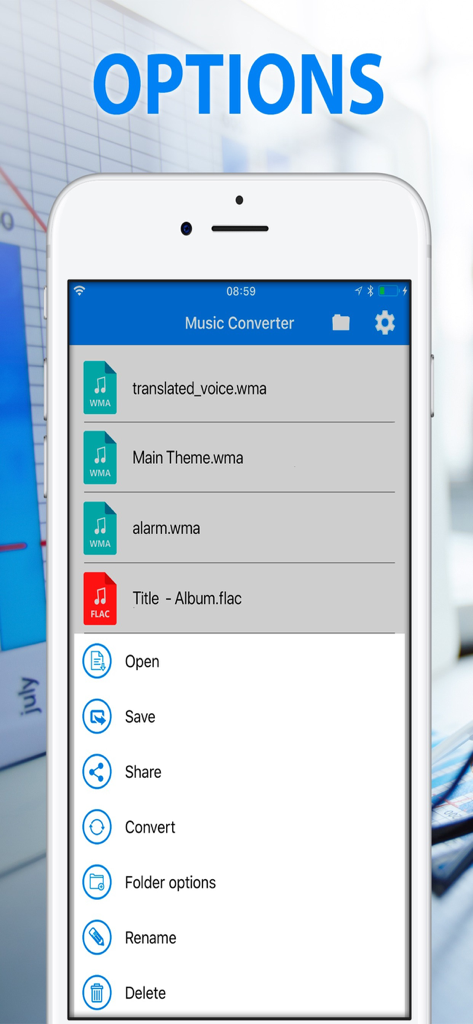
Options menu of the Music Converter app showing audio file management and conversion features
Options menu of the Music Converter app showing audio file management and conversion features

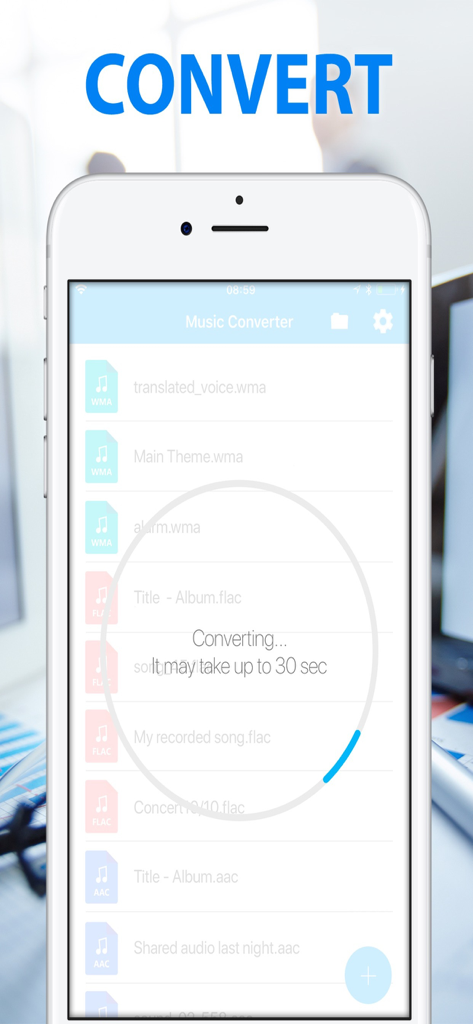
MP3 Converter app interface showing audio file conversion progress on iPhone.

MP3 Converter app interface showing audio file conversion progress on iPhone.

Master Your Audio Workflow

The tools that make this app stand out, trusted by 0 users.

🎧

Universal Format Freedom

End format frustration instantly. Convert between MP3, WAV, FLAC, OGG, and M4A to ensure your audio is compatible with any player or editing software.

Smart Background Processing

Stay productive without the wait. Our battery-optimized engine handles entire folders in the background and notifies you the second your files are ready.

🚀

Seamless Professional Sharing

Move files faster than ever. Directly export your converted tracks to Slack, Google Drive, or Social Media to keep your projects moving forward.

About the app

Everything you need to know about MP3 Converter Edit Music files.

Description

MP3 Converter (music ogg flac wav wma aac) is a music converter that allows you to transform songs and audio files to other extensions: you can convert mp3 to ogg, flac, wav, wma, aac, m4a, and many more. Choose the extension, choose an output format and convert any music, perfect for creating albums of songs and folders of audios, compose musical themes and works with music. MP3 Converter (music ogg flac wav wma aac): - Link with the best file converters: Convert your audios and sounds to other formats with the help of our range of file converters and formats: PDF Converter, Image and Photo Converter and Video Converter. - Ideal to work Identify, recognizes and converts any music, song, audio or voice. It also modifies and converts your favorite music songs and changes the extension to the desired format, sends the finished podcasts directly from the music converter. - Share your files with other tools and applications Share the documents you've converted with any other messaging, mail or social network application. Link your works with PDF Converter, Image and Photo Converter and Video Converter and finish completing the application with the best tools. - Resource Optimization The optimization of the Application allows you to save battery and resources during the process of converting documents into different formats. Make conversions in the background and receive notifications when the conversion is complete. - Supported Formats Music Converter (mp3 ogg flac wav wma aac) is able to work with the following formats: mp3, ogg, flac, wav, wma, aac and m4a. - Simple and easy to use interface It converts music, sounds, songs, audio and others immediately, MP3 Converter is very simple to use, in a moment you can convert your photo files to formats like mp3, ogg, flac, wav and much more. Convert your music and sounds to any format so it is always compatible with MP3 Converter. If you need an mp3 sound and you only have an ogg sound, it converts the sounds with our sound converter. Improve the export of your favorite sounds and audios. You can have your sound in the format you want. Convert sound, music and audios to other formats, create music files from other sound files and audio files is a reality with MP3 Converter, transform songs and make new sounds in other formats is easy and fast. Convert an audio file to an mp3 file or a standard music player, convert MP3 to OGG, convert OGG to FLAC, OGG to MP3, MP3 to WAV, MP3 to MP3, OGG to AAC and more combinations are possible thanks to MP3 Converter , File converter and music converter. Finish your office and sound work with conversions like OGG to MP3, MP3 to AAC, WMA to OGG, FLAC to MP3, OGG to WMA, WMA to MP3, OGG to M4A, OGG to AAC, MP3 to M4A, MP3 to AAC. If you liked music converter: mp3 music, ogg music. Look for more similar applications like PDF Converter or Video converter. Subscription information: - Length of Subscription: 1 month ( 7 day free trial) or 1 year. - Price: $2.99 per month billed monthly. $24.99 per year billed yearly. - Subscription automatically renews unless auto-renew is turned off at least 24-hours before the end of the current period. - Payment will be charged to iTunes Account at confirmation of purchase. - Account will be charged for renewal within 24-hours prior to the end of the current period, and identify the cost of the renewal. - Subscriptions may be managed by the user and auto-renewal may be turned off by going to the user's Account Settings after purchase. - Any unused portion of a free trial period, if offered, will be forfeited when the user purchases a subscription to that publication, where applicable. Privacy Policy: http://www.offiwiz.com/policy/ Terms of use: https://www.offiwiz.com/terms_of_use

Latest Version

1.4.2

Size

7.0 MB

First Released

Aug 2, 2018

Master Your Audio Workflow Anywhere

Convert any format—from FLAC to MP3—in the background while you work. Start your free trial and experience the ultimate mobile audio tool for professionals and creators today.

Download on App Store

App information, icons, screenshots, and descriptions displayed on this page are sourced from the Apple App Store and are the property of their respective developers. Download estimates and rankings are based on MWM's proprietary models and may not reflect actual figures. This page is provided for informational and analytical purposes only.

Believe this page infringes your intellectual property? File a dispute