
This page is not an official page of the app or its developer, but an independent editorial publication created for informational and commentary purposes. Unless expressly stated otherwise, neither the app nor its developer is affiliated with, endorsed by, sponsored by, authorized by, or otherwise officially connected with MWM, Apple, Google Play, the app publisher, or the app's developer, and nothing on this page implies that the app was developed using MWM's services. Any trademarks, logos, screenshots, and other content remain the property of their respective owners.


MT管理器
Finally, total file control on mobile. This app equips users with the tools to master their device's storage, from deep file dives to instant compression.
Downloads
100k+User Rating
Total Ratings
13.7KPublisher
Category
UtilitiesLocales
1Latest Version
1.1Size
16.5 MBFirst Released
Aug 12, 2025Analyzing core capabilities for tech-savvy mobile users and professionals.
MT Manager: An Expert Evaluation
Multi-Format Archive Management
The app provides rapid compression and decompression for a wide range of archive formats including ZIP, TAR, TAR.ZP, and TAR.BZ2, which is essential for efficient data handling and sharing for professionals and creators.
Advanced System File Access
This tool features the capability to import system files, providing tech-savvy users with deeper access and control over their device's underlying file structure for advanced management.
Comprehensive File Operations
It allows users to perform essential file management tasks such as deleting, copying, and sharing files with ease, ensuring robust control over their digital assets.
Seamless Multi-Format Previews
It enables users to preview various file formats directly within the application, streamlining workflows and enhancing productivity by reducing the need for external applications.
Frequently Asked Questions
Everything you need to know about MT管理器
What is MT管理器?
MT管理器 is a file management and compression/decompression tool. It offers features like file organization, viewing, archiving, and extracting files in various formats.
What file formats does MT管理器 support for decompression?
MT管理器 supports the decompression of multiple archive formats, including ZIP, TAR, TAR.ZP, and TAR.BZ2. It provides fast and efficient extraction for these types.
Can MT管理器 perform basic file operations like delete, copy, and share?
Yes, MT管理器 supports a comprehensive set of file operations. Users can delete, copy, share, cut, and save files to albums directly within the application interface.
Does MT管理器 allow users to save photos to their device's photo album?
Yes, MT管理器 enables users to save photos directly to their device's photo album. This feature is integrated to streamline image management within the app.
How can users import files into MT管理器?
MT管理器 supports multiple file import methods. Users can import files, import from photo albums, take new photos, or paste content directly into the application.
Does MT管理器 offer any image processing tools?
Yes, MT管理器 provides rich image processing tools. These include adding watermarks, compressing images, applying filters, and creating image collages directly within the application.
Can MT管理器 compress multiple files simultaneously?
Yes, MT管理器 supports compressing both single and multiple files. This feature allows users to efficiently archive several items together into a single compressed package.
The following screenshots and description are sourced directly from the app's official store listing and are the property of the app developer.
App Store
Screenshots
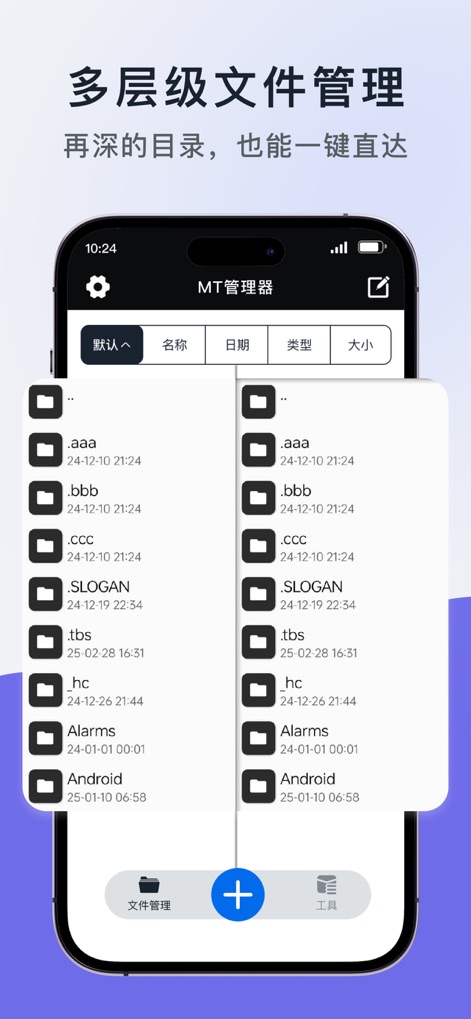
This app streamlines organization with its hierarchical folder structure and intuitive navigation, making file access effortless.
Hierarchical File Management
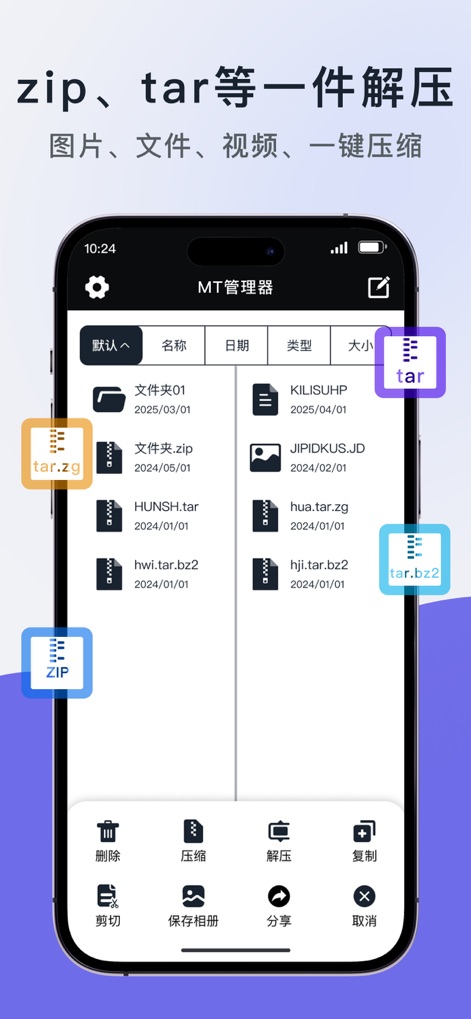
Users can effortlessly handle various archive formats like ZIP and TAR, utilizing dedicated compression and decompression tools.
Seamless Compression & Decompression

The app enables users to perform advanced multi-file operations, including efficient batch compression and convenient sharing options.
Advanced File Operations

This tool offers versatile content integration, allowing direct import from system files and seamless photo album imports.
Versatile File Import
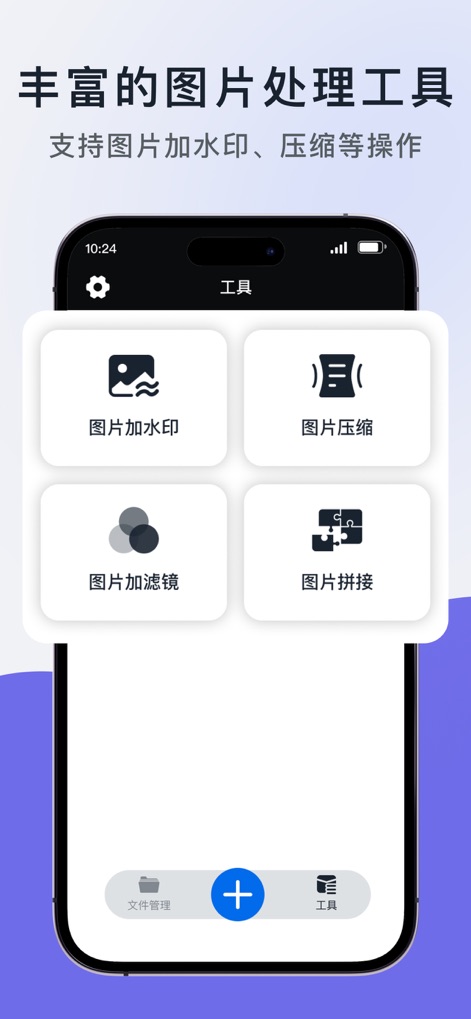
Explore the app's robust image toolkit, featuring specialized tools for image watermarking and efficient compression.
Robust Image Toolkit
Description
Download
More Like This
Apps with similar features and user experience

Unzip – ZIP RAR 7Z Extractor
Little Sweet Technology Co., Ltd.

iRAR - zip,rar,7z file opener
书敏 贾

Unzip - zip,rar,7z file opener
书勇 贾

Zip & RAR File Extractor
PENGHUI ZHAO

iZip – Zip Unzip Unrar
ComcSoft Corporation

Zip, RAR, 7z File Extractor
FANGZHOU INTERACTIVE TECHNOLOGY CO., LIMITED

ZArchiver: UnZip, UnRar, 7Z
TIMON SOFTWARE SOLUTIONS COMPANY LIMITED

Zip & RAR & 7z File Extractor
琳 胡

iZip Pro -Zip Unzip Unrar Tool
ComcSoft Corporation
This page is not an official page of the app or its developer, but an independent editorial publication created for informational and commentary purposes. Unless expressly stated otherwise, neither the app nor its developer is affiliated with, endorsed by, sponsored by, authorized by, or otherwise officially connected with MWM, Apple, Google Play, the app publisher, or the app's developer, and nothing on this page implies that the app was developed using MWM's services. Any trademarks, logos, screenshots, and other content remain the property of their respective owners.